
From Live Feed, admins can instantly see who is working, when the employee started tracking, and the employee's recent status (active, recently active, or not clocked in today).
How to check if employees are active or not
- Go to Live Feed from the left sidebar.
- You’ll see a list of team members who have been tracking time, with a few indicators:
- Started: The user is currently working with the timer running.
- Last seen: He has stopped the timer or is offline.
- Not clocked in today: This user didn't start his timer today.
- Start time: Shows when they began the current session.
- Project/task: Displays what they are working on.
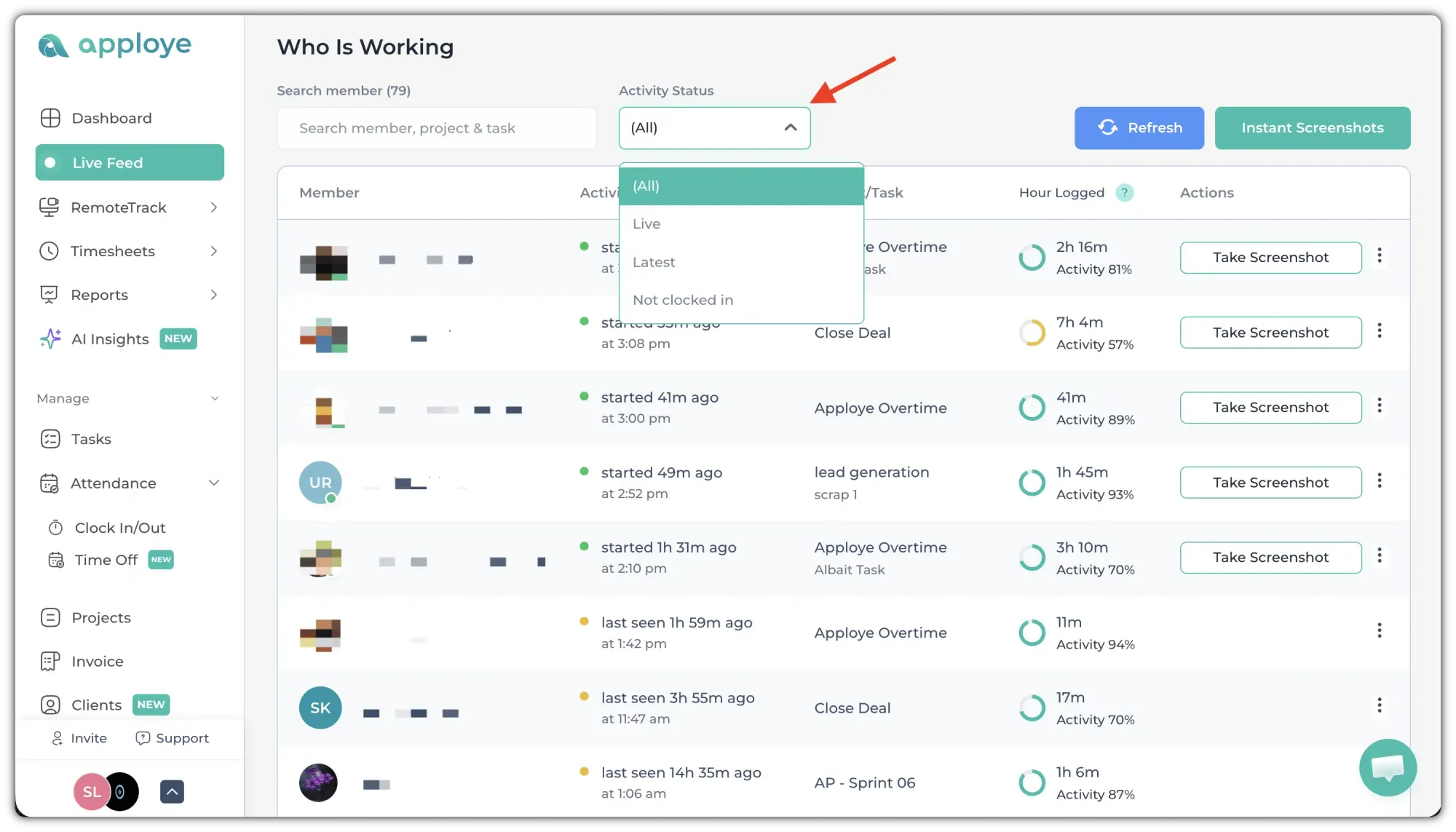
Click on the "Activity Status" dropdown, to filter by their activity status.
You can also filter by the Member name/Project/Task, from the search box in the upper left corner.
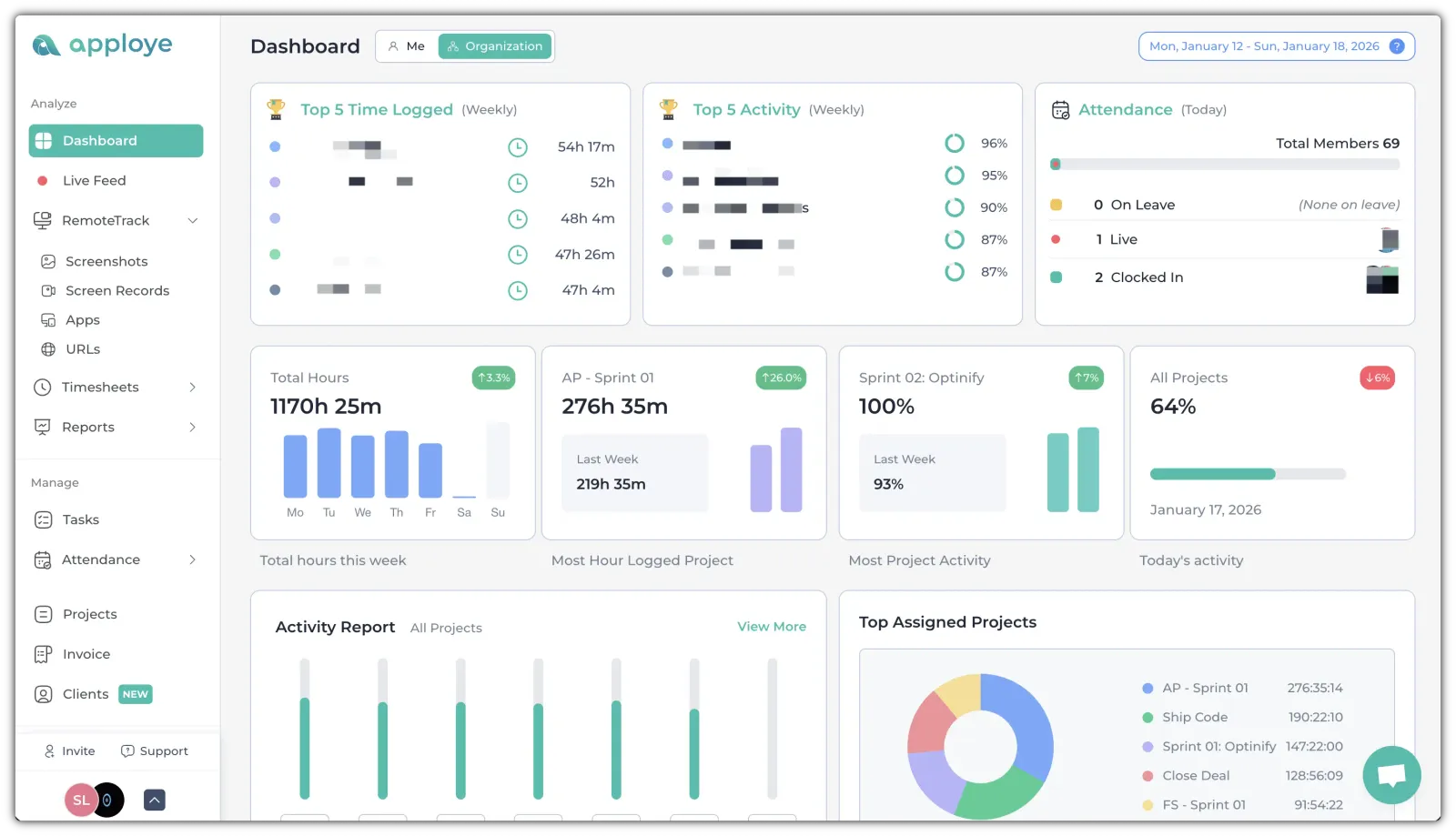
For a quick overview, go to the Dashboard, and it will show how many are tracking time now (Live) and how many are Clocked In.
From the same Live Feed page, you can also take instant screenshots to verify current work.
Note: Employees may be asked for permission depending on your settings.