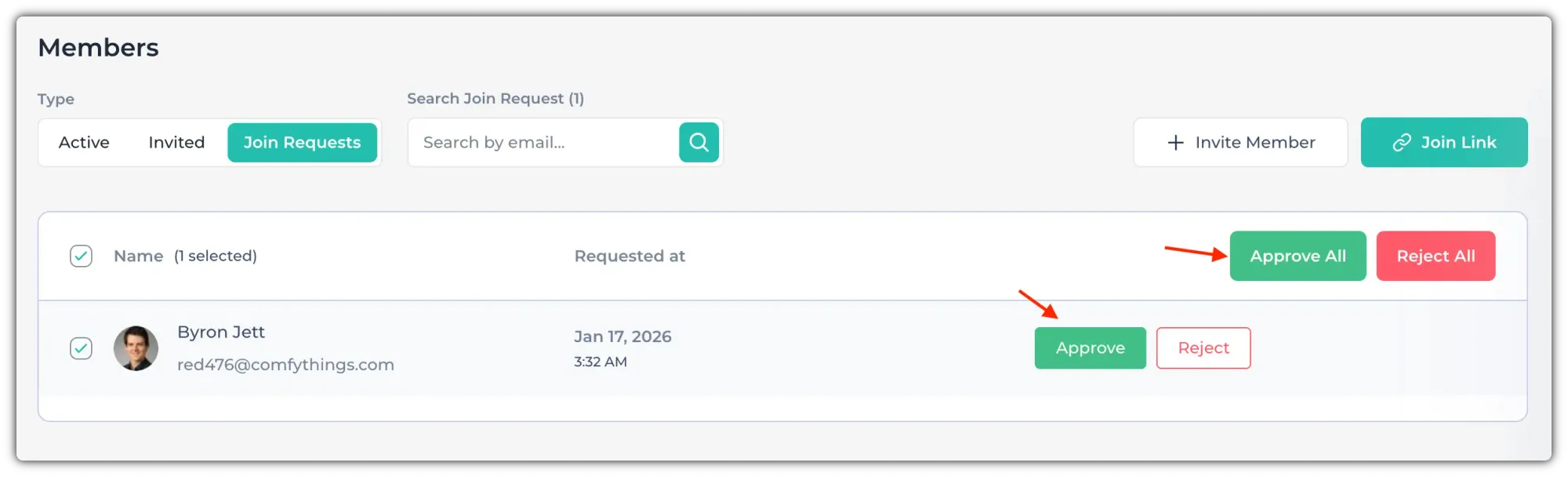
When you share the join link with your employees, they can use it to send a request to join your organization. As the organization owner or an admin, you’ll need to approve the request before they can join.
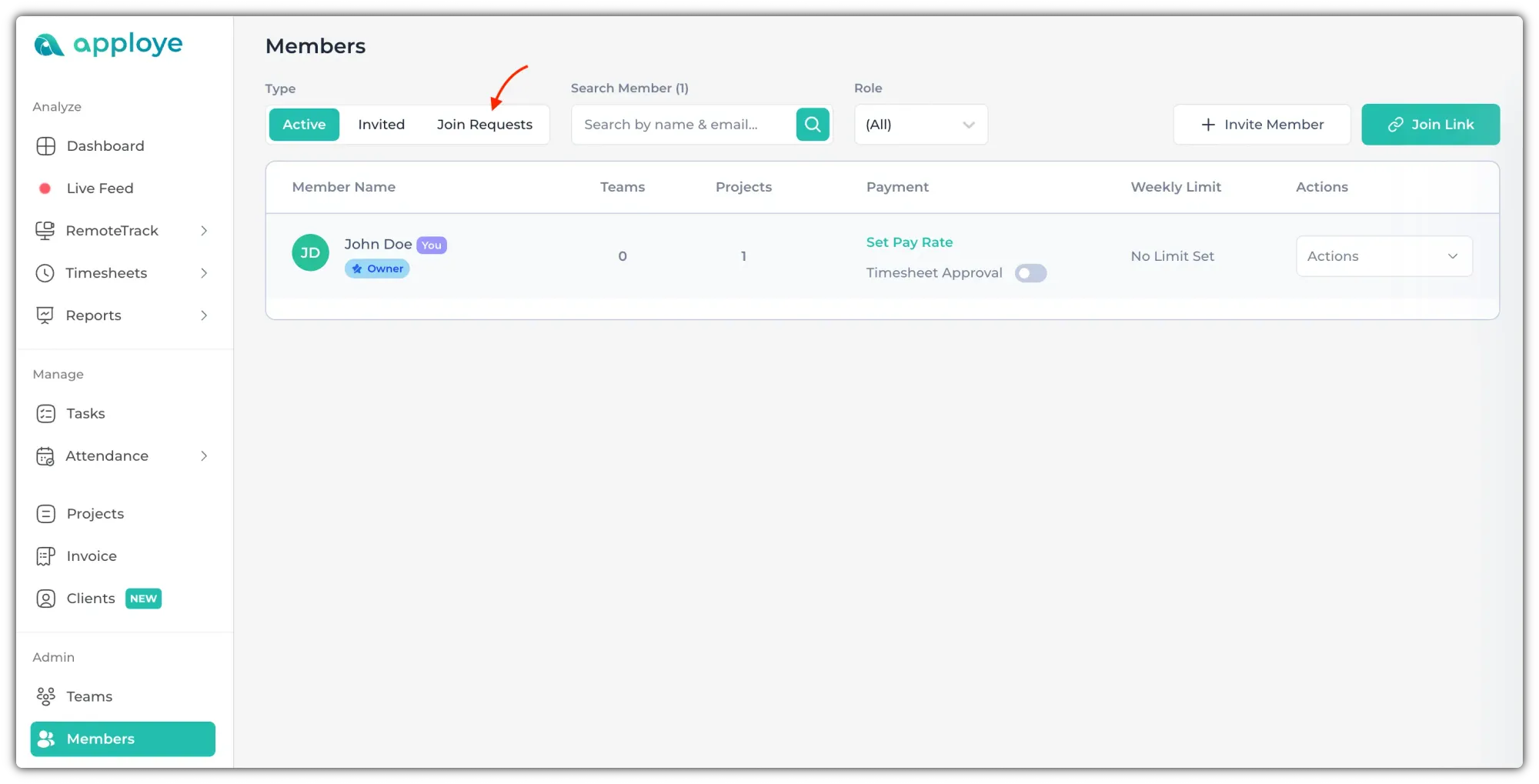
Go to the "Members" page and click on "Join Requests".
Now, click on "Approve" to approve any member. If you have multiple members, you can check the checkbox beside "Name" and select everyone. Click on "Approve All" to approve all of them.