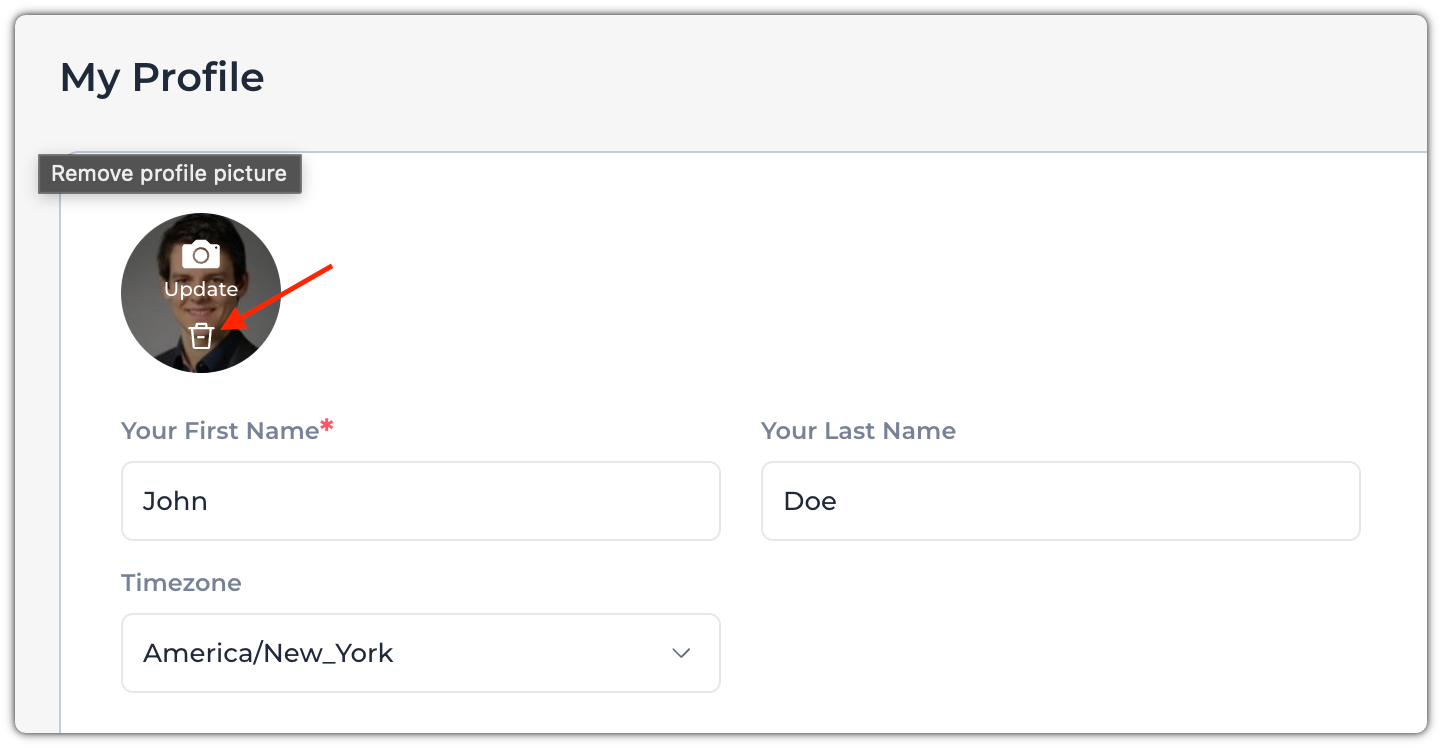
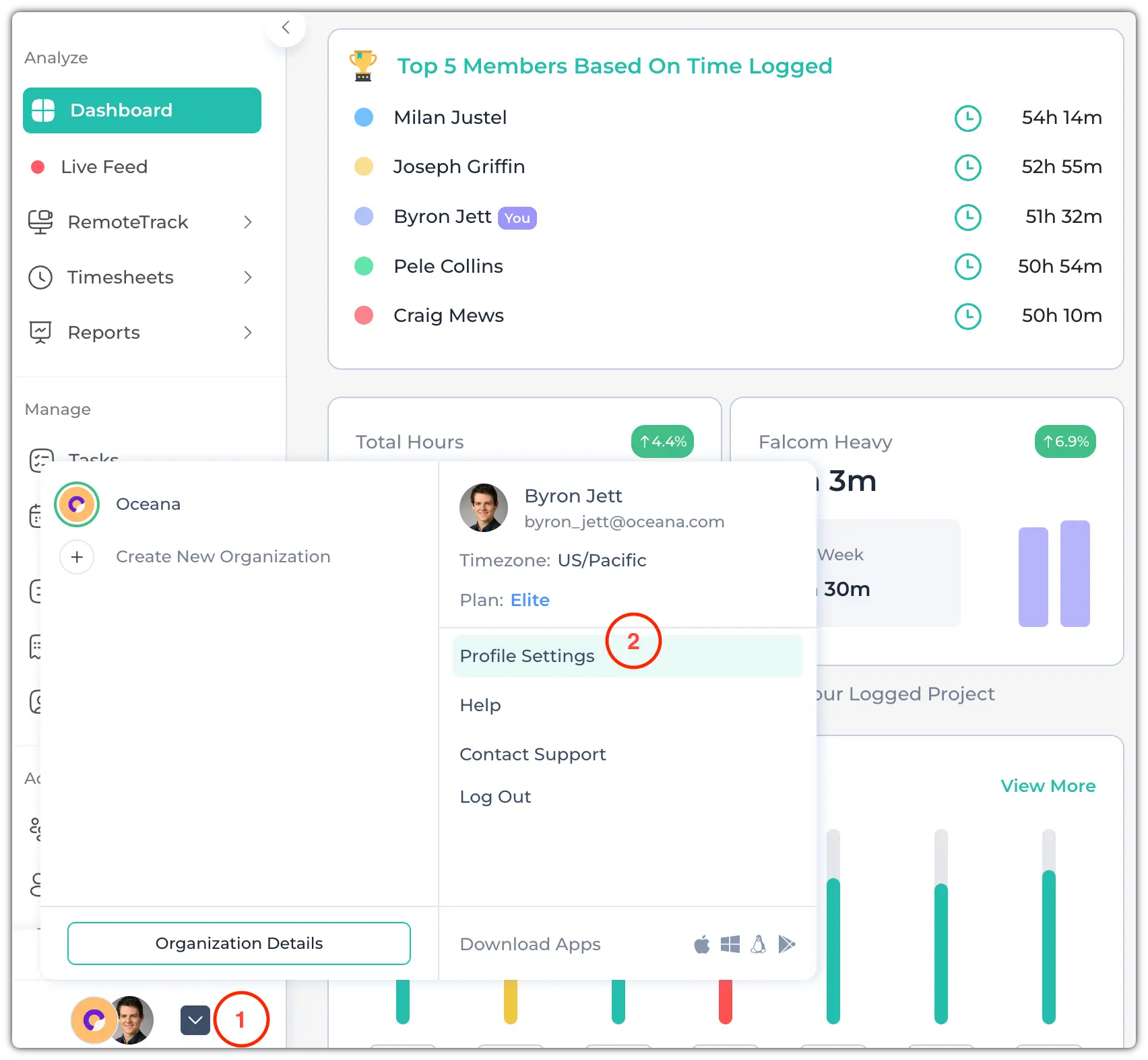
To remove your profile picture, go to the Profile Settings. It is located at the bottom of the left side panel.
First, click on the arrow icon at the bottom. Then, click on "Profile Settings".
Then, hover over the profile image. A bucket icon will appear. Click on it to remove the profile picture.