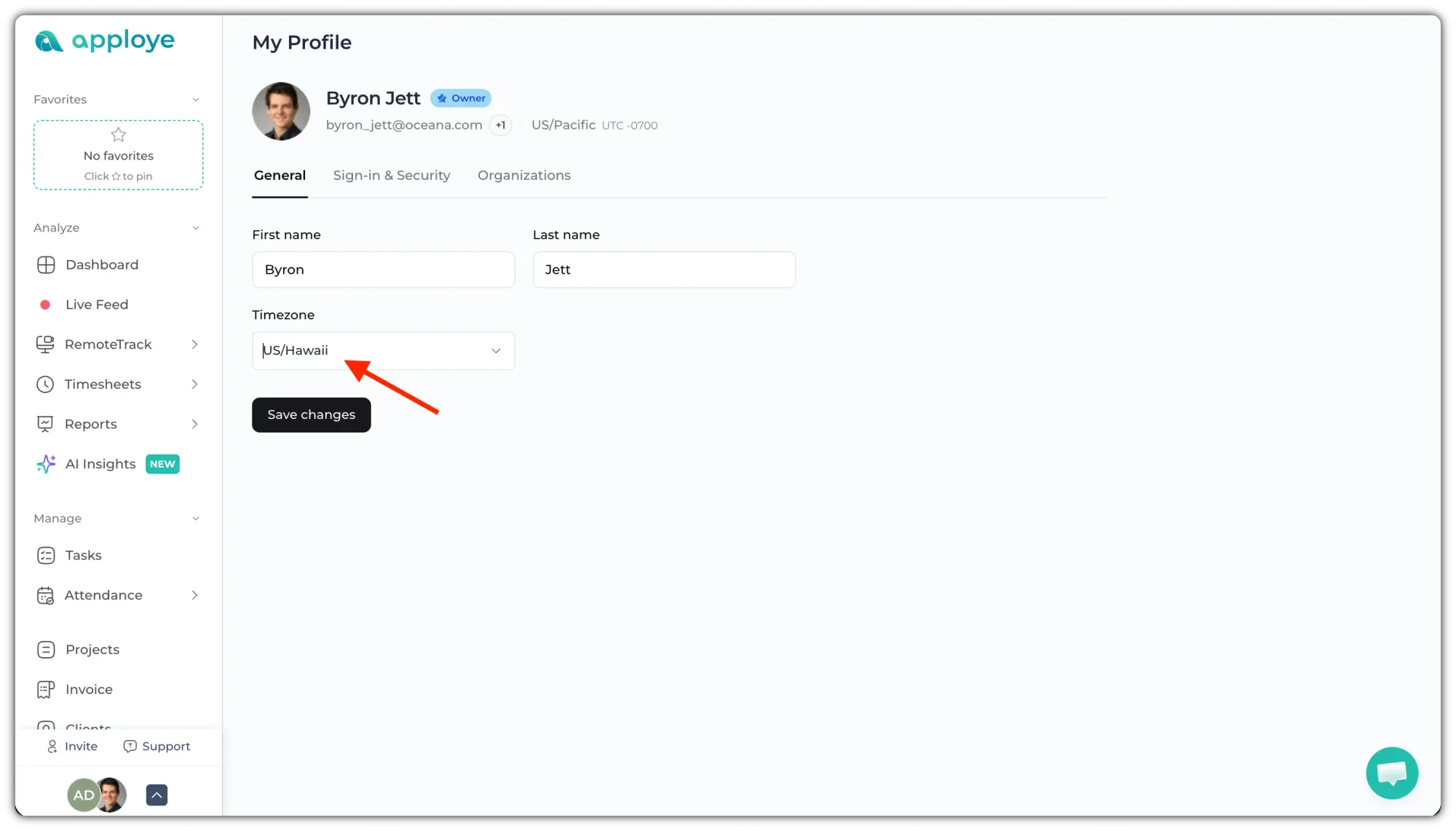
If you want to use a time zone different from your organization’s default, you can easily update your personal time zone.
Follow these steps:
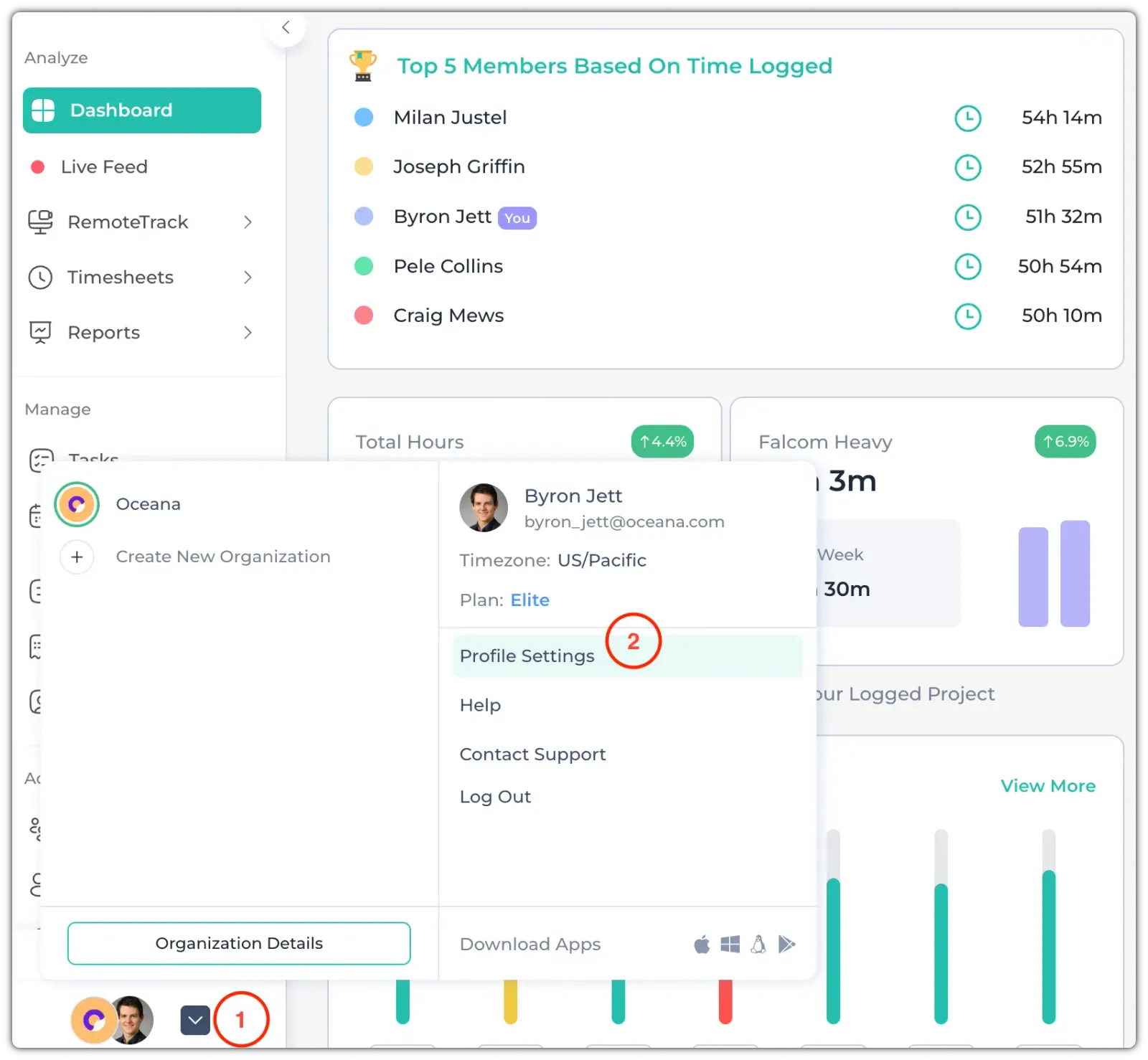
Firstly, click the bottom of the Left side panel. Then, go to "Profile Settings".
Click on the Time zone dropdown to choose your time zone. Then, click on Save Changes.