

Apploye allows organizations to apply activity tracking settings individually for specific members instead of using the same settings for the entire organization.
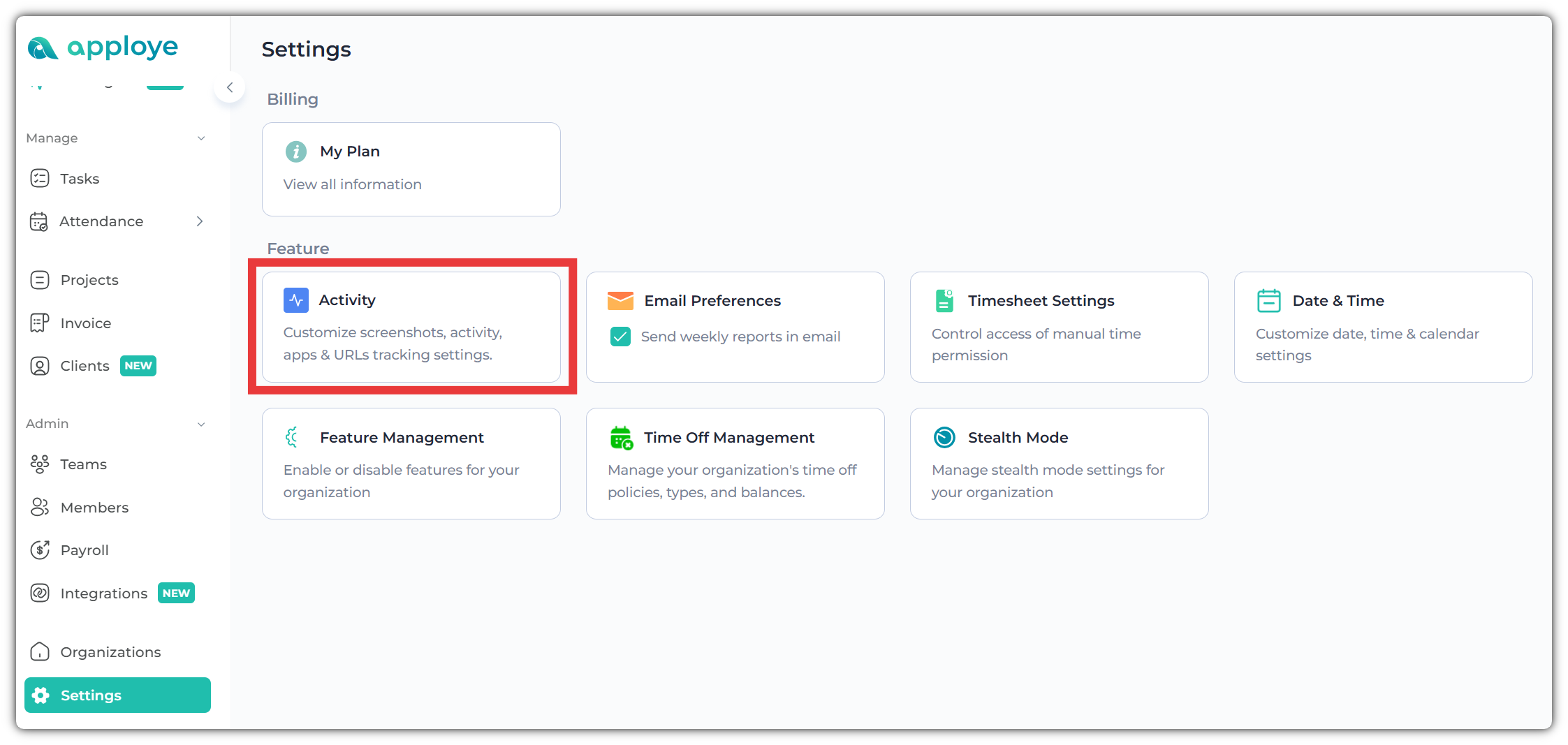
To check individual tracking settings, log in to the Apploye Dashboard and go to Settings from the left sidebar.
Inside Settings, open the Activity section.
Next, scroll down to the "Tracking Individual Member" section.
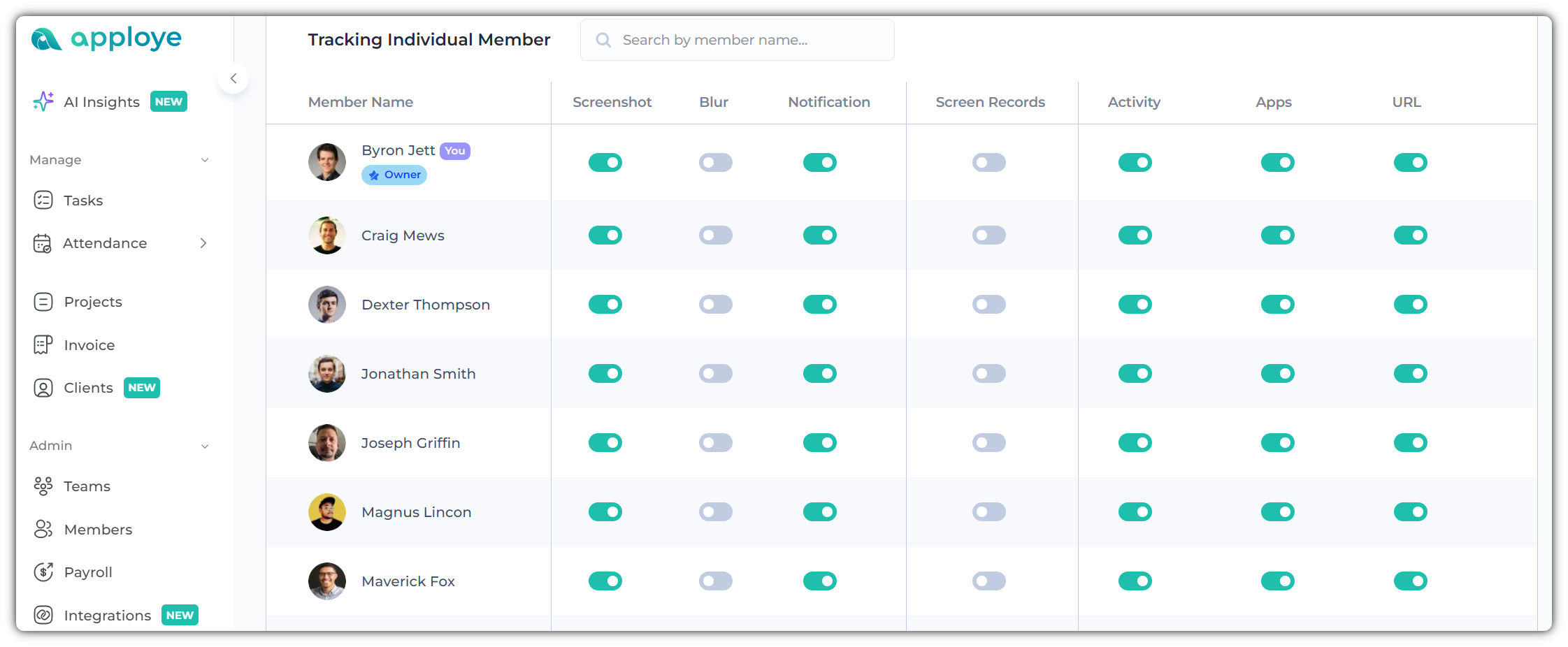
Now, select the member whose tracking settings you want to review or modify.