
After the owner/admin has invited you as a client, you will receive an email.
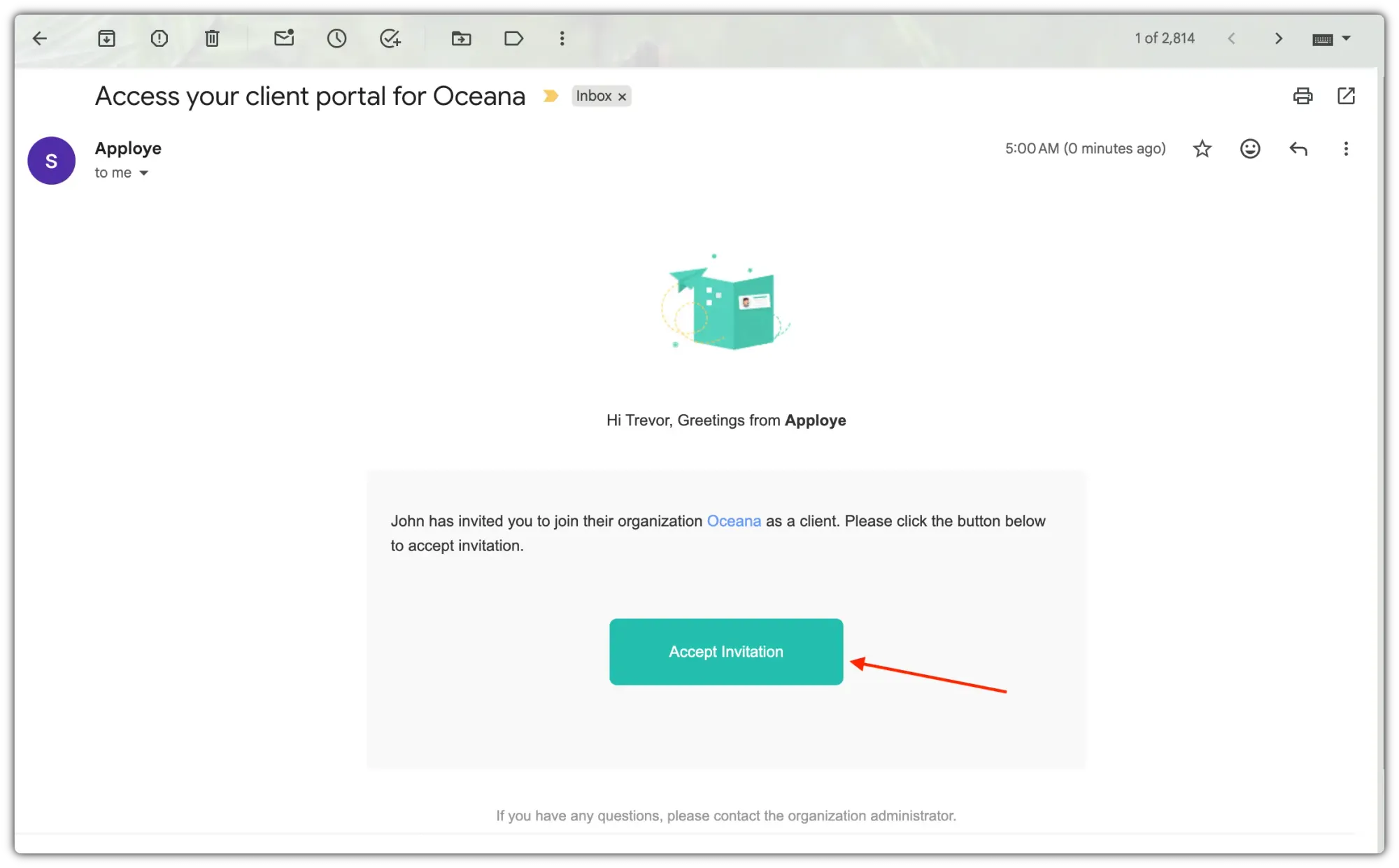
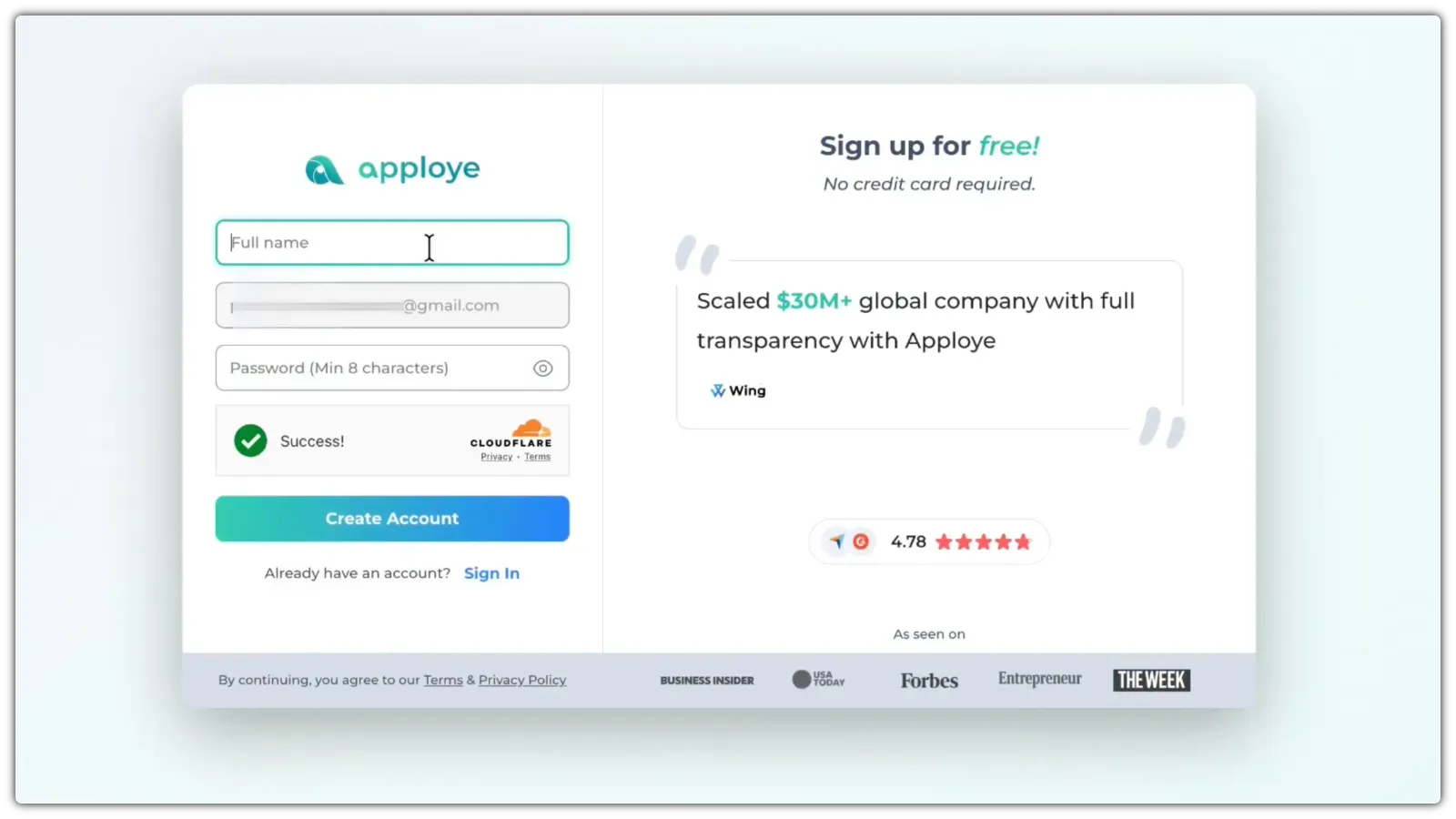
Click on the "Accept Invitation" button to accept it. You will be taken to a sign-up page. Your email will already be brought there. Give your full name & password to sign up as a client.
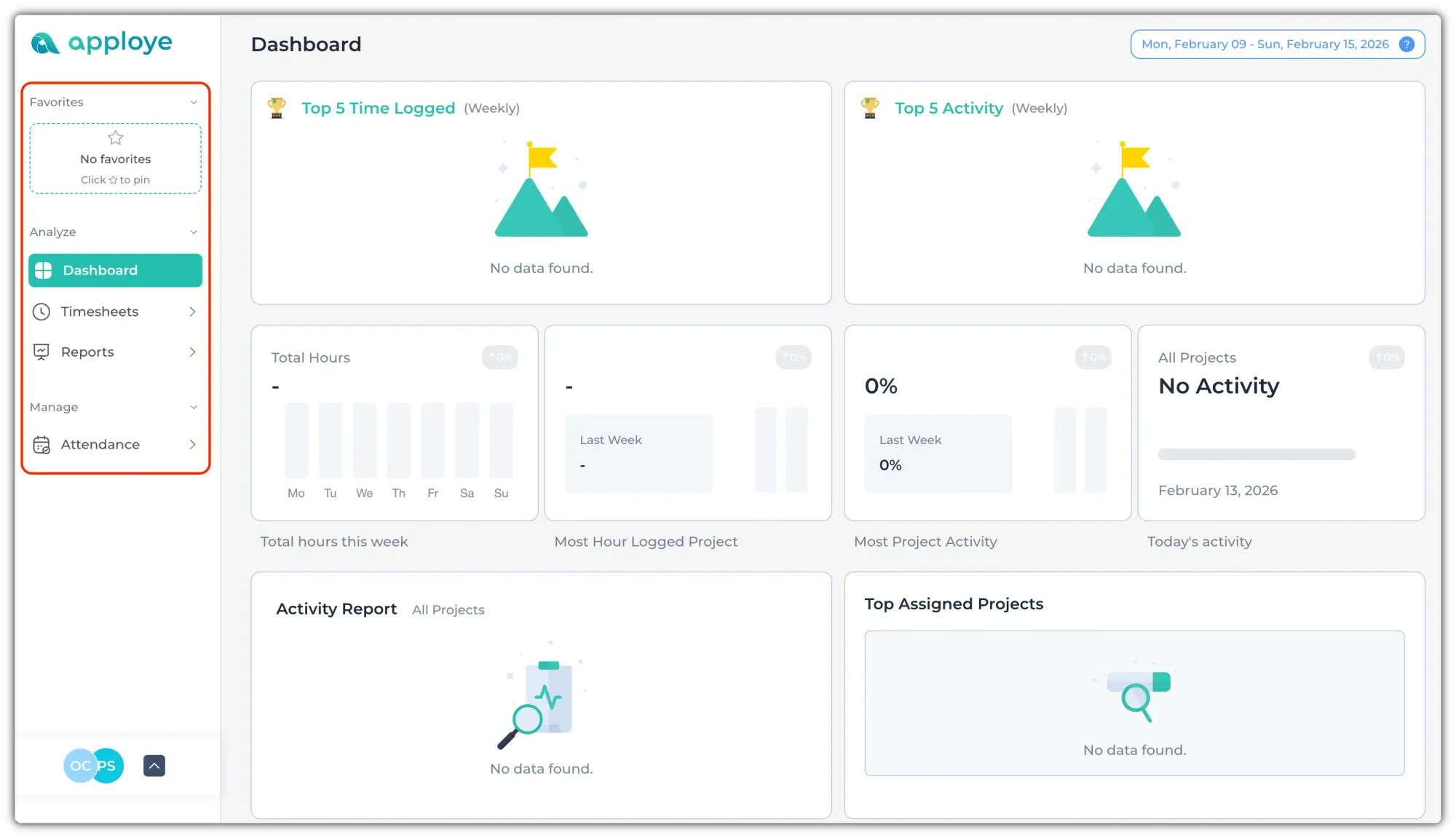
After that, you will get access to the web app. From here, you can check the work data of the employees. You can use the left sidebar to navigate. You can also pin a few pages to the favorites section.
If you need further access, reach out to the admin. He can change your access level. Please note that as a client you'll only get 'view' access to all data. Even admin cannot grant you 'edit' access.
See more: