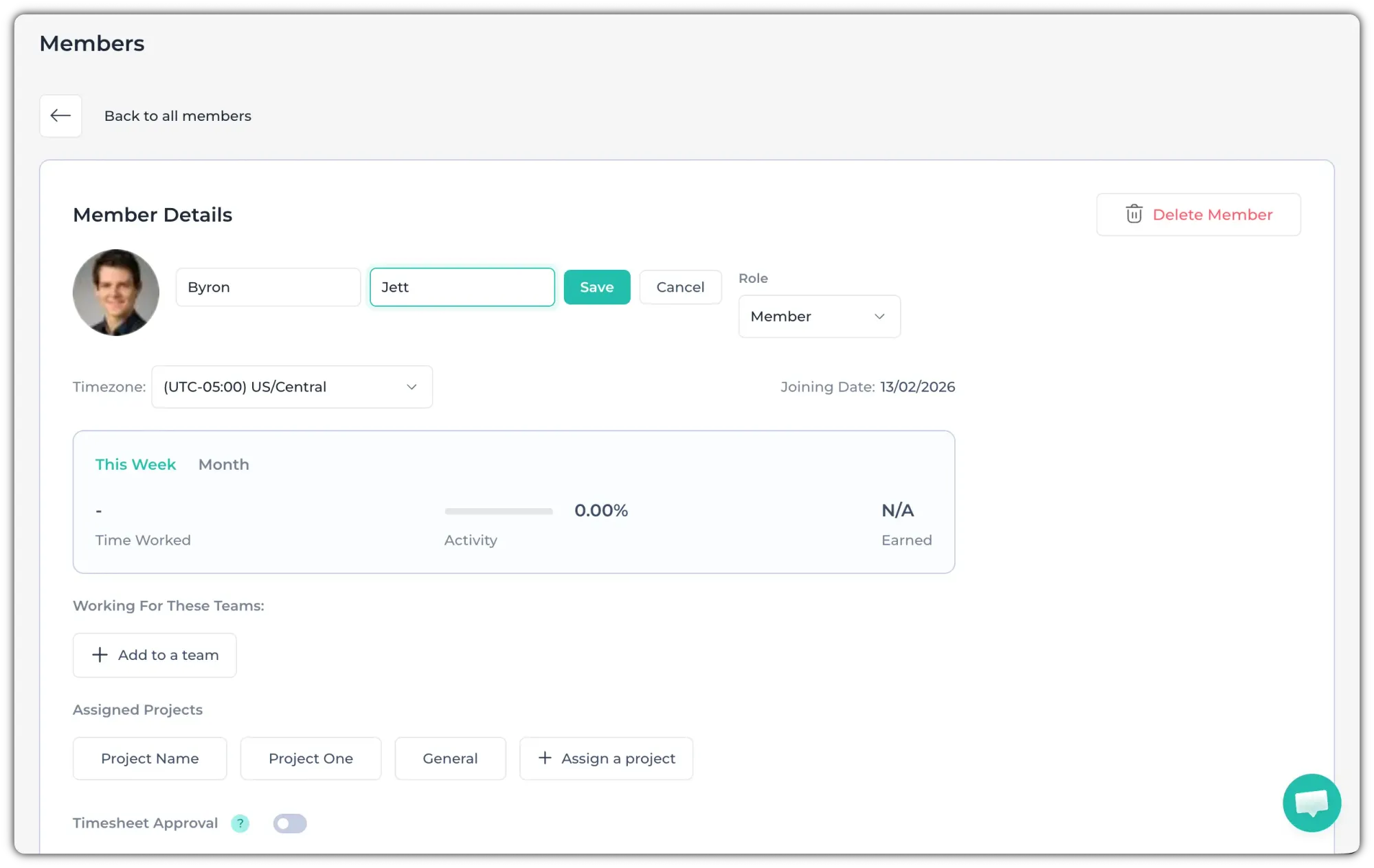
To edit a member’s name, follow these steps:
1. Go to the Members page from the left-side panel.
2. Click on the member’s name that you want to edit.
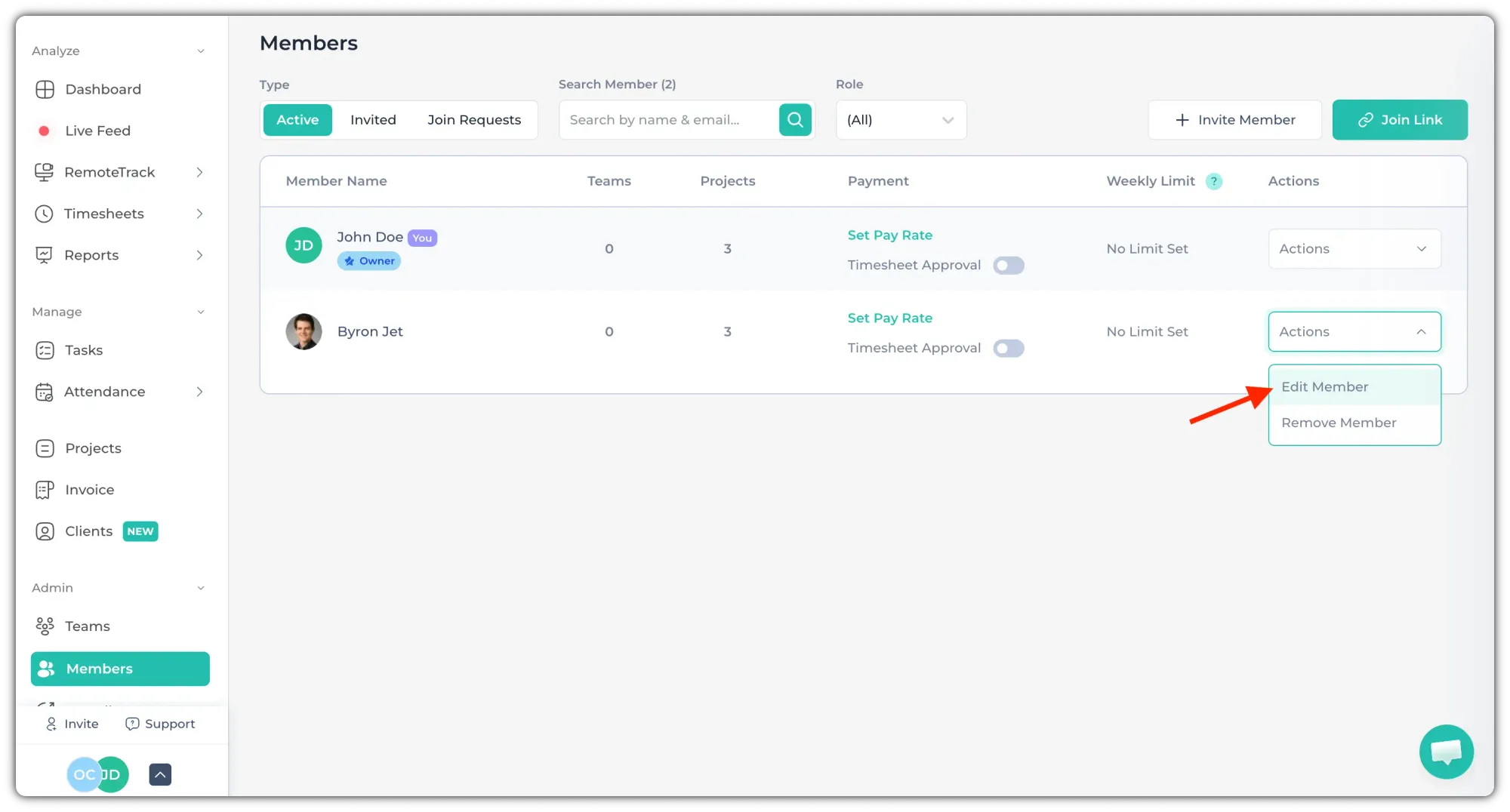
Alternatively, select "Edit Member" from the "Actions" dropdown.
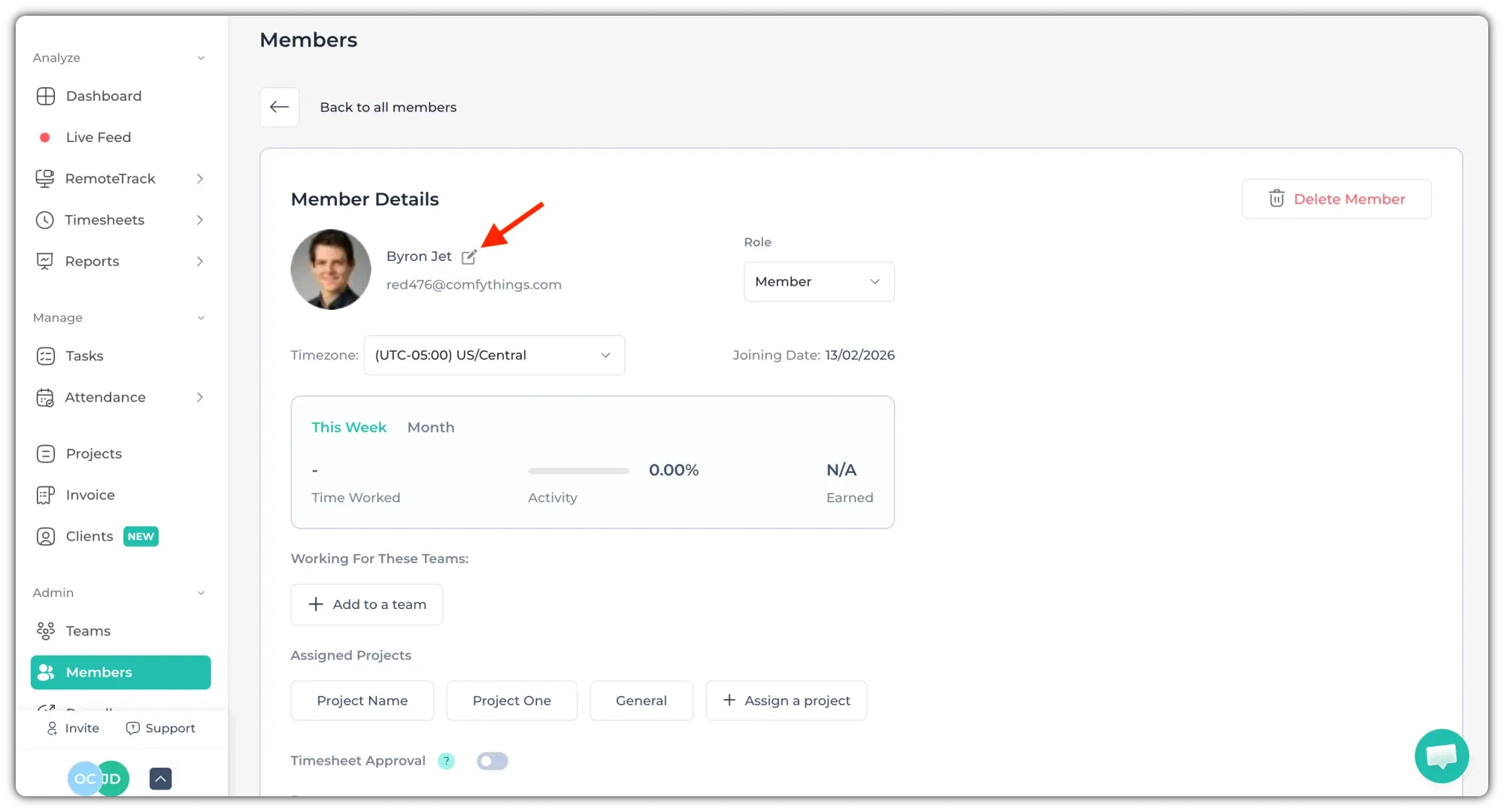
3. Click the “Edit” icon next to the member’s name.
4. Now, update the name and click on "Save".