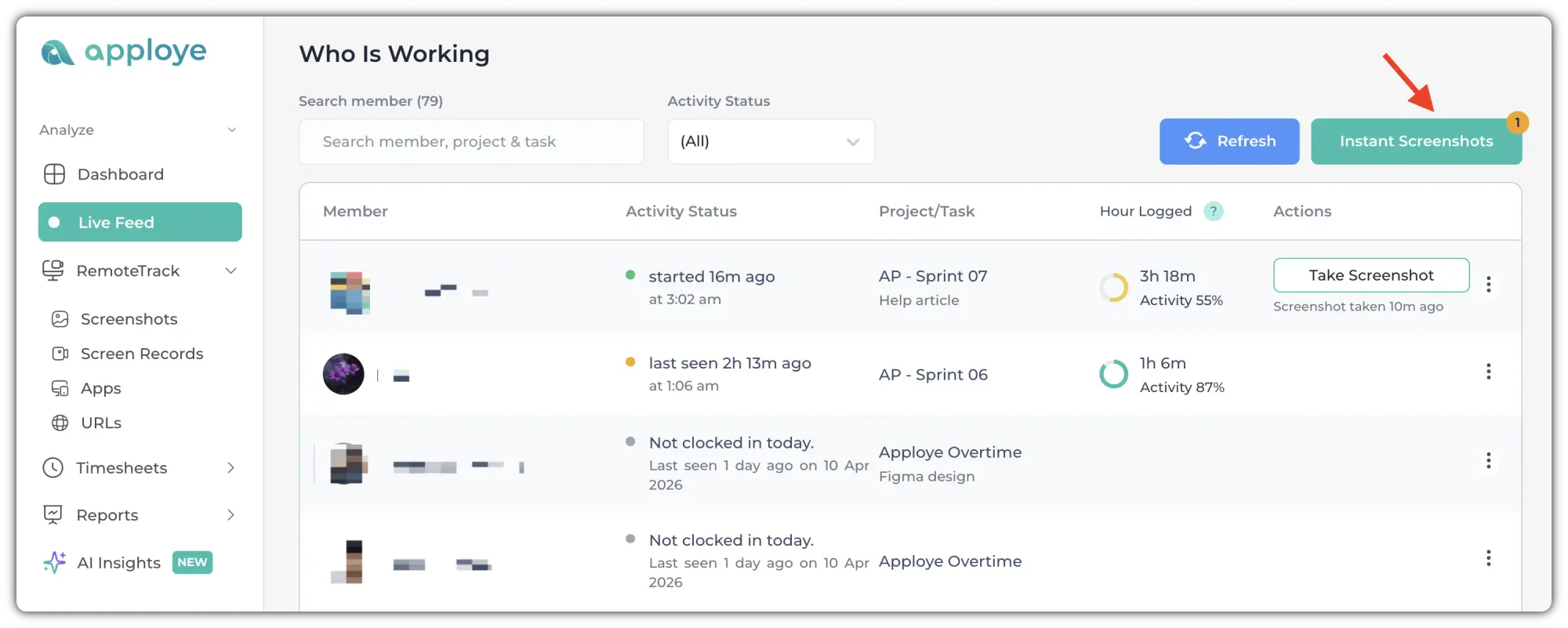
To delete any instant screenshots, go to the Live Feed page, and click on the "Instant Screenshots" button.
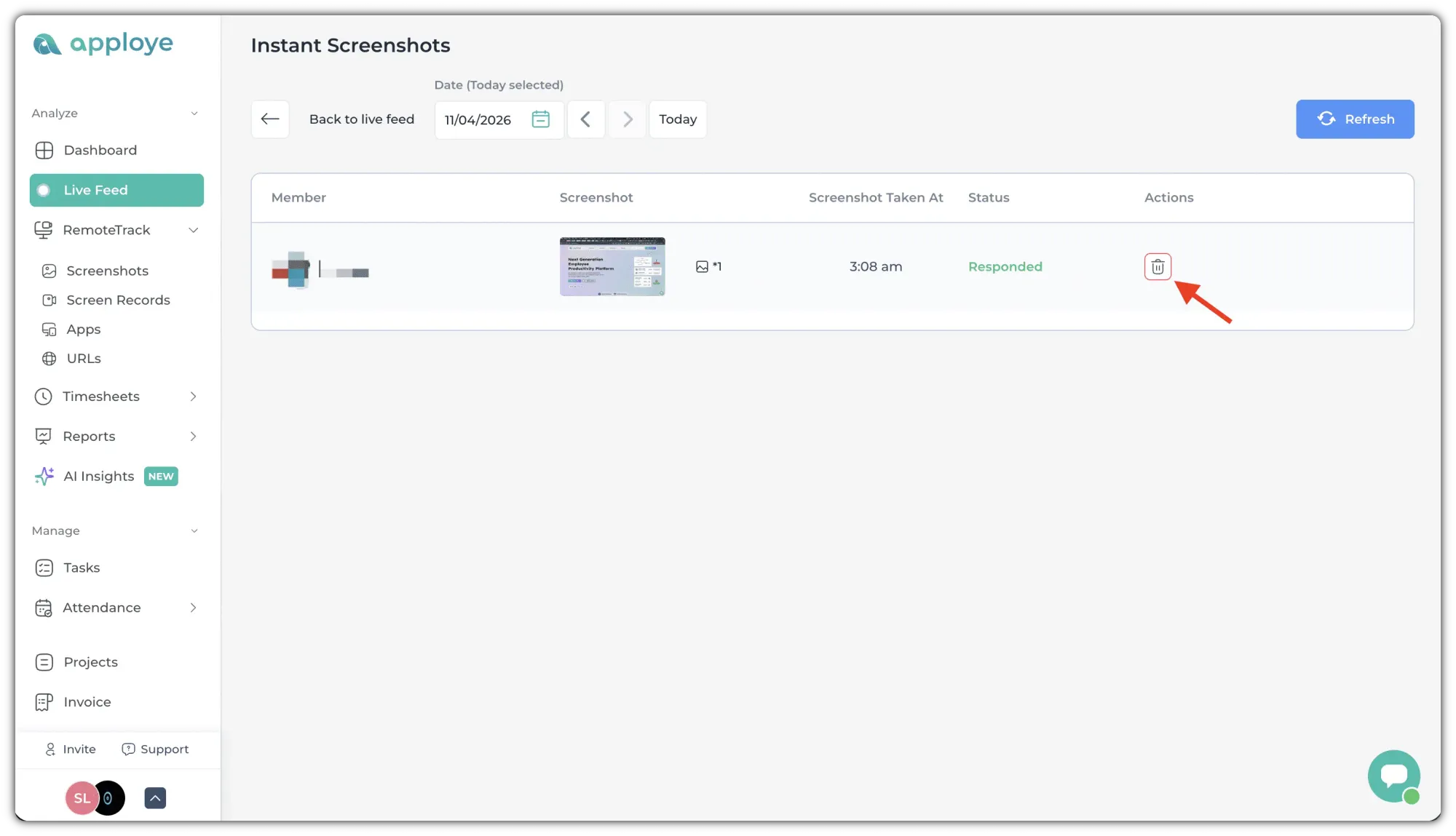
Now, click on the delete button on the right.
It will show you a confirmation pop-up. Click on "Yes" to delete the screenshot.

To delete any instant screenshots, go to the Live Feed page, and click on the "Instant Screenshots" button.
Now, click on the delete button on the right.
It will show you a confirmation pop-up. Click on "Yes" to delete the screenshot.