
Apploye allows you to turn on/off specific features from the web app to keep the sidebar short and clean. You can hide the menus/features that you don't need. Please note that hiding any menu will hide it for all the users of your organization.
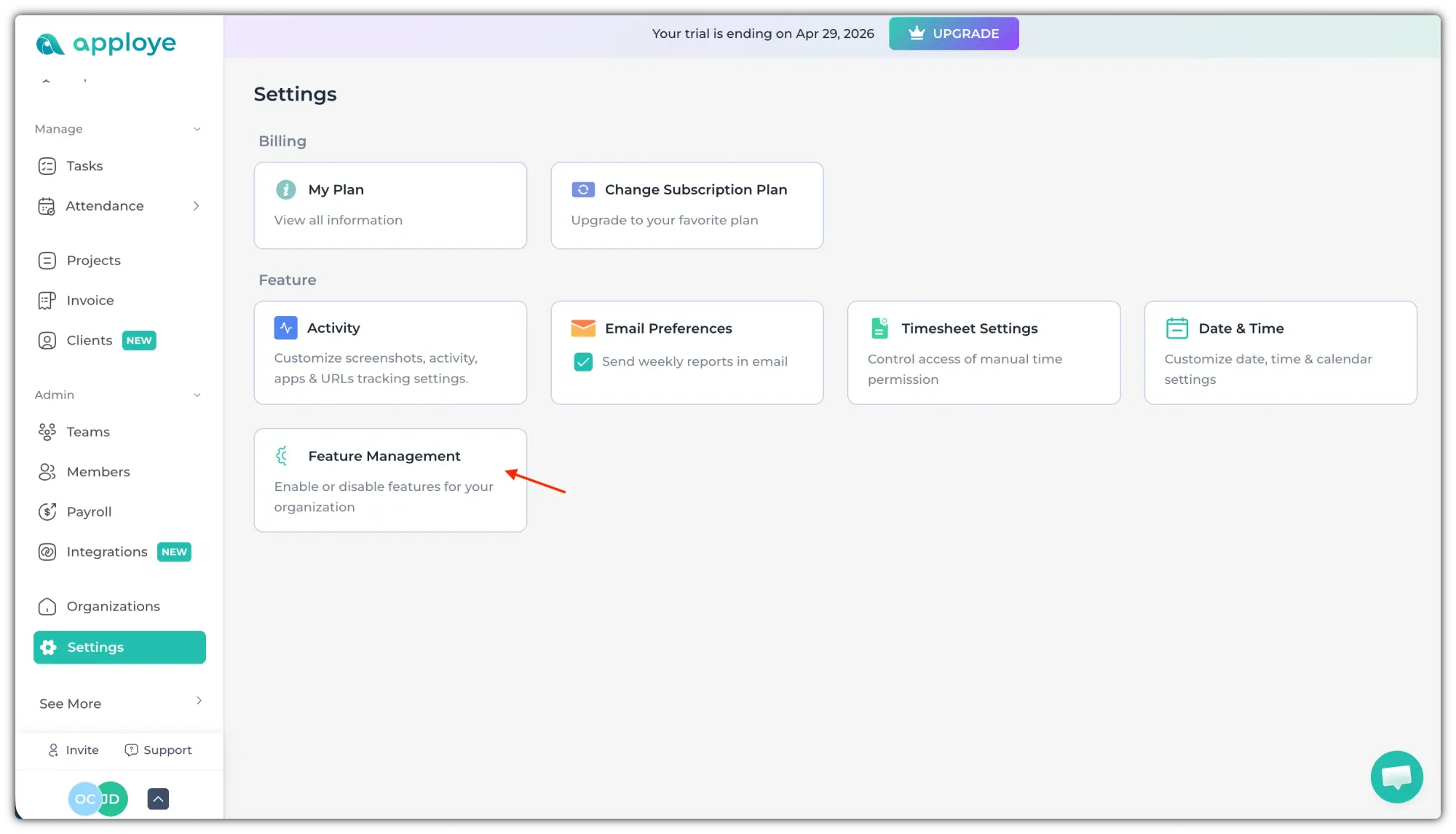
Go to Settings > Feature Management to manage the features.
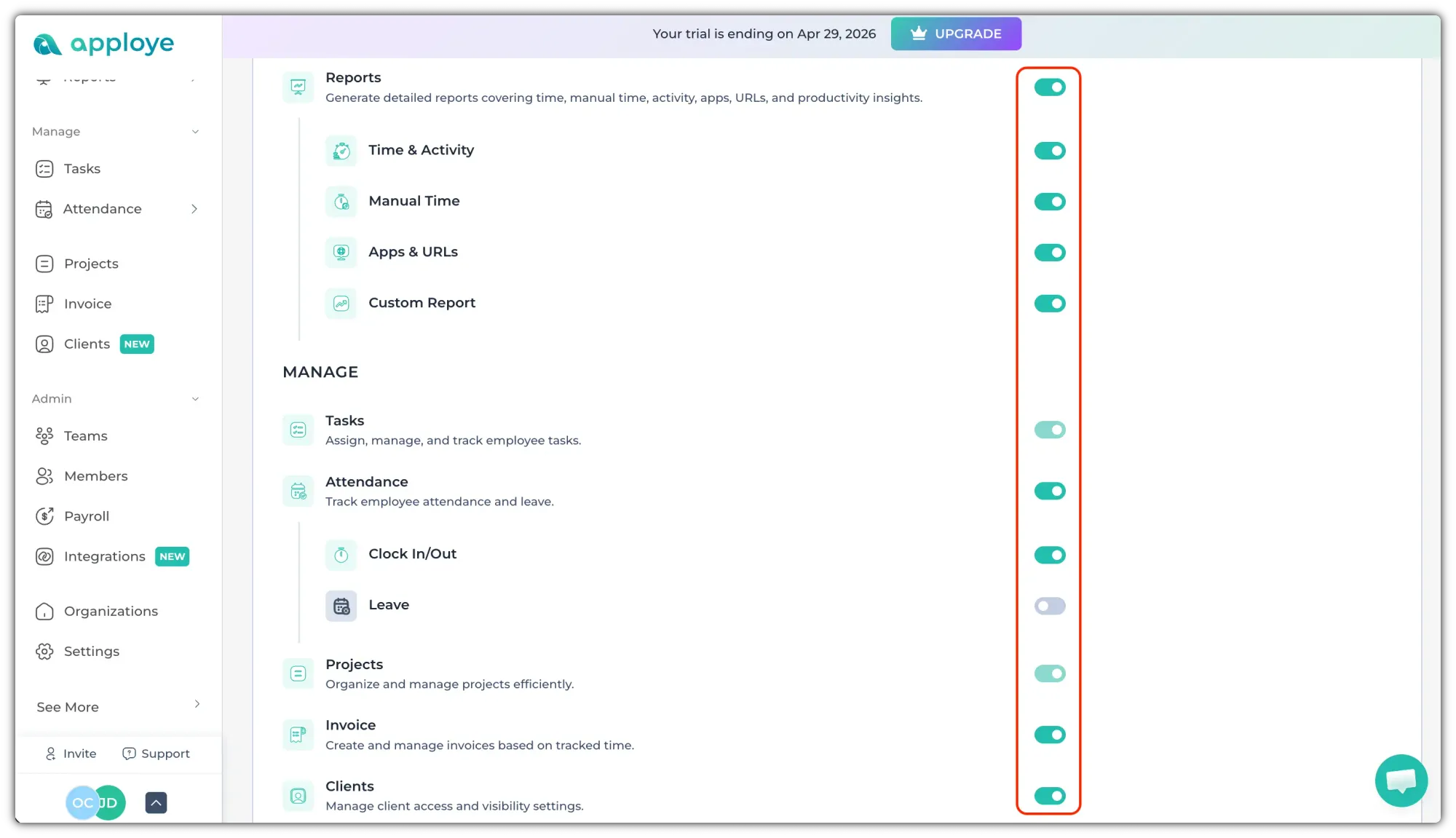
Click on the toggle buttons on the right to turn a feature off. After it is turned off, it will be gray in color.
Please note that key features like Dashboard, Project, Tasks, and Members can't be turned off.
💡
If some option is slightly dim, and you are unable to change it, it means it is mandatory and can't be changed.