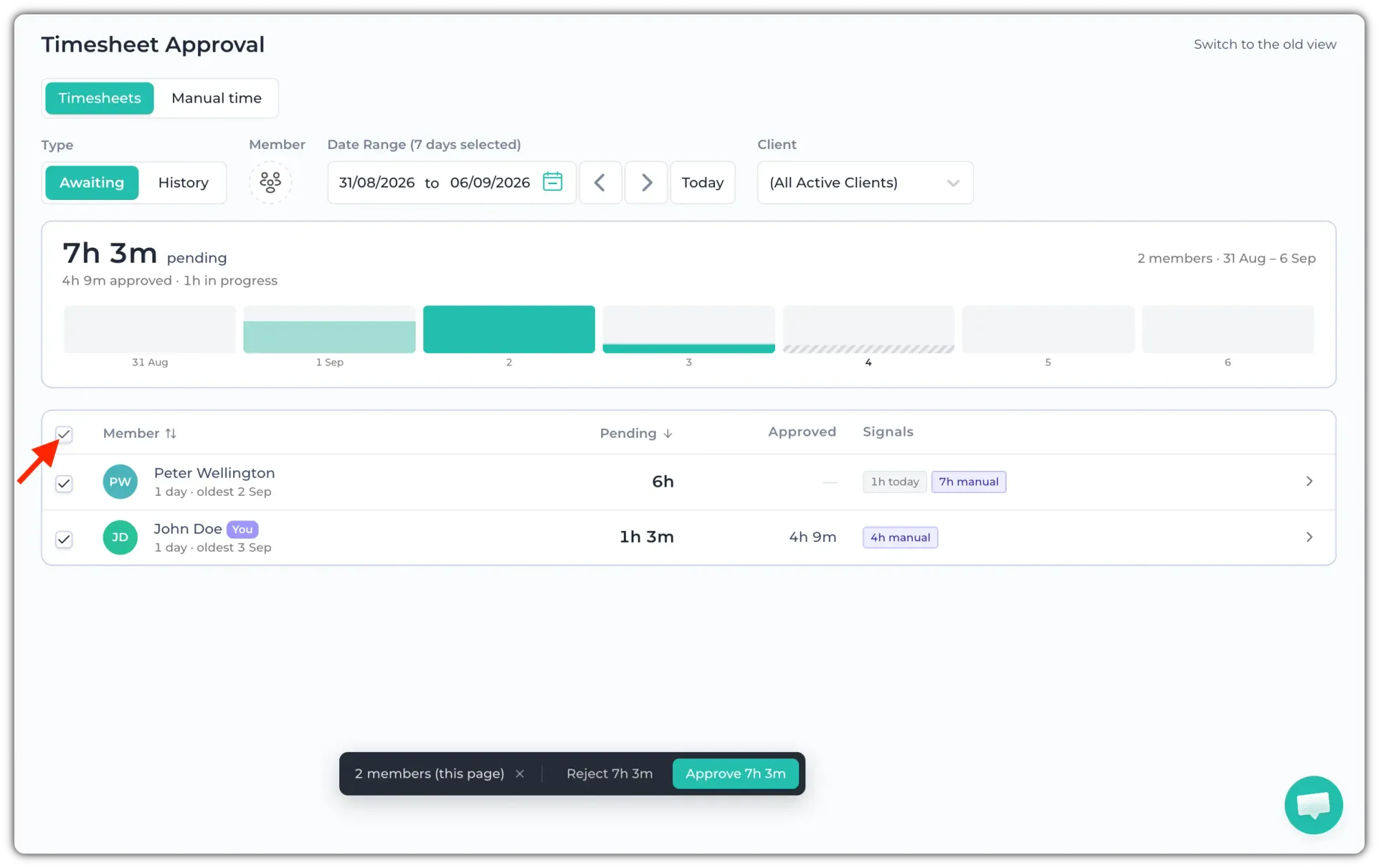
Go to Timesheets > Approval to approve your team's timesheet. Click on the member circle to select members or a team. Then, click on the "Teams" section.
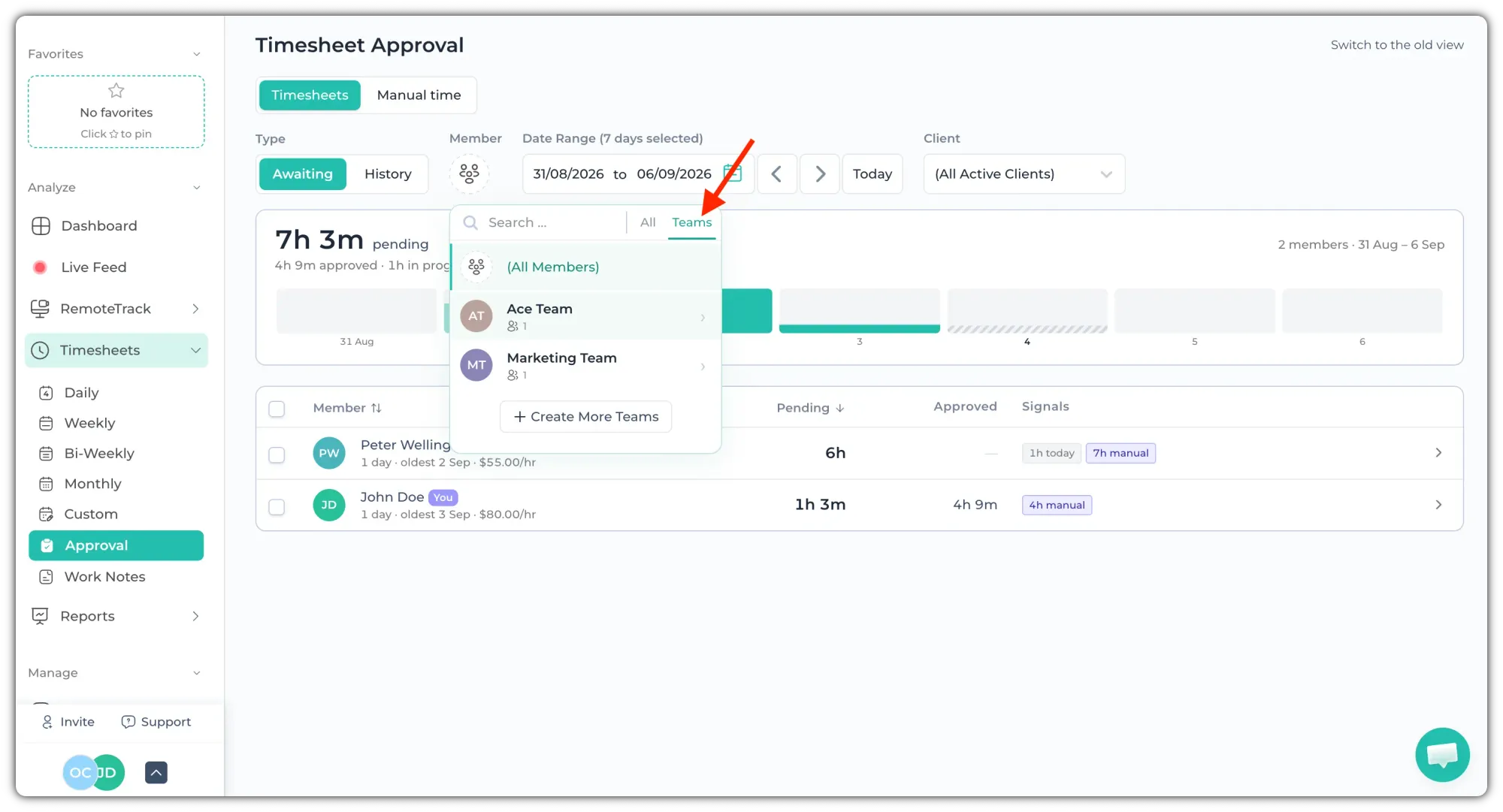
You can find the list of your teams here. You can also search by team names here. Now, click on the team whose timesheet you want to approve.
💡
You can also filter by Client and choose Date Range from the top.
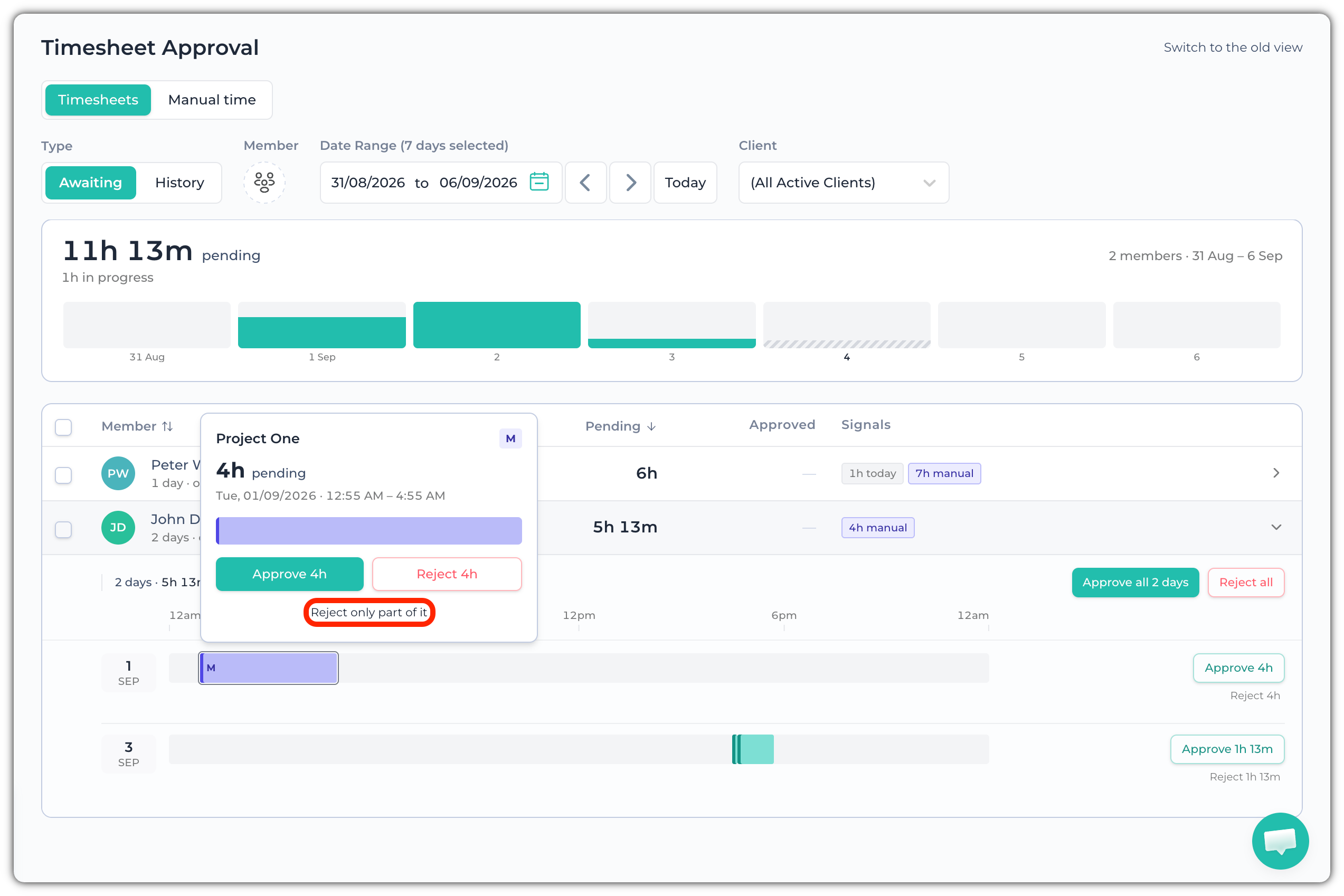
To reject a specific time entry, click on a member’s time frame. A pop-up window will appear. Click Approve or Reject to reject all of that time frame.
To reject a specific amount of time, then click the “Reject only part of it” button.
You can click on the checkbox beside "Member" and click “Approve” to approve all pending timesheets at once.