

To approve/reject leave requests, go to Attendance > Time Off.
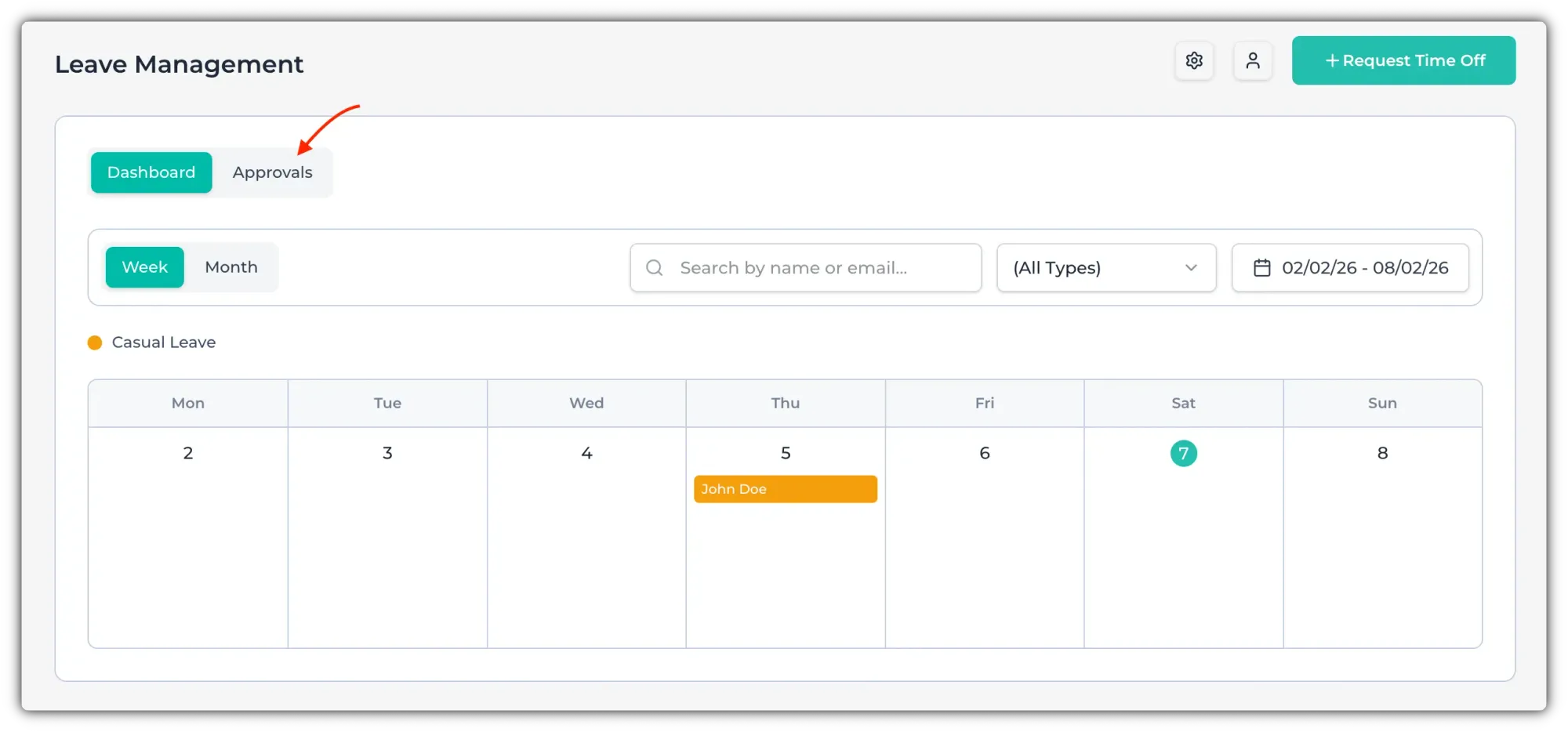
If any employee has requested leave/time off, you will see a number in the "Approvals" section.
Click on "Approvals" to go to the Approval section.
Click on the check mark (✅) or X button to approve or reject that request.
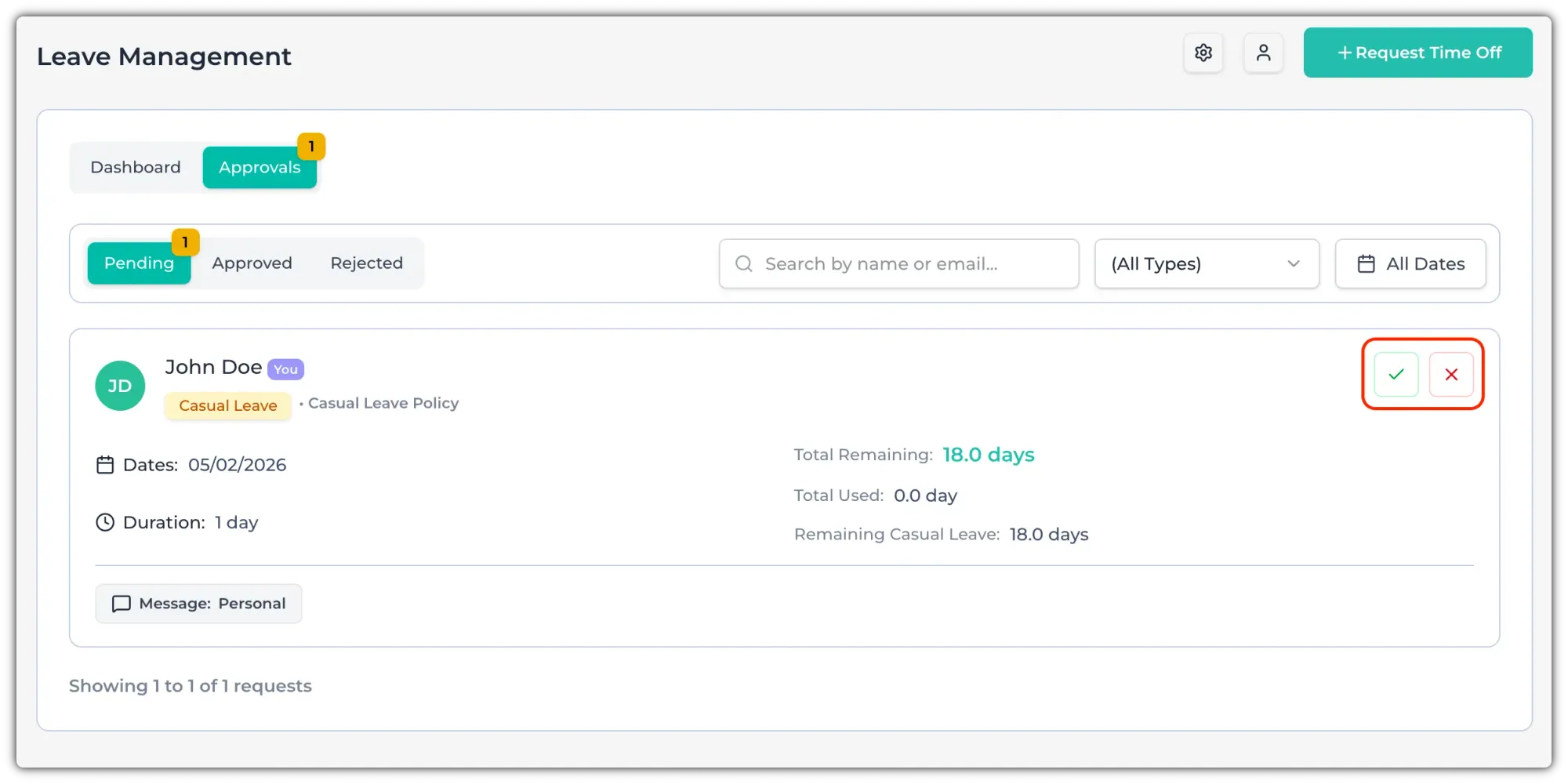
After approving, it will move to the "Approved" tab. If you reject it, it will go to the Rejected tab.
If you want to revert an approval, click on the Circular arrow icon to restore it to pending.