
The Global Task feature allows organization owners and admins to create reusable tasks that can be assigned across multiple projects. This helps maintain consistency and eliminates the need to recreate the same task for each project.
Create a Global Task
To create a new global task: Go to Settings → Global Tasks.
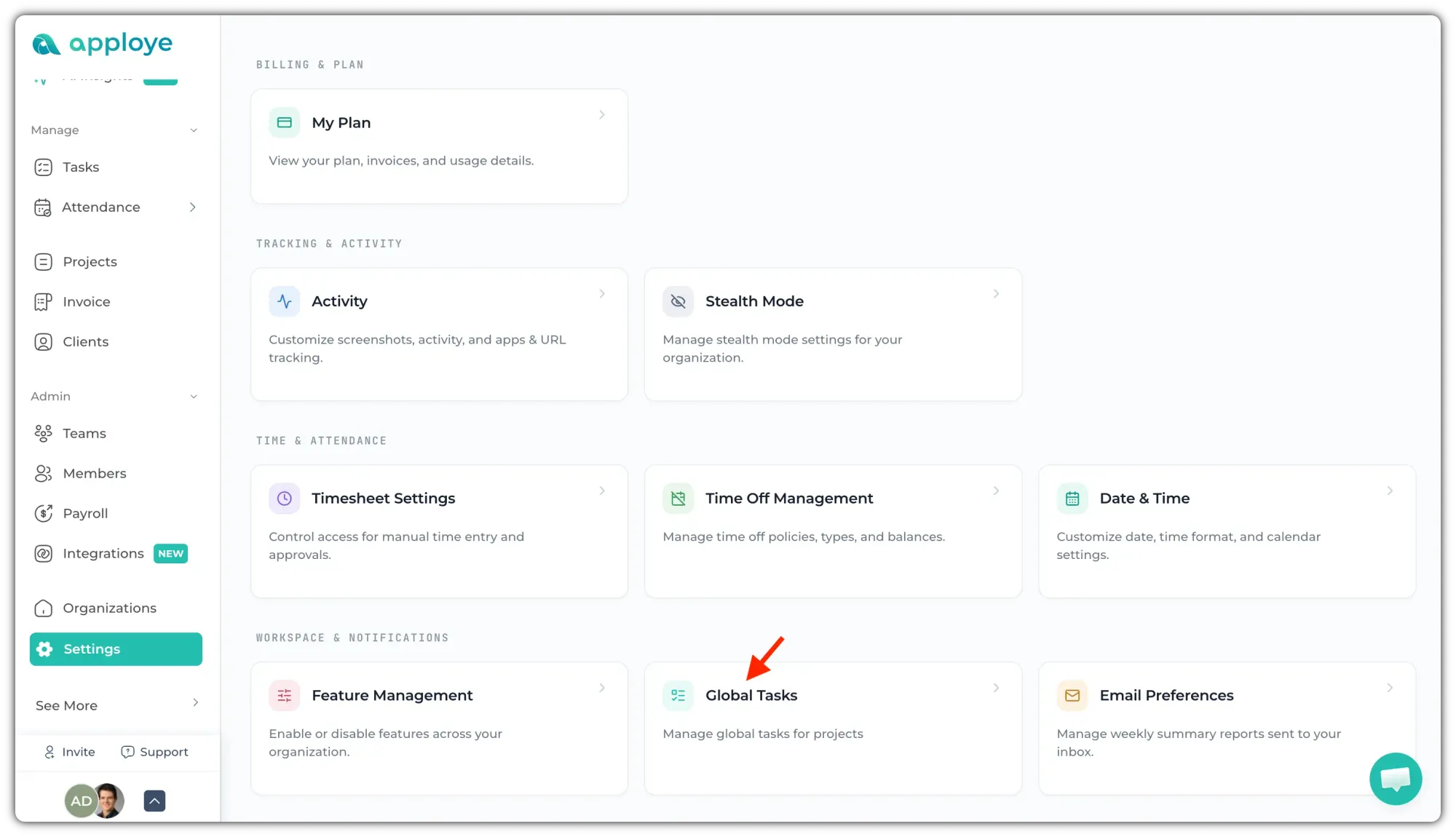
Then,
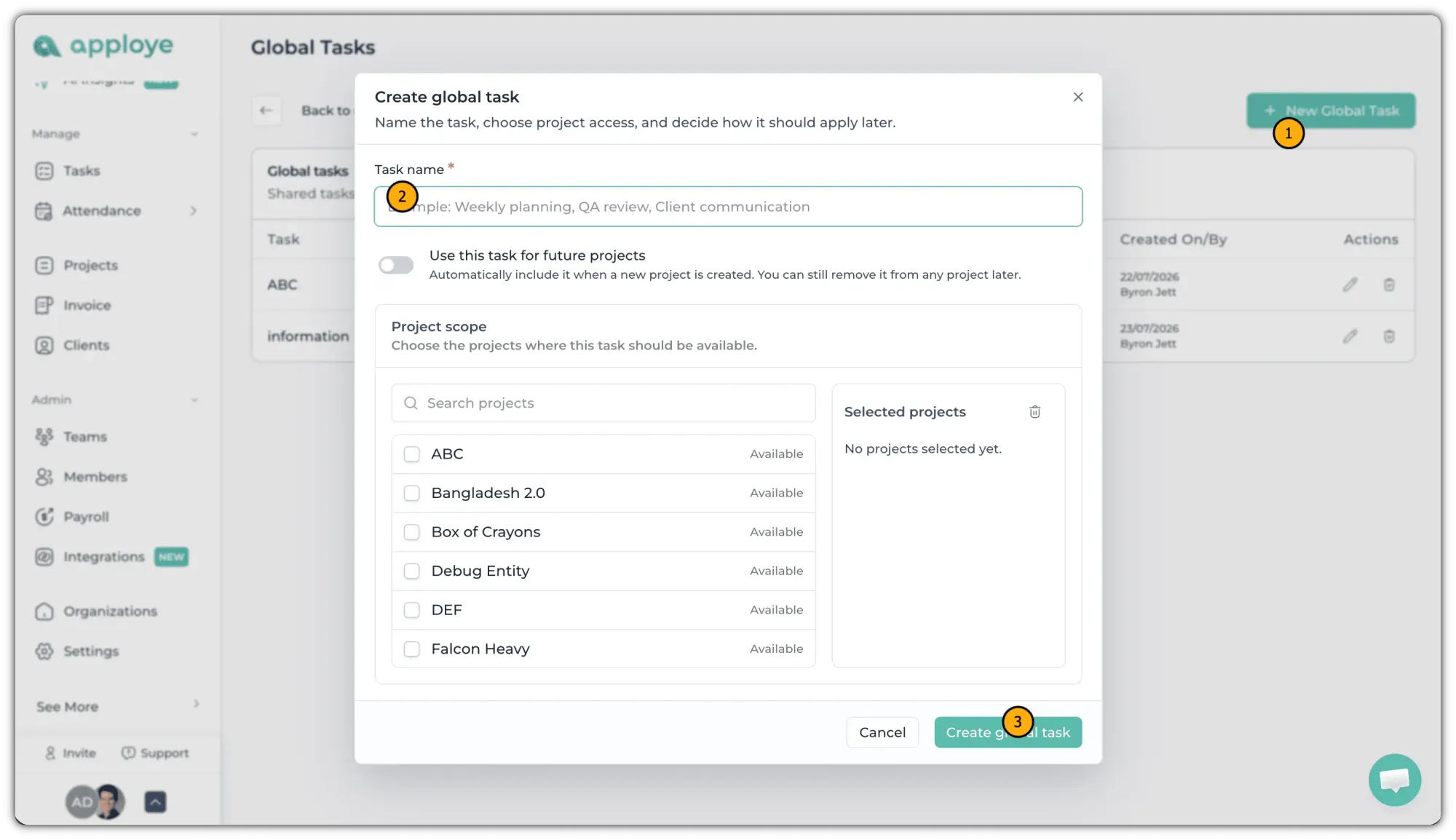
- Click the "+ New Global Task" button.
- Enter a name for the task.
- Click "Create Global Task" to save it.
💡
You can turn on the toggle for "Use this task for future projects" to include this task automatically. in the newly created projects.
Once created, the global task can be reused across multiple projects, making task management faster and more consistent throughout your organization.
You can also select projects for this task to be available right now.