

After completing your 10-day trial period, you will need to upgrade your plan to continue using Apploye. Alternatively, you can upgrade to a paid plan anytime during the trial.
In this guide, we will walk you through the steps to upgrade your plan.
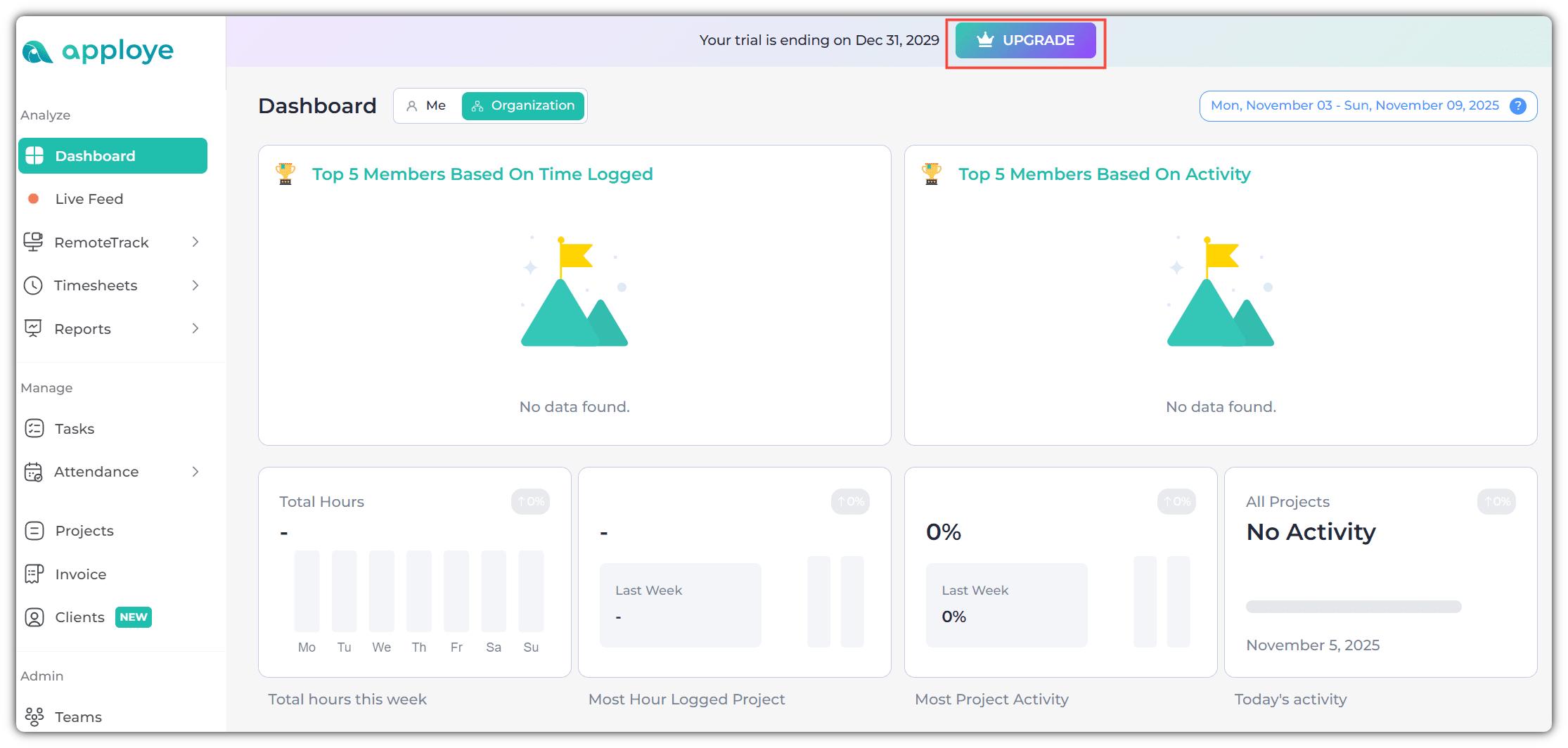
First, click on the 'Upgrade' button in the Apploye dashboard.
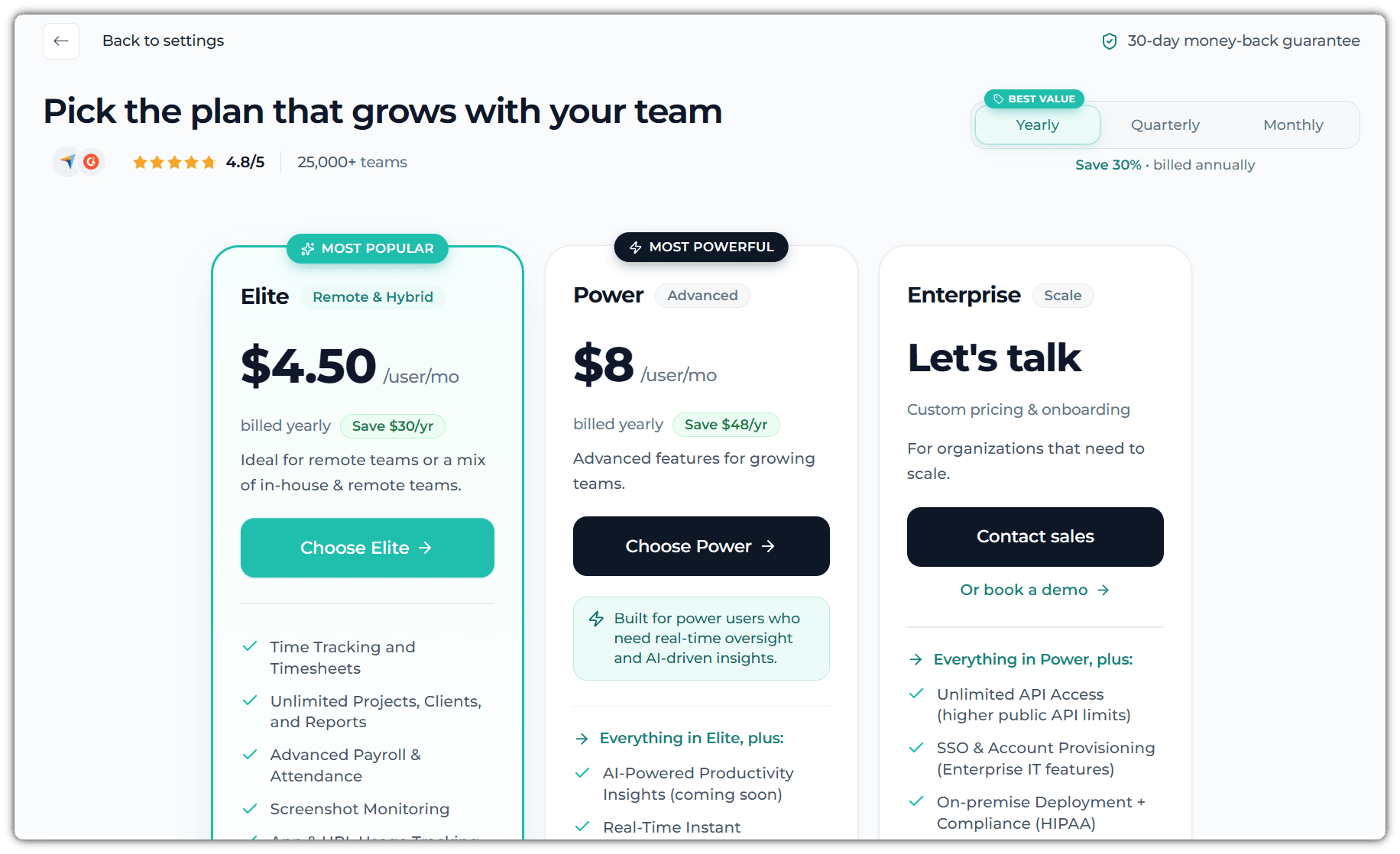
Second, select the plan that best suits your team’s needs. By default, the system will display the plan you initially selected during the trial. You also have the option to choose between monthly or yearly billing.
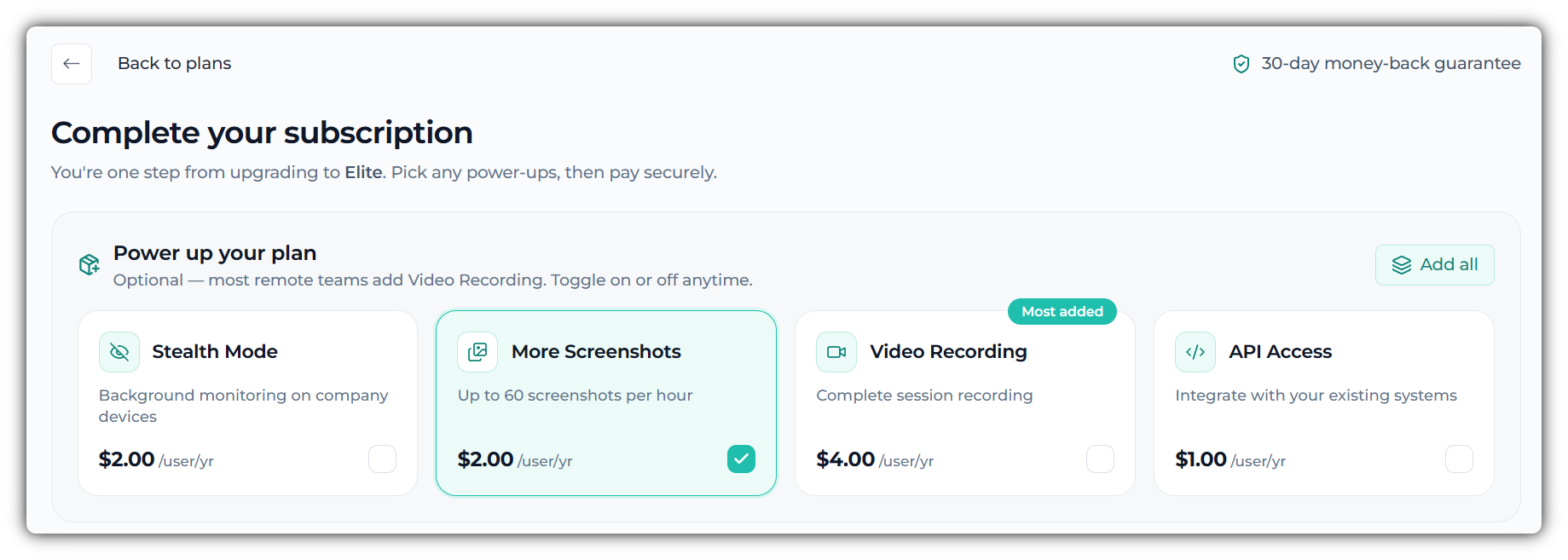
Third, after selecting your preferred billing cycle (monthly, quarterly, or yearly), you can choose any additional add-ons if you would like to include them with your subscription.
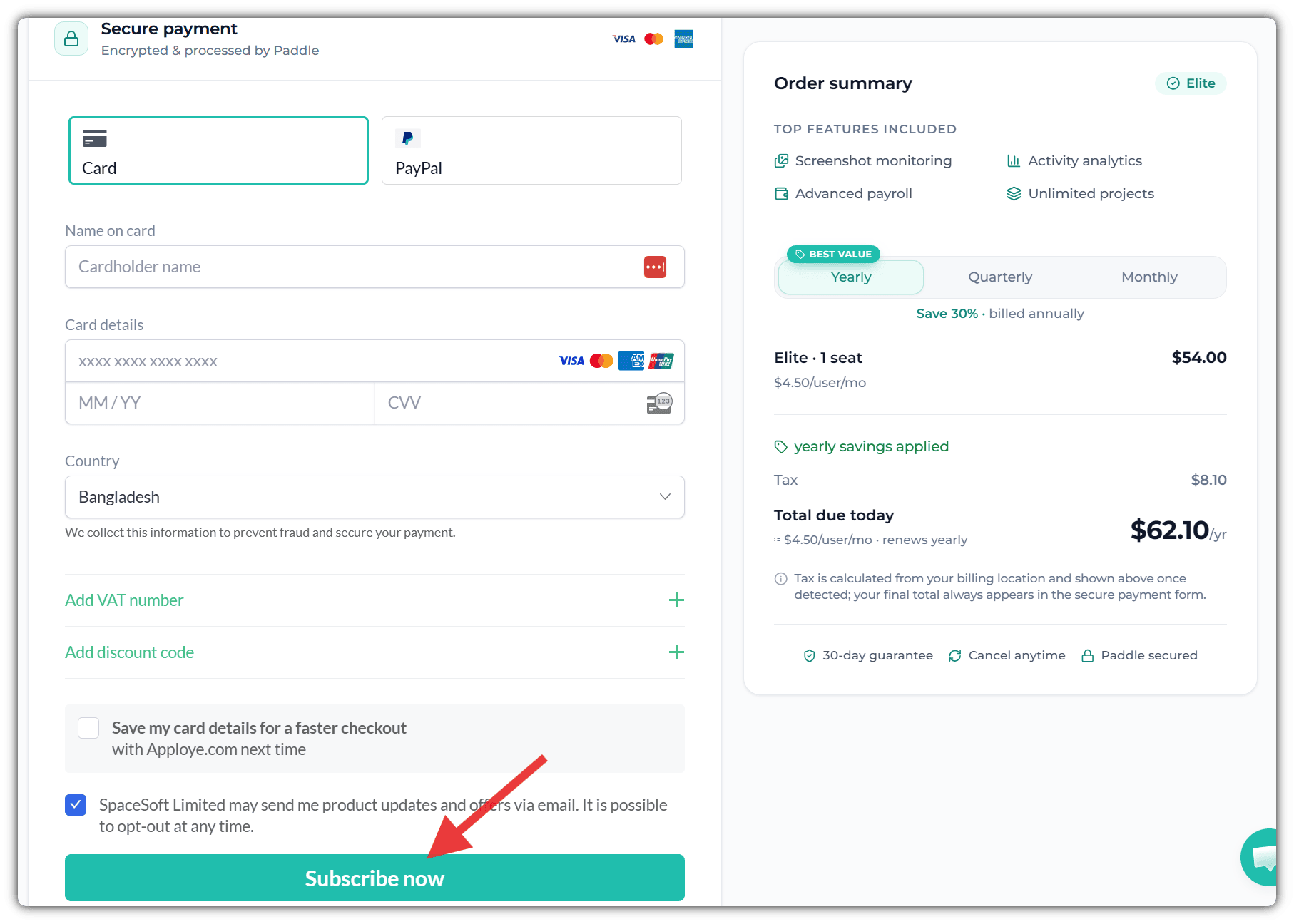
Lastly, choose your preferred payment method—either Credit/Debit Card or PayPal. Then, enter your payment details, select your billing country, and click Subscribe Now to complete your purchase.
Once you click on Subscribe Now, your account will be activated. You will now be redirected to the Apploye dashboard.
If you have any questions or need additional information about Apploye, feel free to reach out to us at support@apploye.com.
Thank you for choosing Apploye!