
Apploye uses keyboard and mouse activity to calculate activity levels during tracked time. Activity-mimicking tools, such as mouse jigglers, can generate mouse movement without representing genuine work activity.
What Is a Mouse Jiggler?
A mouse jiggler is a physical device or software tool that automatically generates mouse movement to prevent a computer from becoming idle.
How Activity-Mimicking Tools Affect Activity Data
Because Apploye measures keyboard and mouse activity, artificial mouse movement may increase recorded activity without indicating meaningful work. A high activity percentage therefore does not necessarily mean that a team member was actively working throughout the entire period.
Look for Unusual Activity Patterns
Managers can review Apploye's Time & Activity data to identify unusual patterns, such as consistently high activity with little corresponding work, unexpected activity during periods when the employee was not expected to be working, or activity patterns that differ significantly from the person's normal work.
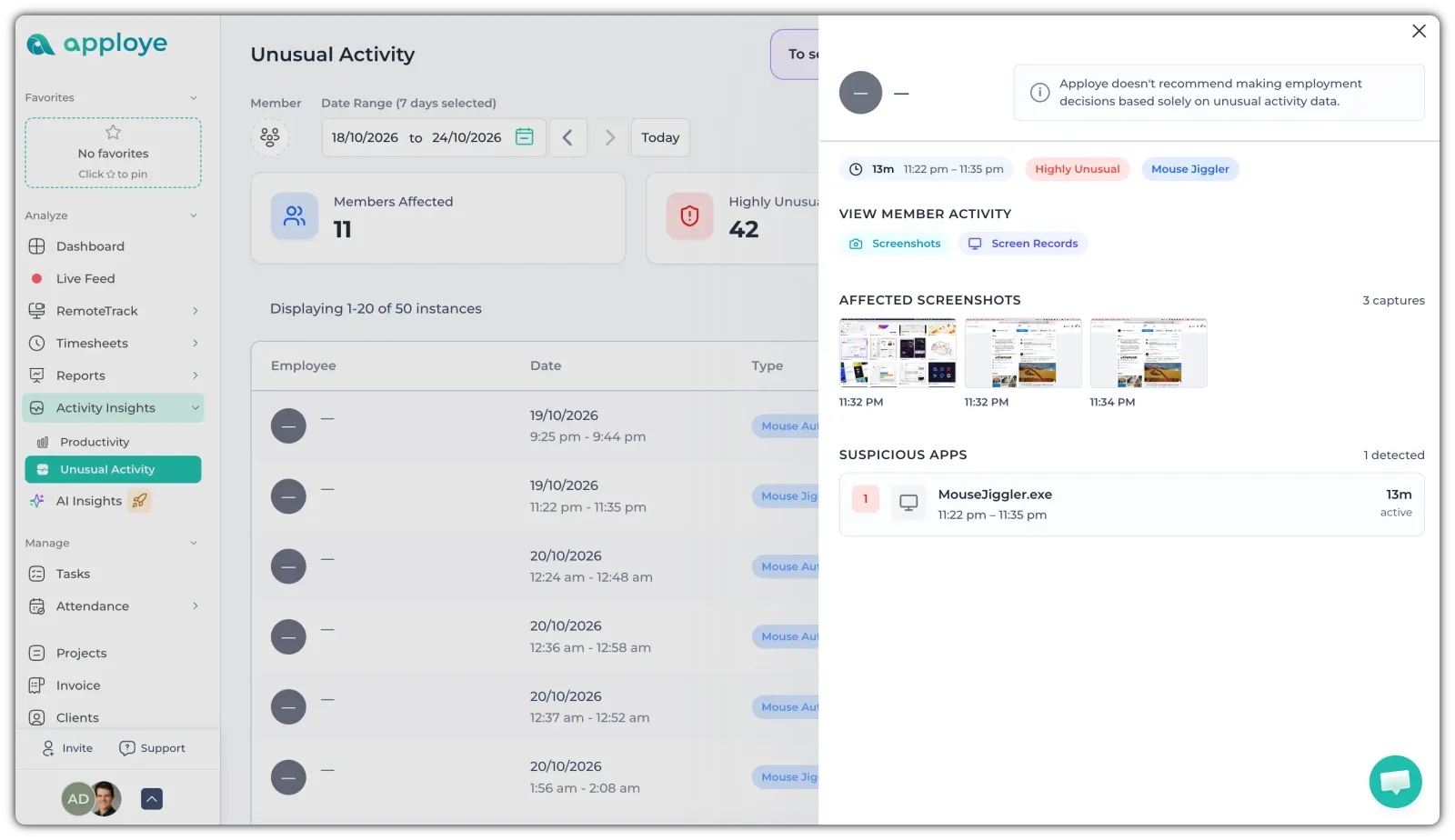
Go to Unusual activity (inside Activity Insights), to view detected mouse jigglers and activity mimicking tools.
Use Multiple Data Points
Activity percentage should not be used alone to determine whether activity was artificially generated. Review relevant data such as tracked time, screenshots, Apps & URLs, projects, and tasks to understand the broader context.
Address Concerns Through Discussion
If activity data appears unusual, discuss the pattern with the team member before drawing conclusions. There may be legitimate reasons for unusual activity or differences in how the work was performed.
Key Takeaway
Apploye activity data measures keyboard and mouse activity; it does not determine whether every movement represents productive work. Use activity data together with other Apploye data and appropriate context when reviewing unusual activity patterns.