
To delete a screenshot, follow these steps:
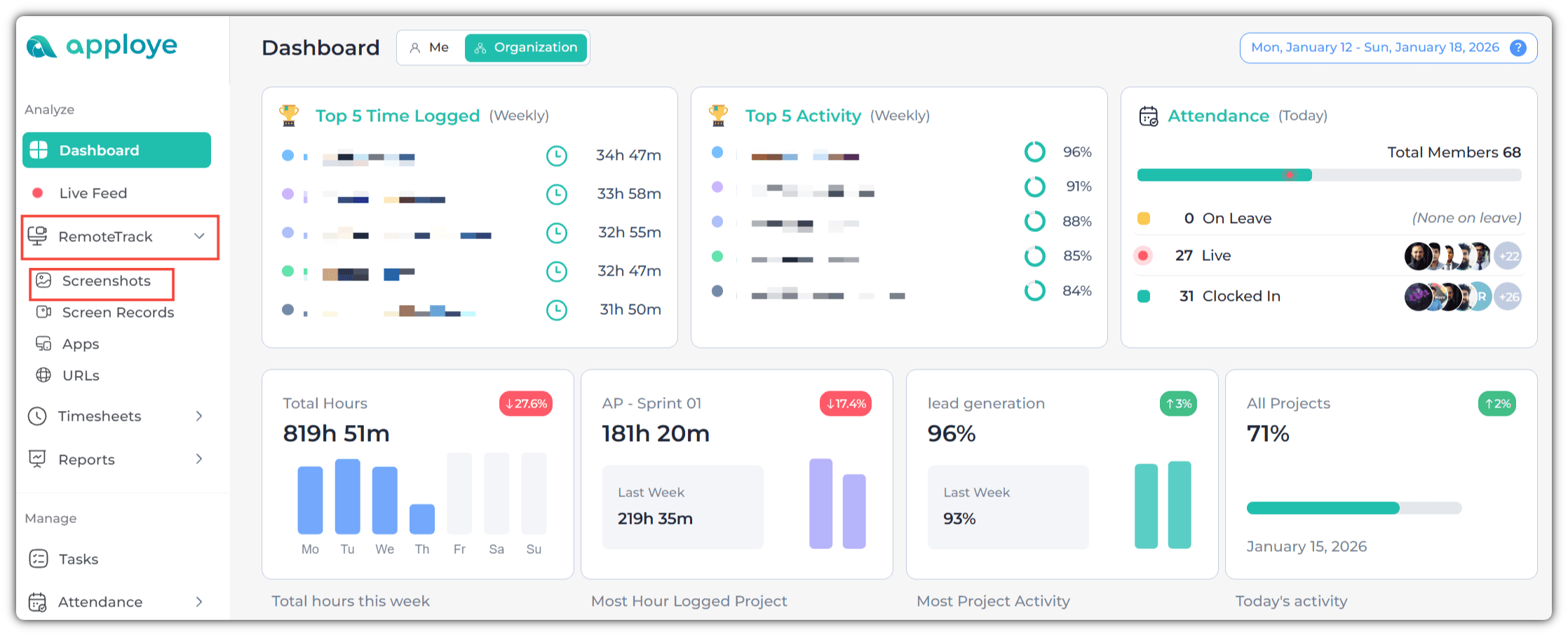
Click on RemoteTrack>Screenshots from the left side panel.
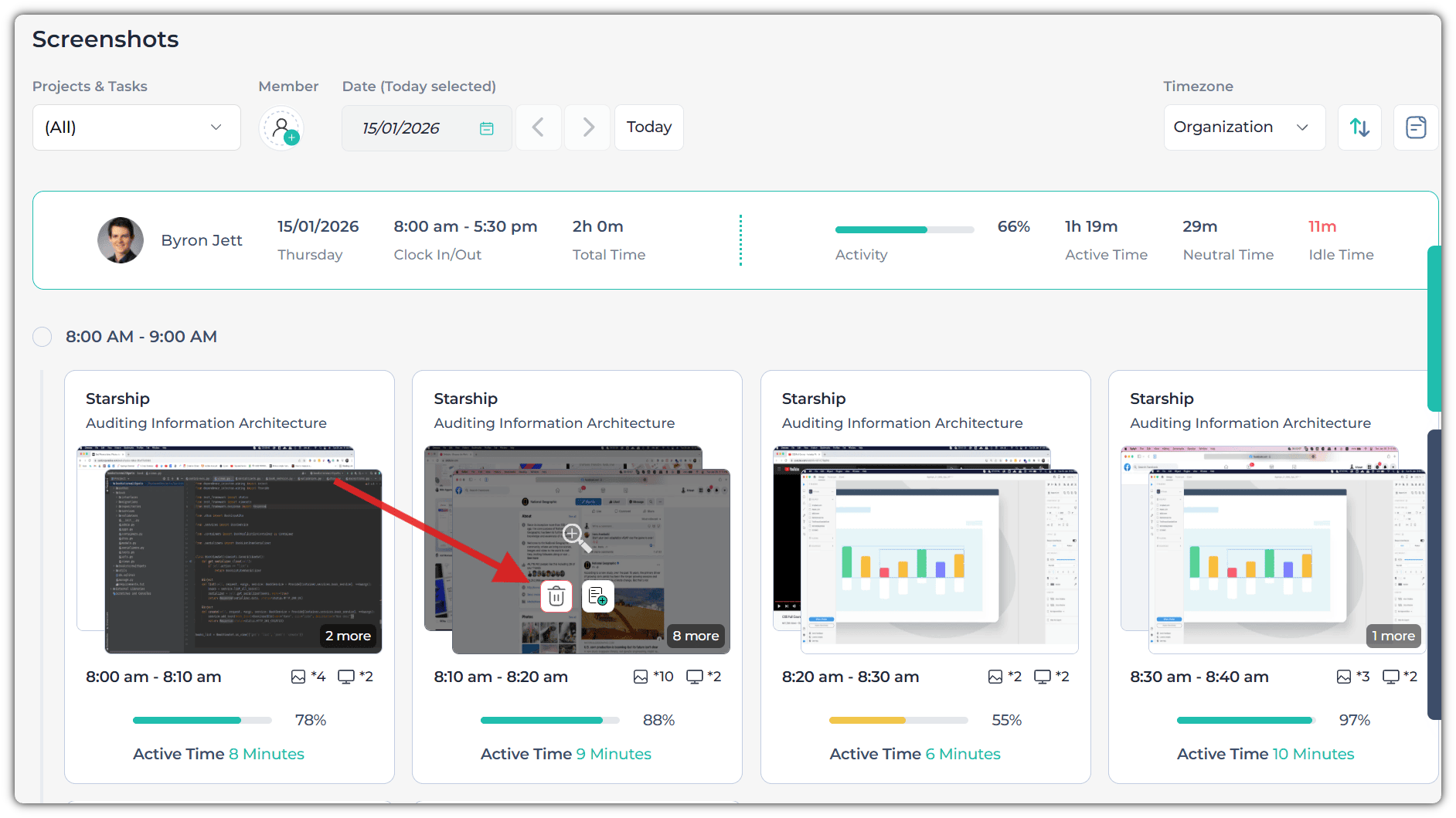
Just hover over the screenshot you want to delete. You will see a delete button (you won't see this button if Delete Screenshot settings are turned off by the owner/admin).
Now, you will get a pop-up. Type the reason for deletion (Admin will be able to see this reason). Keep in mind that you need to type at least 3 characters.
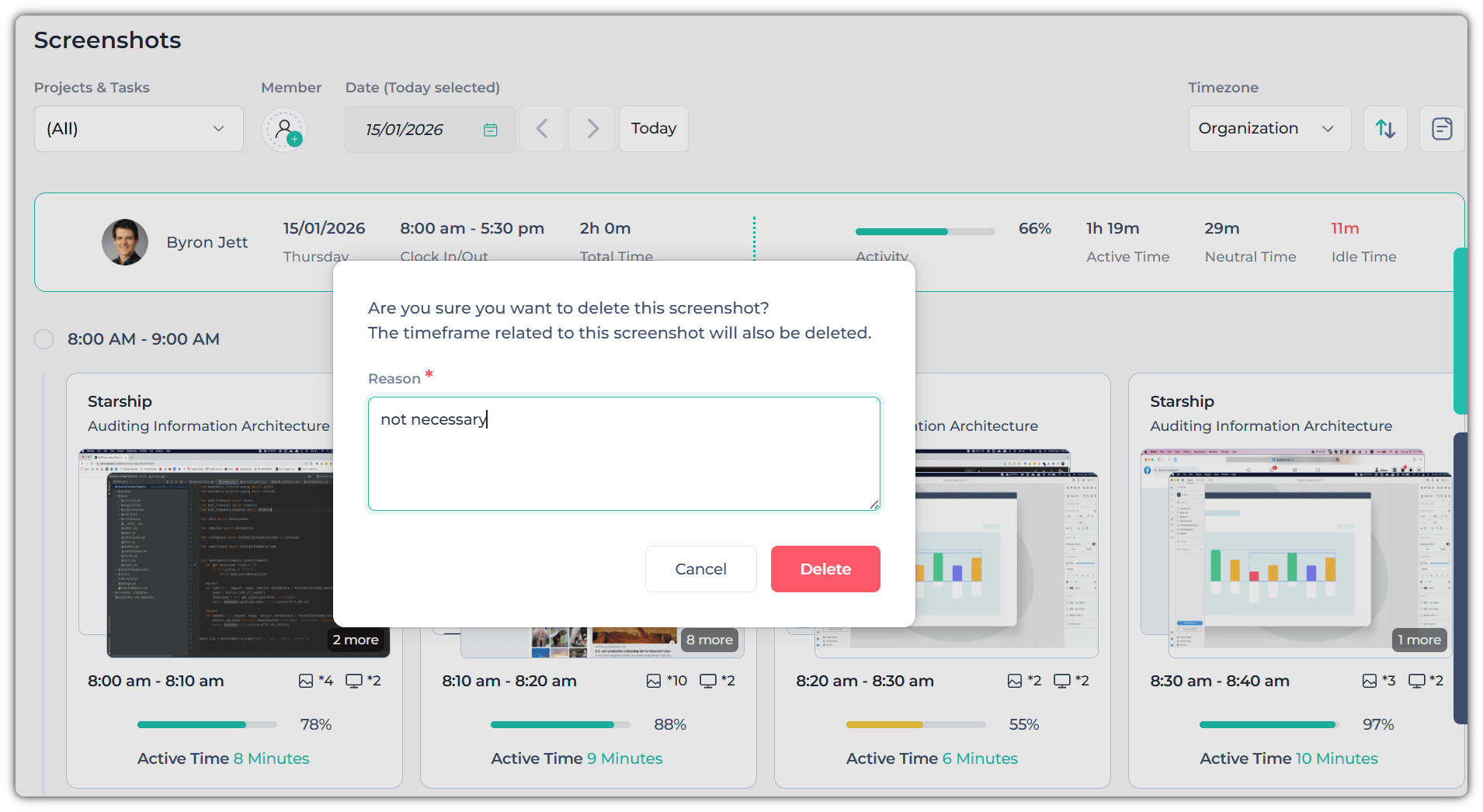
Once you delete a screenshot, it also deletes that time frame of 10 minutes.
Note: You won't be able to delete screenshots from the current session. You will need to stop the timer beforehand.