
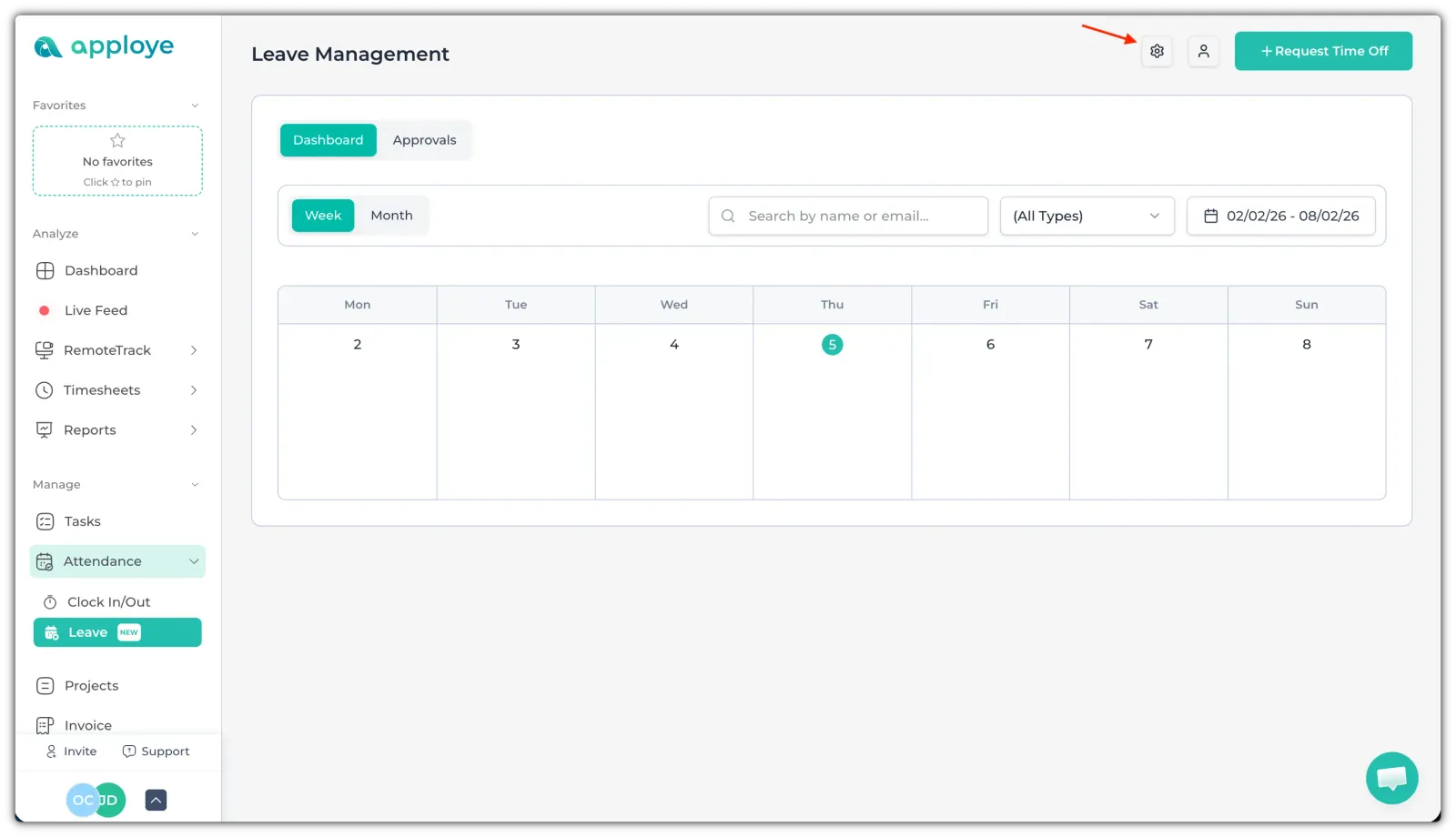
To manage the leaves, go to Attendance > Time Off from the left side panel.
Click on the settings icon to go to the Time Off policy.
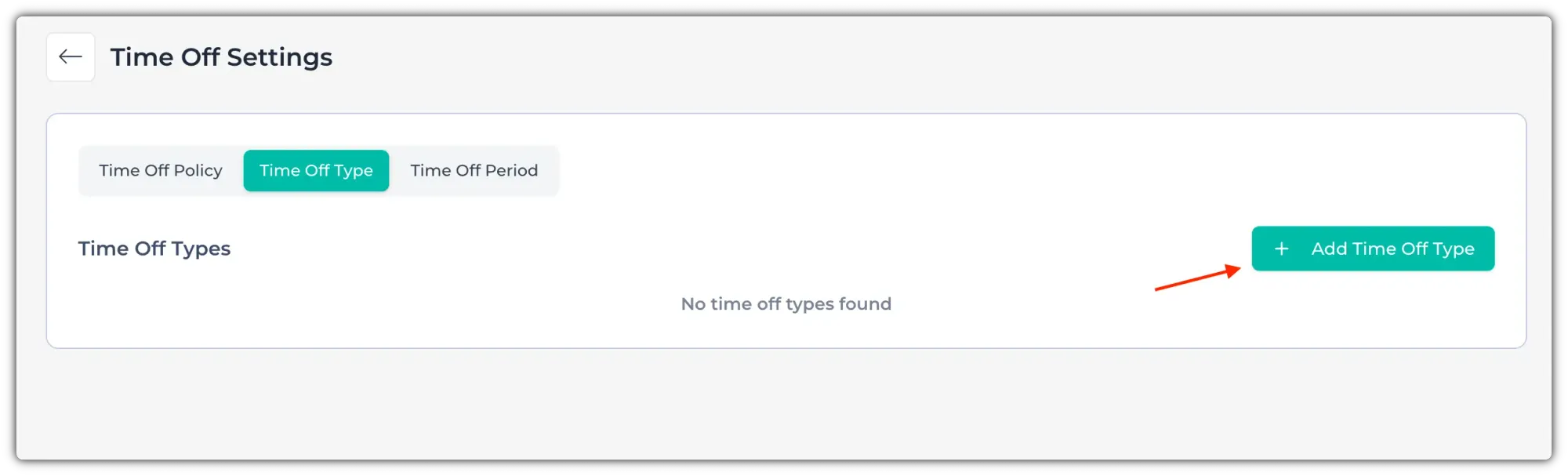
Now, go to "Time Off Type". Click on "+ Add Time Off Type" to add a Time Off type.
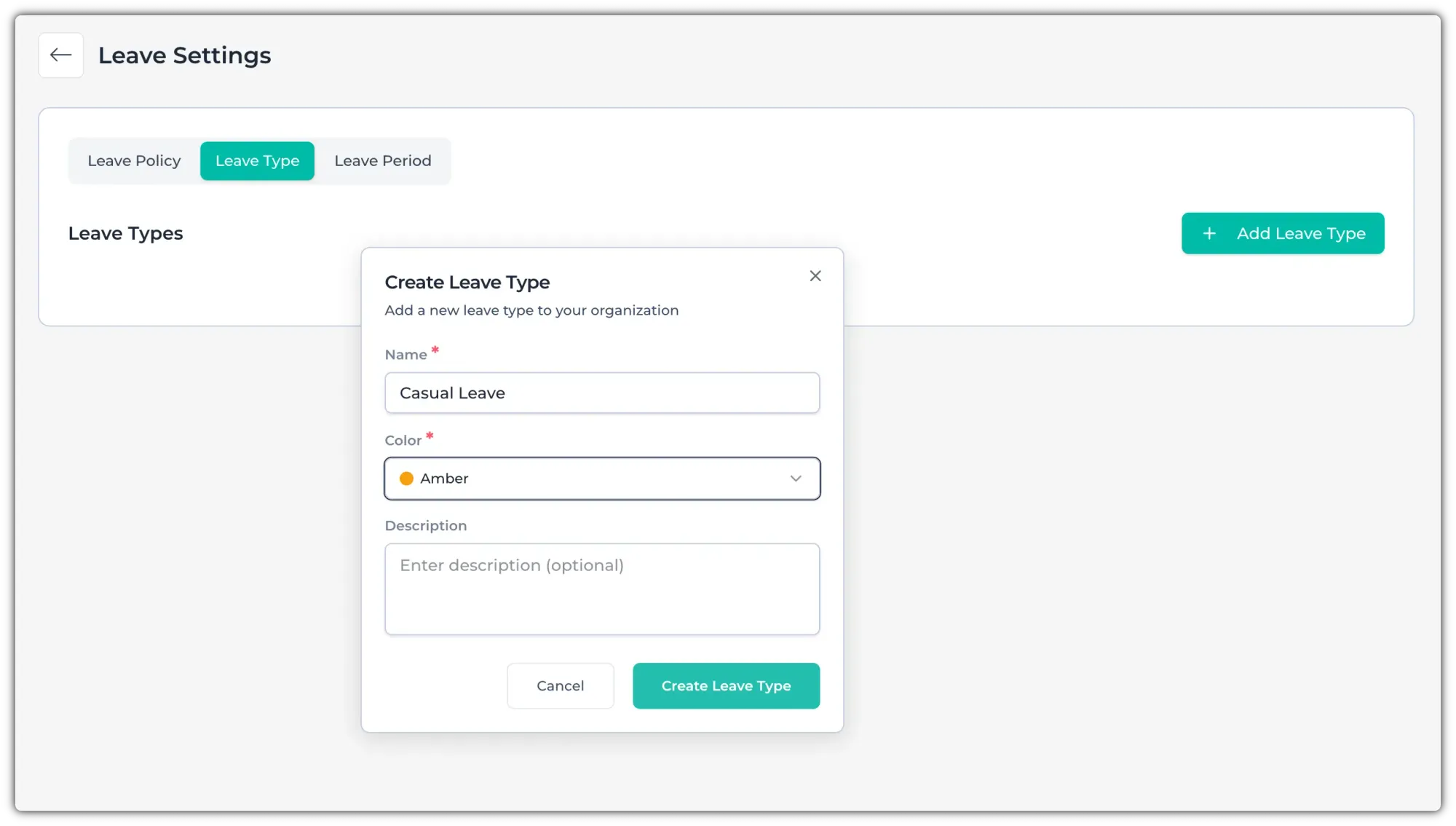
It can be casual leave, earned leave, sick leave, etc. You can add any custom Time Off type from here. Give it a name & choose a color. You can also add a description for that leave/Time Off type. Click on the "Create Time Off Type" button to set that Time Off type.
You can also edit or delete existing Time Off/leave types using the edit/delete buttons on the right.