
Make your remote team 100% accountable and 2X more productive within 48 Hours
Monitor activity, apps & urls
Track time & projects
Productivity analysis
Advance reporting
Billing, invoicing & 80+ features
Just $5 $4.5/User - for complete team monitoring


Trusted by Thousands of Businesses Worldwide


Core Features to Track & Monitor Your Teams


Apploye Pricing
Get the best deal for your team

Want to know more about the detailed features and plans?

Reviews
Our 5100+ Clients Have a Habit of Saying Nice Things About Us
Time tracking accuracy increased by 40%, payroll errors dropped by 30%

Since adopting Apploye, Wing Assistant has seen a remarkable improvement in both time tracking and payroll efficiency. We have been able to scale our VA teams, successfully across multiple regions with minimal administrative burden.
WingAssistant
If you have a remote team you NEED this
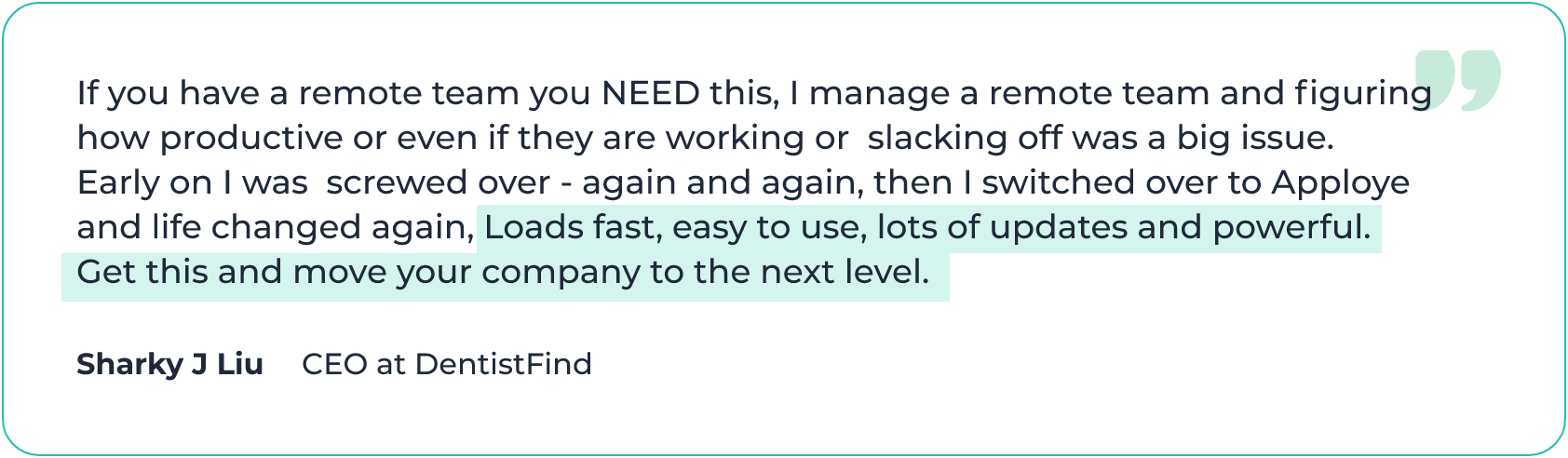
If you have a remote team you NEED this. I manage a remote team and figuring how productive or even if they are working or slacking off was a big issue. Early on I was screwed over again and again, then I switched over to Apploye and life changed again. Loads fast, easy to use, lots of updates and powerful. Get this and move your company to the next level.
DentistFind
Lifesaver for Time Tracking a Team
It's been wonderful and a lifesaver from not having to use the competitor tools that cost an arm and a leg
Marketing & Advertising Company
Great and affordable time tracker for our projects
To me, the best takeaway is that it improves productivity for both myself and my team with its work cycles while still reminding us to take periodic breaks. It's also really helpful in stopping us invest too much time in less important tasks or ideas and instead moving on to other priorities.
IT Services
40% improvement in time-tracking accuracy
Apploye’s automatic time-tracking feature became a cornerstone for monitoring employee hours in real-time across departments, ensuring productivity and client satisfaction.
FundedNext
Monitor employee hours accurately and reliably
Apploye’s time-tracking capabilities allowed Jezweb to monitor employee hours accurately and reliably, regardless of location.
Jezweb
Superb Software + Top Class Customer Service
I've recently bought this software to track my remote team. Works like charm. Lovely, as well the customer support was at a different level all together.
Information Services Company
Saved a ton of money with a little investment
We have saved a ton of money with a little investment with Apploye compared to the many ask what we used to do. I would personally suggest to go ahead and try out Apploye and you will really thank me for this decision.
BrandMojo
Useful tool for remote teams!
I found it extremely easy to use, it feels native and UX is great unlike other similar tools I tried. I also find reports useful, they are a par of our monthly meetings now.
Marketing Advertising Company
Apploye’s friendly and responsive support helps us a lot
We've been using Apploye happily almost a year now. Not to forget, Apploye's friendly and responsive support which helps us a lot. Specially, at the beginning when we were implementing Apploye in our organization. At the end I would like to say a big thank you to Apploye for helping "Douglas Tech Academy" for delivering awesome classes to our future generations.
Douglas Tech Academy
Great team tracking software to stay on track!
With everyone on the team moving remote, we're able to prioritize employees work duties and improve overall productivity with Apploye.
One of my best software purchases
Best productivity monitoring/tracking tool. I consider this as one of my best software purchases in recent times. Apploye served my employees time and productivity track from day one. Back office teams and on-field members tracking is done efficiently. Whatever initial day niggles existed are all ironed out and now is a stable product.
No credit card required
Get Screenshots of Your Remote Employees' Work Time
Employee Desktop Screenshots
Check the screenshots taken at random time to know if remote employees are working or not. Up to 3 screenshots can be taken by Apploye. This way, remote worker monitoring will give you better understanding of employees' work and activities.

Real-time Screenshots
Take real-time instant screenshots for even better remote worker surveillance. Instant screenshots will show exactly what is being shown on the remote worker screen, at any given time. From Live Feed section, you can know which remote employees are tracking time right now.

View the Apps, Websites, and URLs used by Your Employees
Apps Usage Tracking
Using Apploye remote worker monitoring software, you get detailed time logs of your remote employees on different apps. If they are using any un-productive software you will be able to know.

URLs Tracking
With Apploye remote worker surveillance software, you can easily know which URLs your employees working from home are visiting. You will get complete list of websites they used during the tracked time.

Know when your Remote Team is Idle
Monitoring Idle Time
Track remote workers' time when they are being idle for more than the specified time. You can choose to keep those or delete them from timesheets. Using remote work tracking software, you can know if they are staying away from computer for extended period of time.

Comprehensive Reports for Remote Worker Monitoring
Detailed Time and Activity Report
Get a detailed report of your remote employees' activities with time spent in different apps and websites with manual time entry in a single place. Generate report in pdf or excel to analyze further.
Apps and URL Usage Report
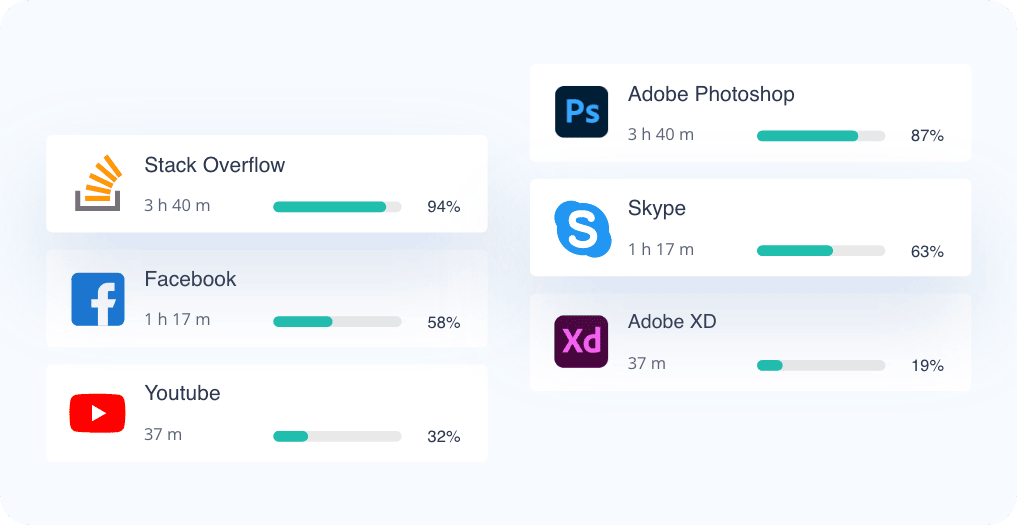
Remote worker tracking gives you a detailed report of the apps used and URLs visited by your remote and hybrid employees. You will get detailed time spent on different apps and websites as well.
Features to Accelerate Remote Employees' Productivity
You are definitely concerned about the productivity of your remote workers. Here is how Apploye is going to assist you.
Remote Employees' Performance
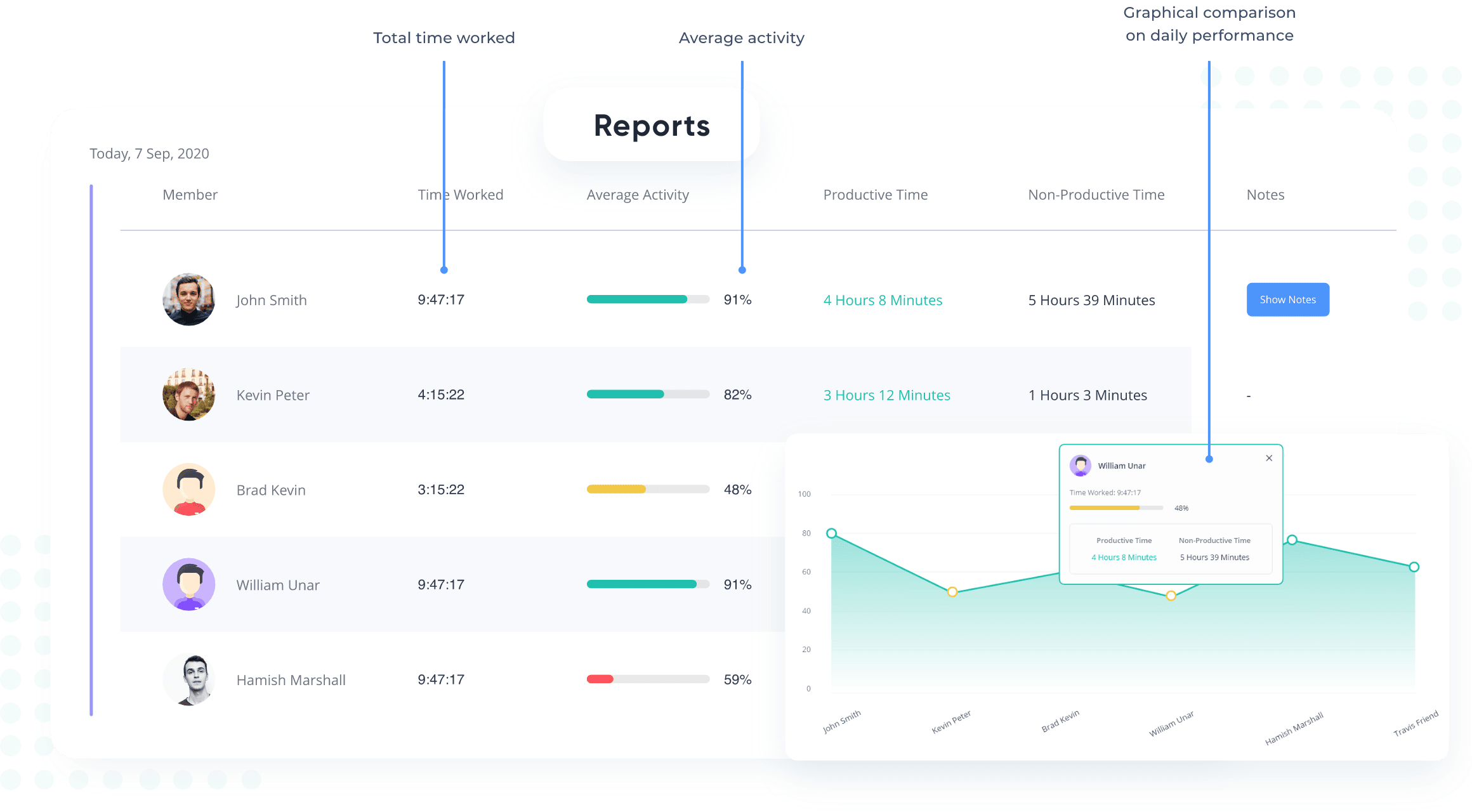
Get an overall idea of your remote employees working on the same task or project from Apploye's Dashboard. You get the scope to compare the performances among the employees working remotely.

Productivity Monitoring
Apploye remote work monitoring tool measures productivity based on the users' interaction with the keyboard and mouse. You can get an idea of your remote employee's productivity.

More important features of Apploye for remote employee monitoring
Task Management
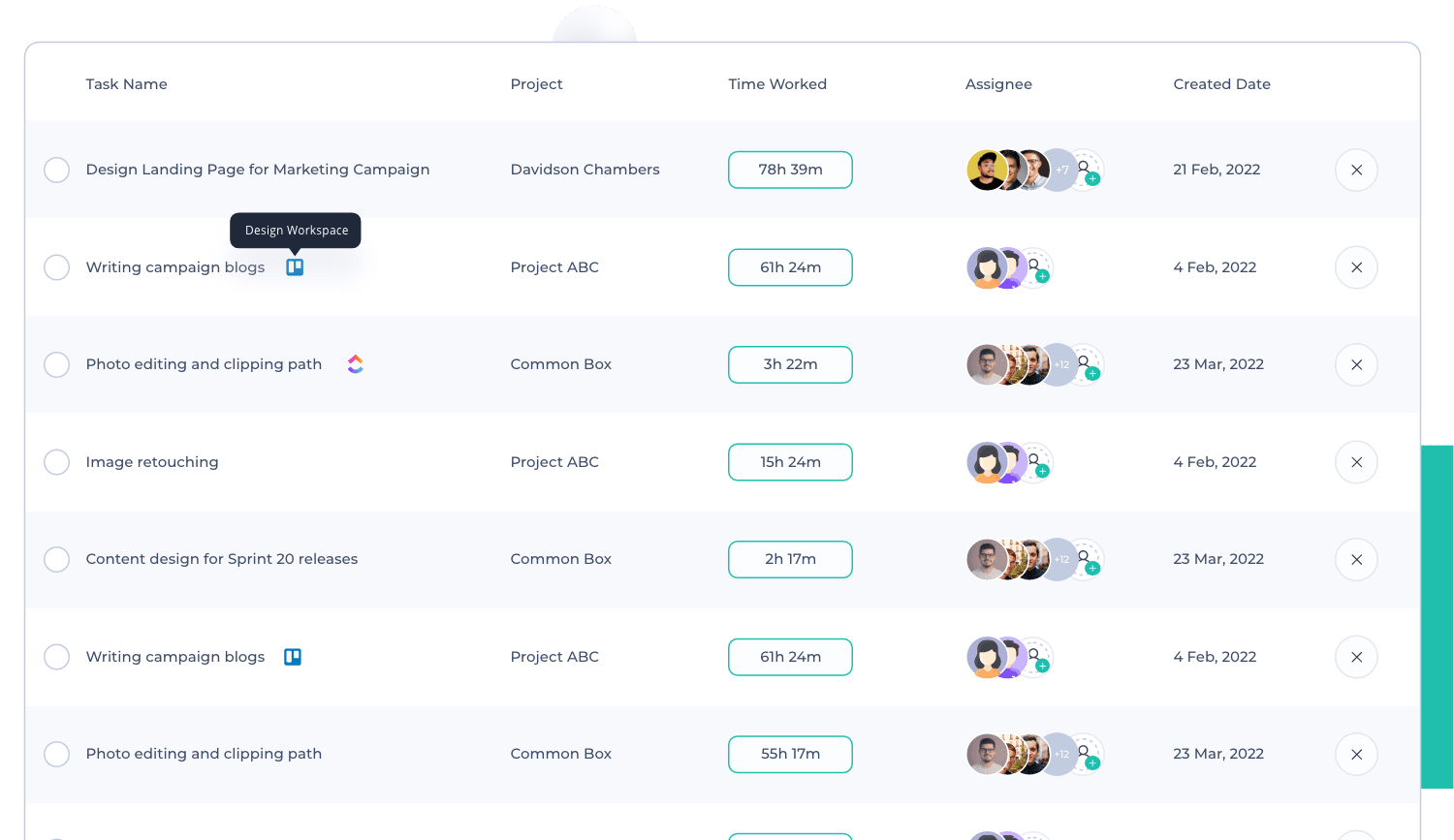
Assign tasks to your work-from-home employees and know the time spent with Apploye. Monitor their work progress in details.
Projects & Budgeting
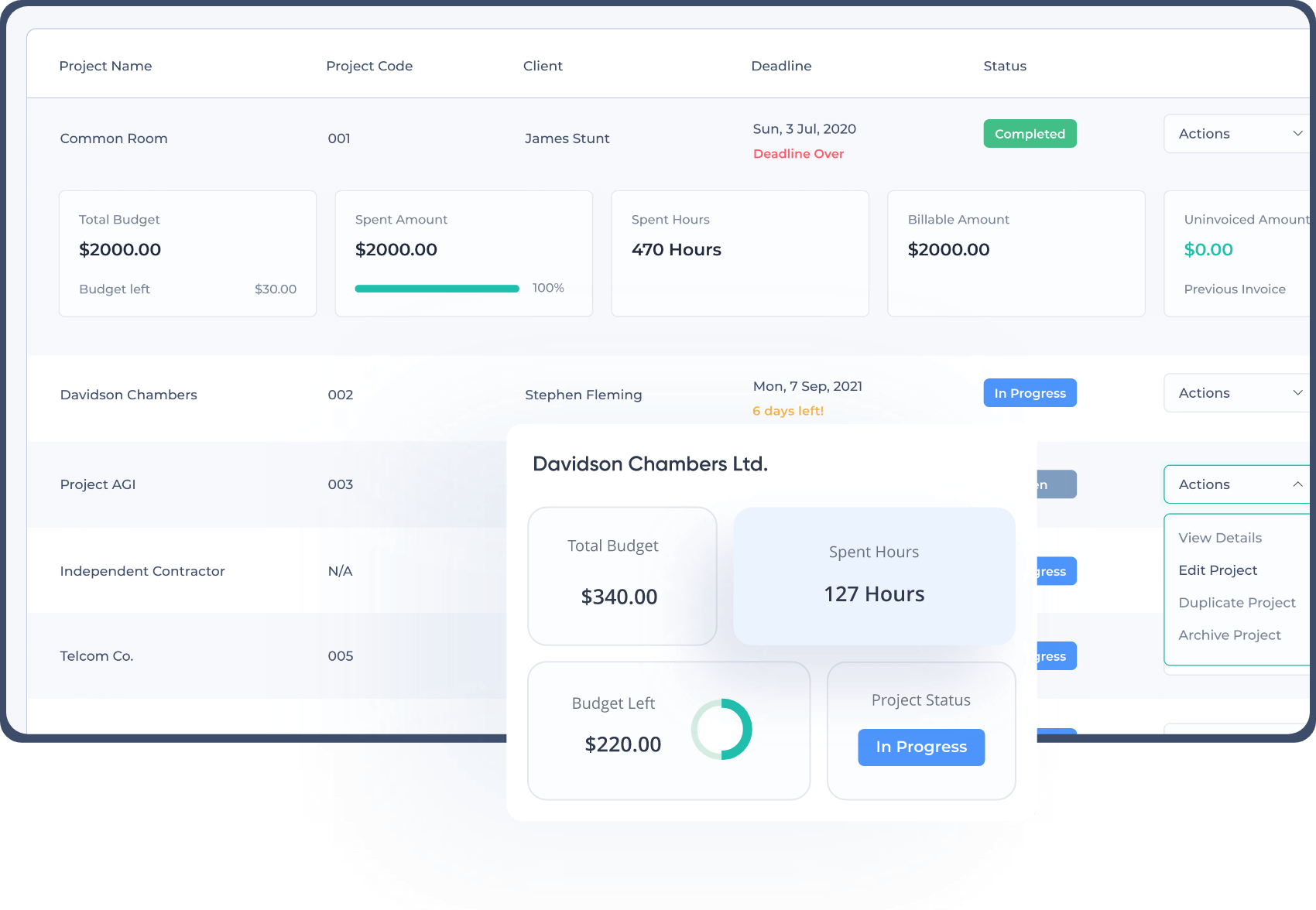
Create projects and assign employees to them, allocate a budget per project, see the details based on cost and time spent and export the project report for evaluation.
Clients & Invoice
Assign projects to remote workers, and generate invoices for their remote or hybrid work, along with custom taxes and discounts. And send the invoices to the clients.

Teams & Members
Create remote teams and add remote employees to your organization and delegate tasks to them.

Payroll Management
Manage your remote and hybrid employees’ payroll according to the pay rate you set, whether hourly payment or fixed. You can also approve the timesheets before you pay.

What Our Users Say

How to monitor remote employees with Apploye remote work monitoring system:
If you are thinking about having remote employees in your organization, but are not sure about their productivity, Apploye can help you monitor remote work effectively. Here’s how to do that in 6 simple steps.
Step 1
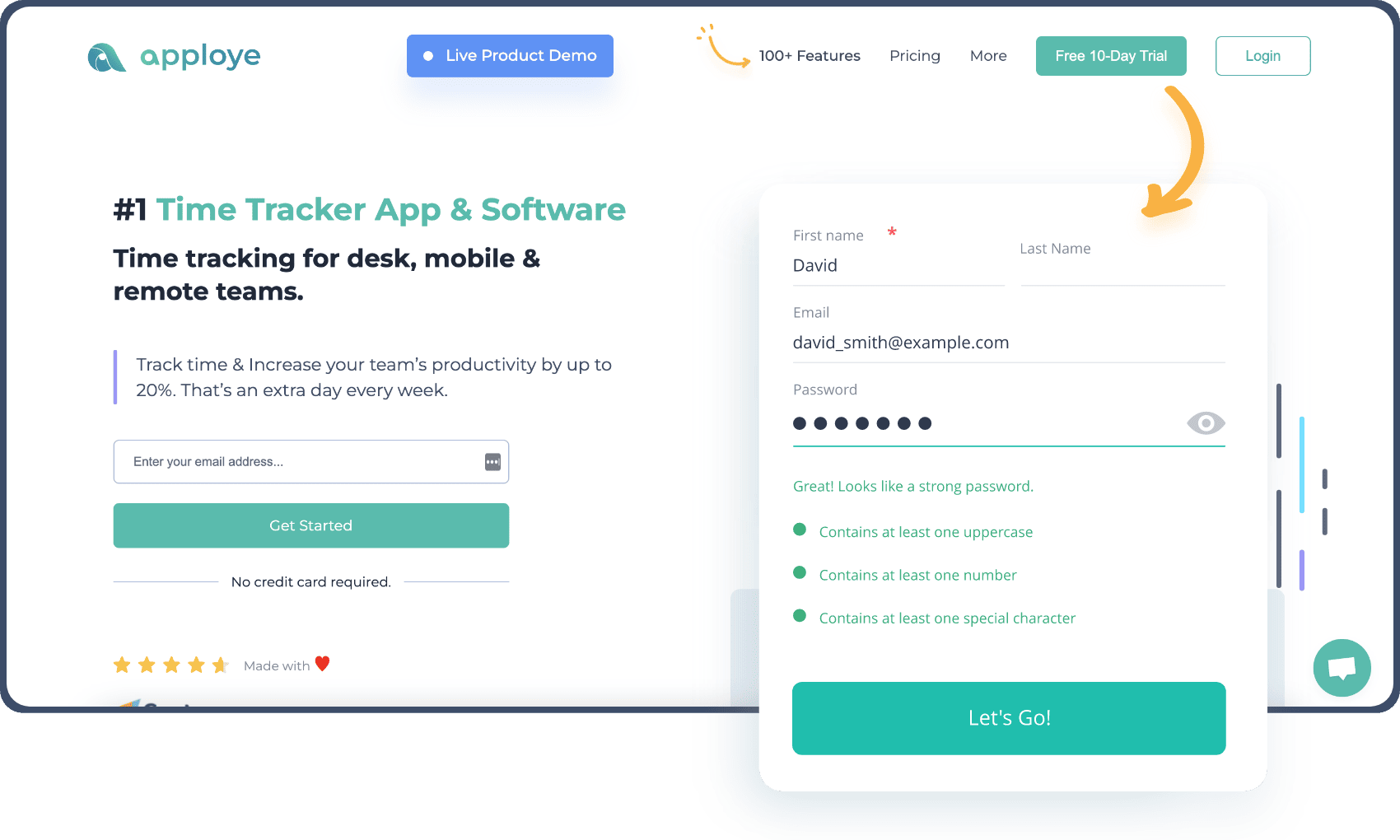
Create an account 🎉
Sign up for a free trial and complete the onboarding process.
Step 2
Invite your team members
Invite your employees via email or let them join with the organization code.

Step 3
Set up the projects & tasks
Assign employees to projects and tasks. You can create unlimited projects and tasks.

Step 4
Start monitoring remote employees
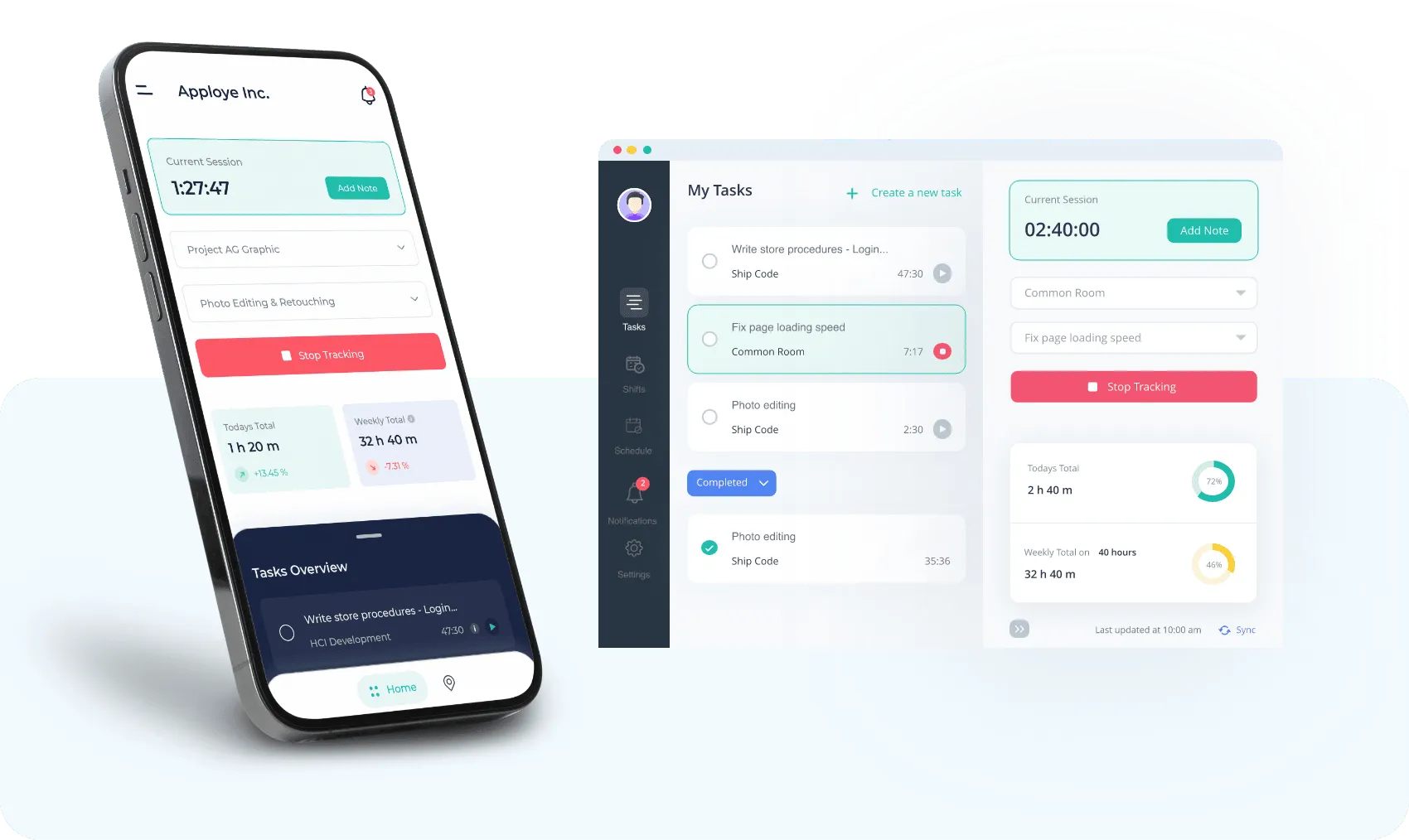
Your employees will be using the desktop or mobile app or the chrome extension. Then, you can check their activities from the web app.
Step 5
See which employee is working and take real-time screenshots
Find out who is working at this moment. You can also take real-time instant screenshots of any employee’s screen.

Step 6
Check the screenshots and activity reports
You can check the screenshots, even for multiple monitors. You can also check the activity and time reports for a better understanding of remote worker productivity.

Frequently asked questions
What is remote employee monitoring software?
Remote employee monitoring software is a specialized tool that effectively manages and tracks the activities and productivity of employees who work remotely. It provides a simple way to track progress, boost productivity, and engage staff outside of the office. In addition, it offers a smooth shift for employees when moving between various work environments.
What are the remote employee monitoring laws?
While laws vary, in general, remote employee monitoring is permitted. Data protection rules must be fulfilled, and employee consent is frequently necessary. Additionally, privacy regulations must be upheld. When in doubt, consult a legal professional for the specific region.
How do I monitor my work from home(WFH) employees?
To monitor your WFH employees, use a remote worker monitoring software like Apploye. It will let you assign projects and tasks, and give your proof of employees work and activities.
What are the remote employee monitoring ethics?
Remote employee monitoring ethics include respecting off-hours, using data properly, being clear and proportionate, and offering helpful criticism. Respect for the privacy and autonomy of employees while balancing the interests of the firm.

Try Remote Employee Monitoring Software
Try free for 10 Days - No credit card required!
Get Started Here