
By creating projects, an owner/admin can categorize their work more effectively. So let's see how to maintain projects easily:
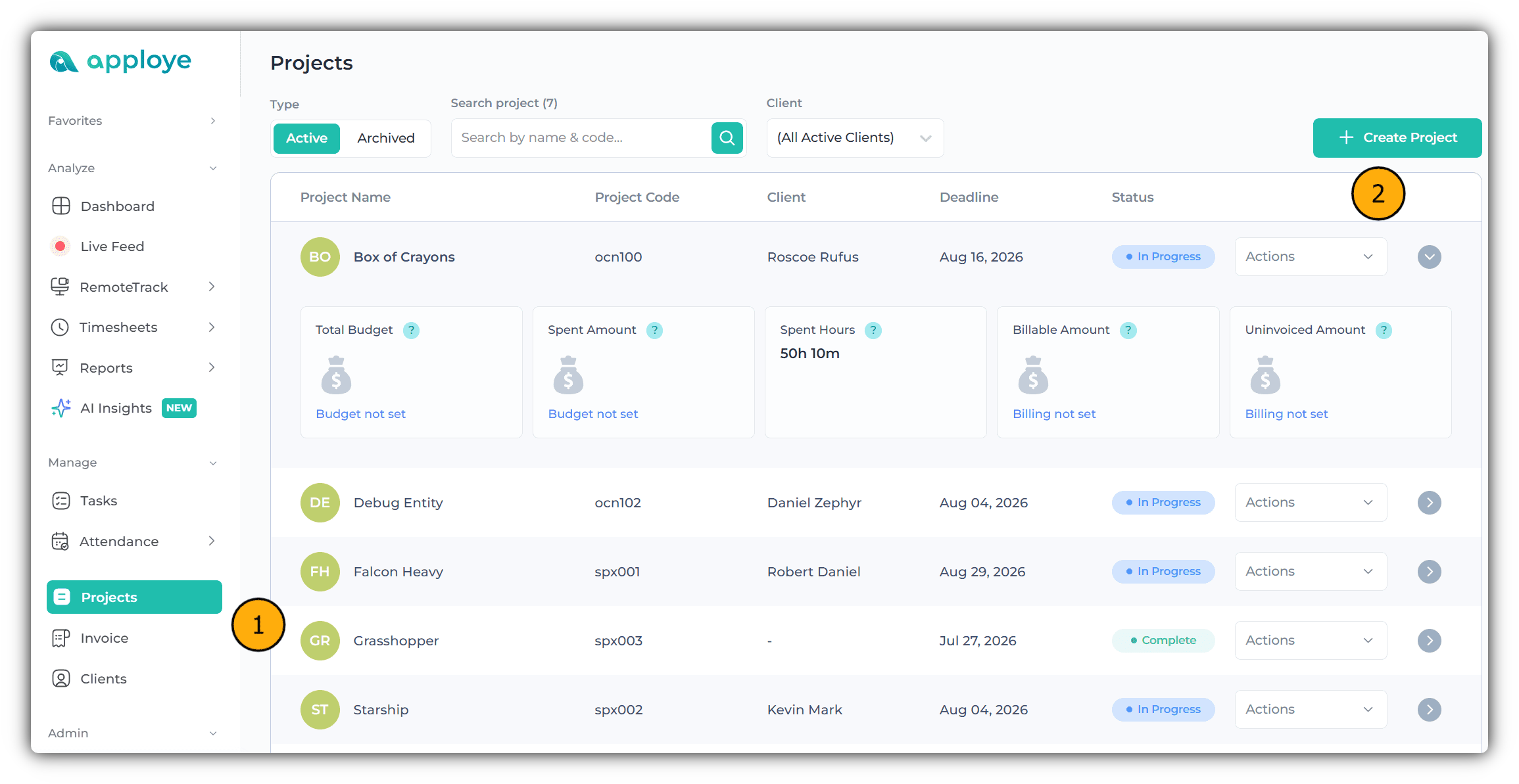
From the web application, an owner or admin will move to the project section,
From this section, they can create a new project by clicking “Create Project”.
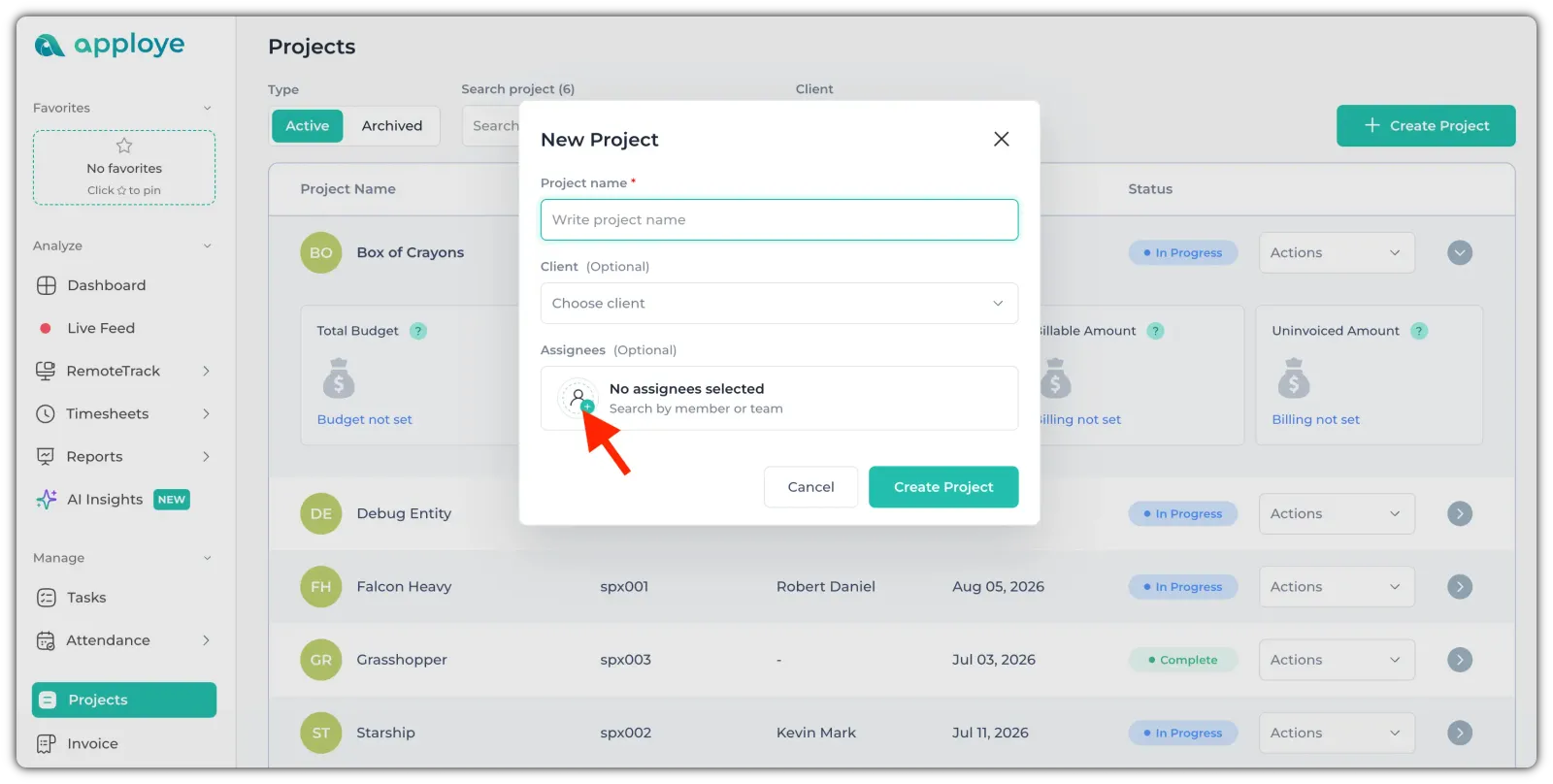
After clicking the Create Project button, a pop-up will open. The Owner or Admins can enter the project name, select a client, and assign members to the project.
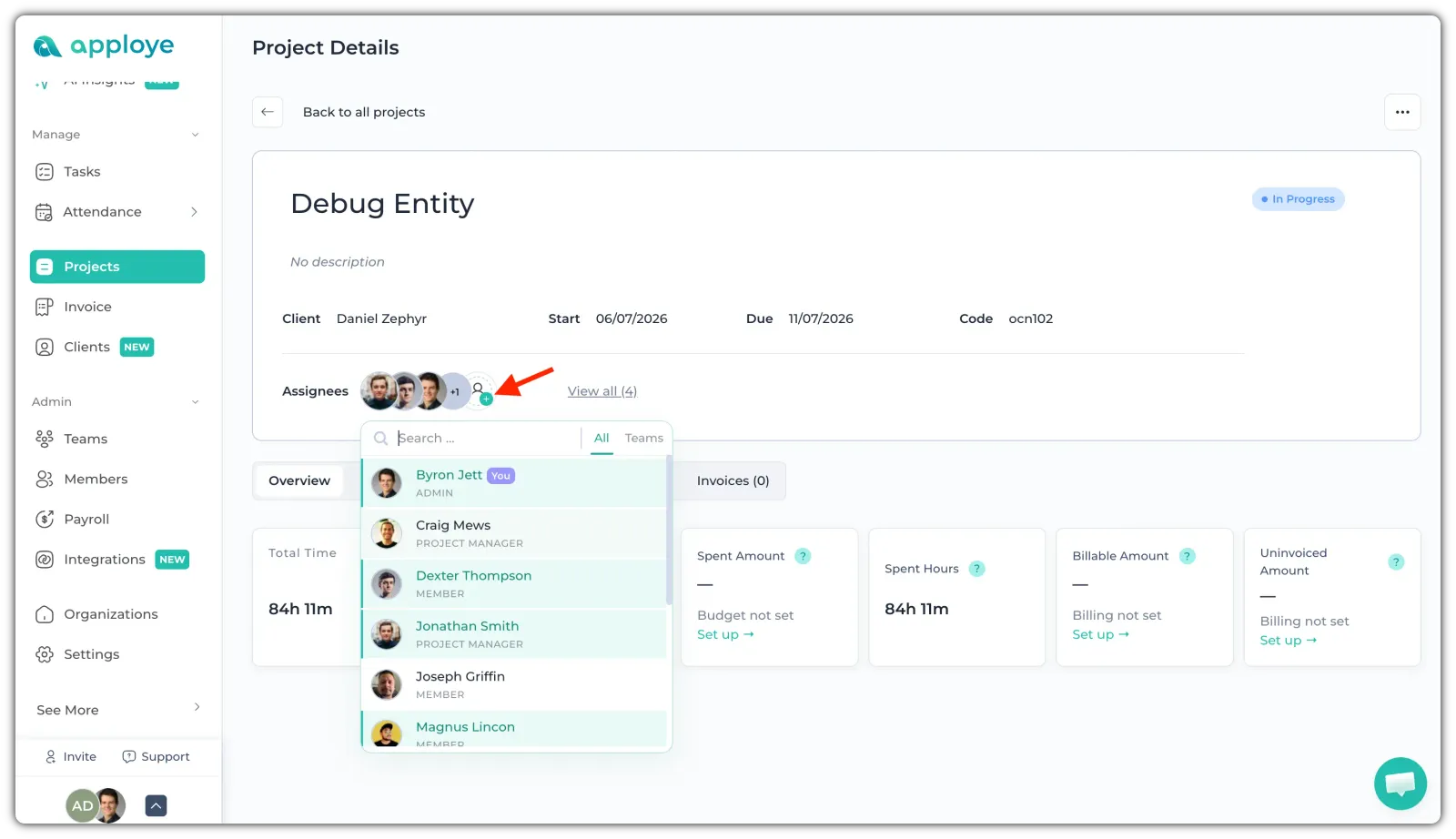
You can also later assign/change the members from Project details.
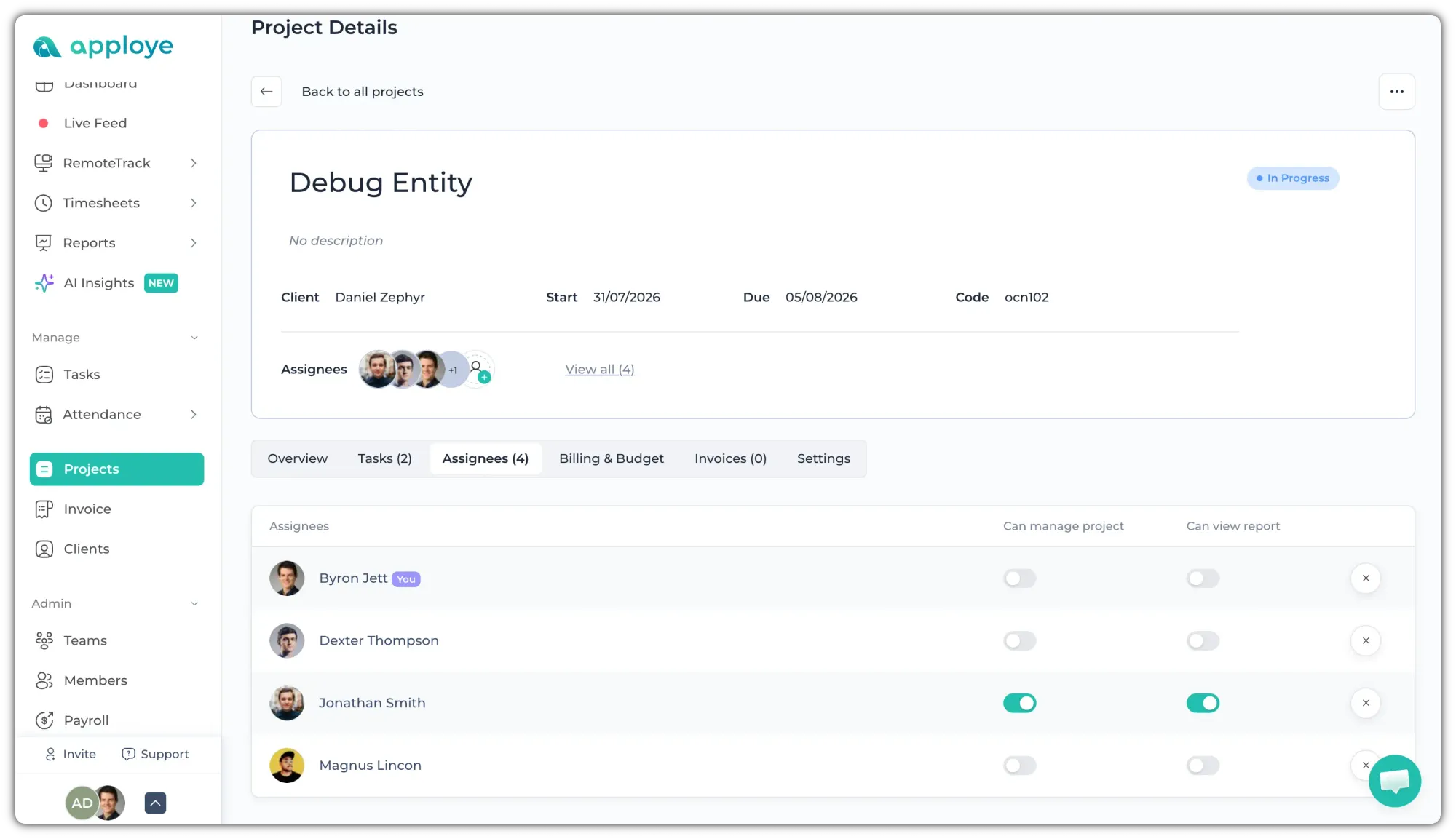
If you wish to grant a project manager access to someone, you can enable the necessary permissions for that employee.
- Can manage project
- Can view report
👉 The next step is to proceed with setting up Project Billing & Budgeting. Under the Billing & Budget section, you will have two options for managing your project's financial tracking.
- Project Billing
- Project Budget
Project Billing:
This section is for billing your client. You can use it to maintain records of client bills for future reference. There are options available for project billing to manage your client’s billing process.
When billing on an HOURLY BASIS or FIXED FEE, you will have three main methods to select from:
- Project Hourly
- Per Person Hourly
- Fixed Fee
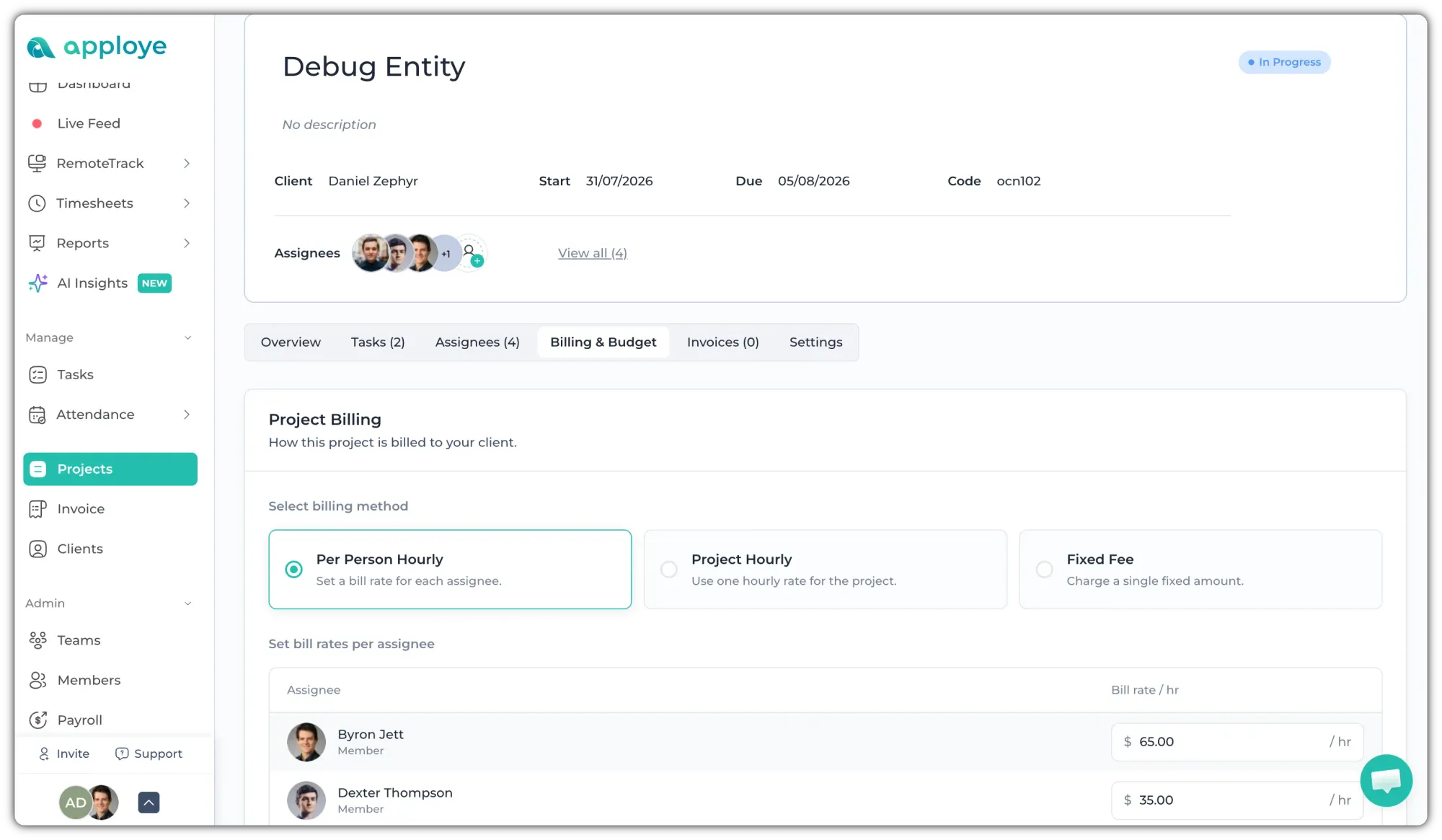
⭐ If you select PROJECT HOURLY, your project will be billed based on a single flat rate set as the hourly rate for all tracked time.
⭐ If you select PER PERSON HOURLY, your project will be billed based on your individual member's set billing rate.
⭐ If you select FIXED FEE, your project will be billed to your client as a single fixed amount rate for the entire project.
Project billing will help you bill clients based on the project. You can link the project to your invoice to bill your client.
Project Budgeting:
On this, you will be able to budget for your internal purposes for any individual project. Set up your project budget to track cost, get notified when approaching limits, and monitor profitability.
Here you will have two options to set the budget type:
- Total project cost
- Total project hours
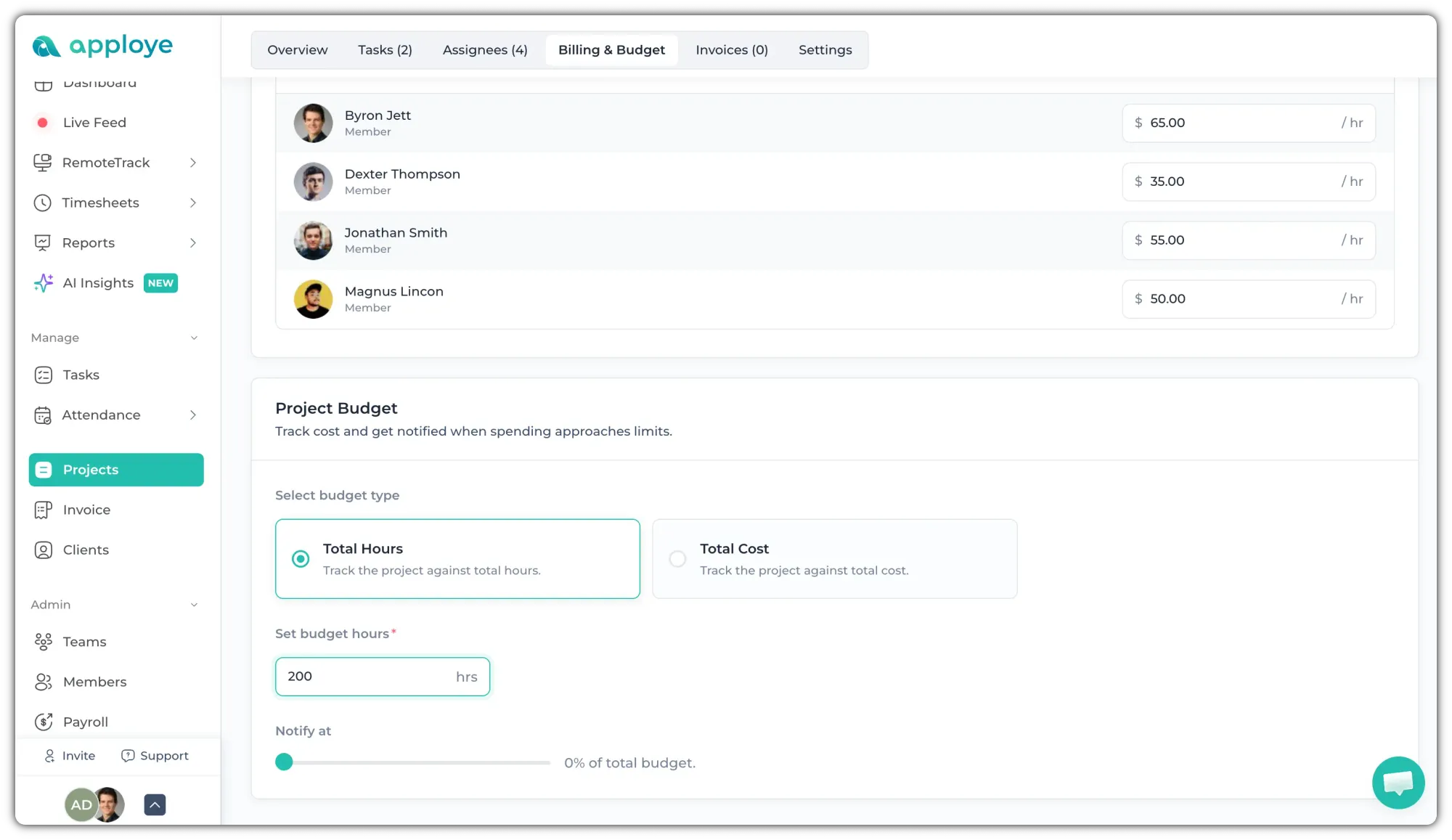
⭐ Total project cost refers to the budget amount set as a limit to guide the project's completion and track spending.
⭐ Total project hours refers to the target limit determined based on the hours specified for project completion.
If you have any other queries, you can send us an email at (support @apploye.com).