
First, go to the "Work Notes" page, from Timesheets in the Left side panel.
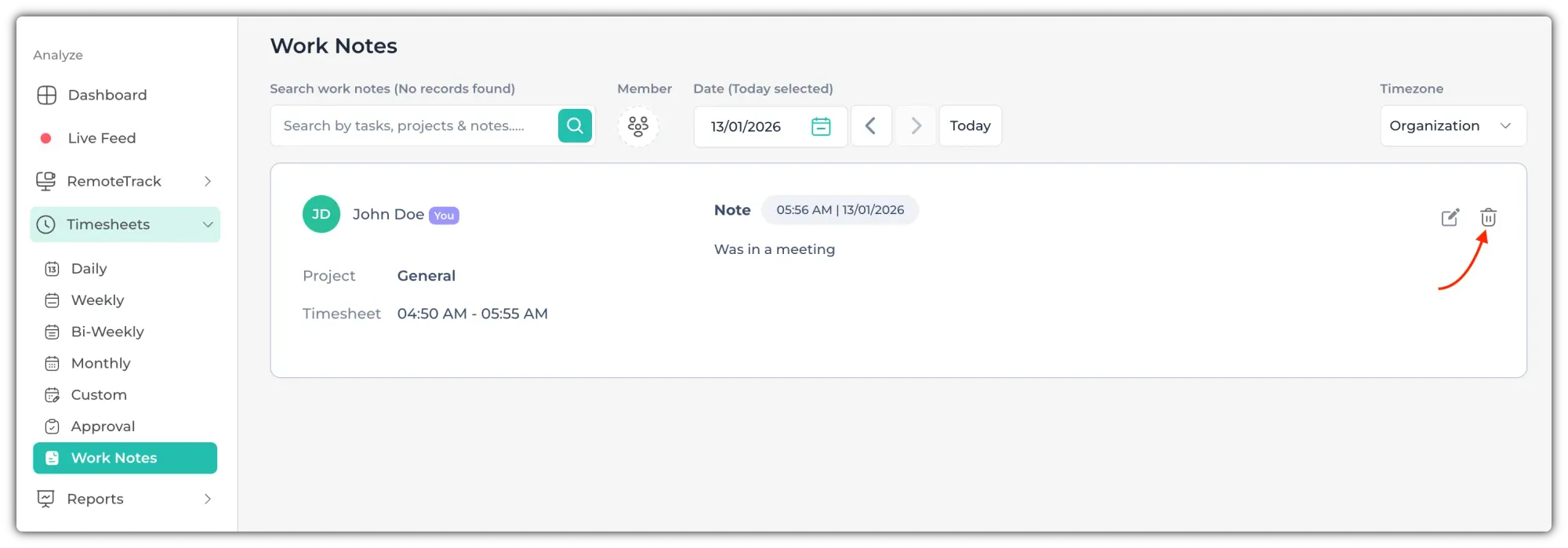
After you hover over the work note that you want to delete, an Edit & Delete icon will appear on the right side. Click on the Delete icon (pointed by the red arrow).
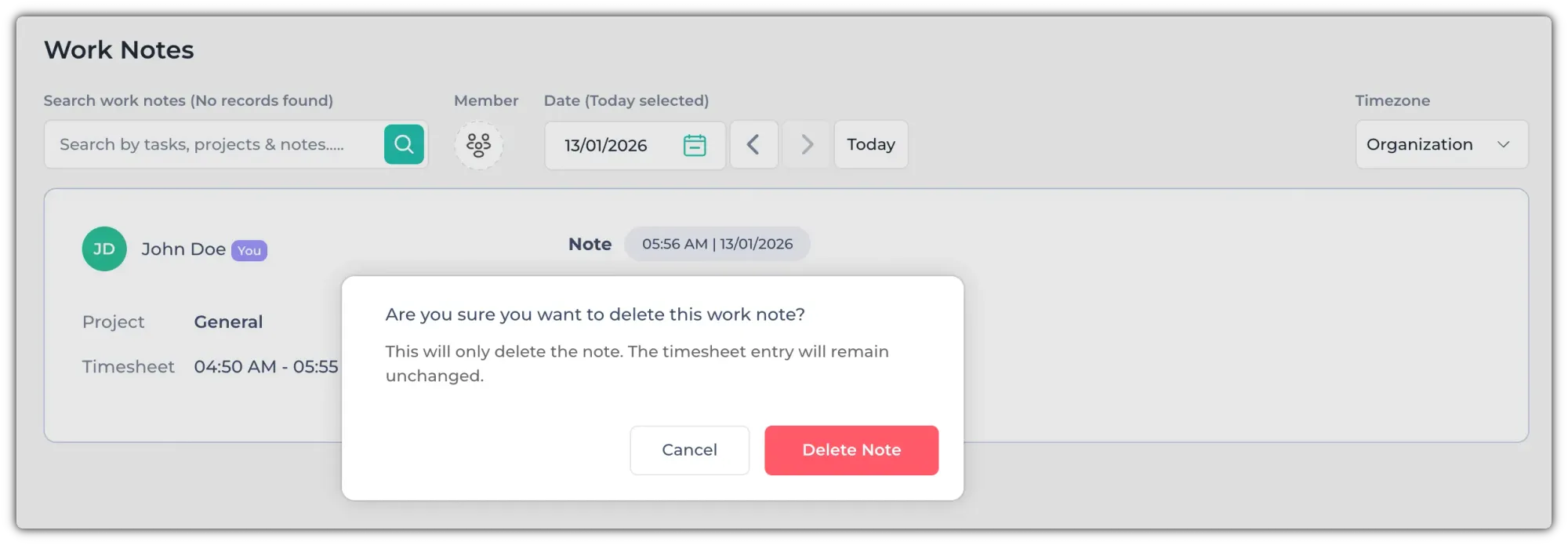
A confirmation pop-up will open. Now, click on "Delete Note" to delete it.