
To set the Daily Limit in Apploye, go to Members <> Click on the Actions button for the particular member.
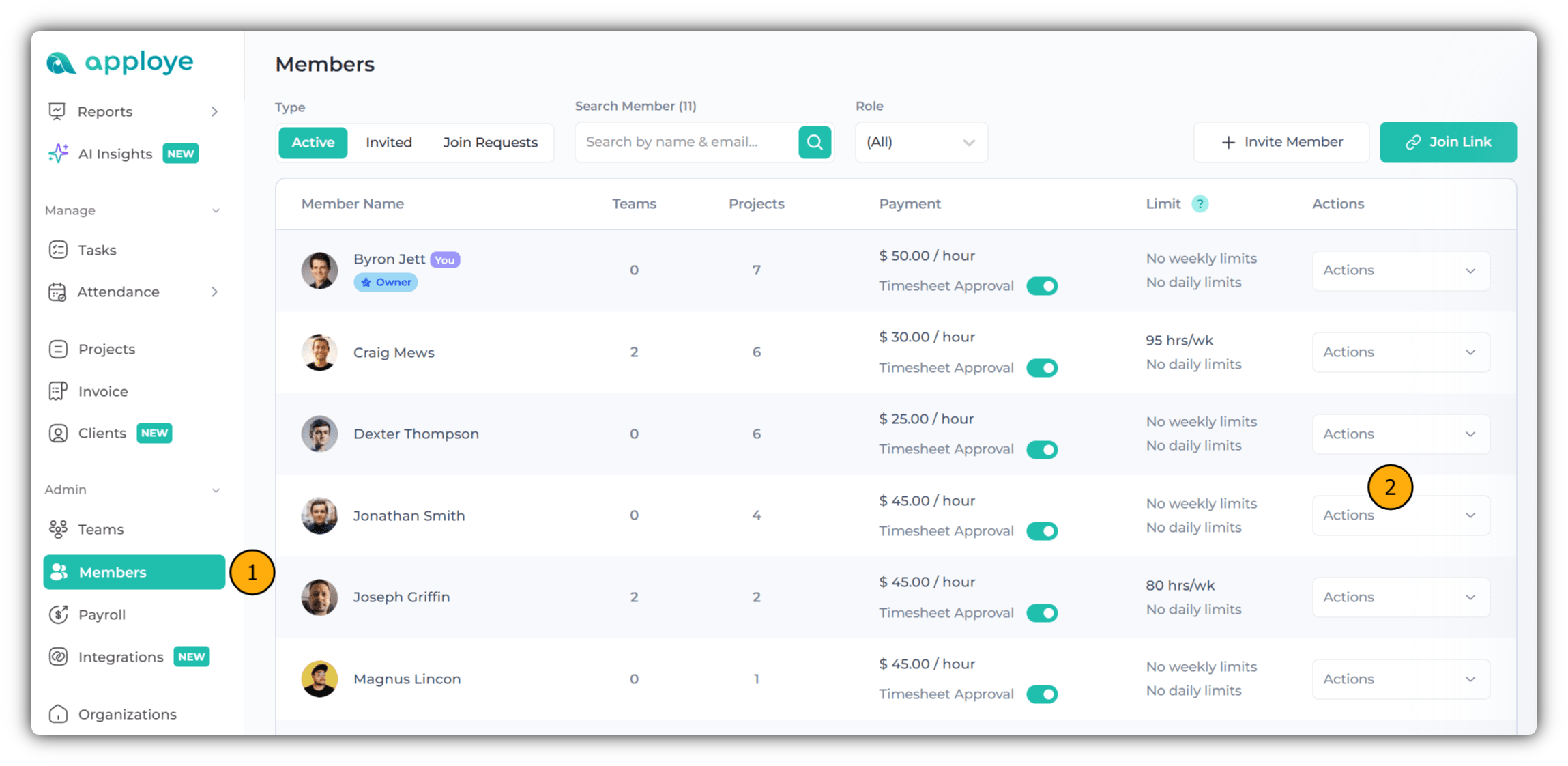
After clicking on the Actions button <> Click on Edit Member. On the Edit Member page, scroll down to find the Daily Limit option.
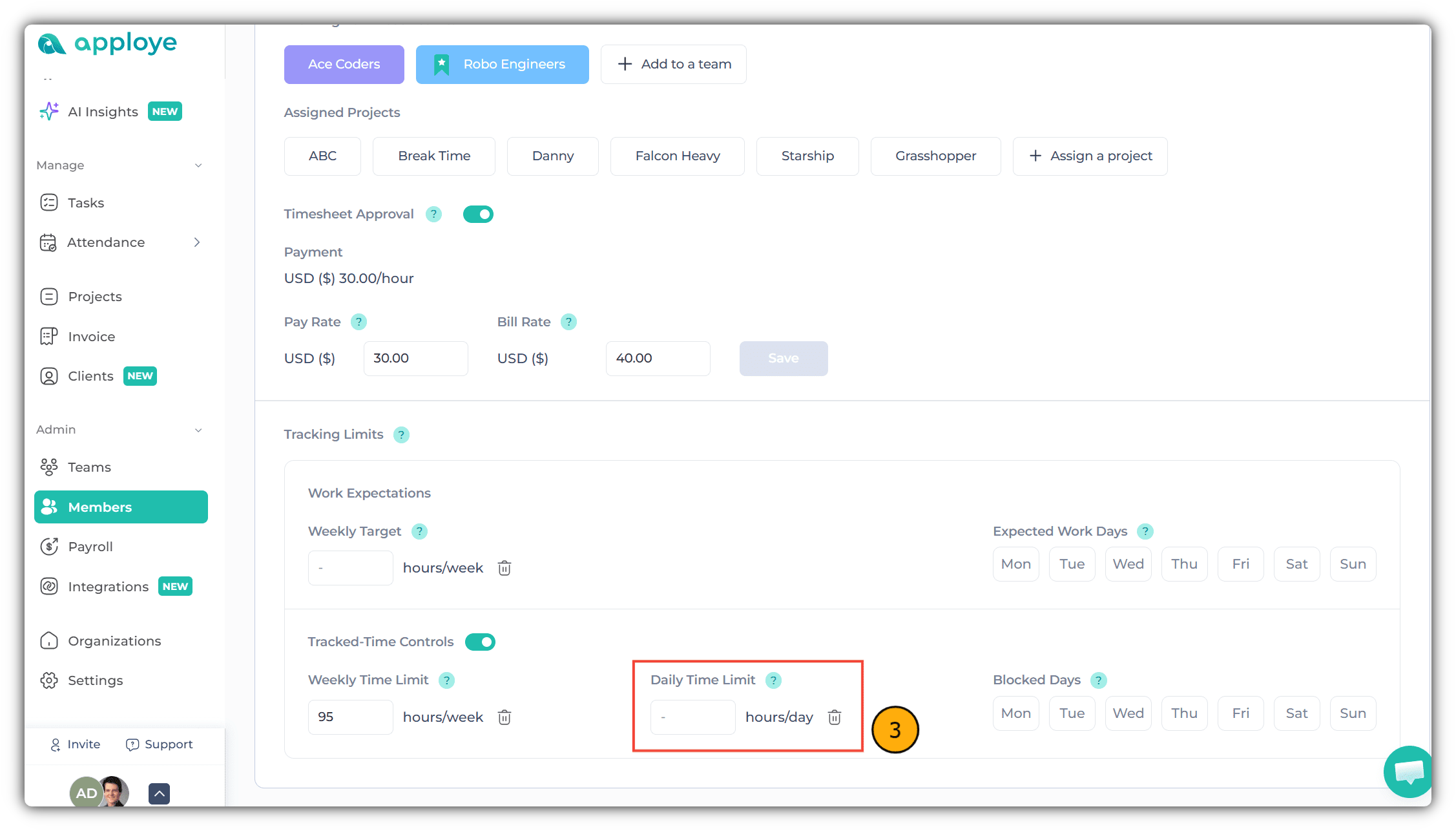
Now, add the daily work time limit for your employees.