
Productive time is time in apps and websites you've labelled Productive. Neutral time is everything that isn't labelled either way. Most of the confusion is about the second one, so this article starts there.
What counts as Neutral
Time is Neutral when it's spent in:
- Something labelled Neutral. Apploye labels browsers (Google Chrome, Microsoft Edge, Safari) and system tools (File Explorer, Calculator, System settings) Neutral. You can also label an app or site Neutral yourself, for example Google Meet.
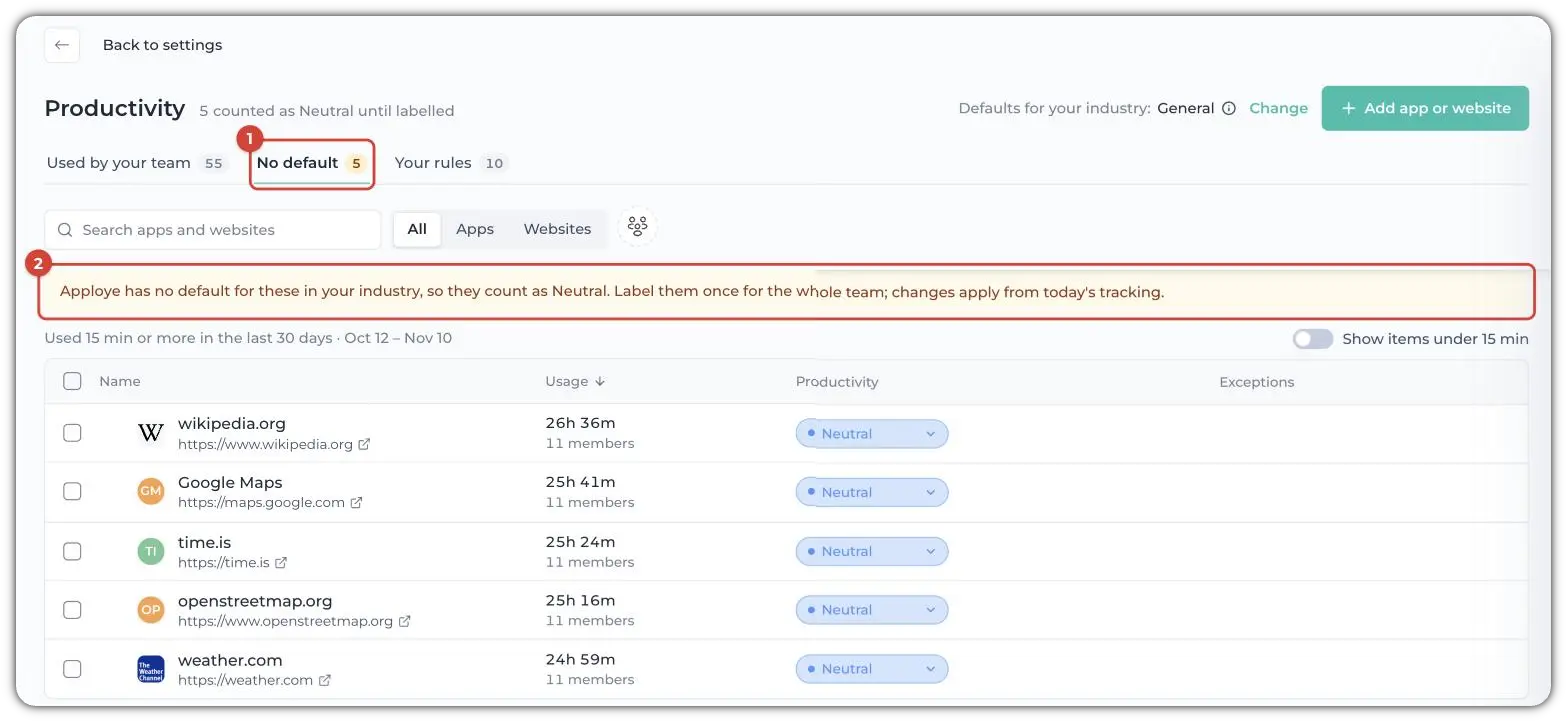
- Something with no label. If Apploye has no default for an app or site in your industry, it counts as Neutral until someone labels it. These are listed on the No default tab (1) in Settings → Productivity. If there are no defaults, a banner will also say so (2).
💡
Apploye's older help articles also use Neutral Time for tracked time with no keyboard or mouse input. That's an activity measure. See Understanding Active, Neutral, and Idle Time.
Neutral isn't a bad result. Most people use browsers, file managers and calls, and none of them say what the work was. The sites inside the browser do: Chrome is Neutral, but GitHub and Gmail opened in it count as Productive.
When to move something out of Neutral
If one app or site takes a lot of your team's time, label it. The dashboard helps: the Productivity this week strip shows a link such as "5 apps need review". It opens the No default tab.
- Go to Settings → Productivity and open the No default tab.
- Find the app or website, for example time.is or Google Maps.
- Choose Productive, Neutral or Unproductive for it. It applies to the whole team from today's tracking.
💡
Productivity is part of the Activity Insights add-on, included in Power and available as an add-on for Elite.
Related Articles: