
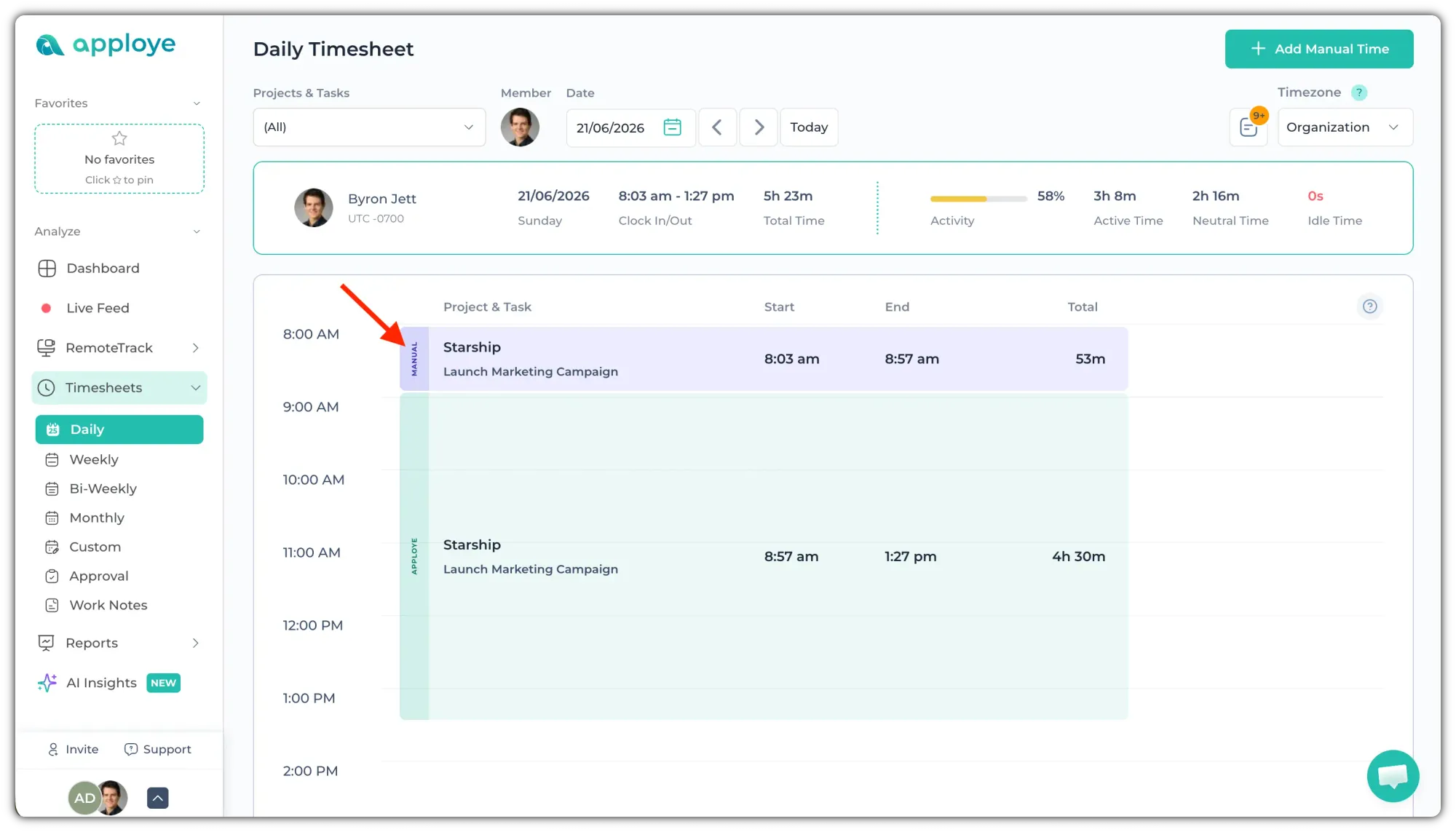
If an employee has added manual time, it will appear in purple on the timeline.
You can also identify it by the vertical “MANUAL” label displayed on the entry. For shorter time blocks, the label may appear as “M” instead.
Pending Manual Time Approval
If a manual time entry is waiting for approval, it will be displayed in white color, with purple border. This indicates that the time has been submitted but has not yet been approved.
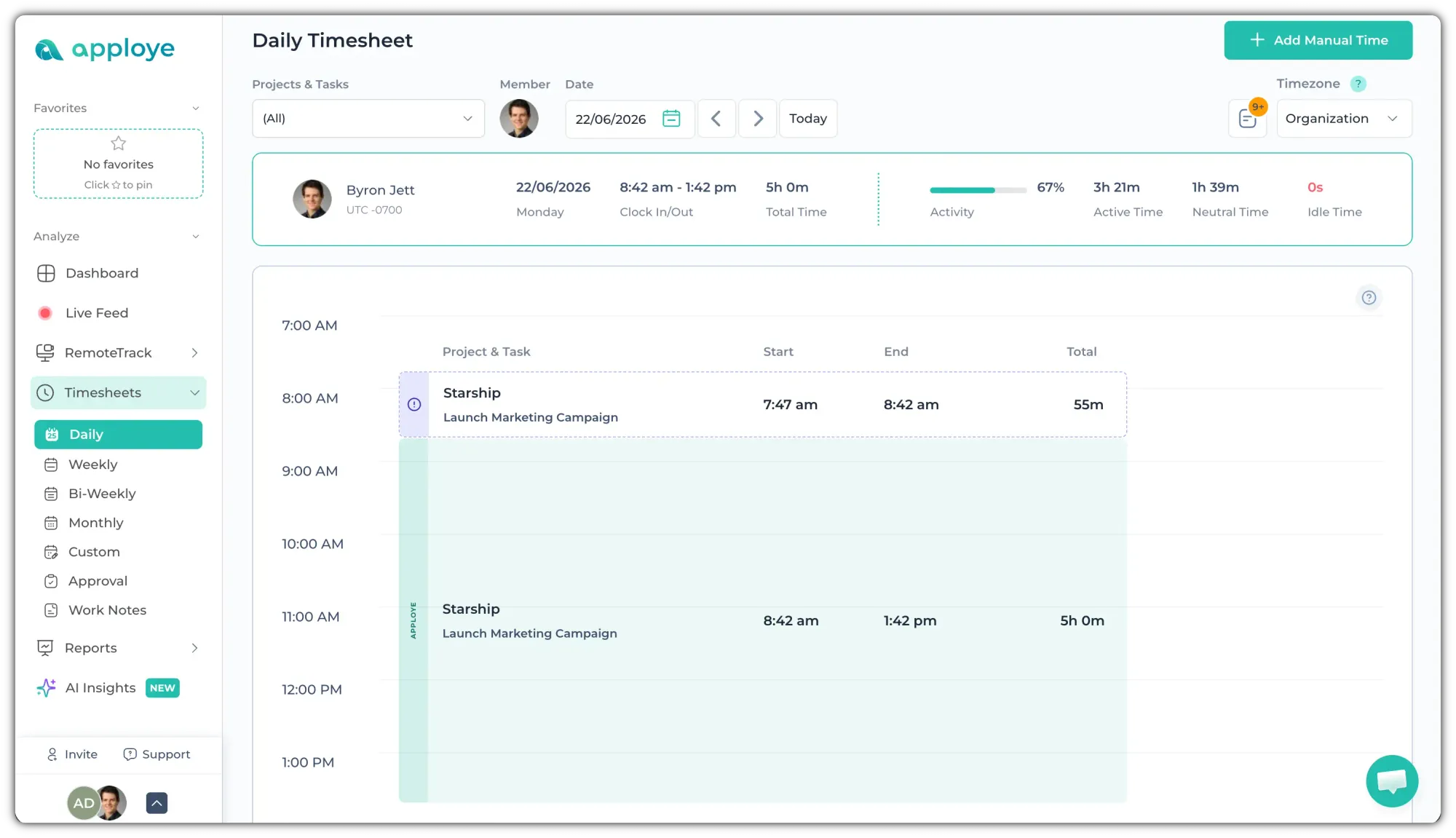
You would need to approve the manual time for that to be included in total timesheet / payroll.
Approve Manual Time to Include It in Reports
Manual time entries (if requires approval) must be approved by an admin or manager before they are included in Total timesheets.
Until approved, the pending manual time will not be counted in these totals.