
Go to Timesheets > Approval. Click on "Manual Time" to approve the manual timesheets. You can select the date range and members you want to review.
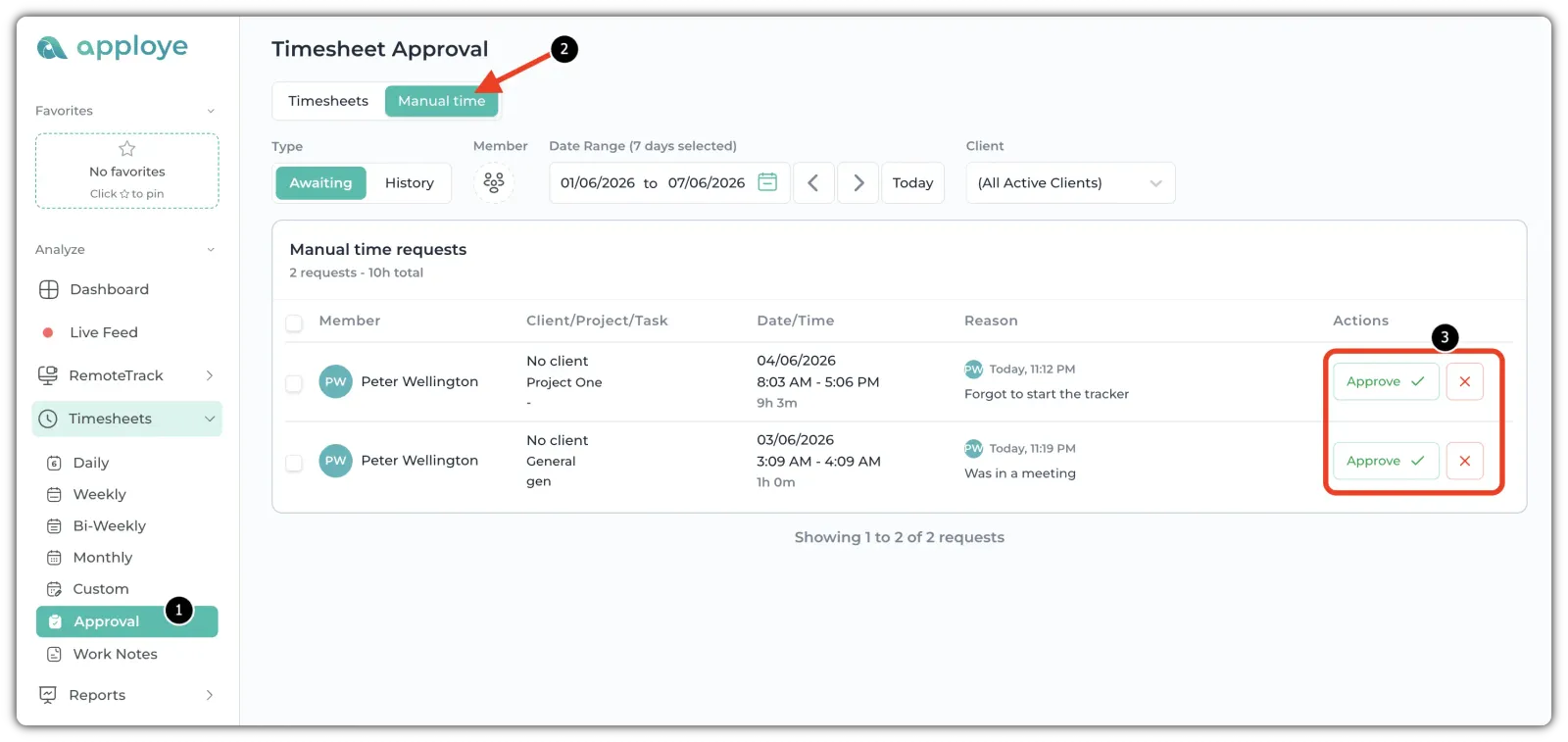
If the members have added any manual time, you will see those manual time entries here. Check the details, such as: Project, task, Time range & Duration, and Reason for adding manual time.
If the manual time looks correct, click Approve. Click on the X button, if you think the time should not be counted.
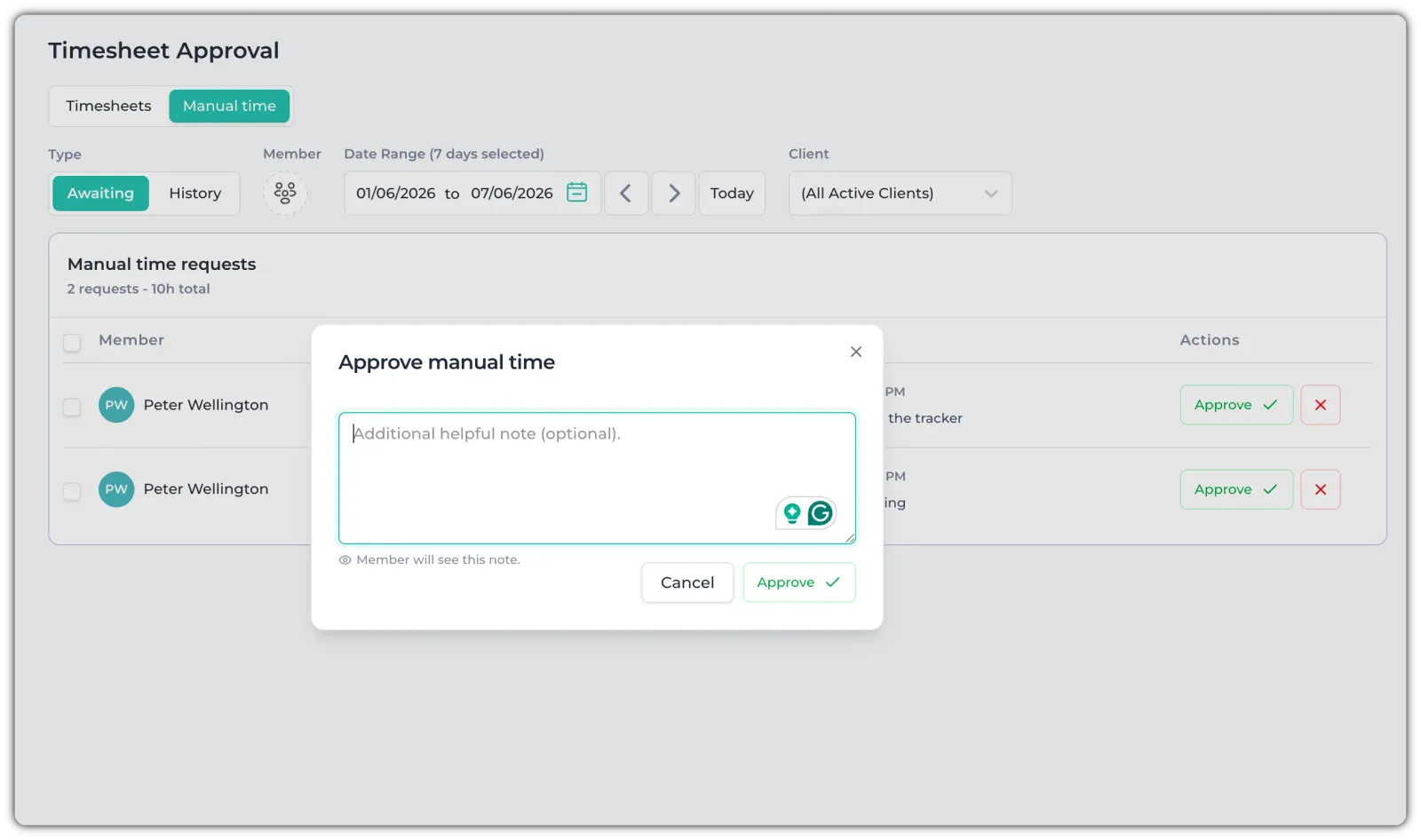
It will show a pop-up. You can write a helpful note, or just click on the Approve/Reject button.
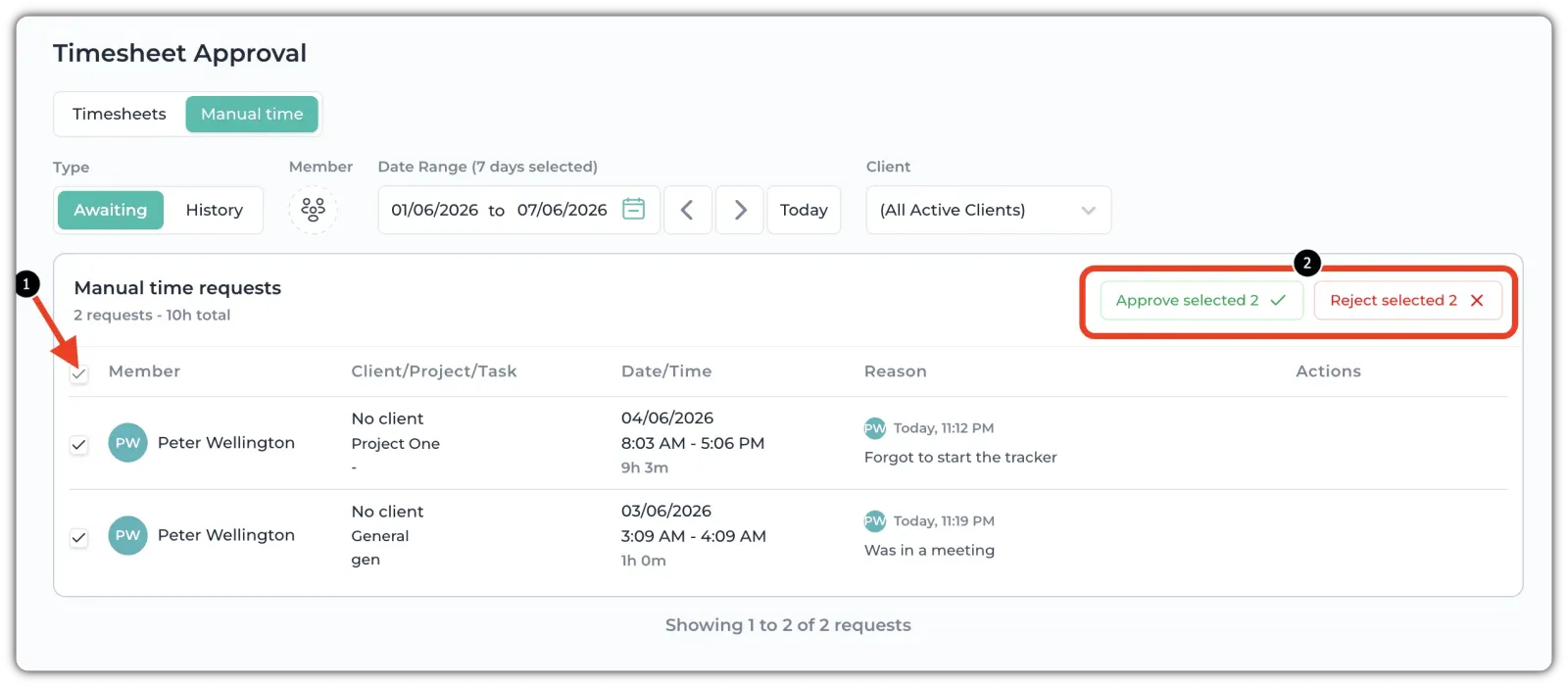
You can also approve multiple or all at once. Click on the checkbox beside the "Member" and then click "Approve Selected" or "Reject Selected".
For viewing past approvals and rejections, check the "History" section.