
Insightful Review: After a Week of Tracking My Small Team
I tested Insightful for one full week with a small team of 10 people.
After that week, three things became clear.
First, Insightful is good at showing you where time disappears and who's overloaded.
Second, the tracking that helps with planning can also cause problems quickly. That is, if you roll it out without clear rules about what you're tracking and why.
And third, when considering the price and ease of use, other Insightful alternatives might be better suited for small businesses. You can get similar results for less money and with less intense monitoring.
This review shows you what changed in the first week. I'll tell you which features were helpful and which ones weren't. Plus, I'll help you decide whether Insightful is worth the money or if a simpler tool would be a better fit.
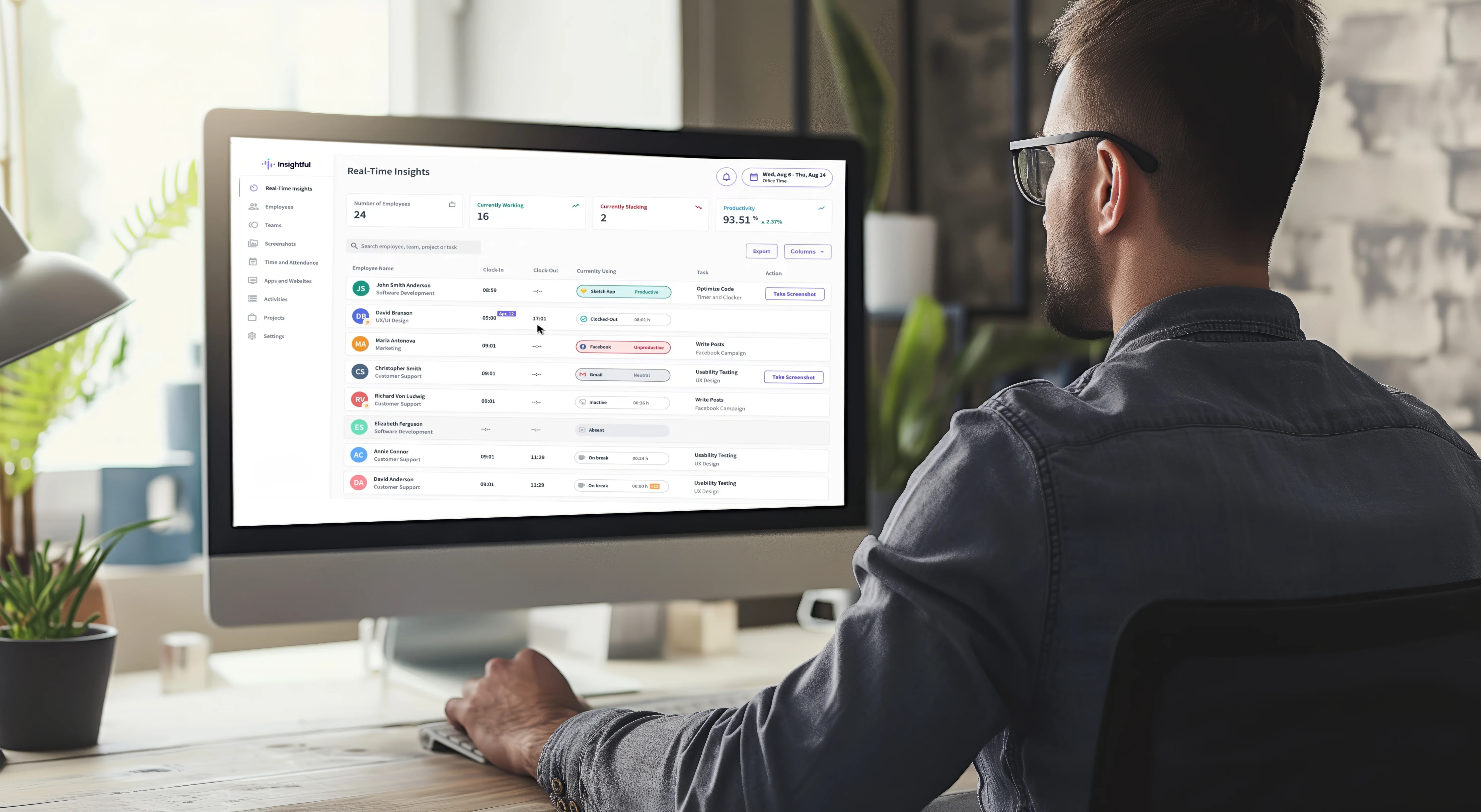
Insightful Core Functionalities
1. Automatic Activity Tracking
Insightful runs via a desktop agent and builds an activity timeline showing when work starts, when it slows down, and what apps/sites are being used.
However, this data needs context. Low “activity” doesn’t automatically mean low effort. For example, deep work can look quiet. So, when used without nuance, it’s easy to misread.
2. App and Website Usage Analytics
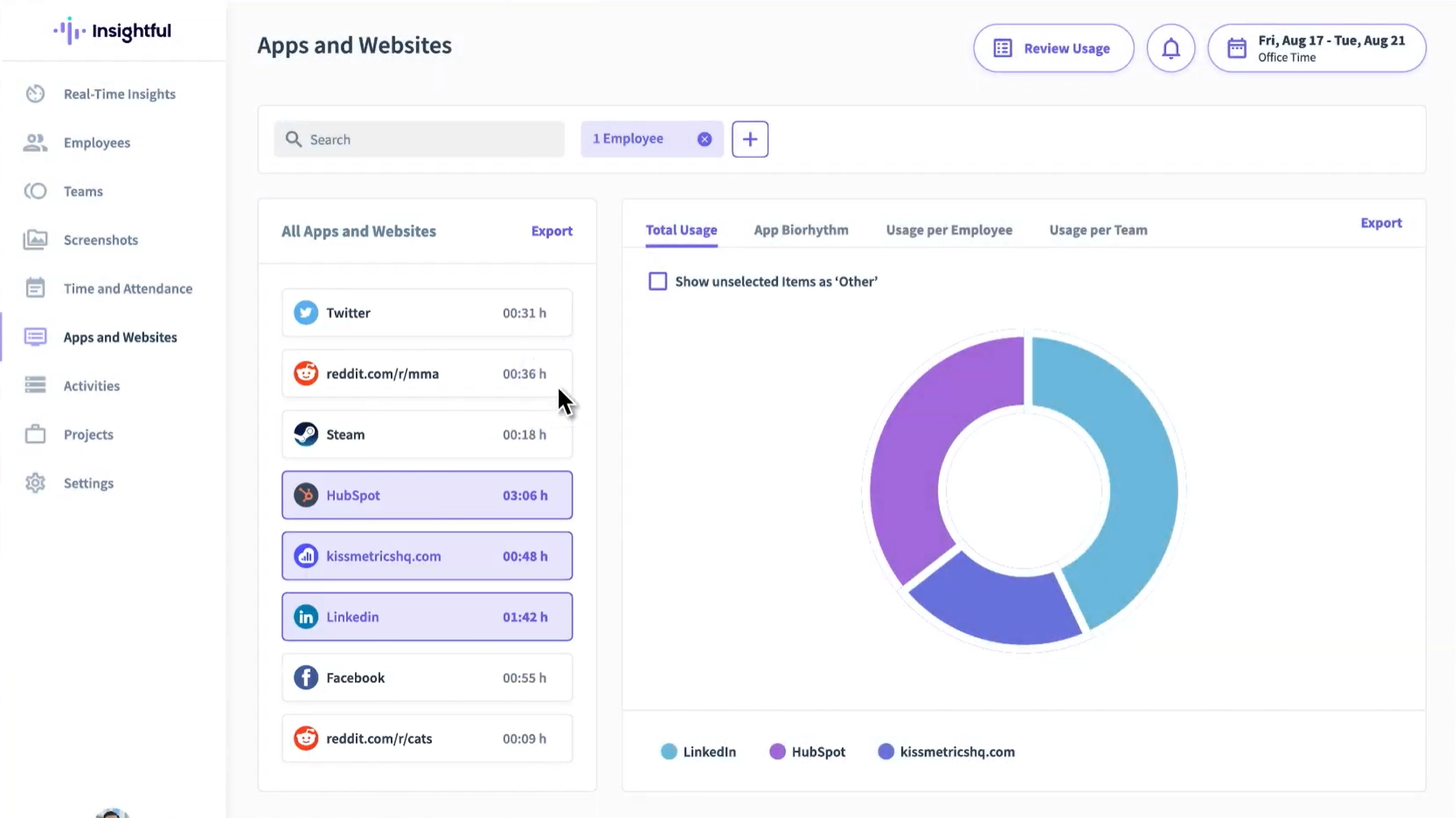
This feature shows you how time is spent by apps, websites, and categories, so you can see where the hours go.
We could spot which tools were essential for work, which ones were needed for support tasks, and which ones were distractions. For a small business, this is helpful for improving workflows and cutting software you don't need.
3. Productivity Classification
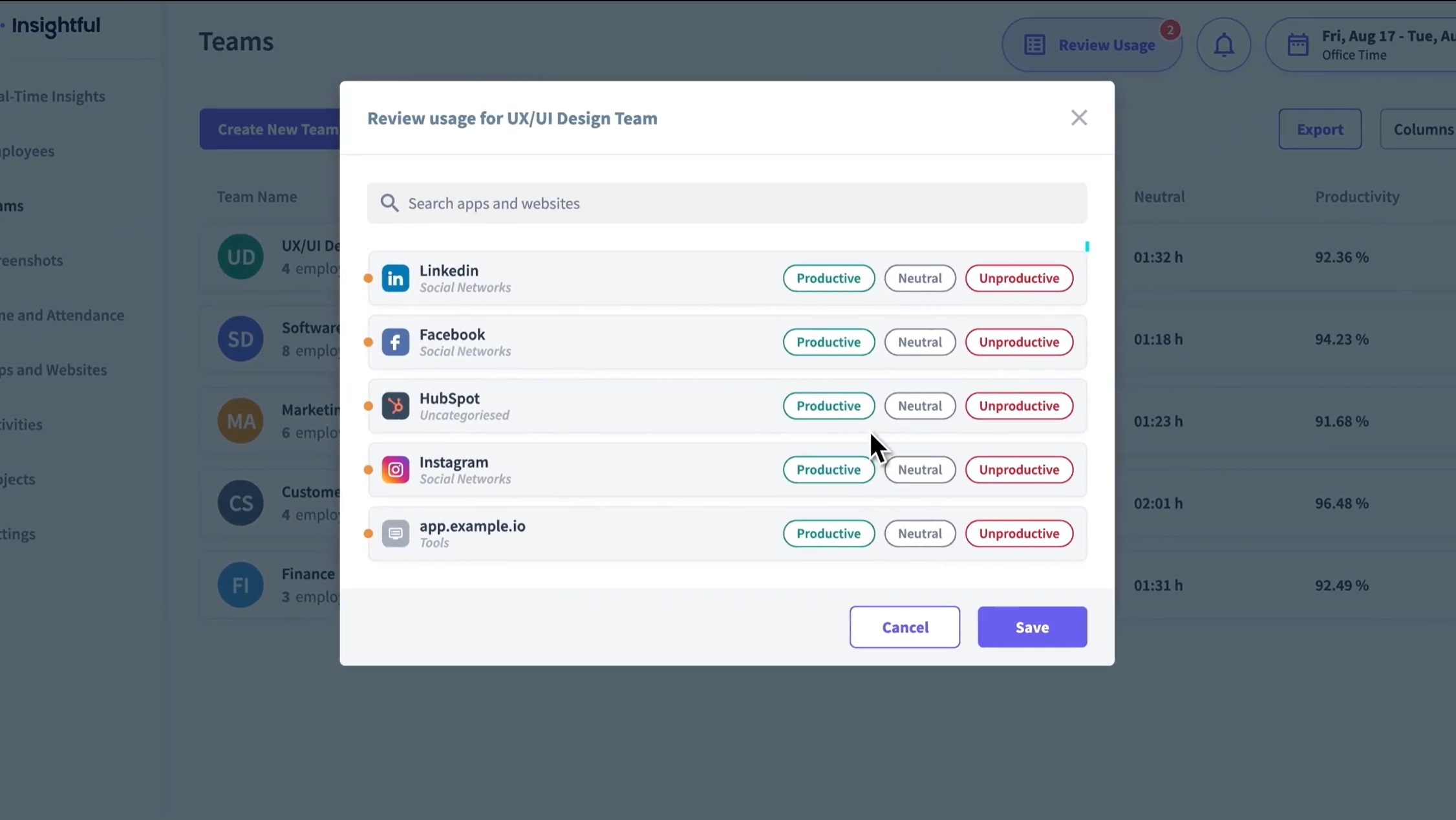
Insightful lets you sort apps and websites into three groups: productive, unproductive, or neutral. This means your reports show what's really happening in your business. But if you don’t customize the apps and URLs, you can end up with misleading “productivity” scores.
Once I took the time to set up the categories properly, I could easily see who was genuinely working and who was not.
4. Timesheets and Time Tracking
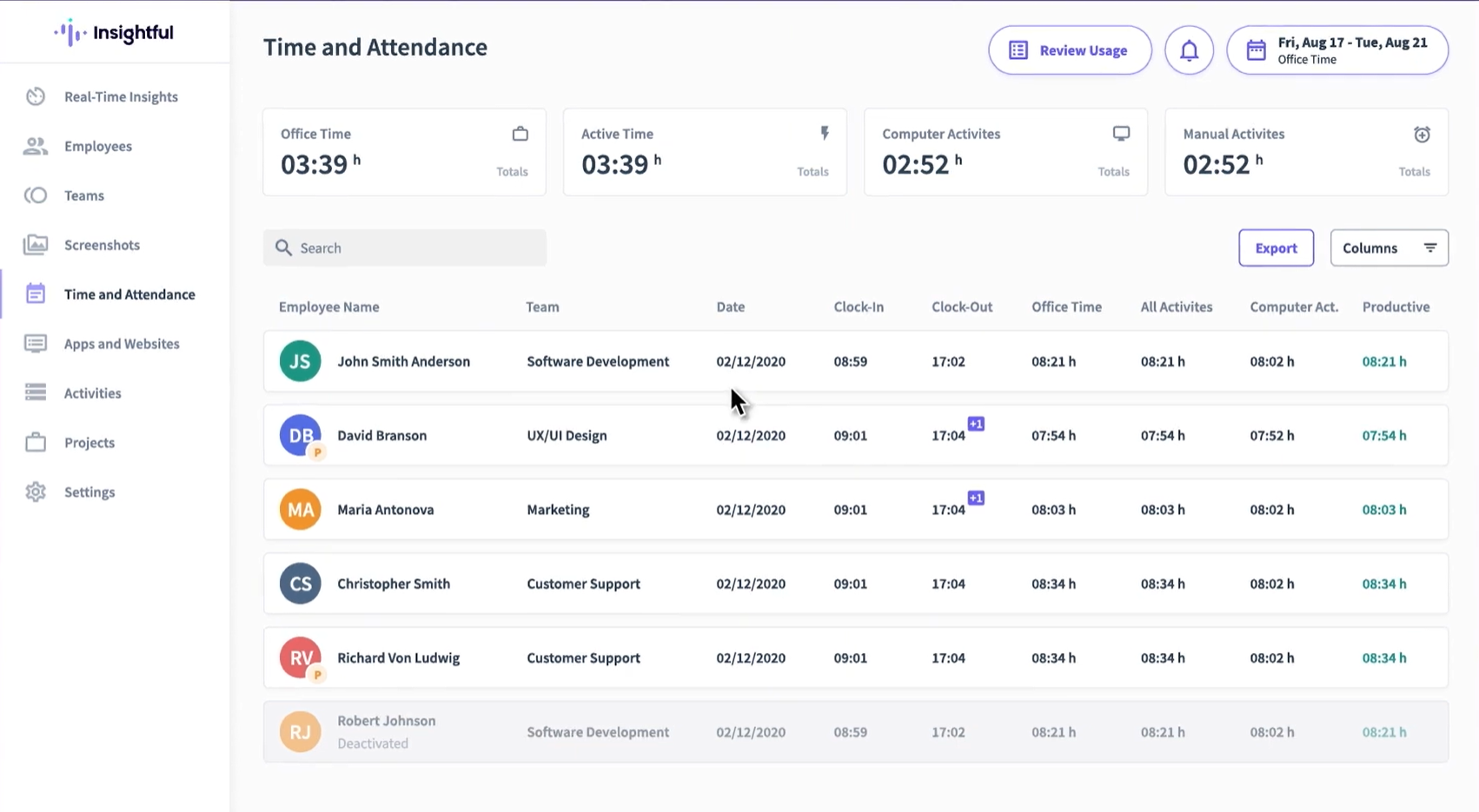
It makes timesheets for you based on what your teams worked on. This means you don't have to remember everything from scratch. You can also sort your time by different projects or tasks. It depends on how you set it up.
5. Monitoring Controls
Insightful can add stronger tracking tools, like on-demand screenshots and screen recording. You can also add other monitoring features based on your plan. This was valuable for resolving client disputes, monitoring compliance-heavy work, and supporting QA.
But remember, if you turn on strict tracking without clear rules and permission, your team will feel upset instead of working better.
My Experience with Insightful
Does Insightful accurately show how each employee spends their time?
In my experience, yes, and that’s the main reason it’s useful for small teams. After a week of tracking, I stopped guessing and saw clear patterns. I could see where work time got interrupted, which apps took up hours, and where quick tasks took half the day.
The power comes from combining activity timelines, app & website usage, and timesheet summaries.
That said, the value depends on how you interpret it. The data is best at showing patterns, not judging individual moments.
Can Insightful improve accountability in a remote/hybrid SMB?
Yes, but there's a right way and a wrong way.
The right way is using it to answer operational questions like: "Do we have enough people on each task?", "Is one role doing too much?", "Are interruptions hurting focus time?", "Are we spending too much time on the wrong tools?" When I first started using it, the tool showed me that work wasn't spread evenly across the team. This made it easier to fix things before people burned out.
The wrong way is using it like a microscope. When you start tracking every minute, people don't work better. Instead, they get stressed. They use mouse jigglers and find ways to deceive the tool.
Do screenshots, stealth tracking, and screen recording help your business? Or are they just invasive monitoring?
In my experience, they can help. But they also create big risks.
When I turned on these features, I found only a few good reasons to use them:
- fixing mix-ups
- checking work that has many steps
- keeping records when clients complain or for legal rules
But these features can destroy employee trust when they feel managers are spying on them. It also happens when you use stealth monitoring without a clear, good reason.
If you run a small business and want to use these features, here's my advice. Treat them like power tools. They work well when used correctly. They cause damage when used carelessly. If you're not sure what to do, write clear rules first. You might also need to talk to HR or a lawyer before you turn them on.
Insightful Pros and Cons




Verdict
Insightful works best for businesses that want to see how time is spent. But you need to set clear rules first. When you use it to track and plan work, it shows you where time gets wasted and who has too much to do. However, if you use it to monitor people with screenshots and stealth mode without setting rules, it damages trust.
Also, for small teams, Insightful is a bit pricey. And other employee monitoring tools are available that offer similar features at a much lower price.
Insightful vs. Apploye: Which is Better?
Where Apploye pulls ahead for SMB
- Free plan for small teams: Apploye gives you a free plan forever for up to 10 people. You still get the important features like time tracking, timesheets, projects, and attendance. Plus, you can take screenshots too (with some limits).
- Invoicing included earlier: Apploye's free plan lets you create client invoices. This helps agencies and consultants turn their tracked time into bills right away. You don't need to pay for an upgrade first.
- Real-time monitoring options: Apploye shows you what's happening right now. You can see a live feed and instant screenshots of what your team is doing.
- Broader device coverage: Apploye works on almost everything. You can use it on Mac, Windows, Linux, iPhone, Android, and Chrome browser. This makes it easy if your team uses different types of devices.
Insightful works best when you want to pay more for extra features. But you need to be sure you'll actually use them. If not, Apploye is the better choice. It costs less and does the same job for most small business teams.