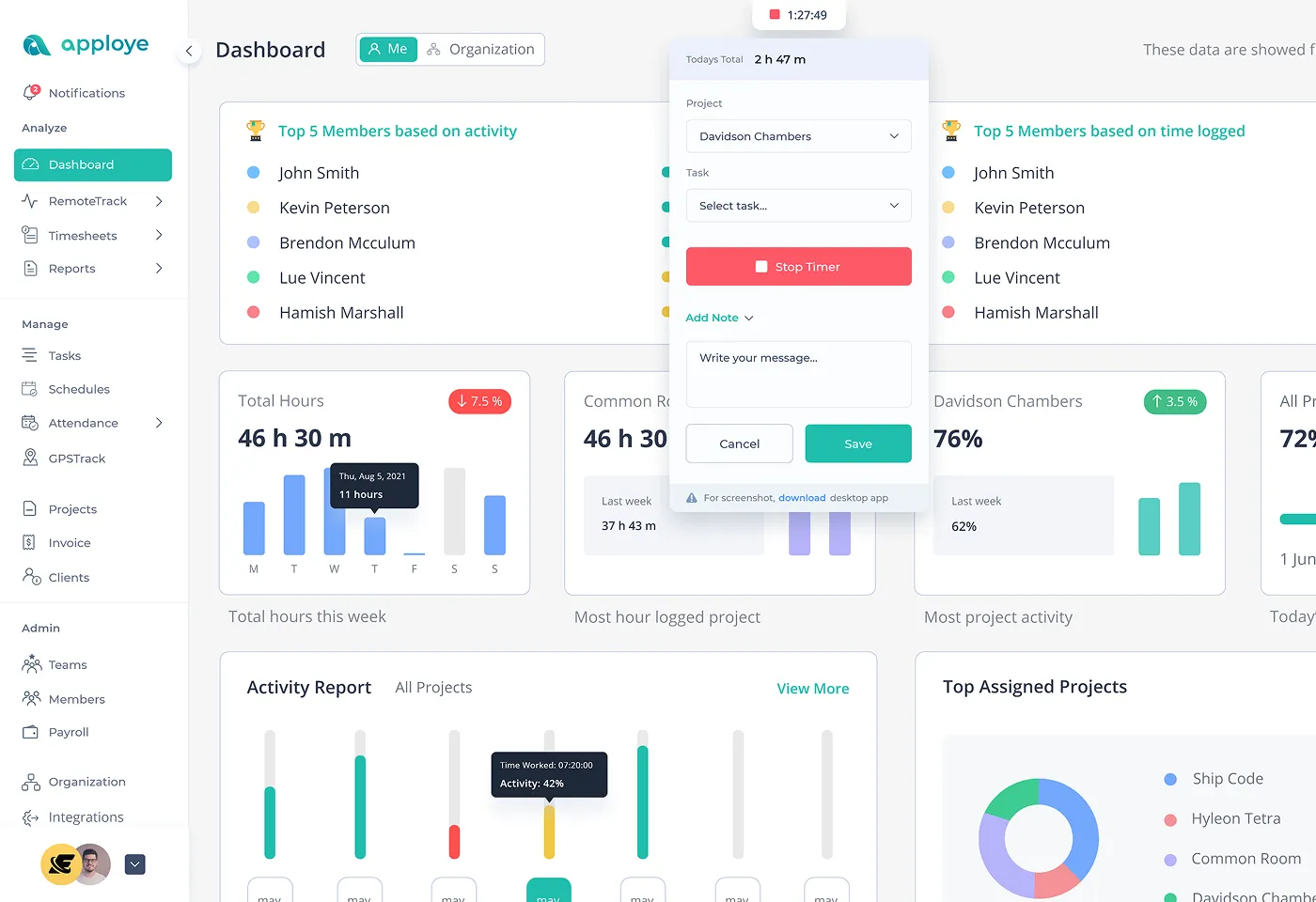
Should You Use Employee Monitoring Software for Your Organization?
You might use employee monitoring software to protect important data, meet legal rules, or you're looking into a security problem. It can also help you see what's happening across remote teams. When used the right way, it can catch weird activity, lower risk, and boost productivity.
But on the flip side, it can break trust between you and your team. People might feel like you're spying on them. This can hurt morale and even create legal problems, especially if you do it in secret, monitor too much, or don't set clear limits.
Here's a simple test. Only consider monitoring if you can say yes to all three of these:
1. You have a specific reason.
2. Employees know what you're tracking and why.
3. You only monitor what you need and lock it down tight.
To make a smart choice, you need to understand what employee monitoring software is and how it actually works.
What is Employee Monitoring Software?
An employee activity tracking app helps companies see how their workers spend time at work. It works for people in the office, working from home, or doing both.
Modern employee tracking solutions provide real-time insights into team and employee performance.
Many people think employee tracking means spying on workers. But that's not what modern monitoring software does.
What employee surveillance software really is:
- A tool that shows productivity levels and team productivity.
- See how teams are doing through employee activity monitoring.
- Helps people stay organized with their work while providing valuable insights.
- Plan projects better and make informed decisions.
What it is NOT:
- Spying on personal stuff or violating employee privacy.
- A replacement for good managers.
- A way to control everything workers do.
When companies are honest about using it, workplace surveillance software can actually build trust. It shows clear goals and rewards good work fairly while maintaining a proper balance between monitoring and privacy rights.
How does Employee Tracking Software Work?
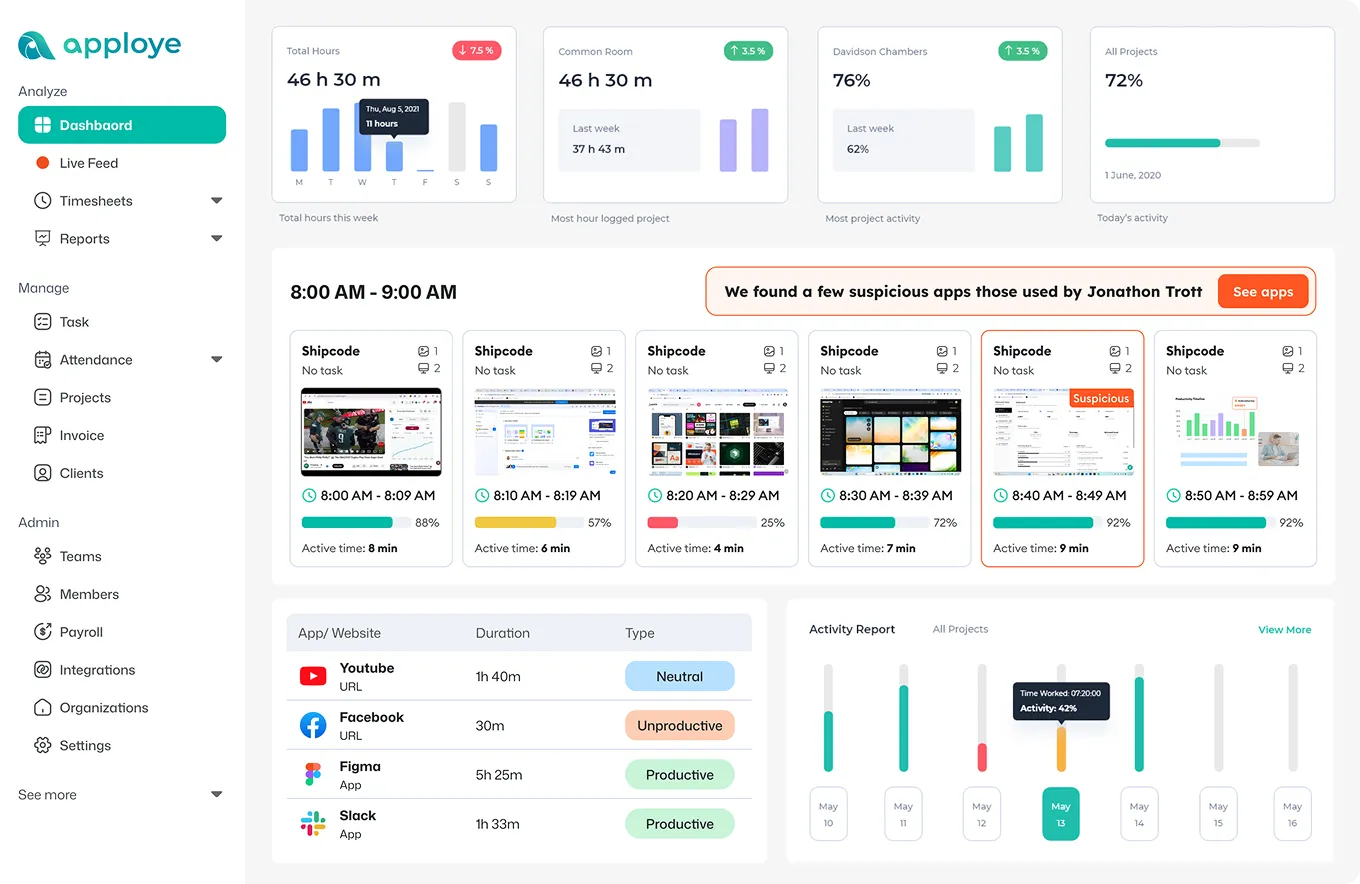
Today's monitoring software is made to be flexible and work on its own. They fit different work styles and what companies want. The top software for monitoring employees provides real-time monitoring capabilities. For example, they track active time and employee computer activity live.
These tools track time automatically by watching what workers do on their employee computers.
The tools monitor the apps and websites people use to see how they work. They can take periodic and automatic screenshots of computer screens as well.
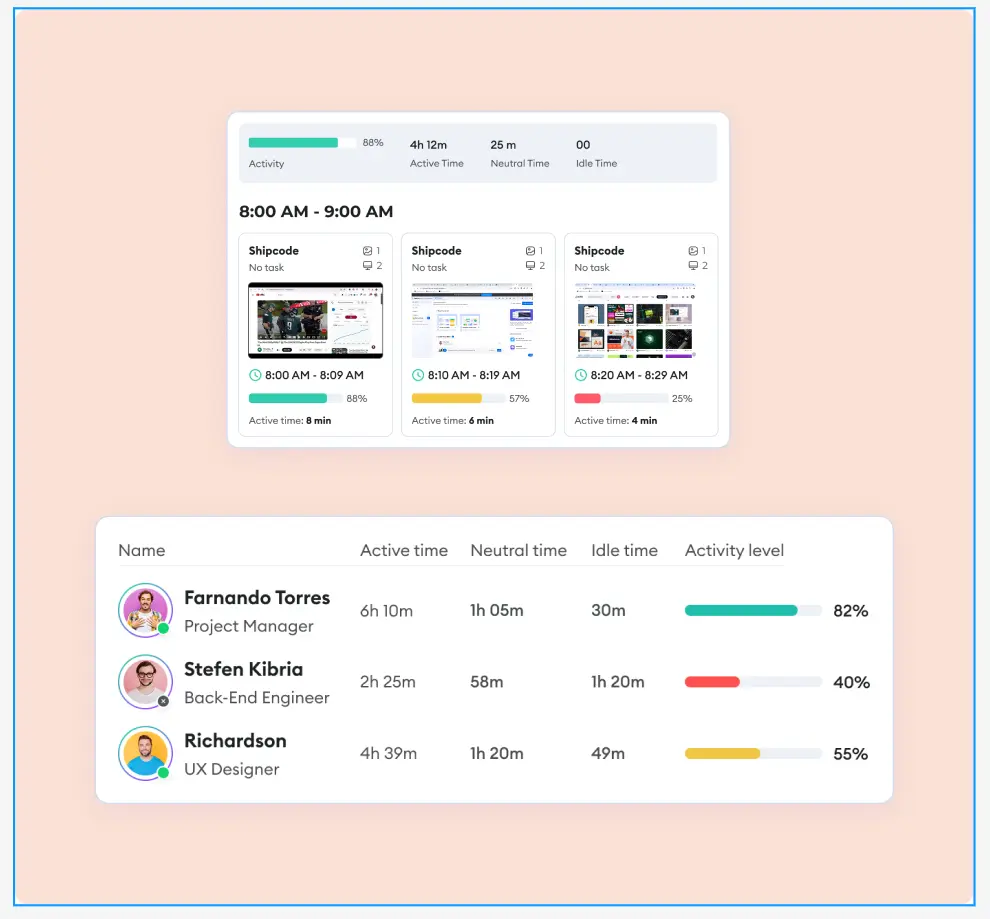
Bosses can see productivity levels of workers, whether it's one person, a team, or a whole department.
This helps them understand work habits and how well people work.
While the software works automatically, workers can still make changes if they need to. They can fix time records, add notes about tasks, or put work into different categories.
Depending on what the company wants, the monitoring can be open and done together with workers, or it can be more hidden and focused on collecting data from employee computers.
This gives companies control over how they gather and use information while maintaining operational efficiency.
Should You Use Employee Monitoring Software for Your Organization?
Does Your Business Need Employee Monitoring?
When Should You Use Employee Tracking Systems
Work monitoring software works well when you handle sensitive data or face strict regulations. In that case, you need to track who accesses what and catch any data leaks.
Also, when you bill clients by the hour or have service agreements to meet, you need solid proof of how time was spent. If your team is scattered across different locations, monitoring employees helps managers see what's happening.
Finally, when you're simplifying processes, you need data to show where time is wasted or where people are stretched too thin.
When Not to Use Workforce Monitoring Tools
On the flip side, monitoring software can backfire if your team does creative or trust-based work. Constant surveillance can make people scared to try new things. This gets worse if your workplace already has trust issues; adding monitoring will likely push people to quit.
Sometimes you only need basic visibility, and simpler tools will do the job.
Additionally, some industries and locations have strict rules about tracking employees.
Which Companies Benefit from Workplace Monitoring Software?
This software isn't just for big companies or remote employees. It's a useful tool for any business that cares about time, getting work done, and being responsible.
Here's who benefits the most from employee tracking systems:
Remote and Distributed Teams
For teams working in different cities, time zones, or countries, monitoring their work is important.
Top tools to monitor employees help track employee work hours and activities without being too controlling. It keeps remote workers engaged and connected to their entire team.
It also builds trust by showing clear, data-based information about how well people are performing through real-time insights.
Agencies and Freelancers
When every hour costs money, tracking time is necessary.
Employee tracking software automatically records time spent on each client, project, or campaign. It gives proof of work for correct billing.
This way, it helps prevent doing too much work for free or going beyond what was agreed upon, ensuring operational efficiency.
Call Centers and BPOs
In busy operations with lots of workers, managing large teams well is a must.
The call center monitoring software lets you watch performance in real time. It quickly finds your best workers and shows who needs more training. It also makes sure quality and rules are followed during every work shift.
Professional Services (Law, Finance, IT)
For industries where being exact and responsible matters, this tool tracks work on projects or cases down to each minute. It makes billing more accurate and reduces arguments with clients.
Additionally, the monitoring software tracks sensitive work processes in a safe and ethical way while addressing security risks and insider threat detection.
Growing Startups and Scaling Teams
Startups and growing teams need clear information to grow well. Monitoring software helps stop wasted time and confused efforts. It gives valuable insights to improve employee performance. It also supports growth with less management.
What Types of Employee Activity Can You Monitor?
Here are the main things businesses should monitor:
Employee Internet Monitoring
See what programs and websites your employees use during work hours. That is:.
- Find out how much time they spend on work tools vs. non-work sites.
- See which software you pay for but don't really use.
- Catch problems, insider threats, or distractions early.
Time Tracking (Manual and Automatic)
Track employee work hours and what they work on through:
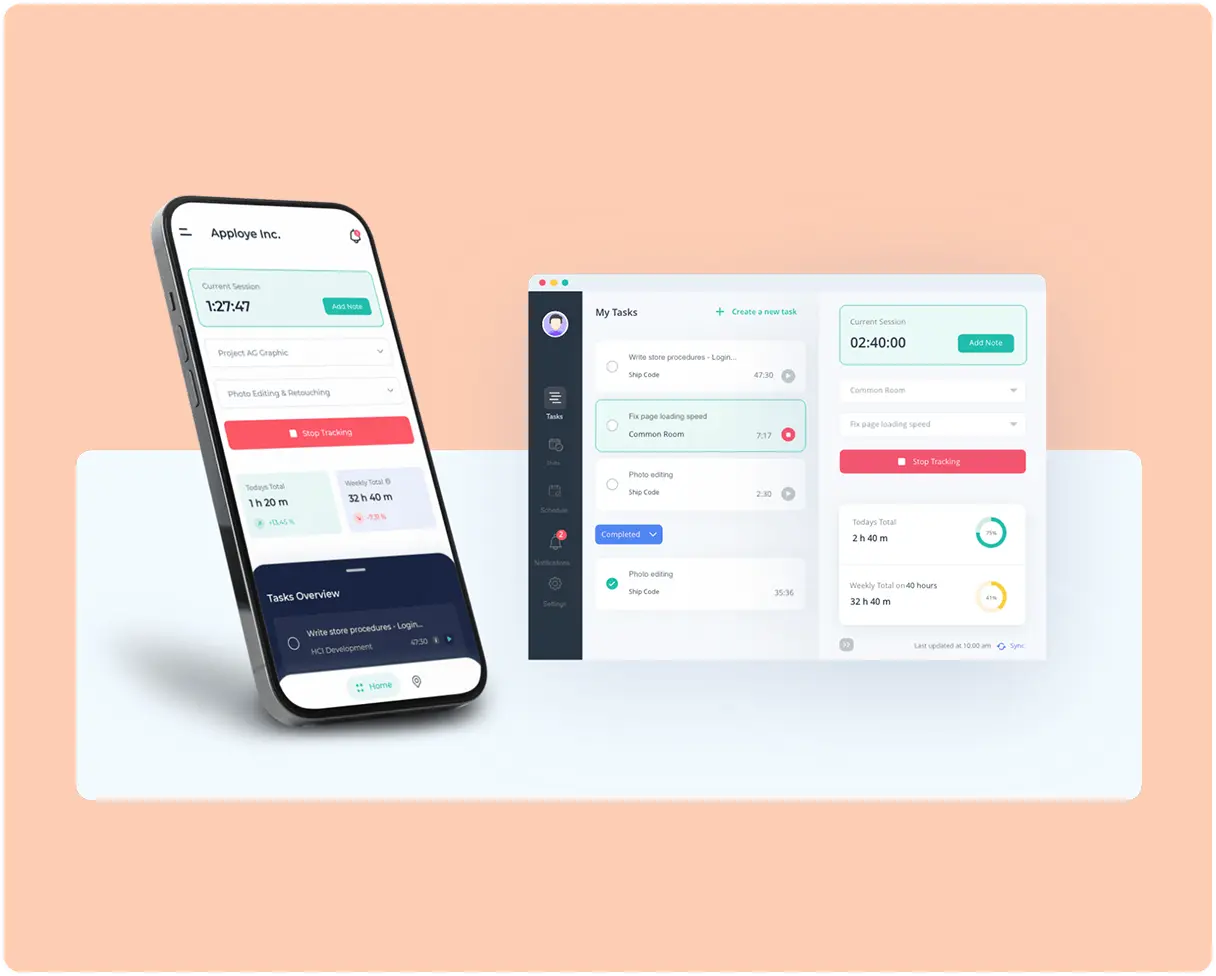
- Automatic tracking: Starts counting time when work begins.
- Manual tracking: Workers can write down what tasks they did and when they took breaks.
- See how much active time employees have and when they are idle.
- Generate daily reports and comprehensive reports for analysis.
Screenshots and Screen Recording
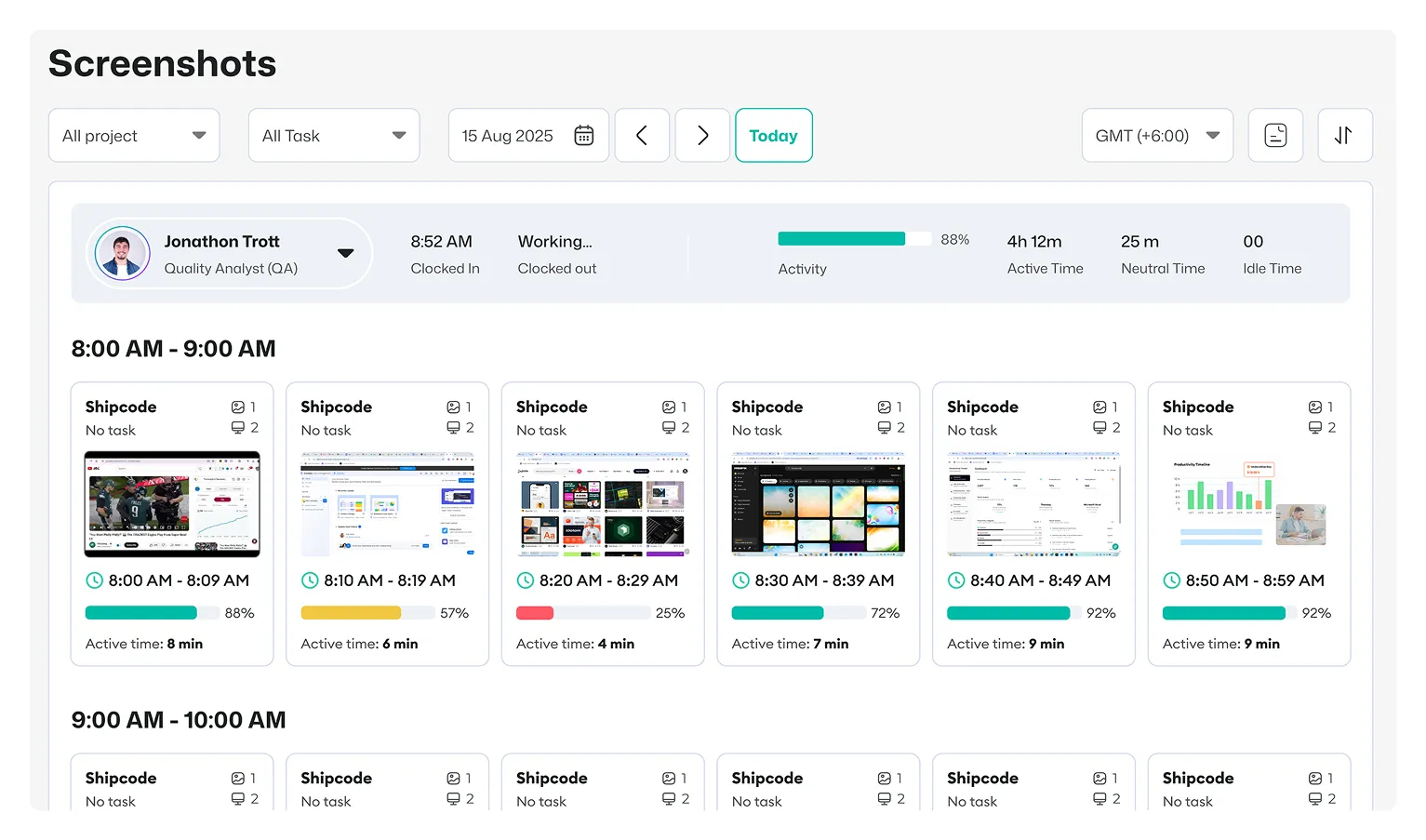
With screen monitoring, capture visual proof of work in progress through periodic screenshots and random screenshots.
- Take photos at set times or during certain activities.
- Watch important work without having to ask for updates.
- Helps verify remote work without constant check-ins.
- Automatic screenshots provide evidence while respecting employee privacy.
Project and Task Progression Tracking
Watch how projects and individual tasks get completed over time with productivity tracking.
- See which tasks are assigned, when they're due, and if they get finished.
- Find tasks that are stuck or late before they cause bigger problems.
- See if work is fairly distributed among team members.
- Track project timelines correctly.
- Monitor mouse clicks, mouse movements, and keyboard presses to measure productivity.
This helps with planning, making sure work gets done, and reaching goals while maintaining team performance.
How does Work Activity Tracking Software Improve Productivity, Boost Performance, and Reduce Operational Costs?
Activity tracking software does more than just track time. It helps your business work better by making employees more productive and helping you control costs.
You can see how work gets done in real-time. This helps managers make informed decisions and grow the business.
The benefits of employee computer monitoring include:
Increased Accountability and Output
When employees know their work is being tracked through employee activity monitoring, they pay more attention to their tasks. They waste less time on things that aren't work-related. They take more responsibility for getting things done.
This way, everyone becomes more productive without managers having to watch over them all the time, improving employee engagement and team productivity.
Proof of Work and Billing Accuracy
The work tracking software records everything your team does. This helps when you need to bill clients for billable hours worked. It also helps make sure individual employees get paid correctly.
You can see exactly how much time was spent on each task or project through activity logs. This makes billing more accurate and builds trust with clients.
Less Paperwork and Admin Work
New employee tracking systems can monitor automatically.
- No need to fill out timesheets by hand anymore.
- No more writing status reports or productivity summaries.
This saves time for both managers and workers. It also makes payroll and billing much easier with Accurate Time Tracking.
Insights into Software ROI and Resource Waste
You can see which apps and programs your team actually uses through computer monitoring software. This helps you find software licenses you're paying for but not using. You can cancel these and save money.
Also, see which tools help your team work best and invest more in those, ensuring optimal resource allocation and company resource management.
Better Alignment with Business Goals
When you see how your team spends its time through real-time data, you can spot problems. Find tasks that take too long or aren't important. Then move people to work on more important projects. This helps you set better company goals based on performance analysis and valuable insights.
How to Find and Evaluate the Best Workforce Monitoring Solution for Your Company?
Not all monitoring apps are the same. Some just track time. Others, like Apploye, give you detailed insight about work performance and can grow with your business.
The right choice depends on what you want to achieve, how your entire team works, and your future plans.
Here's what you should think about:
What Features Do You Need?
First, figure out what features your business needs. Here are the most important ones:
- Real-Time Activity Tracking: See what your team is doing right now.
- Automatic Time Tracking: No need for workers to punch in or start timers.
- Productivity Scores: Understand how much work gets done, not just how busy people look.
- App and Website Monitoring: Find out which programs help your team work better and which ones distract them.
- Integration: Link with payroll, project tools, or HR systems so everything works together smoothly.
- Project Time Tracking: Split time by task, project, or customer so you can bill correctly.
Easy to Use and Set Up
Your entire team needs to actually use the staff tracking software. If it's too hard, they won't use it. Or they might hate it. So, the software should have:
- Easy Setup: Look for tools that install quickly without needing an IT expert.
- User-Friendly Dashboards: Charts and real-time data should be easy to read and understand through an intuitive dashboard.
- Works on Different Devices: Should work on Windows computers, Macs, and phones if needed.
- Scalability: Should work well whether you have 5 workers or 500.
Go for Free Employee Monitoring Tools or Pay for More Features?
Don't just look at the price tag. Think about what you get for your money over time. Consider workplace computer monitoring software, free options, and paid solutions.
- Pay Per Person: Good for small and medium teams.
- Different Price Levels: May give you more features as your team grows.
- Free Trial: Always test the software before you buy it.
- Hidden Fees: Watch out for extra costs for storage and special features.
Look for flexible pricing. You shouldn't pay for features you don't need. Some employee activity tracking app free versions offer basic functionality.
Stealth vs Transparent Modes
Transparent Mode:
With this approach, workers know you're monitoring them. They can even see their own data. This is best for building trust and helps everyone work toward the same company goals.
Stealth Mode:
The software runs secretly in the background. This might be needed for insider threat detection or legal reasons, and can cause problems if not used carefully.
The best software for monitoring your team isn't the one with the most features. It's the one that fits how you work, what you believe in, and what your team needs.
Pick a tool that helps people be more productive, not one that just tracks them.
What are the Pros and Cons of Using Employee Monitoring Software?
Employee tracking tools can be helpful when used the right way. When companies are open and careful about it, it can make the business work better.
Let’s break down the advantages and disadvantages of employee surveillance:
Pros of Monitoring Employees
Better Time Utilization
The best workplace monitoring software shows how workers spend their time. This helps spot what wastes time and what slows people down. Then managers can help workers focus on more important tasks, improving productivity levels and workforce efficiency.
Accurate Payroll and Billing
The work tracking software tracks time automatically. It connects time to specific jobs or customers through Accurate Time Tracking. This means fewer mistakes when paying workers. It also makes sure everyone gets paid fairly based on active time and billable hours.
Increased Visibility
Managers get real-time insights. They can spot problems early through employee activity monitoring. They can see who has too much work and who needs more. This helps them understand team productivity and employee performance.
Less Micromanagement
When managers have activity logs and daily reports, they don't need to check on workers all the time. Workers get more freedom to manage themselves. This builds trust and lets people take responsibility while maintaining employee engagement.
Cons of Monitoring Employees (and How to Address Them)
Privacy Concerns
Some workers feel like they're being spied on through employee computer activity monitoring. They worry their personal information might be seen, affecting employee privacy.
How to fix:
Be honest about what you're monitoring. Tell workers clearly what you track and what you don't. Don't be nosy about personal things. Maintain a proper balance between monitoring and privacy rights.
Team Morale and Trust
If done wrong, employee tracking can make workers feel like their boss doesn't trust them, impacting employee engagement.
How to fix:
Focus on helping people do better work, not catching them doing wrong. Show workers that monitoring helps recognize good work and removes obstacles. Use valuable insights to improve team performance.
Legal Problems if Workers Don't Know
Watching workers without telling them can break monitoring laws in some places.
How to fix:
Learn the monitoring laws where you work. Always tell workers in writing what you're doing. Make clear company policies that everyone can understand regarding monitoring your team.
What Privacy Considerations Should You Be Aware of When Using Monitoring Software?
When using employee activity monitoring software, businesses need to tackle privacy and legal compliance issues head-on.
Here’s how companies can manage these crucial aspects:
Employee Consent & Transparency
Get employee consent before using monitoring tools. Lay out a clear tracking policy explaining what’s monitored, how data is collected, and why.
Use non-intrusive methods to respect personal privacy.
Remember, consistent updates and open communication keep trust levels high and misunderstandings low.
Privacy Policies & Data Encryption
Describe how sensitive data is managed, stored, and shared in a straightforward privacy policy.
Strong encryption keeps company resources and employee data secure from security threats and breaches.
Follow workplace monitoring laws like HIPAA, GDPR, or CCPA. Set data retention limits to prevent collecting personal info longer than necessary.
Proper implementation of employee tracking requires addressing security risks and insider threats.
Compliance Monitoring & Audit Trails
Make sure internal company policies match legal standards through compliance monitoring. Activity logs create a transparent record of monitoring actions, which is essential during audits or legal reviews.
Use compliance risk checks to catch potential security issues early. Limit data access by role, so only authorized staff see sensitive details from the central location.
Access Control & User Permissions
Control who gets access to what with a user permissions system. Define roles from team members to managers and set access levels accordingly. Keep a log of who views or changes data for extra transparency.
A clear team structure makes managing permissions easier and safer.
Legal Frameworks & Regional Compliance
Know the monitoring laws where your business operates. Regulations like GDPR in Europe or CCPA in the U.S. set strict data-handling rules.
Regular legal reviews and compliance checks help businesses stay ahead of ever-changing regulations.
Monitoring Policies & Internal Guidelines
Set clear expectations for what’s monitored and how. Outline acceptable practices and consequences for breaking the rules. Strike a balance between boosting productivity and respecting work-life boundaries. Keep personal time off-limits to ensure employees feel respected and valued.
Should You Monitor Employees with Screenshots?
When Screenshots Make Sense
- High-risk or regulated work: If you're dealing with sensitive information like financial records, health data, or important intellectual property, screenshots help you prove that employees followed the right procedures.
- Client billing or contractor work: When you're charging clients by the hour or working with outside contractors, screenshots give you visual proof of the work.
- Training and following procedures: Screenshots let you see exactly how people are doing their jobs. This helps you improve your training materials and coach new employees.
- Specific investigations: If you have a legitimate concern about something specific, screenshots can provide evidence for a short-term review.
When Screenshots are a Bad Idea
- Creative or knowledge-based work: For jobs focused on results (like closing support tickets, writing code, or launching marketing campaigns), it's better to measure the output instead of watching screens.
- Teams built on trust: Taking frequent screenshots can hurt team morale and make good employees want to leave.
- Privacy risks: Screenshots can accidentally capture personal messages, passwords, or customer information that should stay private.
When is Covert Monitoring Acceptable?
Secret monitoring should only happen in rare, serious situations with strict rules. Here's what needs to be in place:
Clear, Lawful Basis
There needs to be a specific law or policy that allows stealth monitoring. For example, an employer's legal right under local laws. You can't use covert monitoring in private spaces or anywhere it's illegal.
Serious, Concrete Justification
Stealth monitoring is only used to investigate serious problems like theft, fraud, or safety threats, or when it's required by law for security purposes.
Time-Bound and Reviewed
The monitoring only runs as long as absolutely necessary, with regular reviews to make sure it's still needed. It stops immediately when the investigation or risk is over.
Data-Minimizing Safeguards
You should only collect what you actually need. Don't scoop up unrelated information about other people. Protect the data with strong security, encryption, and logs, and keep it only as long as necessary.
No Monitoring of Protected Activities
You can't monitor data that are legally protected, like union organizing, whistleblowing, conversations with lawyers or doctors, or religious and political activities.
Be Transparent Afterward (When Possible)
When it's safe and legal to do so, tell people they were monitored after the fact and give them a way to challenge it or complain.
Is It Illegal for Companies to Use Employee Monitor Software?
No, but there are a lot of rules you need to follow. What's allowed depends on where you are and what you're monitoring (like emails, websites, keystrokes, video, location, or biometrics).
Here's what you need to know about workplace surveillance law:
United States (overall)
Employers can generally monitor work systems. But the ECPA federal law limits real-time spying on communications. Recording or listening in without permission or a valid reason can break this law.
Here are some examples:
- New York: You must tell employees in writing before you start monitoring their email, internet, or phone use. If you don't give notice, it's illegal.
- California: Privacy laws (CCPA/CPRA) require you to tell employees what data you're collecting and why. Even if monitoring is allowed, not disclosing this information can violate privacy laws.
- Illinois: If you use fingerprints or face scans (like for time clocks), you need employees' consent and proper policies.
Europe (GDPR)
Monitoring is only legal if you have a good reason, it's necessary, not excessive, and employees know about it. Broad or invasive monitoring usually isn't allowed.
United Kingdom
Similar to Europe, monitoring needs to be transparent, targeted, and justified. UK regulators have stopped companies from using facial recognition or fingerprints without proper consent.
Canada
Monitoring is generally okay if it's reasonable and for a legitimate business reason. But you still need to notify employees, limit what you collect, and protect employee data.
Employee Monitoring Ethical or Not?
Yes, it can be, but only if it's done the right way. To monitor employees ethically, companies need to follow some important rules about why they're doing it, how much they're watching, and how open they are about it.
Here’s when tracking employee computer activity can be ethical:
Legitimate Purpose
Companies should only monitor for clear, important reasons. For instance, keeping data safe, following the law, protecting customer information, or making workload management fair. Monitoring just to snoop or control people isn't okay.
Proportionality & Minimal Intrusiveness
Only collect what you actually need. This includes checking system logs to prevent data theft makes sense. But recording every keystroke or watching people through their webcams can go too far. Use the least invasive method that gets the job done.
Transparency & Informed Consent
Employees deserve to know what's being monitored, how it works, why it's happening, who can see the data, and how long it's kept.
Treat Everyone Fairly
The same monitoring rules should apply to everyone. The data shouldn't be used to target certain groups or punish people for things they're legally allowed to do.
Protect the Data
Keep the information secure, limit who can access it, don't keep it longer than necessary, and only use it for its original purpose. Don't suddenly use monitoring data to shame people or micromanage them.
Due Process
Employees should be able to see their own monitoring data, fix any mistakes, and challenge decisions that were made based on that data.