
G2
Capterra
Software Advice
GetApp
4.78
half star

Apploye MCP Server: Connect Your Employee Productivity Data to AI

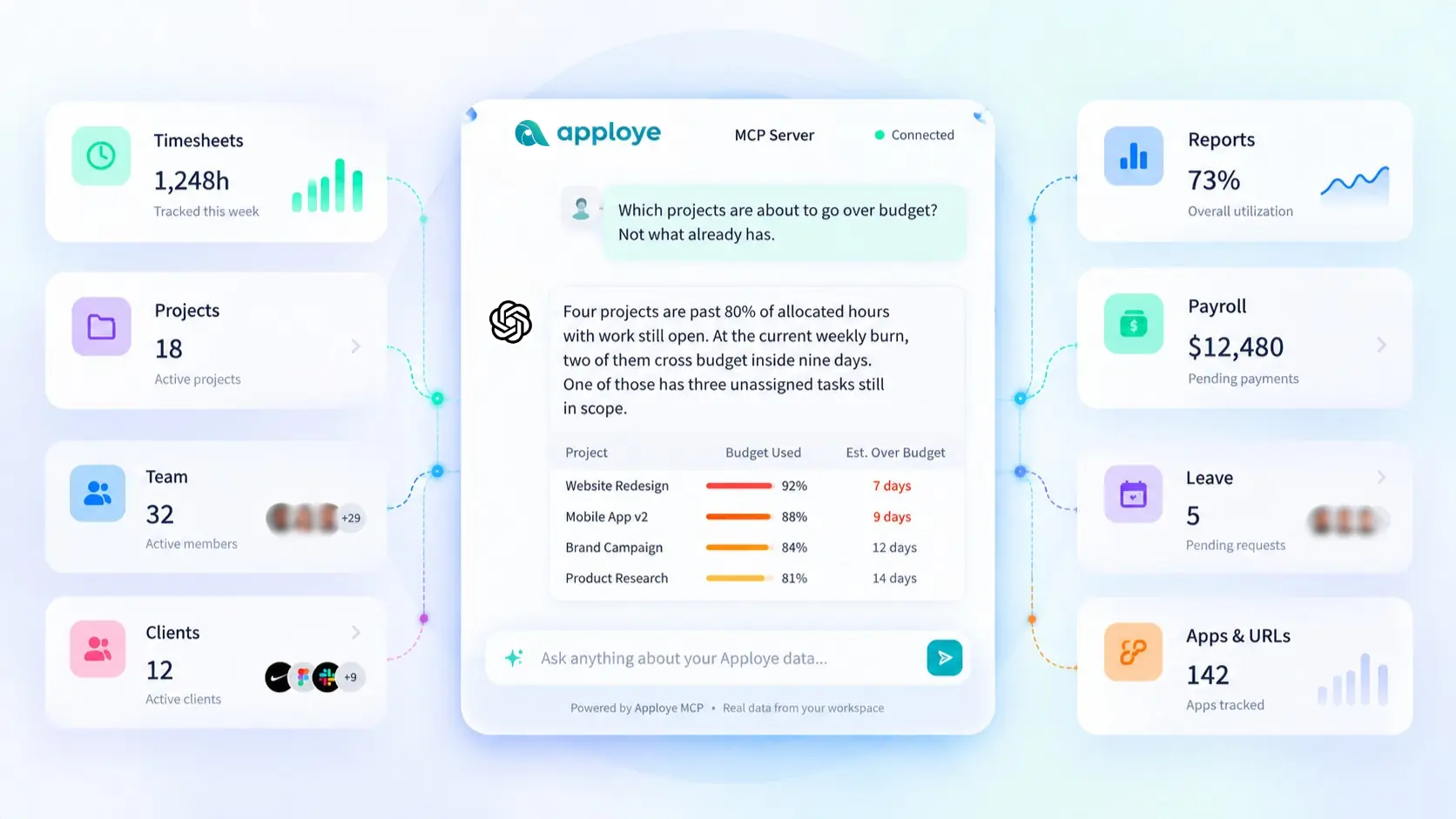
Ask Claude, ChatGPT, Cursor, Codex, and other AI agents about hours, budgets, payroll, and leave in plain language. And get the answer immediately. Set up in two minutes.

No credit card required

Free up to 10 users

Cancel anytime

Mac Windows Linux iOS Android Chrome
Time tracking dashboard for accounting firms

Join 29,000+ Organizations

See How Apploye MCP Answers Your Employee Queries

Workload and Burnout Risk

You ask:

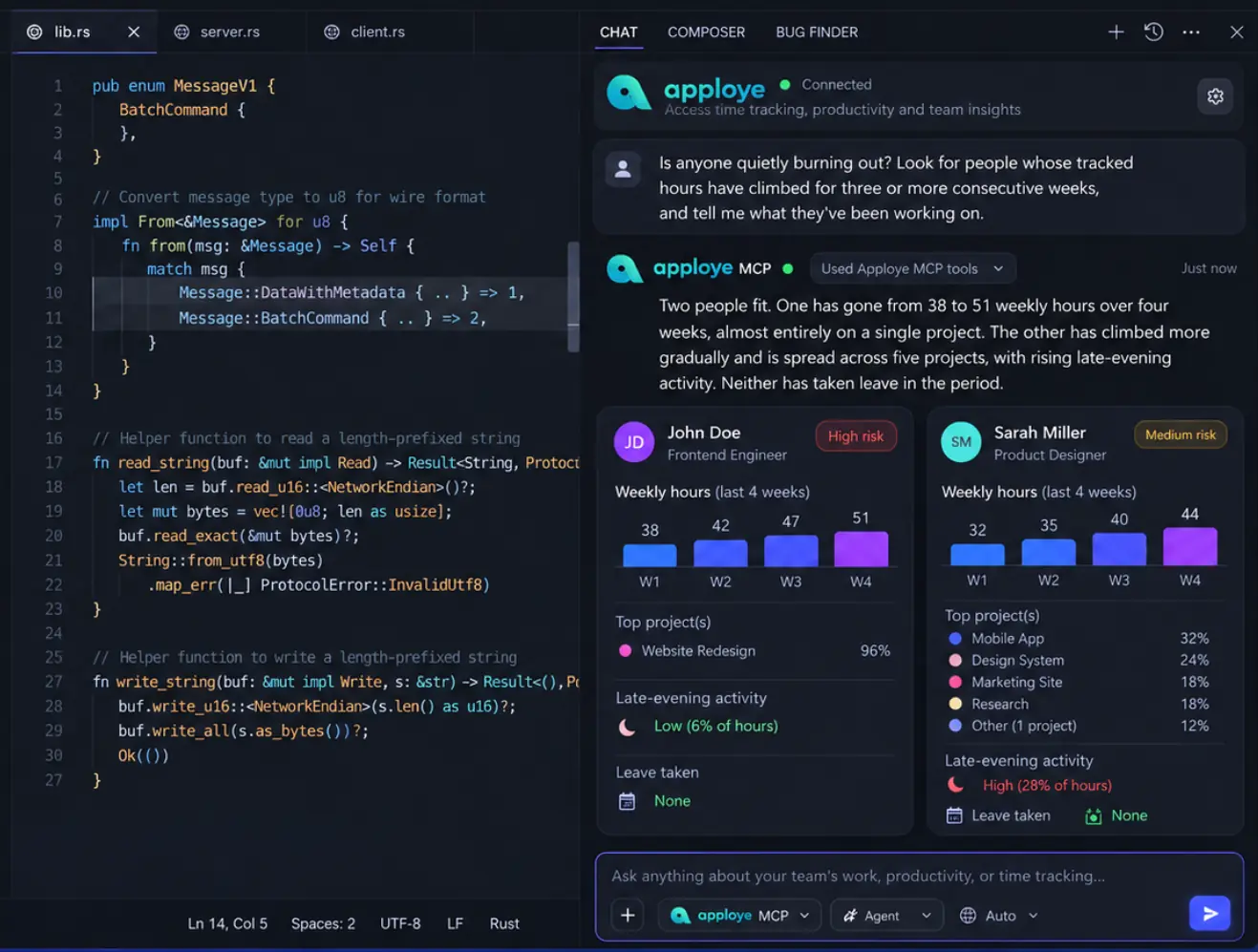
Is anyone quietly burning out? Look for people whose tracked hours have climbed for three or more consecutive weeks, and tell me what they've been working on.

ChatGPT answers:

Two people fit. One has gone from 38 to 51 weekly hours over four weeks, almost entirely on a single project. The other has climbed more gradually and is spread across five projects, with rising late-evening activity. Neither has taken leave in the period.

Workload and burnout risk analysis with Apploye in Cursor.

Budget Overruns Before They Happen

You ask:

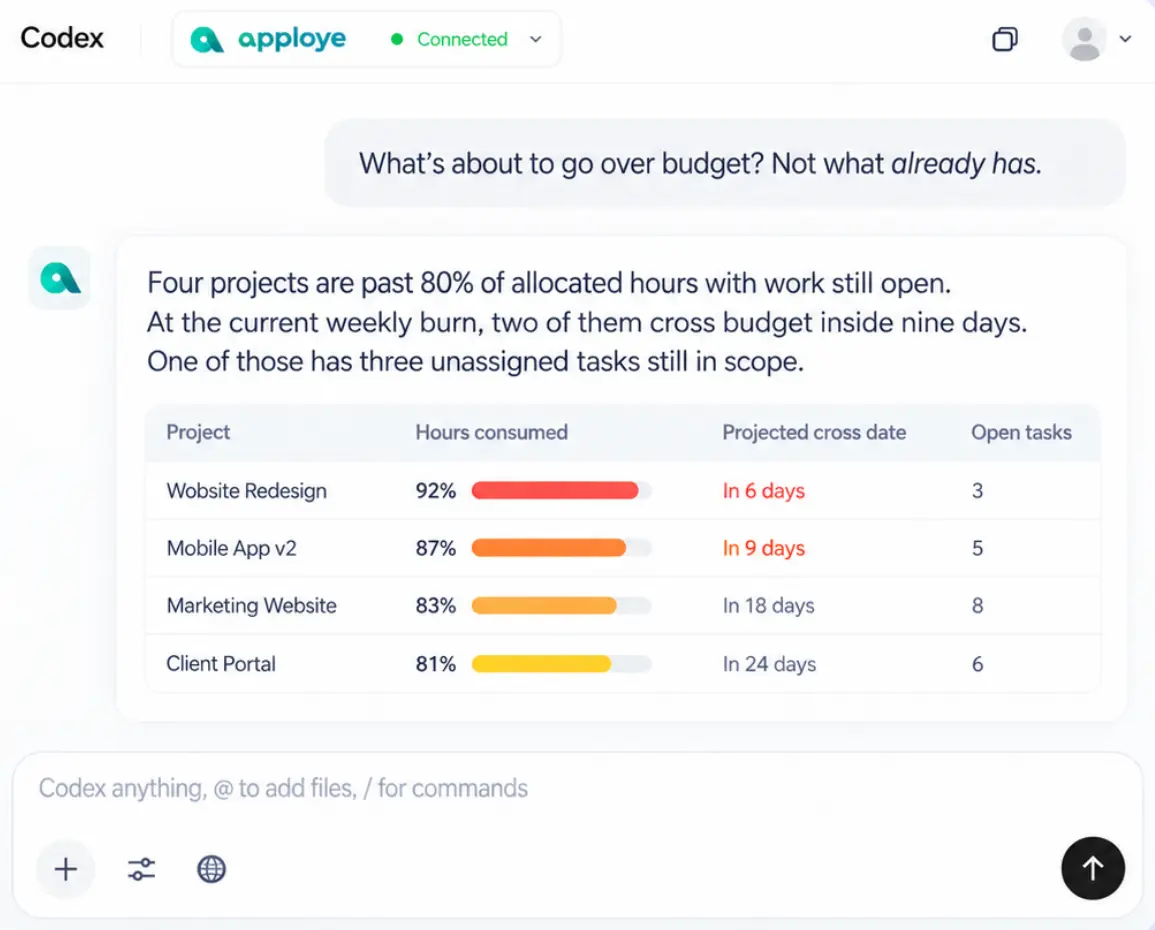
What's about to go over budget? Not what already has.

Codex answers:

Four projects are past 80% of allocated hours with work still open. At the current weekly burn, two of them will cross budget within nine days. One of those has three unassigned tasks still in scope.

Prevent Overruns
Budget overruns before they happen analysis with Apploye in Codex.

Client Profitability

You ask:

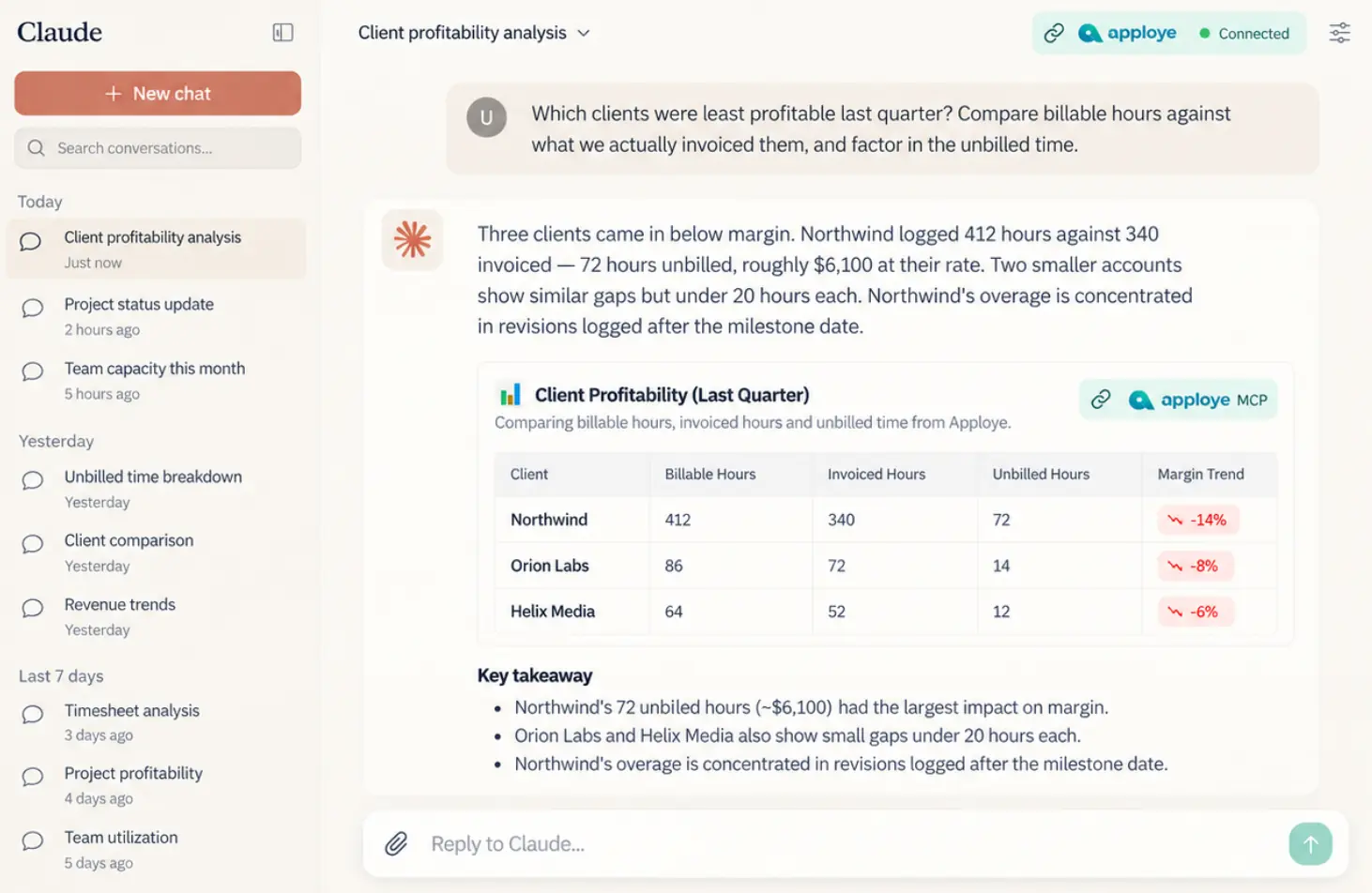
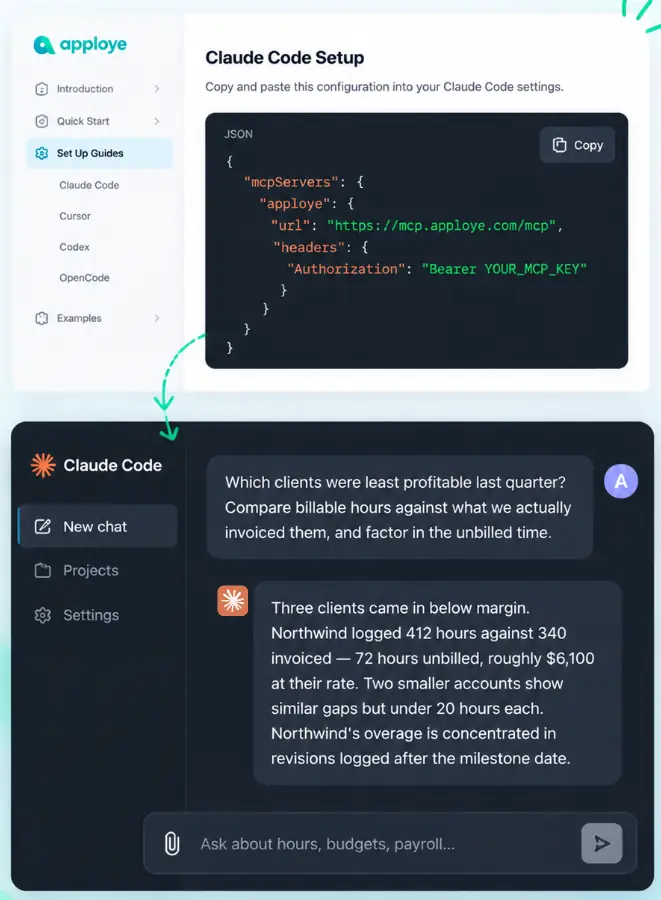
Which clients were least profitable last quarter? Compare billable hours against what we actually invoiced them, and factor in the unbilled time.

Claude answers:

Three clients came in below margin. Northwind logged 412 hours against 340 invoiced; 72 hours unbilled, roughly $6,100 at their rate. Two smaller accounts show similar gaps but under 20 hours each. Northwind's overage is concentrated in revisions logged after the milestone date.

Find Profit Gaps
Client profitability analysis with Apploye in Claude.

What Data the MCP Server Can Access

What it covers

Timesheets

Timesheets, idle time, live tracking status, latest member activity

Reports

Clock in/out records, time and activity, manual entries, activity trends
Apps & URLs

App and website usage, org-wide top usage, suspicious activity logs

Projects

Projects, tasks, memberships, billable rates, client project lists

Payroll

Invoices, payment logs, payment settings, payables, payroll summaries

Leave

Leave applications, assignments, balances, periods, policies, types

Organization

Organization details, members, teams, client records

Screen monitoring

Screenshots

How to Connect Apploye to Claude, Cursor & Codex with MCP

one

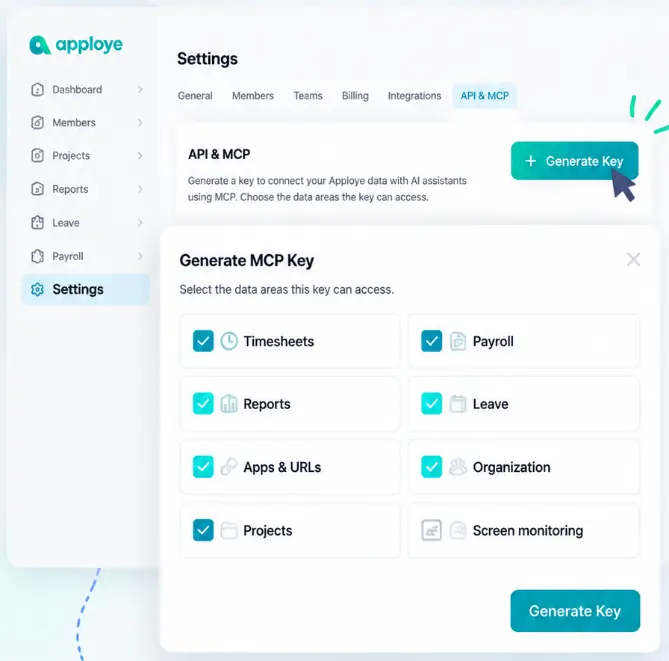
Generate a Key

Settings → API & MCP → Generate Key. Tick the areas it should reach.

two

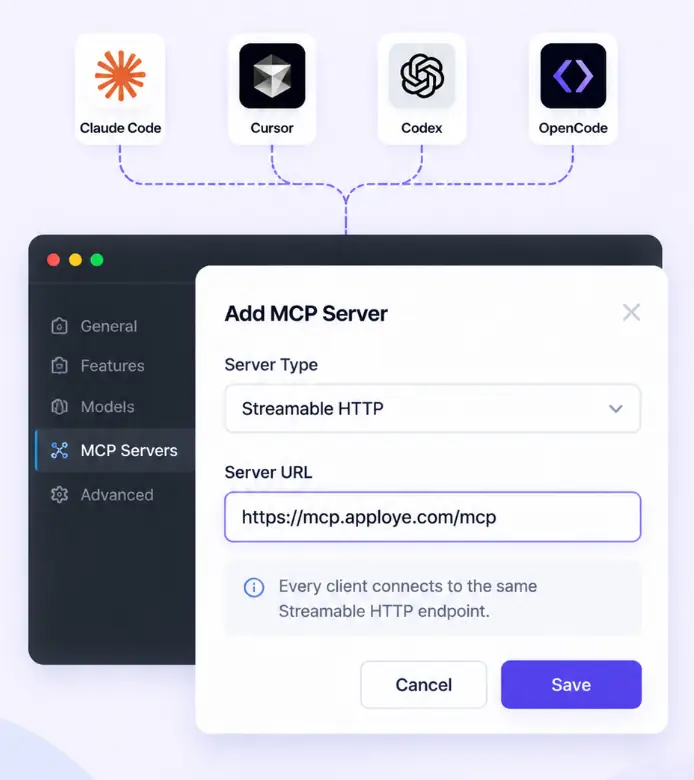
Point Your Assistant at the Server

Every client connects to the same Streamable HTTP endpoint:
https://mcp.apploye.com/mcp

three

Ask Something

Paste the setup snippet into your AI assistant, then ask it about your Apploye data. Setup snippets for Claude Code, Cursor, Codex, and OpenCode are in the docs. Copy, paste, done.

Read Documentation
one

Generate a Key

Settings → API & MCP → Generate Key. Tick the areas it should reach.

Apploye MCP key setup showing API and MCP settings and permission selection.
two

Point Your Assistant at the Server

Every client connects to the same Streamable HTTP endpoint: https://mcp.apploye.com/mcp

Connecting Claude, Cursor, Codex, and OpenCode to the Apploye MCP server endpoint.
three

Ask Something

Paste the setup snippet into your AI assistant, then ask it about your Apploye data. Setup snippets for Claude Code, Cursor, Codex, and OpenCode are in the docs. Copy, paste, done.

Read DocumentationApploye MCP setup snippet copied into an AI assistant with a data query response.
Apploye MCP key setup showing API and MCP settings and permission selection. Connecting Claude, Cursor, Codex, and OpenCode to the Apploye MCP server endpoint. Apploye MCP setup snippet copied into an AI assistant with a data query response.

Privacy and Security when MCP is Connected

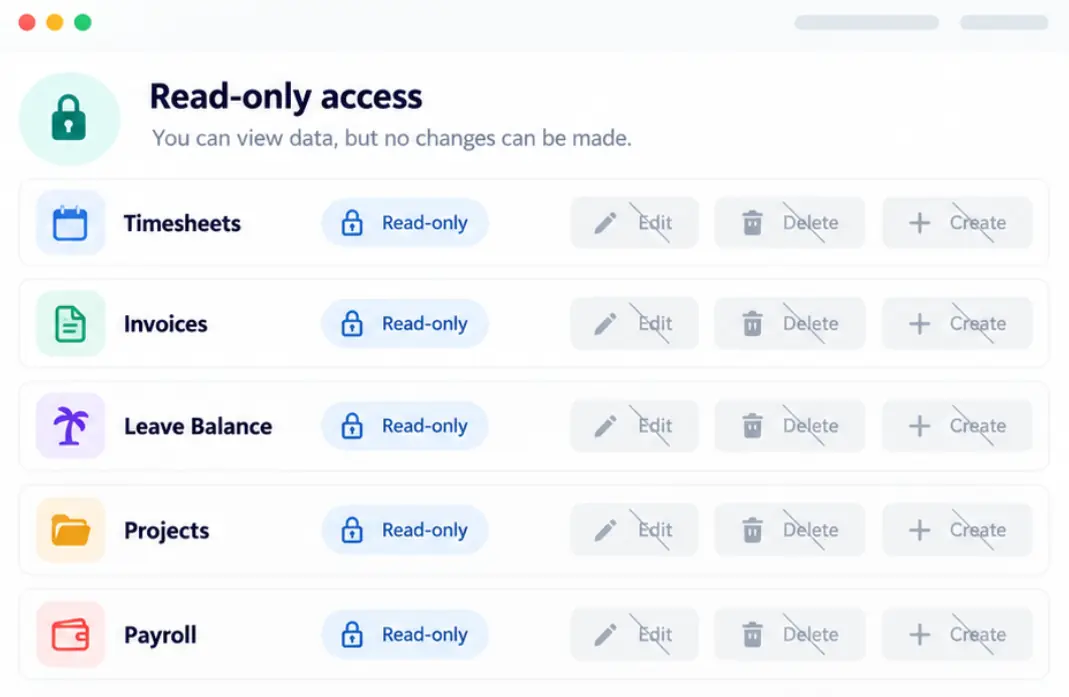
It Can't Change Anything

Every tool is read-only. Nothing in your account can be created, edited, or deleted through MCP. So it cannot modify timesheets, invoices, leave balance, or anything else.

View Permissions
Apploye MCP read-only access panel showing locked data permissions.

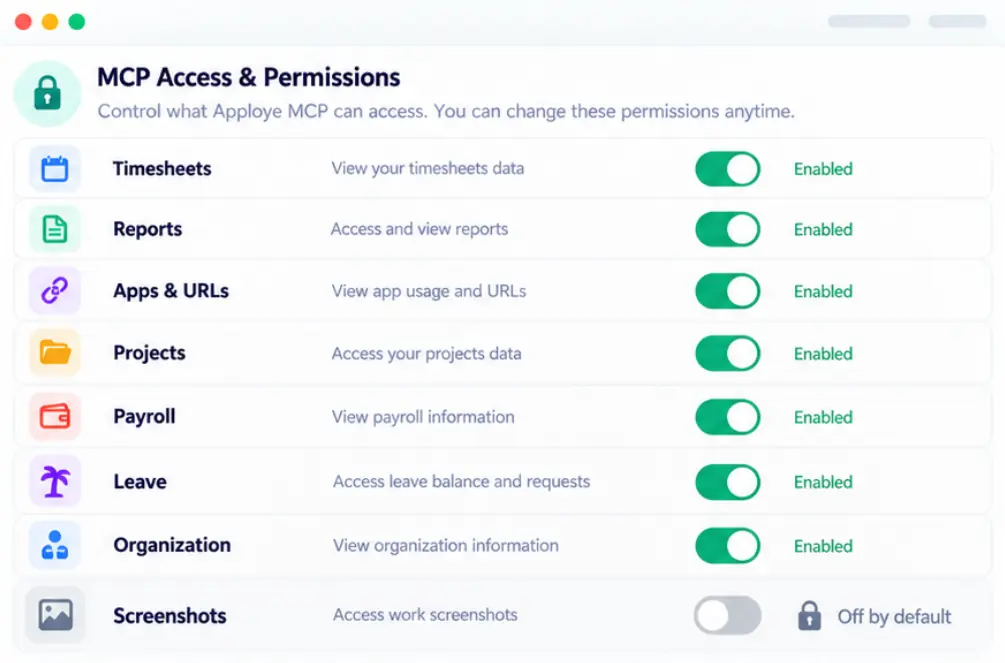
It Can't See Screenshots Unless You Allow It

All seven other areas are on when you create a key. Screenshots are not. They can contain private information that has nothing to do with work, and exposing it to an AI system should be a deliberate choice. So we made it a deliberate second step.

Manage Access
Apploye MCP permissions panel with screenshots disabled by default.

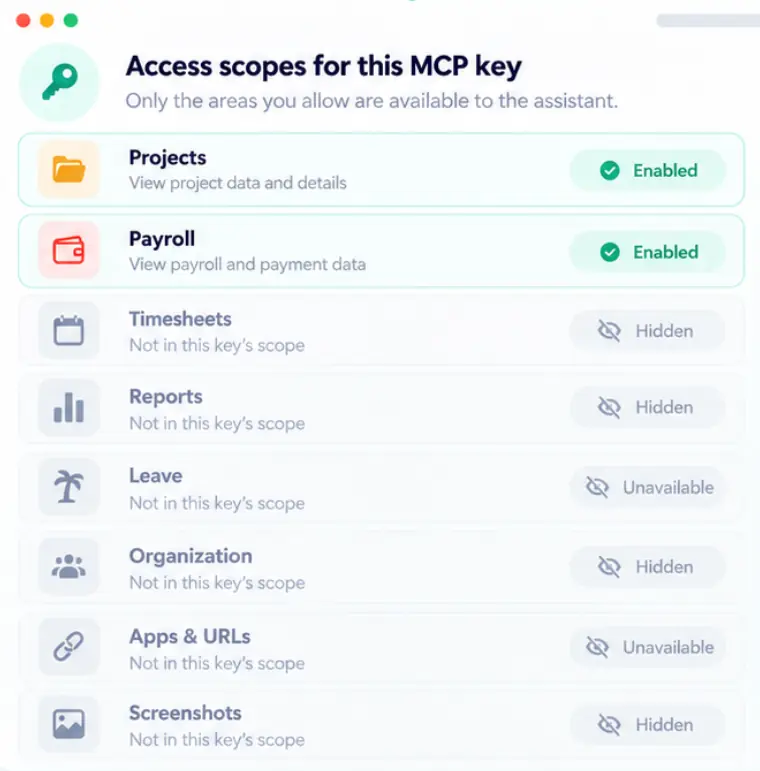
It Can't Reach Outside the Key's Scopes

Give a key access to projects and payroll and nothing else, and the tools for everything else never appear. Your assistant doesn't get told no. It never learns there was anything to ask for.

Set Scopes
Apploye MCP scope controls showing enabled and hidden data access.

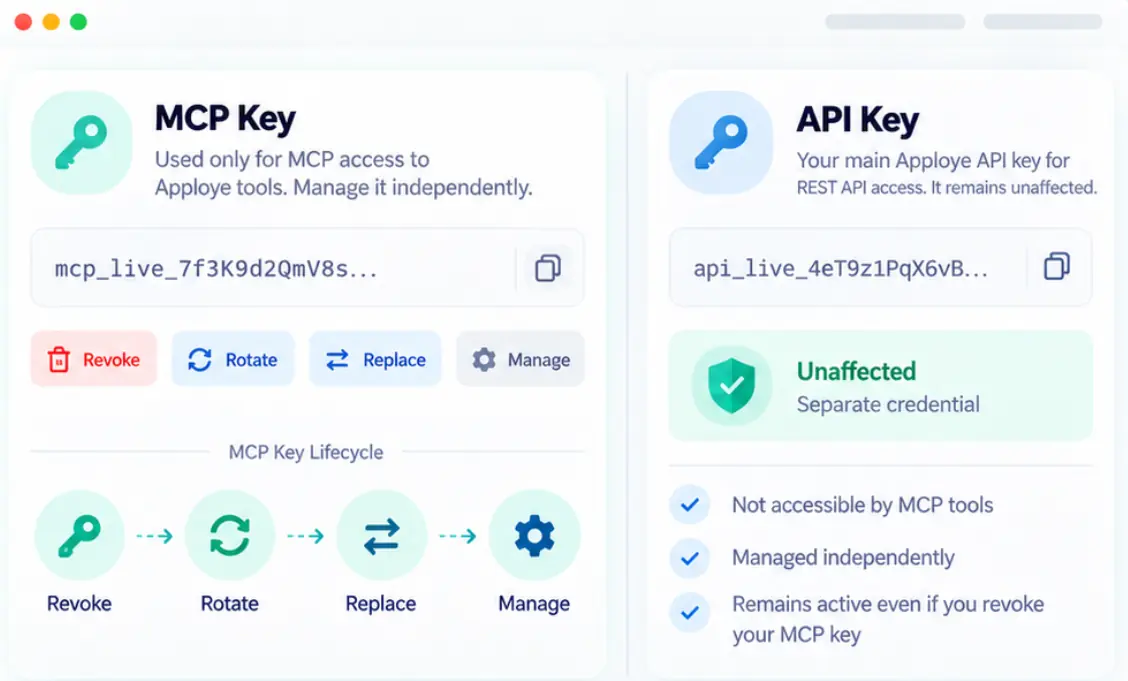
It Can't Touch Your API Key

Separate credentials, separate lifecycle. Revoke, rotate, or replace your MCP key without affecting anything else you've built.

Manage Keys
Apploye MCP and API key cards showing separate credentials and controls.

Frequently Asked Questions

What is MCP?

An open standard for connecting AI assistants to real data. Instead of pasting a report into a chat, the assistant queries your account directly and works from what's live.

Can it change my data?

No. Read-only for every tool, no exceptions. It can tell you an invoice is unpaid. It cannot mark it paid.

Which AI tools work with Apploye MCP?

Claude Code, Cursor, Codex, and OpenCode connect to the same endpoint over Streamable HTTP.

Can it see screenshots?

Only if you switch that on yourself; it's the one area that's off by default.

What happens if I revoke the key?

Access ends immediately. The tools vanish from your assistant on its next request.

Is this the same as my API key?

No. MCP key has separate credentials, separate scopes, and a separate lifecycle.

What does Apploye MCP cost?

The MCP server is included in the API Access add-on, which costs $1/user/month. This add-on also comes in the Apploye Power plan. The plan costs $8/user/month annually.