Time & Expense Tracking Software Without the Enterprise Complexity

Track employee hours, project costs, budgets, and billable work from one dashboard. See where the money goes, keep projects on budget, and turn accurate time data into payroll and client invoices.

No credit card required

Free up to 10 users

Cancel anytime

Mac Windows Linux iOS Android Chrome
Time tracking dashboard for accounting firms
Forbes Advisor 2025
USA Today
Business Insider
Forbes Advisor 2026
Entrepreneur
Capterra
G2
GetApp
Software Advice
GDPR
HIPAA
SOC 2
ISO

Join 29,000+ Organizations

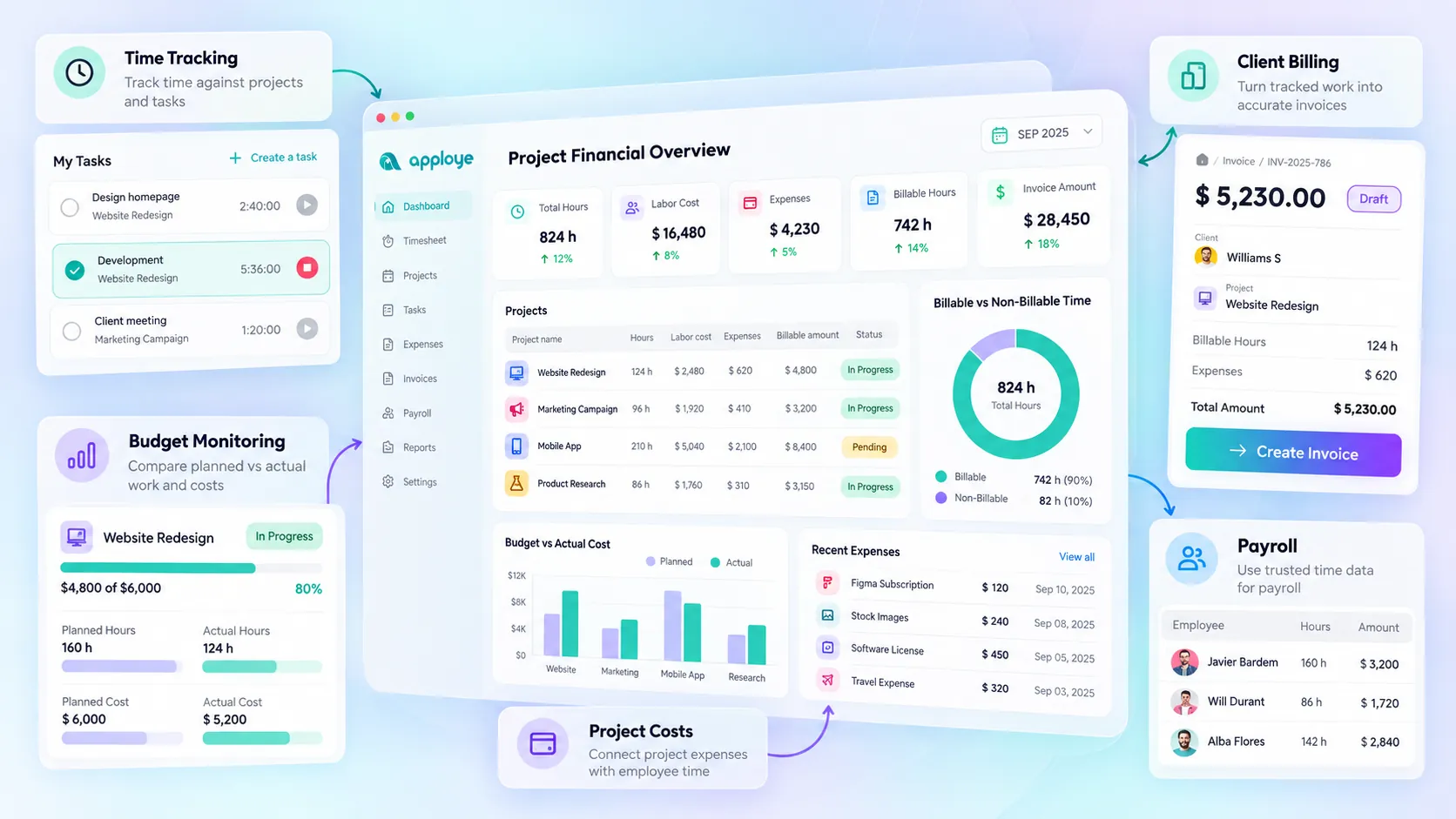
Connect Time, Cost, and Billing with Apploye

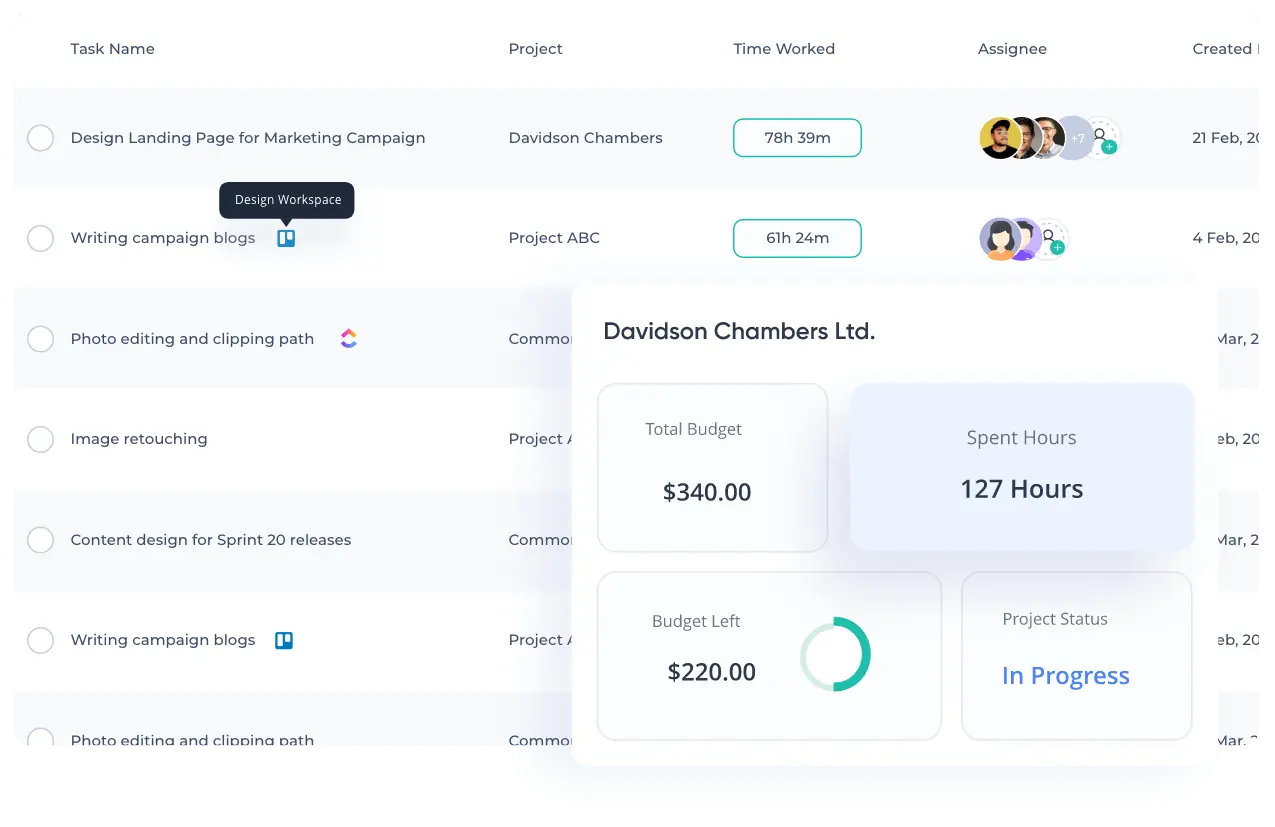
Track Time Against the Work That Created It

Apploye shows you:

  • How much time has been spent on each project
  • Which tasks are consuming the most hours
  • Who is working on what
  • How much work is billable
  • How much team capacity is going toward non-billable work
  • Whether a project is using more labor than planned
Explore Time Tracking
Call center screenshot monitoring dashboard with activity tracking and employee productivity insights.

Track Project Expenses Alongside Employee Time

Record project-related expenses, associate them with the relevant work, and keep spending visible alongside tracked time and labor costs. When time and expenses live together, project financials become easier to understand.

Track Time & Expenses Free
employee-screen-recording

Catch Budget Problems Before They Become Bigger Problems

Use Apploye to:

  • Catch projects that are consuming too many hours
  • Spot unexpected costs early
  • Compare planned work with actual work
  • Identify scope creep
  • Give clients clearer project updates
  • Make better decisions about future estimates
See Project Costs Clearly
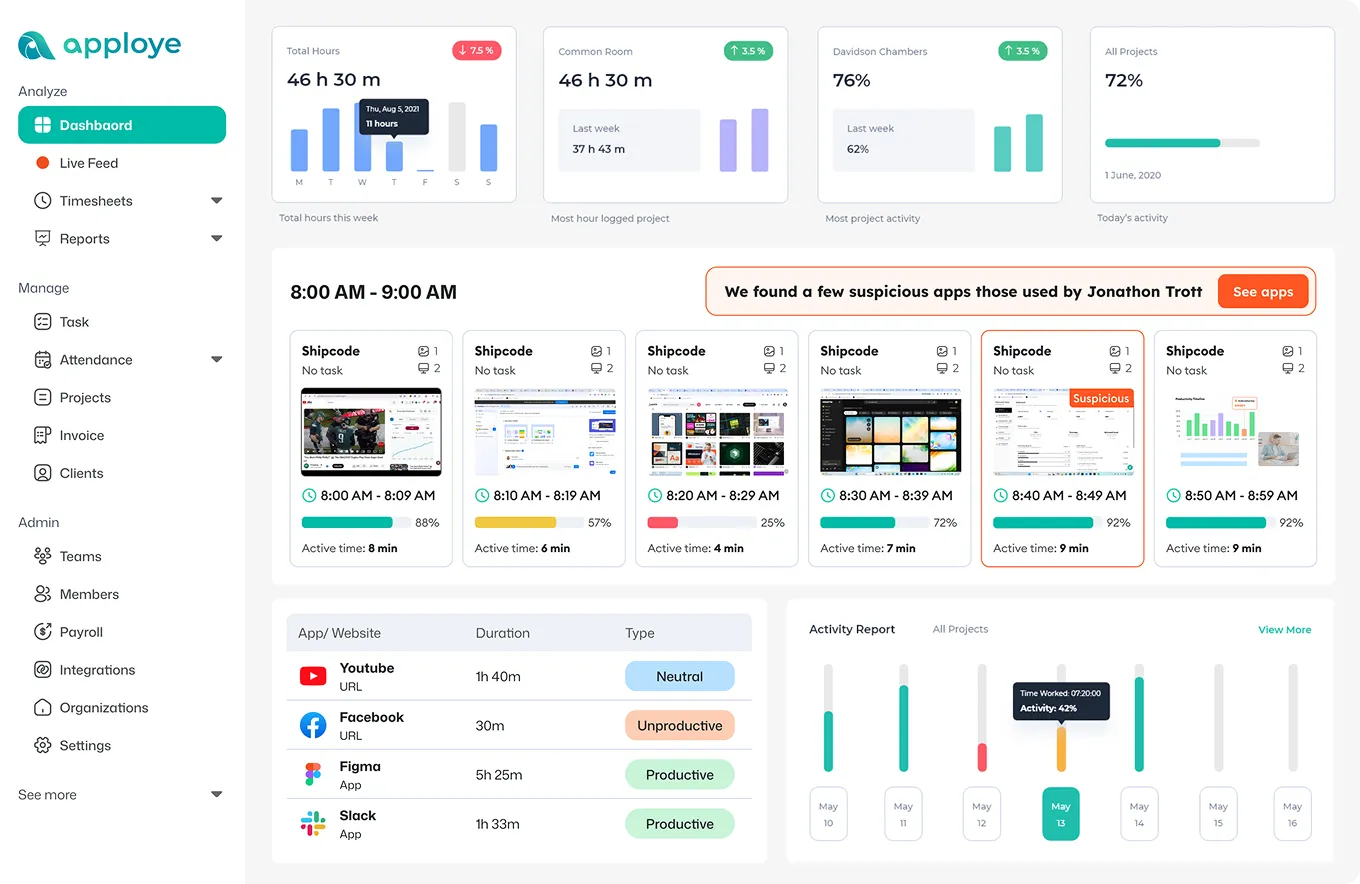
 Live Feed showing projects and real time screenshots, and which tasks employees are working on.

Turn Tracked Work into Accurate Client Billing

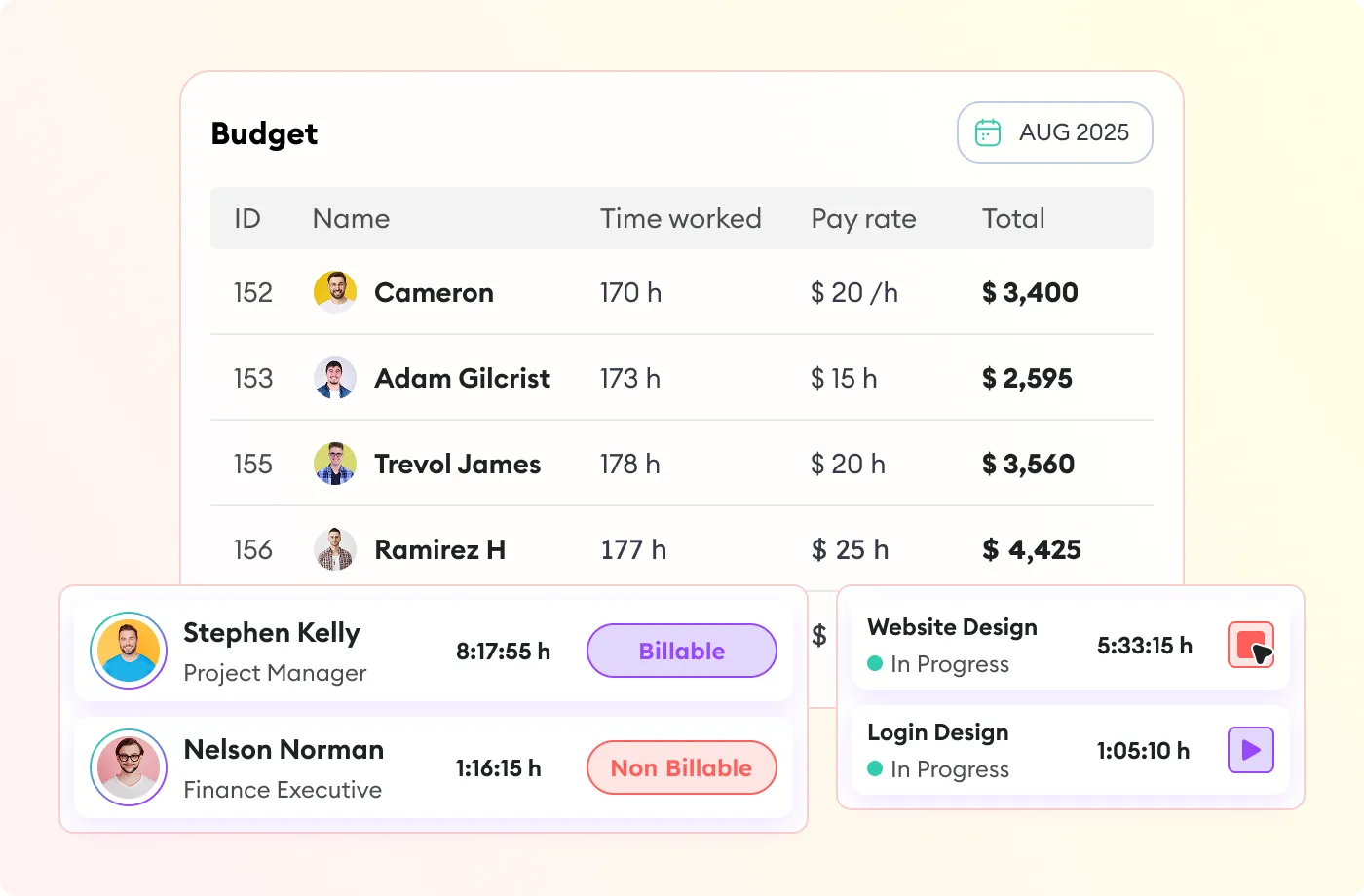
Keep tracked work connected to clients, projects, billable hours, and rates, so your team has a more reliable foundation for invoicing. Whether you bill hourly or work with fixed-fee projects, accurate time and expense data helps reduce missed revenue and billing uncertainty.

Daily productivity report showing time spent on Slack, Facebook, Figma, and task trends.

Make Payroll Easier with Time Data You Can Trust

When employee hours are already recorded and reviewed in Apploye, you have a clearer starting point for calculating what people should be paid.

Dashboard showing activity screenshots and app usage for team members on Apploye.

Start Tracking Project Time and Expenses for $0

Apploye is free forever for up to 10 users.

  • Track time.
  • Track expenses.
  • Set project budgets.
  • Separate billable and non-billable work.
  • Approve timesheets.
  • Bill clients.
Get Instant Access
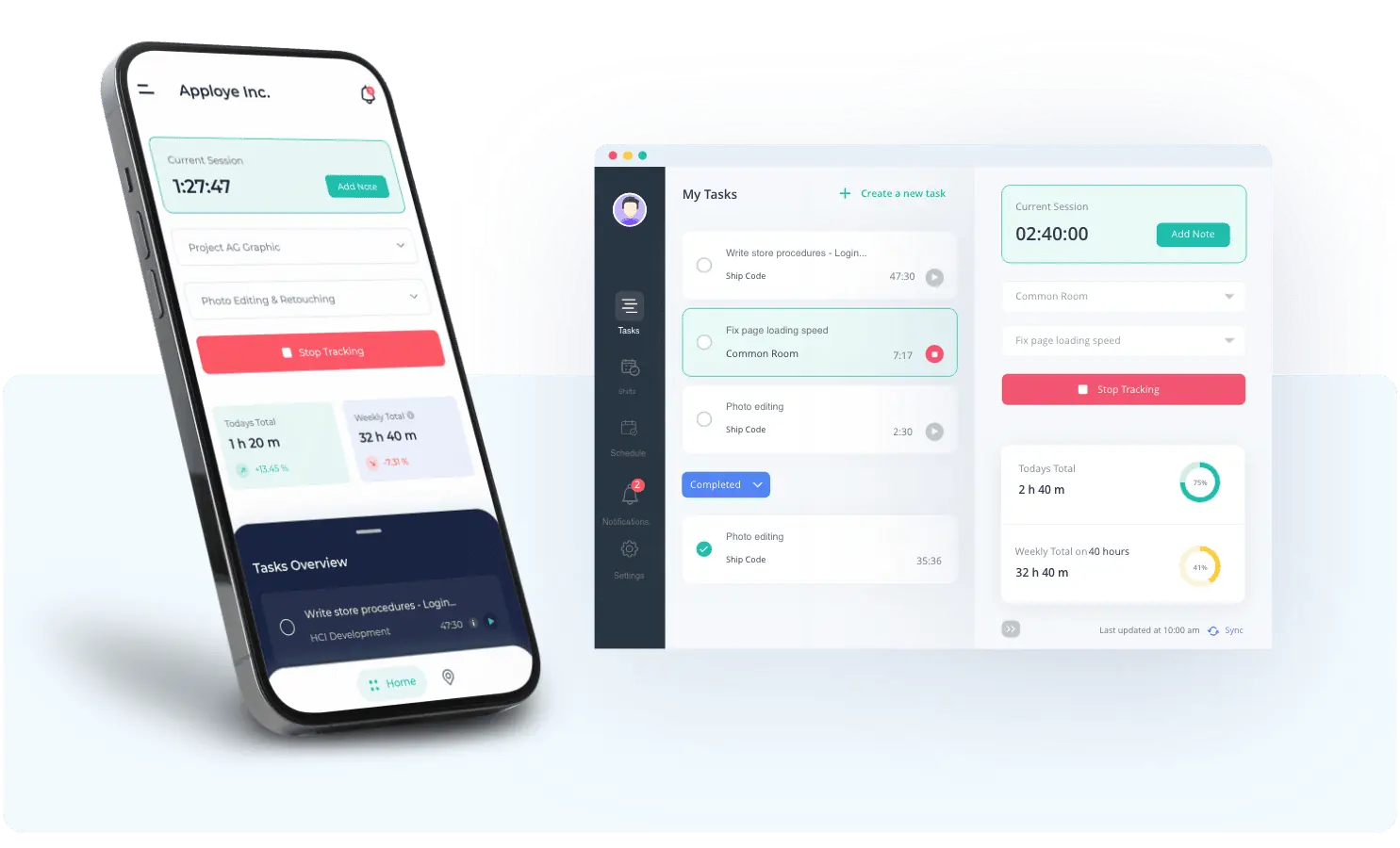
Apploye Dashboard on Multiple Devices

No credit cards required | No sales call required | 2-minute setup | Cancel anytime

How Apploye Makes Time and Expense Tracking Simple

Create Project

Create Project

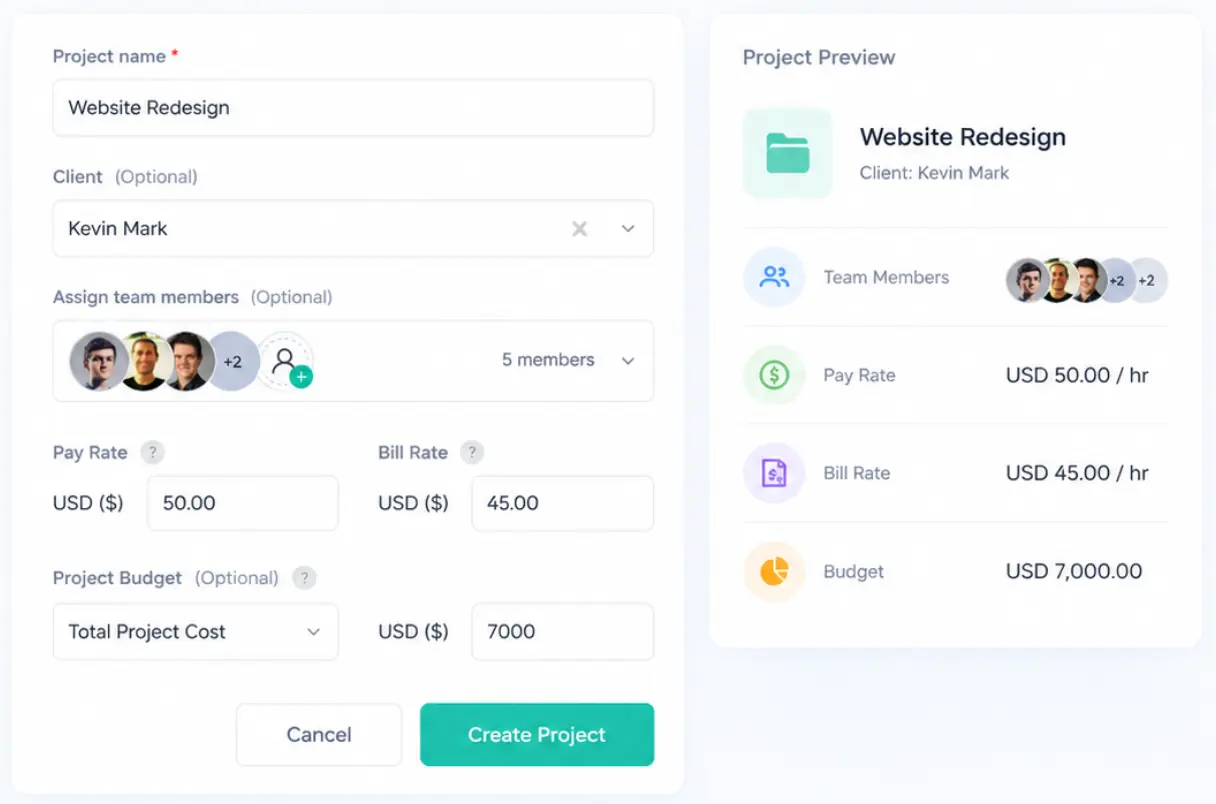
Set up the client, project, tasks, team members, rates, and budget. Give every hour and expense a clear place to go from the start so you don't have to reconstruct project costs after the work is finished.

Create project setup dashboard with teams, rates, and budget tracking tools.
Track Hour

Track Hour

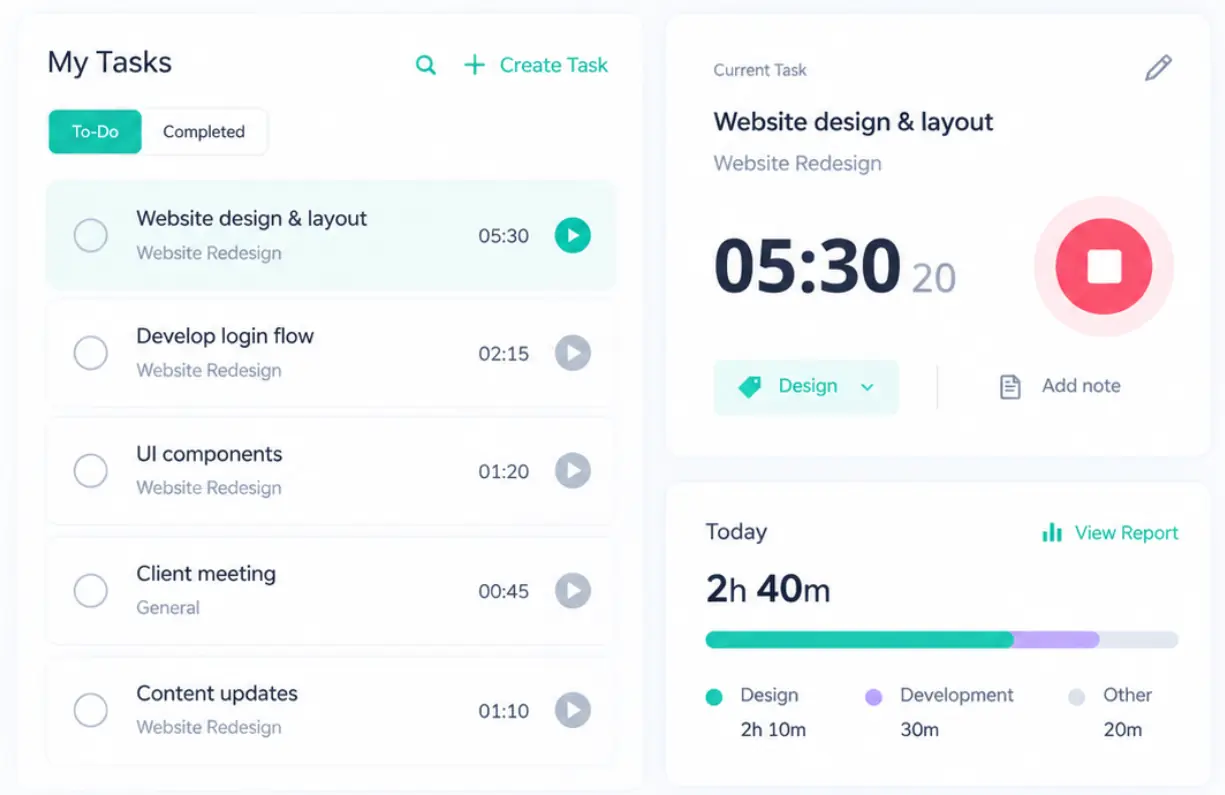
Employees can track time automatically while they work or add time manually when needed. Organize working hours by project and task and review daily, weekly, or monthly timesheets.

Time tracking dashboard showing tasks, timers, and employee work hours.
Record Expenses

Record Expenses

Keep project expenses alongside employee time instead of managing them in separate spreadsheets. Assign expenses to the relevant project, organize spending, and maintain non-labor costs.

Project expense tracking dashboard for costs and budget control.
Watch Budget Update

Watch Budget Update

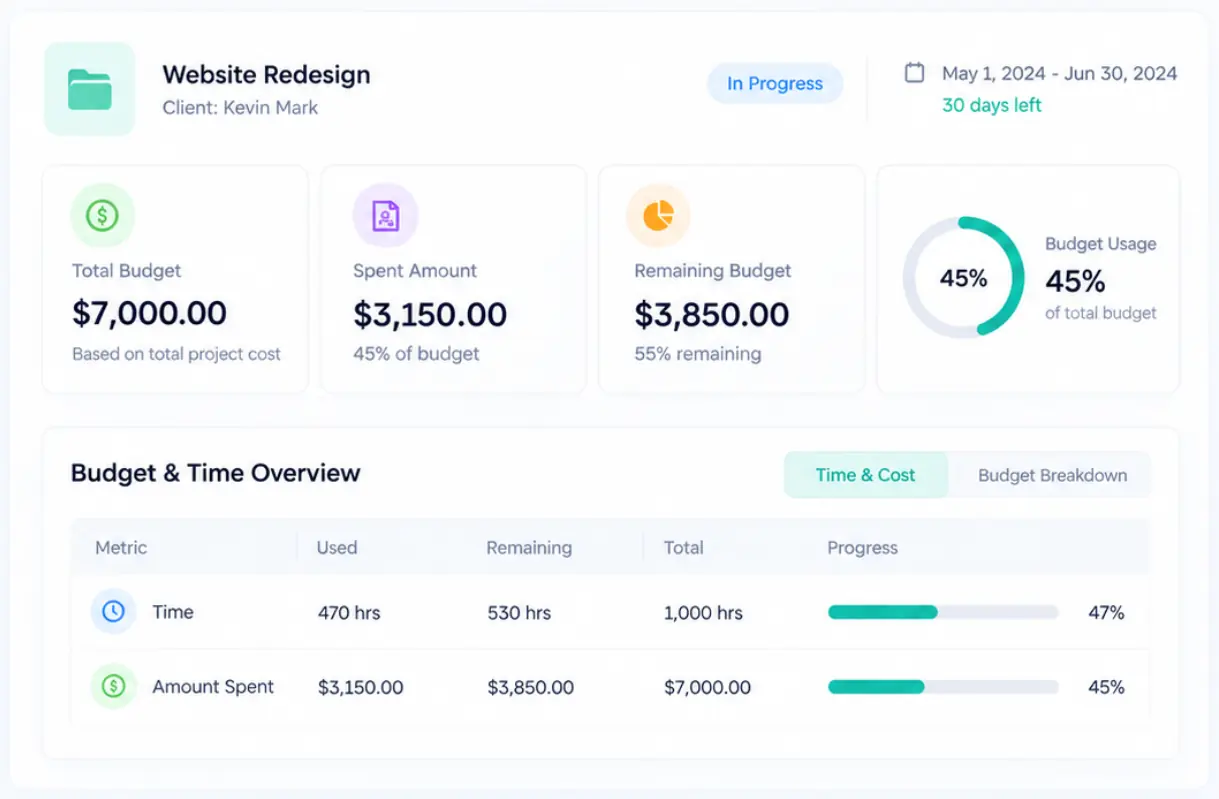
See how much time has been used, how much has been spent, and how much budget remains.

Project budget dashboard showing spending, remaining funds, and progress.
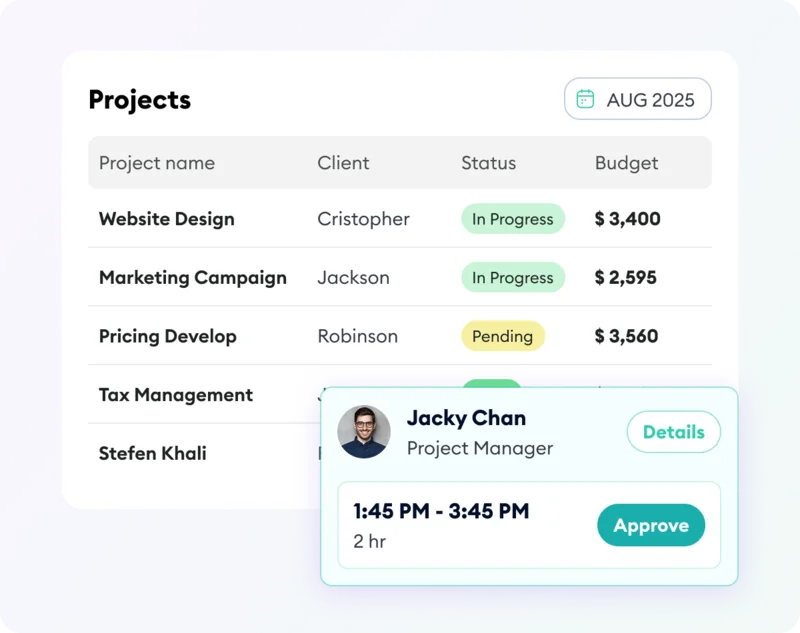
Review and Approve

Review and Approve

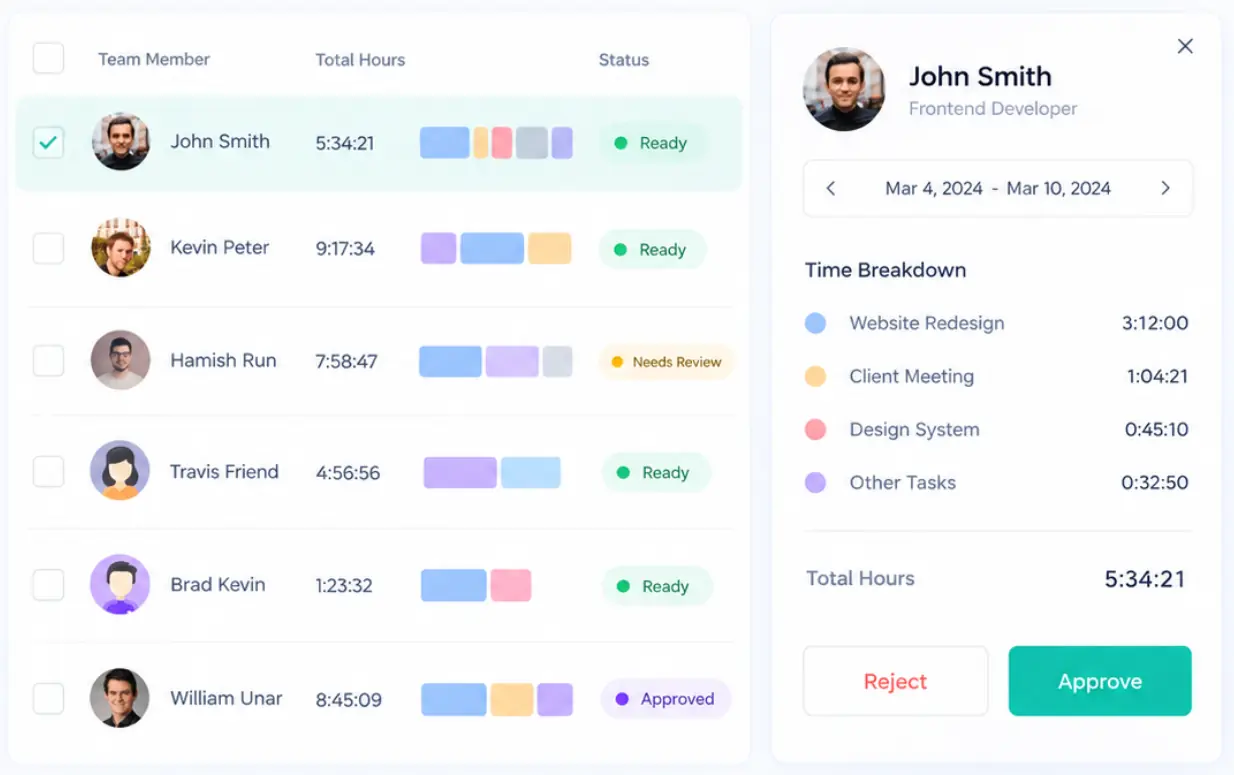
Review timesheets and project records before they affect payroll, reports, or client billing. Give managers a clearer way to verify what was recorded and catch inconsistencies earlier in the workflow.

Timesheet approval dashboard for reviewing employee hours and work records.
Turn Work into Billing

Turn Work into Billing

Keep billable hours, project costs, clients, and invoices connected. Instead of rebuilding billing data at the end of the month, use the information your team has already recorded.

Client invoice generation dashboard for turning tracked work into billing.
See Project Worth

See Project Worth

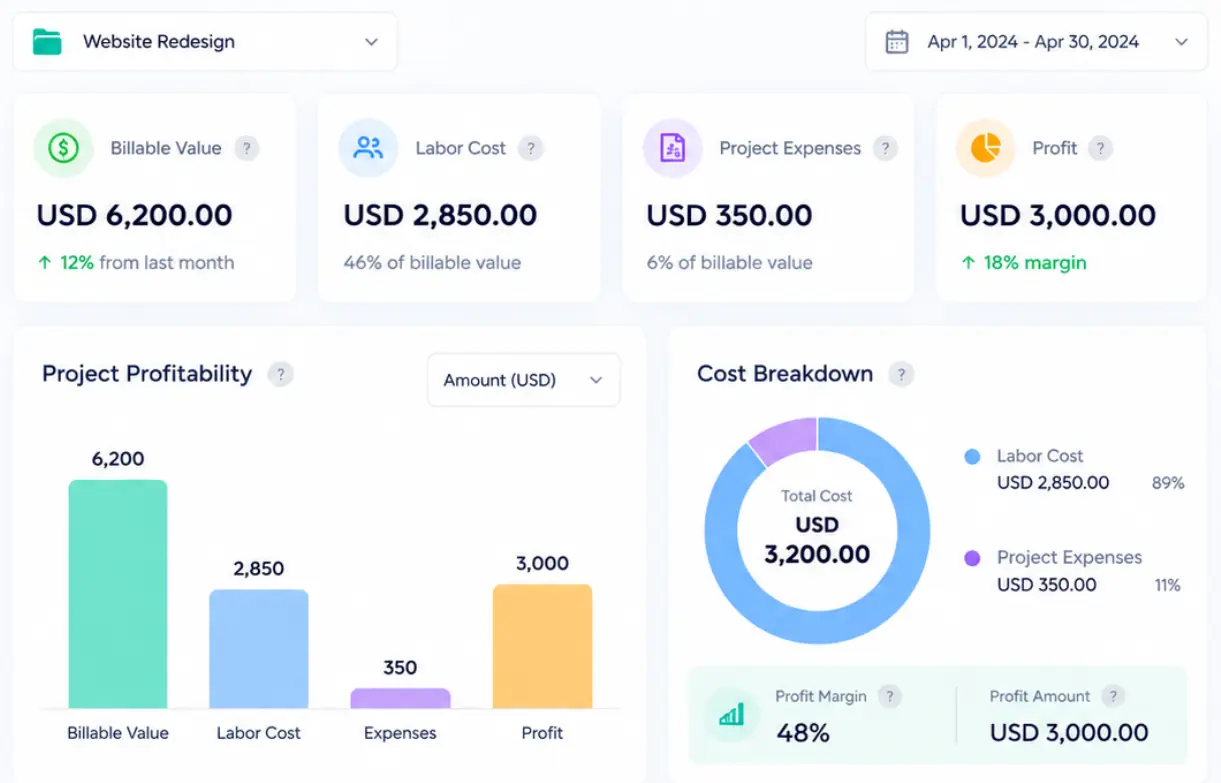
Bring time, labor costs, expenses, budgets, and billable work together to understand how a project is performing financially.

1. Project profitability dashboard showing costs, revenue, and financial insights.

Time and Expense Tracking for Project-Based Teams

In-office agency team working together.

Agencies

Keep client work connected from timesheet to invoice. Protect margins without adding another layer of project-management complexity.

Try today
Consultants and professional services team collaborating in a hybrid workplace.

Consultants & Professional Services

Know what every engagement is costing your business. Spend less time reconstructing what happened and more time serving clients.

Book a demo
Software and remote service team collaborating from distributed locations.

Software & Remote Service Teams

Connect distributed work with real project costs. Get additional employee monitoring features when you need them without making surveillance the center of your workflow.

See how it works

Apploye vs. Traditional PSA Software

Feature

Apploye

PSA Software

Time tracking

Included
Included

Expense tracking

Included
Included

Project and task tracking

Included
Included

Project budgets

Included
Included

Billable and non-billable hours

Included
Included

Timesheet approvals

Included
Included

Client invoicing

Included
Included

Payroll-related time data

Included
EXcluded

Often limited

Optional productivity insights

Included
EXcluded

Often limited

Free plan

Included

Up to 10 users

EXcluded

Usually paid

Starting price

$0

EXcluded

ypically paid

Super Easy to Install on Mac, Windows & Linux

Track your staff on any platform without any issues.

Start for Free

No Credit Card Required

Frequently Asked Questions

What is time and expense tracking software?

Time and expense tracking software helps businesses record the hours employees spend on projects together with the costs and expenses associated with that work. By combining time, project costs, budgets, billing, and reporting, businesses can understand what projects cost, manage spending, improve invoicing, and make better decisions about profitability.

What is the difference between time tracking and time and expense tracking?

Basic time tracking tells you how many hours people worked. Time and expense tracking adds the financial context around that work. It connects employee hours with project expenses, labor costs, budgets, billable work, and client billing so you can understand not just how long a project took, but what it cost.

How does Apploye track time and expenses?

Employees can record working hours and organize them by project and task. Project expenses and financial information can then be kept alongside that work so managers have a clearer view of total project activity and cost.

Can I track billable and non-billable hours?

Yes. Apploye lets you distinguish billable from non-billable work so you can understand which hours contribute to client revenue and which activities consume internal team capacity.

Can Apploye track project budgets and actual costs?

Yes. Apploye supports project budgets and gives managers visibility into tracked work, spending, and remaining budget. This makes it easier to identify projects that are using more time or money than originally planned.

Can managers approve employee timesheets?

Yes. Managers can review employee timesheets so recorded work can be checked before it affects payroll, reporting, or client billing.

Can tracked time be used for payroll?

Yes. Apploye combines tracked employee hours with pay-related information to help businesses calculate payroll from recorded work data.

Can I create client invoices from tracked work?

Yes. Apploye supports clients, projects, rates, and invoicing so tracked work can stay connected to the people and organizations you bill.

Can employees track time from desktop and mobile?

Yes. Apploye supports desktop, web, and mobile workflows so team members can record their time in the way that best fits how they work.

What reports can I generate?

Apploye provides reporting and visibility across areas such as employee time, timesheets, projects, budgets, and team activity. These reports help managers understand where project resources and employee capacity are being used.

Does Apploye integrate with other tools?

Yes. Apploye integrates with popular work tools as well as API access for businesses that need to connect time-tracking data with the rest of their workflow.

Is Apploye a PSA platform?

Apploye includes many of the time, project-cost, budget, billing, and reporting capabilities project teams need, but it is designed to be simpler to adopt than a heavyweight professional-services automation platform. It is a strong fit for businesses that want better project financial visibility without implementing a full enterprise PSA system.

How much does Apploye cost?

Apploye has a free plan for teams of up to 10 users. Paid plans start from $4.50 per user per month when billed annually. Visit the pricing page for current plan details and included features.

Is there a free plan?

Yes. You can use Apploye free forever with a team of up to 10 users, with no credit card required to get started.

See where time and money are going

Track the work, understand the cost, stay within budget, bill accurately, and build more profitable projects with Apploye

No credit card required

Apploye Dashboard - Employee Productivity Tracking