






Employee Internet Usage Monitoring Software
Employees waste 2.1 hours every day on non-work websites. But Apploye shows you exactly how your team spends time online and fixes productivity problems.

Key Features


Use Cases


Explore
Employees waste 2.1 hours every day on non-work websites. But Apploye shows you exactly how your team spends time online and fixes productivity problems.
.webp)

.webp)
.webp)

.webp)



.webp)

Join 29,000+ Organizations













Website & URL Tracking
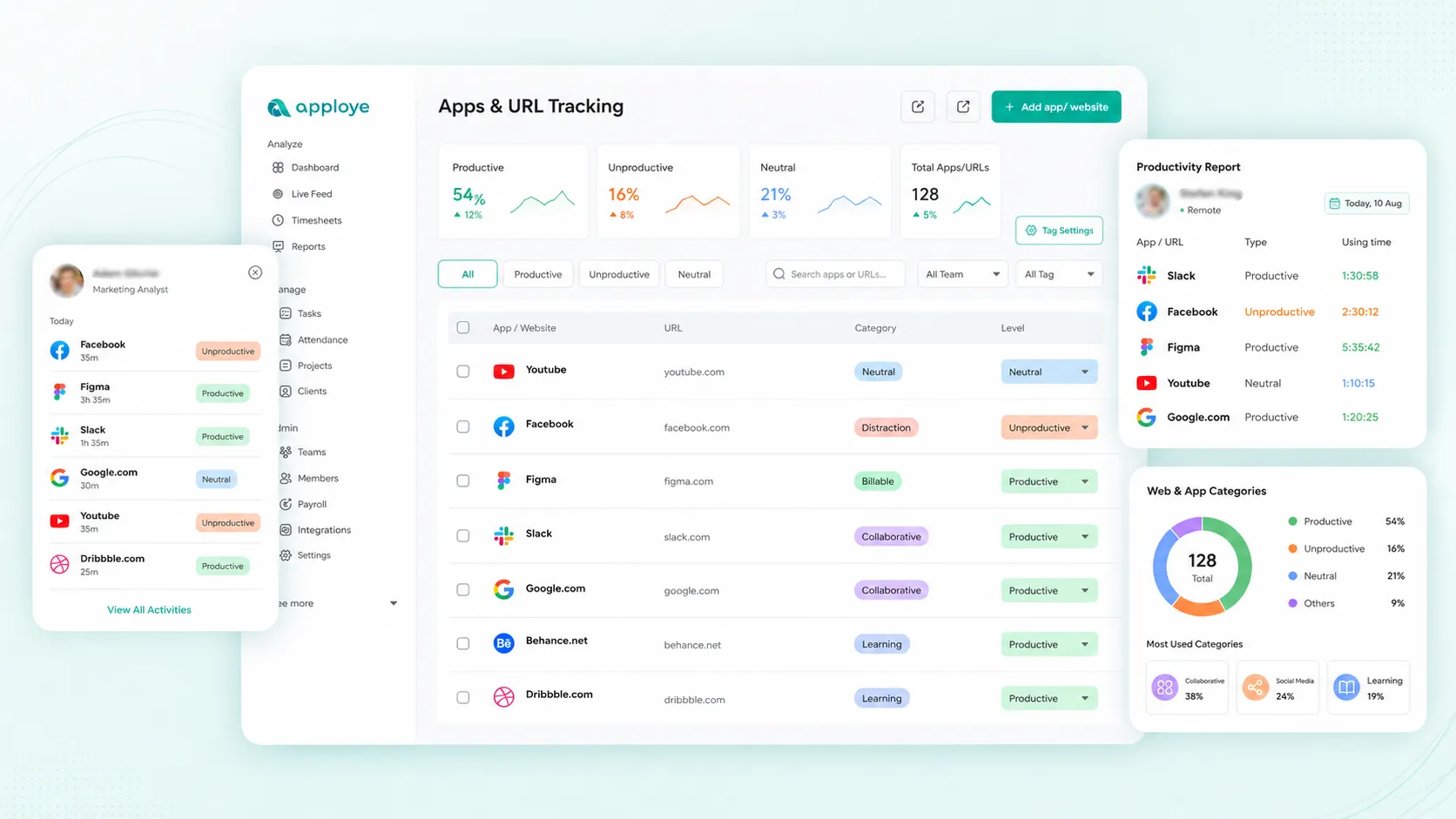
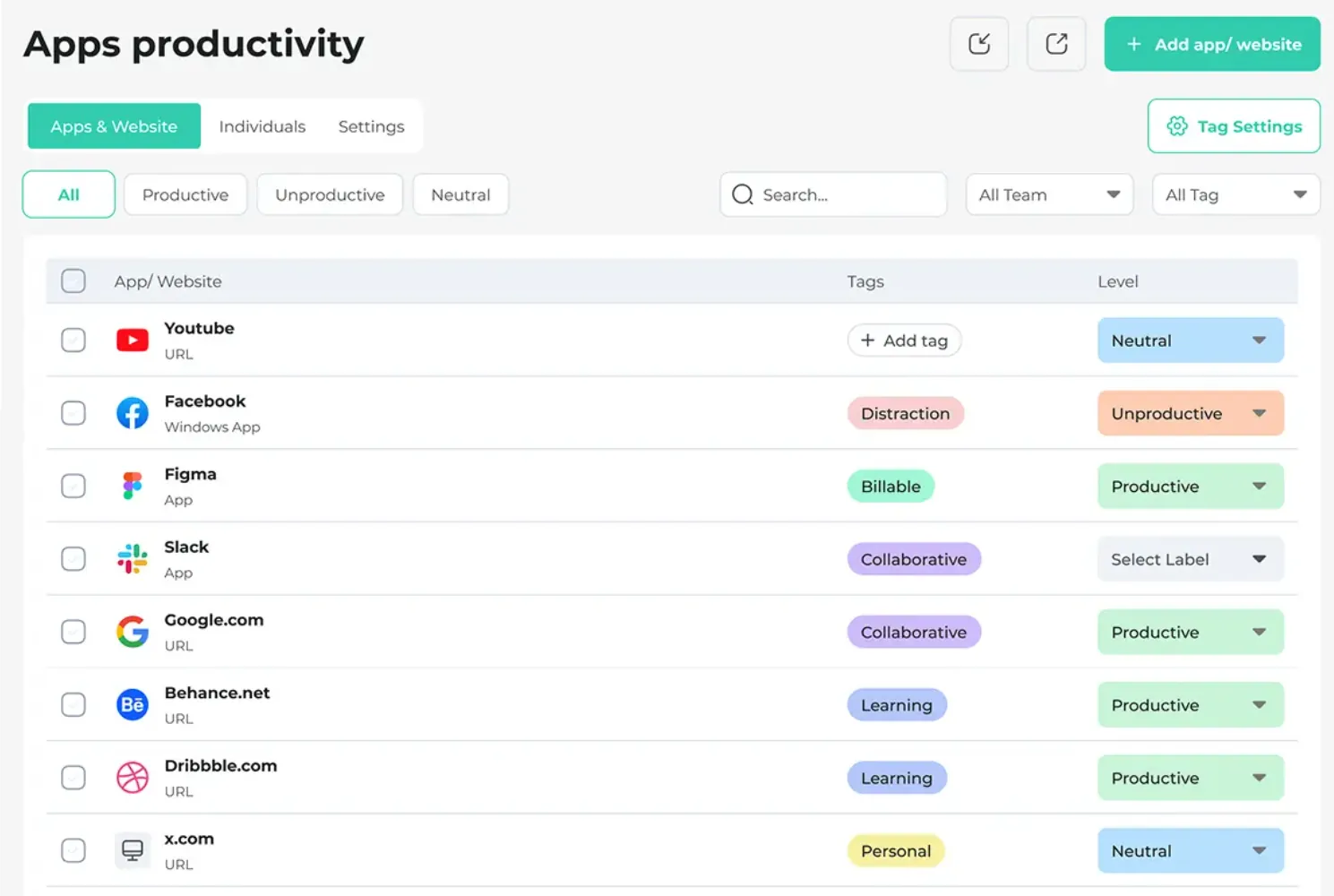
Apploye logs every website visited, the time spent on each, and whether it counts as productive or unproductive work. You get a full breakdown for each employee.
Productivity Scoring
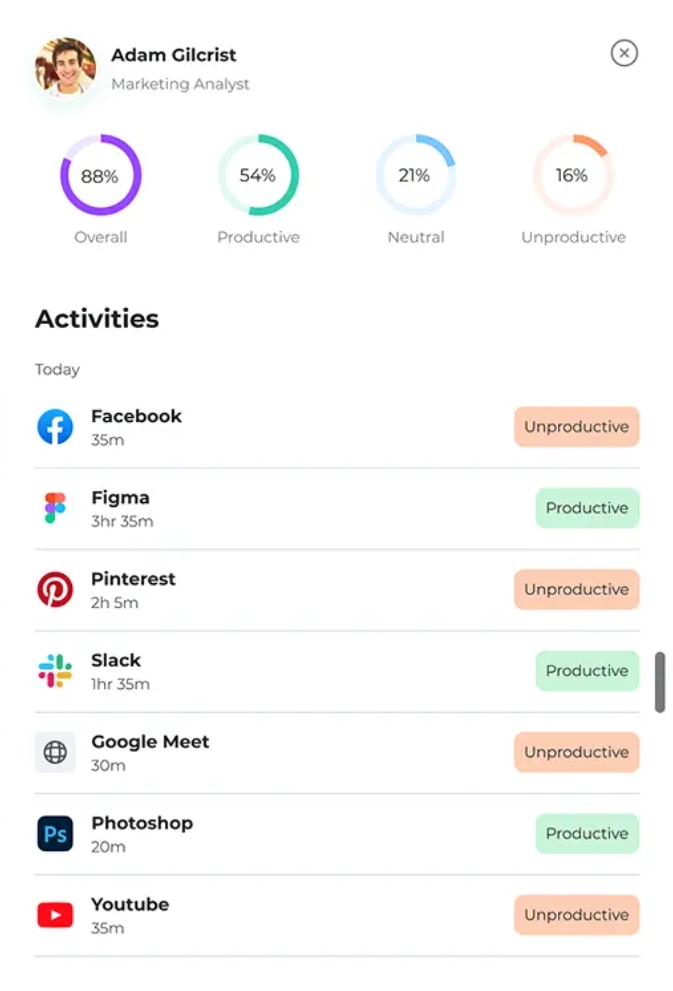
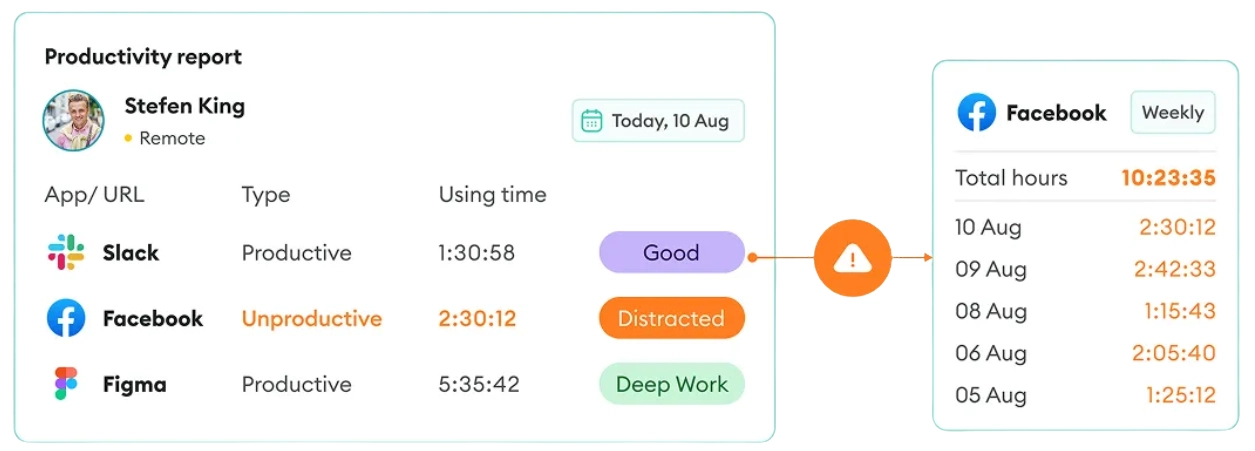
Every website and app gets classified as productive or unproductive based on your own rules. Apploye calculates a real-time productivity score for each person on your team, so you can spot problems early and recognize high performers.
Social Media & Distraction Monitoring
Track time spent on Facebook, Instagram, YouTube, and other distracting sites in total and per employee.
Suspicious Activity Tracking
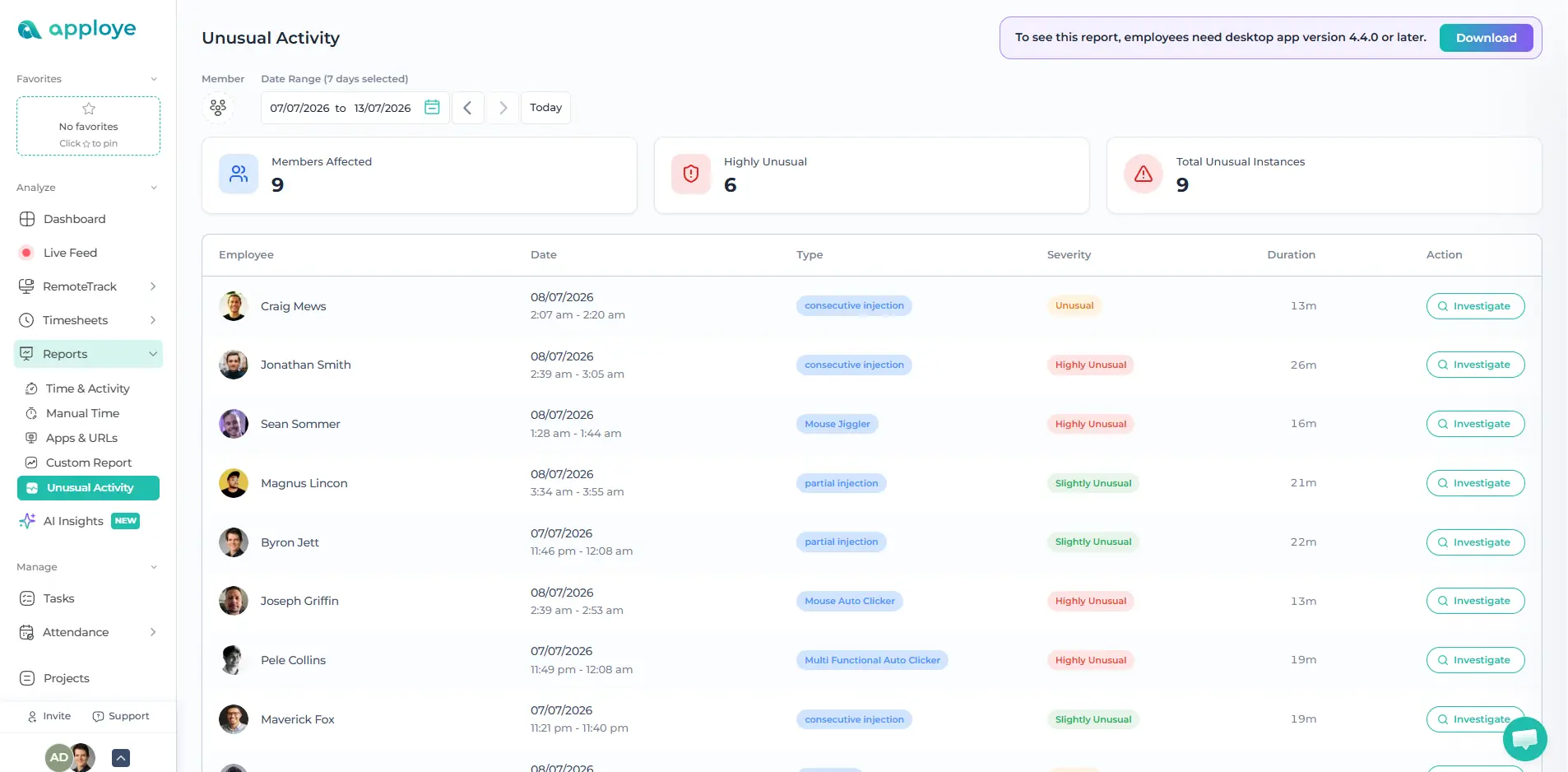
Identify unusual work patterns such as long idle periods, inconsistent activity levels, unexpected app usage, or behavior that does not match normal work routines. Apploye helps detect artificial mouse movement and fake activity signals, including mouse jiggler usage. So managers can rely on more accurate productivity data.
Remote & Hybrid Monitoring
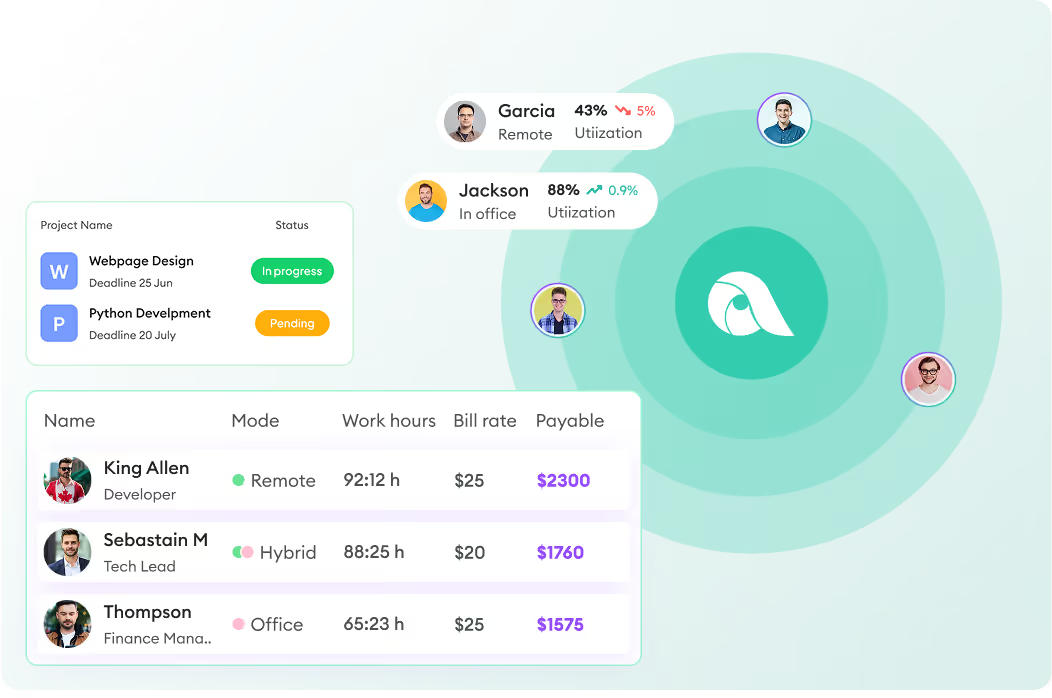
Apploye monitors internet activity across all locations, office desktops, remote laptops, and hybrid setups. You get the same reports regardless of where someone is physically working.

Deploy the Apploye agent to your team's computers. It will take about 15 minutes for most teams.

Tell Apploye which sites are productive for your team and which aren't. You're in control of what gets flagged.

Your dashboard populates immediately, and automated reports are delivered to your inbox weekly. Share summaries with department managers or keep access restricted to HR and IT.
Install the monitoring agent
Deploy the Apploye agent to your team's computers. It will take about 15 minutes for most teams.
Set your productivity rules
Tell Apploye which sites are productive for your team and which aren't. You're in control of what gets flagged.
Get reports and act on them
Your dashboard populates immediately, and automated reports are delivered to your inbox weekly. Share summaries with department managers or keep access restricted to HR and IT.
Privacy & Compliance
Apploye monitors work activity and not personal information. Here's exactly what we do and don't collect
What Apploye monitors
What Apploye does NOT collect

Apps Usage Tracking

Keystrokes or typed content
URLs Tracking
Email contents
Active vs. idle time
Personal device activity
Activity Analytics
Activity outside working hours
Screenshot Monitoring


ADD-ONS Included
More Screenshots
API Access
Improve Employee Productivity & Accountability at Zero Cost!
What's stopping you if you can start for FREE?

Browser history is per-device, easy to delete, and gives you no context about time or patterns. Apploye records time spent on every site, productivity classification, active vs. idle periods, and historical trends across your whole team automatically, continuously, and from one dashboard. Deleting local history doesn't affect your reports.
That's your call. Apploye can run in disclosed mode (employees see a tray icon and can access their own data) or, where legally permitted, in stealth mode.
Yes, Apploye monitors the same way regardless of location. It does not monitor activity on personal devices or outside of designated work hours (you configure the monitoring schedule). We do not monitor personal home networks, only the device's activity.
In most countries, yes, including the United States, the United Kingdom, Canada, and EU member states. But first, you need to disclose the monitoring in writing before it begins.
Laws vary by country, state, industry, device ownership, and the information being collected. Employers should establish a legitimate business purpose, use a written monitoring policy, notify affected employees, limit collection to what is necessary, and obtain local legal advice before deployment.
Most teams are collecting data within 15–30 minutes of starting the install. The agent is deployed to computers via manual install. Cloud setup requires no on-premises server. Our onboarding team is available to walk through it with you on the same day you sign up.
No. The Apploye monitoring agent runs as a lightweight background process. It uses less than 90 MB of RAM, well below the threshold where most users would notice anything.
Your data is yours. Before your account closes, you can export all historical activity reports in CSV / PDF / Excel format. After account termination, your data is deleted from our servers.
Yes. You control exactly who is monitored. You can apply monitoring to the full organization, specific departments, specific teams, or individual computers. You can also set different monitoring rules (or no monitoring) for different groups.