What is Bandwidth Monitoring? A Guide for Every Business!
Key Takeaways:
-
Bandwidth Monitoring shows how much internet data is being used over time. It helps spot sudden spikes or heavy users, sends alerts when usage is too high, and supports better planning to keep the network fast and reliable.
Bandwidth monitoring is the practice of tracking how much data is being used over a network connection.
Businesses need to maintain a smooth bandwidth and performance. It’s more true for remote workers. Because they need a stable connection the most. That’s why bandwidth monitoring is necessary.
Yet, many fail to implement it properly. In this blog, we’ll go through why you need it and how to do it well.
How Bandwidth Monitoring Works (Key Components)
If you have ever checked your bandwidth speed and data collection, then you have been a bandwidth monitor as well!
Because, at its core, bandwidth monitoring is nothing but tracking how network resources are used over time. There are dedicated tools that analyze real-time data and historical trends to find out more about bandwidth usage patterns. It can also help you to find anomalies like packet loss and error rates.
Here are the main components of bandwidth monitoring for a better understanding:
1. Data Collection via SNMP and Flow Protocols
Most systems use SNMP traffic (Simple Network Management Protocol) or flow-based technologies such as NetFlow, sFlow, or IPFIX.
- SNMP mainly collects performance metrics (port utilization, download/upload speed) from devices and access points.
- In addition to that, flow collectors help with traffic sources, device traffic, and make it easy for IT teams to read the data.
To give you an example, PRTG Network Monitoring comprises both SNMP and flow-based sensors for bandwidth utilization monitoring. That’s why it can easily alert the admins when the alert thresholds are crossed.
2. Traffic Analysis and Visualization
Bandwidth tracking also requires traffic analyzers, which, well, analyze the traffic and visualize network flow monitoring. With a dashboard view, admins can clearly check how much data is pushing through Gigabit Ethernet or fiber optic cables.
If the tool you’re using is advanced, then it can even show response times, device health, and productivity monitoring for a robust analysis.
3. Alerting and Automation.
After finalizing the threshold, the system naturally triggers alerts. With that, admins and the IT team can quickly react before a network outage.
Fortunately, modern systems like SolarWinds integrate predictive insights. Allowing you to detect threats early.
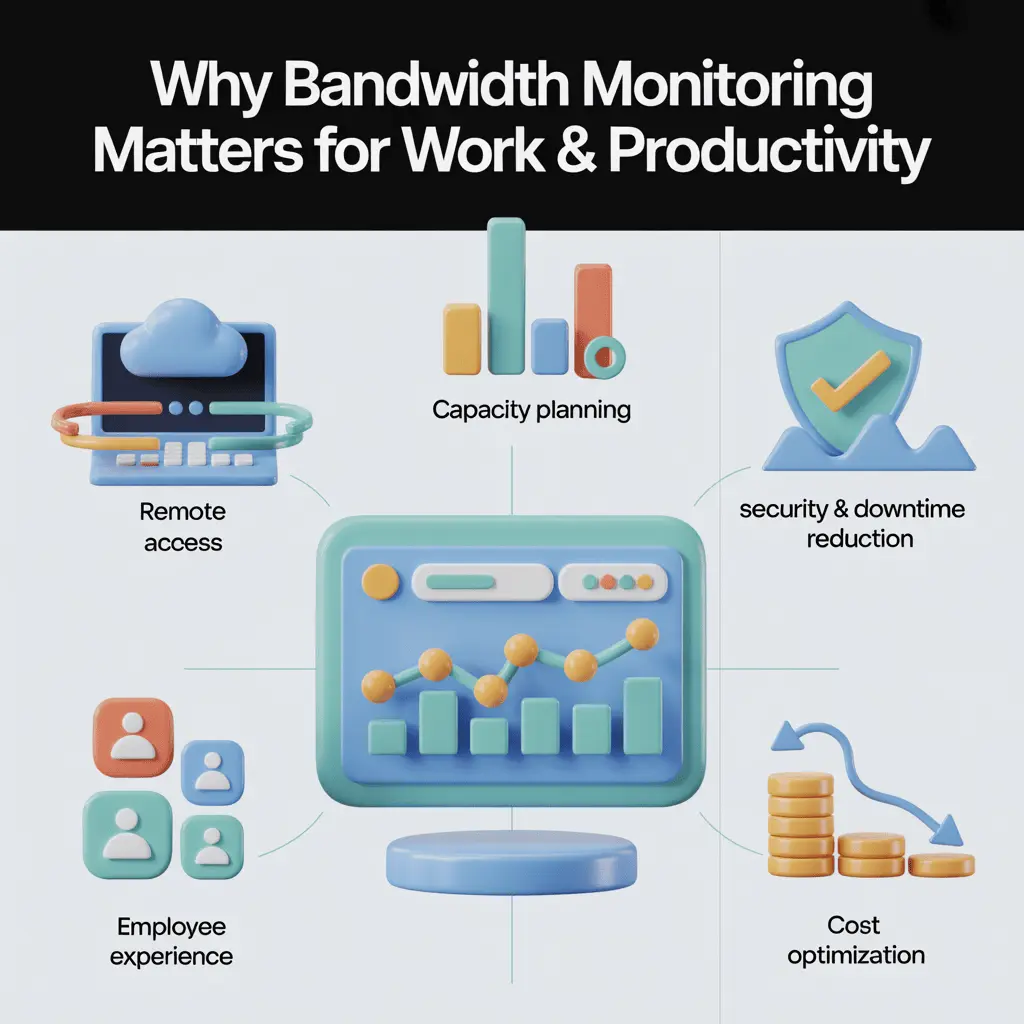
Why Bandwidth Monitoring Matters for Work & Productivity (Top Benefits)
If you have ever encountered a network outage in your life, especially during working hours, you should know why a stable network matters. Similarly, for remote workers, it matters more than anything.
1. Ensures Seamless Remote Access and Collaboration
Bandwidth speed is a key factor in a remote working environment’s workflow. From video conferencing to data transfers, everything is impacted due to unstable bandwidth.
A shocking study by Ookla showed that remote workers face a slower internet speed of 30-40 Mbps. While the average speed is actually 90 Mbps. The main reasons involve cable connection limitations, usage policies, etc.
Track your team's productivity in real time
2. Supports Capacity Planning and Performance Optimization
You know what’s great about bandwidth monitoring? You can see the historical data and find improvement areas. It can be about fulfilling forecasted demand or changing upgrade plans.
Proper capacity planning prevents subscriber traffic overloads and keeps network performance stable. It helps maintain subscriber satisfaction while also controlling internet provider costs.
3. Improves Security and Reduces Downtime
Downtime can be significantly reduced if you can predict any threats early. It may sound impossible, but a sudden spike in data transfer or device traffic is a clear indication of malware or DDoS attacks.
So, when the employee monitoring tool notices such anomalies, it can fight them and reduce downtime and crashes.
Reduce downtime with smarter team insights
4. Better Employee Experience
User plus employee experience, that’s the heart of every business. So, how does bandwidth monitoring come into play here?
Network monitoring lets you stay connected with a smooth connection. Offering seamless time tracking, live sync, file sharing, and so on. Monitoring also helps IT teams implement QoS policies. The policies prioritise essential traffic over non-critical services like streaming.
As a result, you win big time!
See who's working and when, in real time
5. Cost Optimization
I think it’s quite obvious how you can use monitoring to reduce your overall cost. Look, you don’t always need to upgrade your plans. Just by using your bandwidth efficiently, you can optimize the cost significantly.
When you find unnecessary bandwidth usage, just cut it down, and you will see a reduction in cost instantly.
Optimize costs with smarter time tracking
Real-Life Examples of Bandwidth & Network Monitoring
If you just think that there’s no way bandwidth or network monitoring actually work, I’ll be more than happy to prove you wrong!
Here are some real-life examples that you need to see to believe:
1. SPI Health and Safety
A popular leader in the Canadian health and safety industry. It faced harsh communication complaints when it made the whole call center remote.
Yet, the change came when they adopted network monitoring with Obkio Network Monitoring Software.
- Better network and VoIP performance via real-time monitoring
- Proper data collection for quick troubleshooting
- Improved customer satisfaction
2. Equifax
Equifax’s 2017 data breach exposed 147 million people’s personal data. The SEC and Consumer Financial Protection Bureau monitored the company closely. They required Equifax to improve security and follow data protection rules.
To boost security and ensure operational compliance, Equifax deployed network monitoring tools. These tools log user activity, track data transfers, and monitor access controls.
Some Popular Bandwidth Monitoring Tools (& How to Choose One!)
There is no shortage of network monitoring tools out there. No software is perfect, but one might just be the right one for you.
While these tools are great, before you choose, always consider:
- Match the network configuration compatibility with your hardware.
- Double-check license terms and conditions
- Confirm the software version updates flow to get the latest predictive insights.
- Tools with alert thresholds and custom dashboards can be a priority for IT teams.
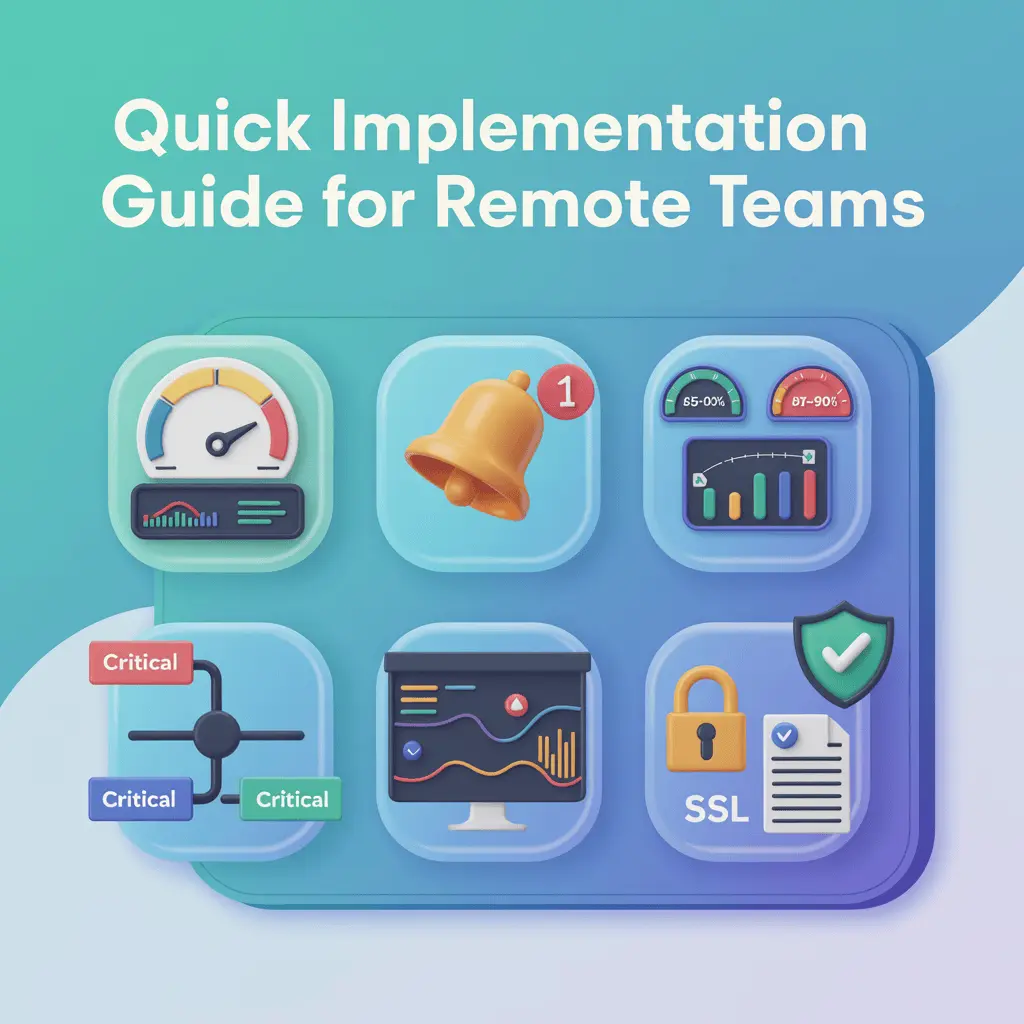
Quick Implementation Guide for Remote Teams
Implementing bandwidth monitoring doesn’t require enterprise infrastructure. While it’s not the easiest thing to implement, it’s not necessarily a tough job at all.
1. Establish a Baseline
First of all, you need to define a clear baseline. Now, to do that, measure upload and download speeds, average bandwidth speed, and daily peaks. You can quickly get this information from any speed test. Or, for better accuracy, you can rely on the router’s built-in traffic analyzer.
2. Define Alert Thresholds
When do you want your alert to trigger? For some industries, it can be around 90% port utilization for 5 minutes or packet loss above 3%. While for others, it can be a little flexible.
You need to analyse it and set an alert threshold. When done, you will get quick alerts if there are any issues with data transfer, network, or security.
3. Segment Critical and Non-Critical Traffic
Quality of Service (QoS), I’m sure you are not familiar with this at all. Jokes aside, using the QoS policies, prioritize essential or critical applications. It can be your monitoring tools, like Apploye, or collaboration tools like Slack.
Keep them running by prioritizing performance during peak usage.
4. Monitor in Real Time
This is quite self-explanatory. There’s no alternative to real-time monitoring. It shows both the real-time progress and improvement areas. Your network administrators will thank you for this.
5. Review & Stay Compliant
Any and all policy needs reviews and updates. Without that, it’s impossible to keep everything compliant. Capacity planning is also another crucial factor. It allows bottleneck prevention for growing teams.
Similarly, applying SSL encryption helps to maintain data privacy & security. This all allows you to build employee trust in remote monitoring policies.
Automate your team's time tracking today
Conclusion
The importance of bandwidth monitoring is criminally underrated. A simple tool can help you reduce costs, privacy threats, and more.
It improves subscriber satisfaction, too. So, is there any reason not to track bandwidth data?
Get full visibility into your team
Frequently Asked Questions
What exactly is bandwidth monitoring?
Bandwidth monitoring tracks how much data flows through your network in real time. It helps spot slowdowns, unusual traffic, or security issues.
Why is bandwidth monitoring important for remote teams?
Remote teams rely on stable network bandwidth for calls, file sharing, and apps. Monitoring ensures smooth access, balanced traffic, and better team collaboration.
Which tools are best for bandwidth monitoring?
Popular tools include PRTG, SolarWinds NetFlow Analyzer, Nagios XI, and so on. They show real-time network activity. Plus, they automatically alert admins when limits are exceeded.
Can bandwidth monitoring help reduce costs?
Yes, it shows where data is wasted or overused. IT teams can optimize plans and avoid unnecessary upgrades or extra fees.
How does bandwidth monitoring detect security threats?
It spots unusual traffic patterns, like sudden spikes or unauthorized transfers. This helps detect malware, DDoS attacks, or data breaches early.
Is bandwidth monitoring legal or ethical for businesses?
Yes, if it’s done properly. Companies should disclose policies, use encryption, and follow privacy rules.
What’s the difference between network monitoring and bandwidth monitoring?
Network monitoring checks the overall health of devices, servers, and apps. Bandwidth monitoring focuses on data usage, speed, and traffic flow.
How can bandwidth monitoring improve user experience?
It ensures key tasks get enough bandwidth, reduces delays, and avoids packet loss. This results in smoother video calls, faster downloads, and stable connections.
Does it support capacity planning?
Yes, historical data helps predict demand and plan network upgrades. It also keeps traffic balanced across devices and ports.
What’s the first step to implement bandwidth monitoring in remote teams?
Start by measuring upload and download speeds to set a baseline. Then you can set alerts, prioritize key apps with QoS. Finally, monitor performance regularly and update.
About Author