Manual Time Entry Form Template | Free Excel Download

Not every hour gets captured automatically. An employee may forget to start tracking, work offline, or realize later that a time entry is missing. Use this free Manual Time Entry Form Template to record the missing hours along with project details, tasks, reasons, and approval information.
Download the Free Manual Time Entry Form
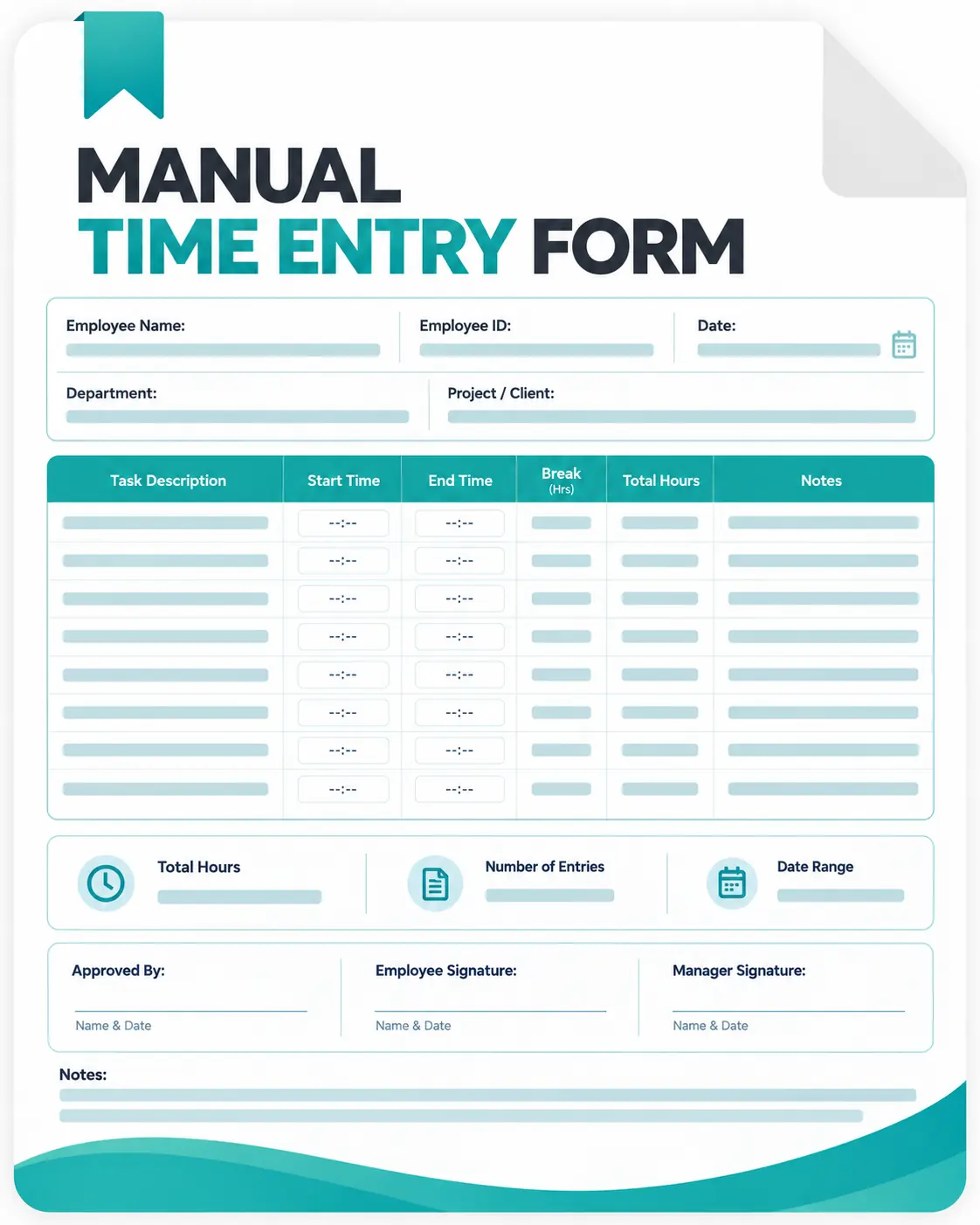
Use this Excel template whenever you need to add or correct work hours manually. It includes:

Employee information
Project and task details
Start and end time
Total hours
Billable status
Reason for manual entry
Manager or reviewer approval
Key Parts of a Manual Time Entry Form
Employee Information
Start with basic employee details so the entry can be connected to the correct person. Name, employee ID, and department are useful identifiers.
Work Date and Time
Record the date and the period in which the work was completed. Start time, end time, and total hours make the entry easier to review.
Project and Task
Add the relevant project and task whenever possible. This helps managers understand where the manually entered hours belong.
Reason for Manual Entry
A short explanation provides context for the correction. Common reasons may include forgetting to start the timer, a tracking issue, or work completed offline.
Work Description
Include a brief description of what was completed during the manually entered period. This gives reviewers additional context when checking the entry.
Approval Details
If your organization reviews manual entries, include an approval status and space for the employee or manager to confirm the record.
Why Use a Manual Time Entry Form?
Usually, a manual time entry form gives employees and managers a consistent way to handle missed or corrected work hours. It can help you:
- Keep time records organized – Store employee, date, project, task, and hour details in one place.
- Document missed hours – Record work that was completed but not captured by the regular timer.
- Explain corrections – Include a clear reason why the time entry was added manually.
- Create a review trail – Let managers check the submitted details before approving them.
- Reduce confusion – Replace scattered messages or verbal explanations with a standardized record.
- Support accurate records – Keep corrected hours documented for timesheets and internal review.
- Standardize approvals – Follow the same submission and approval process for every manual entry.
For teams with frequent manual corrections, however, maintaining these records in spreadsheets can become repetitive. Automated time tracking tools such as Apploye can reduce manual entry and provide a more centralized way to track work hours.

Move Beyond Manual Time Records With Apploye
See how your team is spending their time
Sign up for free