






Track Zoho Projects Time Accurately with Apploye
Connect Zoho Projects with Apploye to track time on projects and tasks, monitor team productivity, manage timesheets, and generate detailed reports - all from one simple workflow.
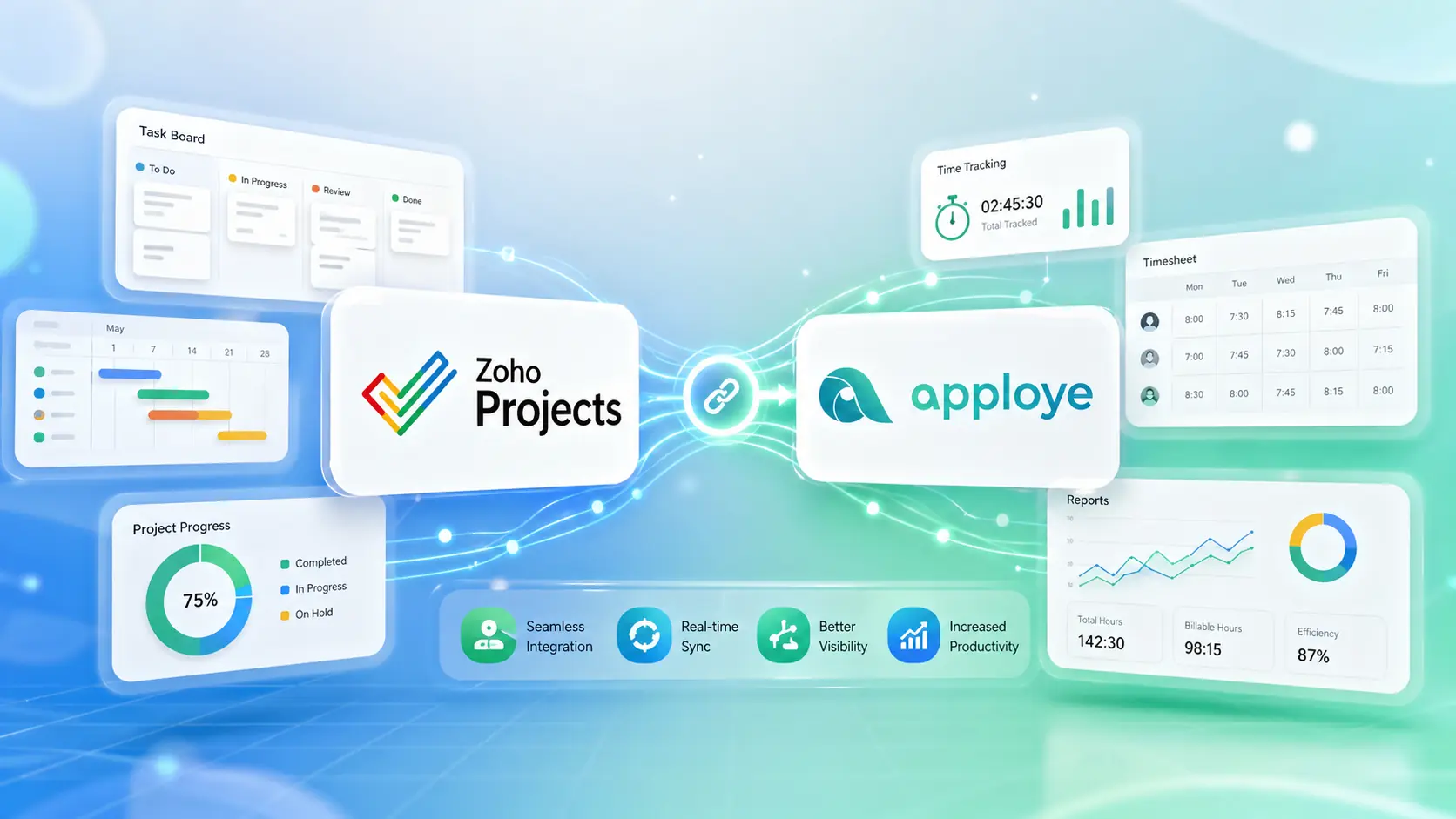
Bring your Zoho Projects tasks into Apploye and help your team stay focused, accountable, and productive. Whether you manage remote employees, agencies, or project-based teams, Apploye makes it easier to track work hours, review activity, and simplify project reporting.
How to Integrate Zoho Projects with Apploye
Connect Zoho Projects with Apploye in just a few steps and start tracking time directly against your Zoho projects and tasks.
Step 1: Register Your Application in Zoho
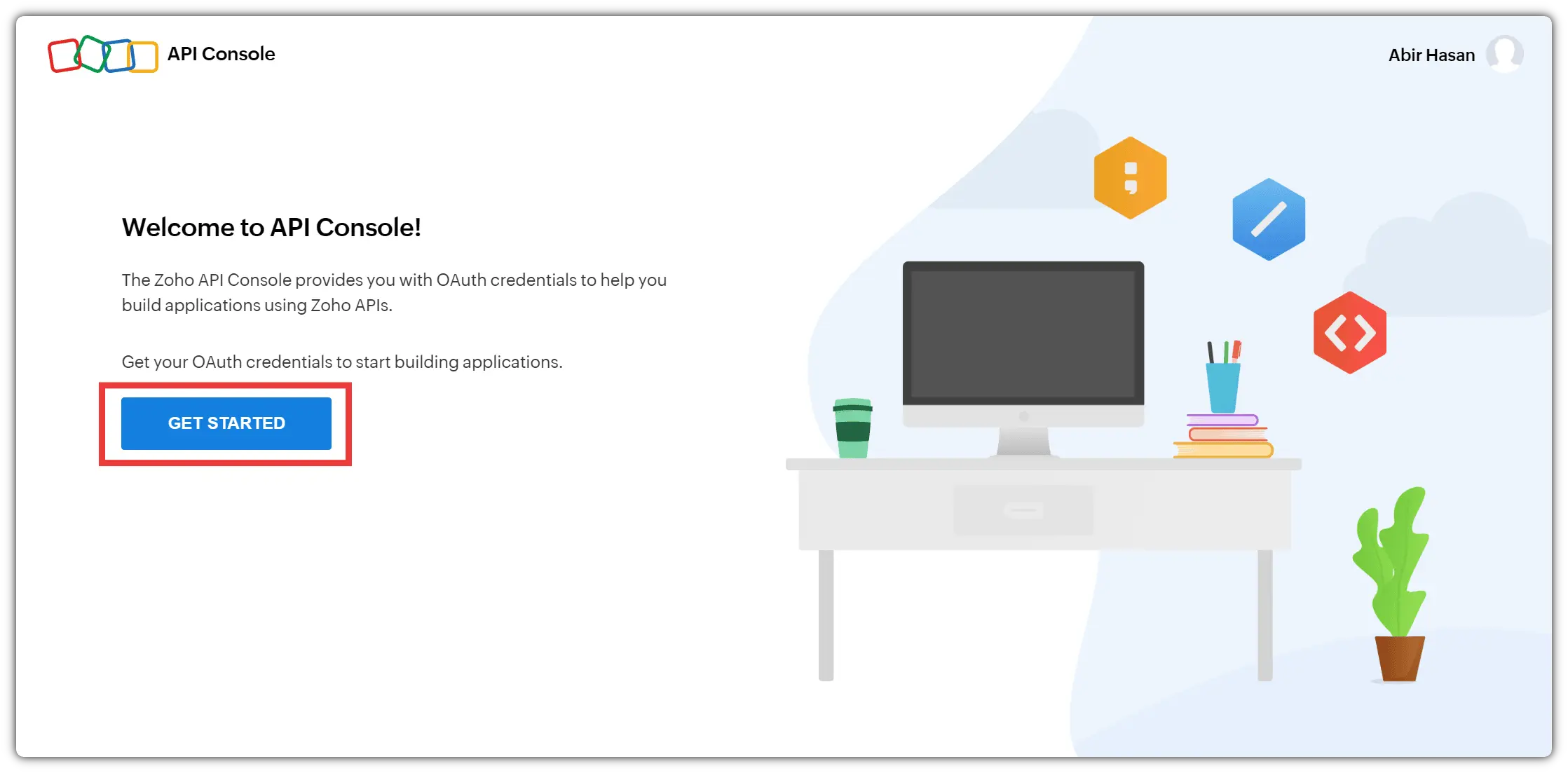
To begin, log in to your Zoho Projects account and open the Zoho Developer Console. From there, click Get Started to register your application.
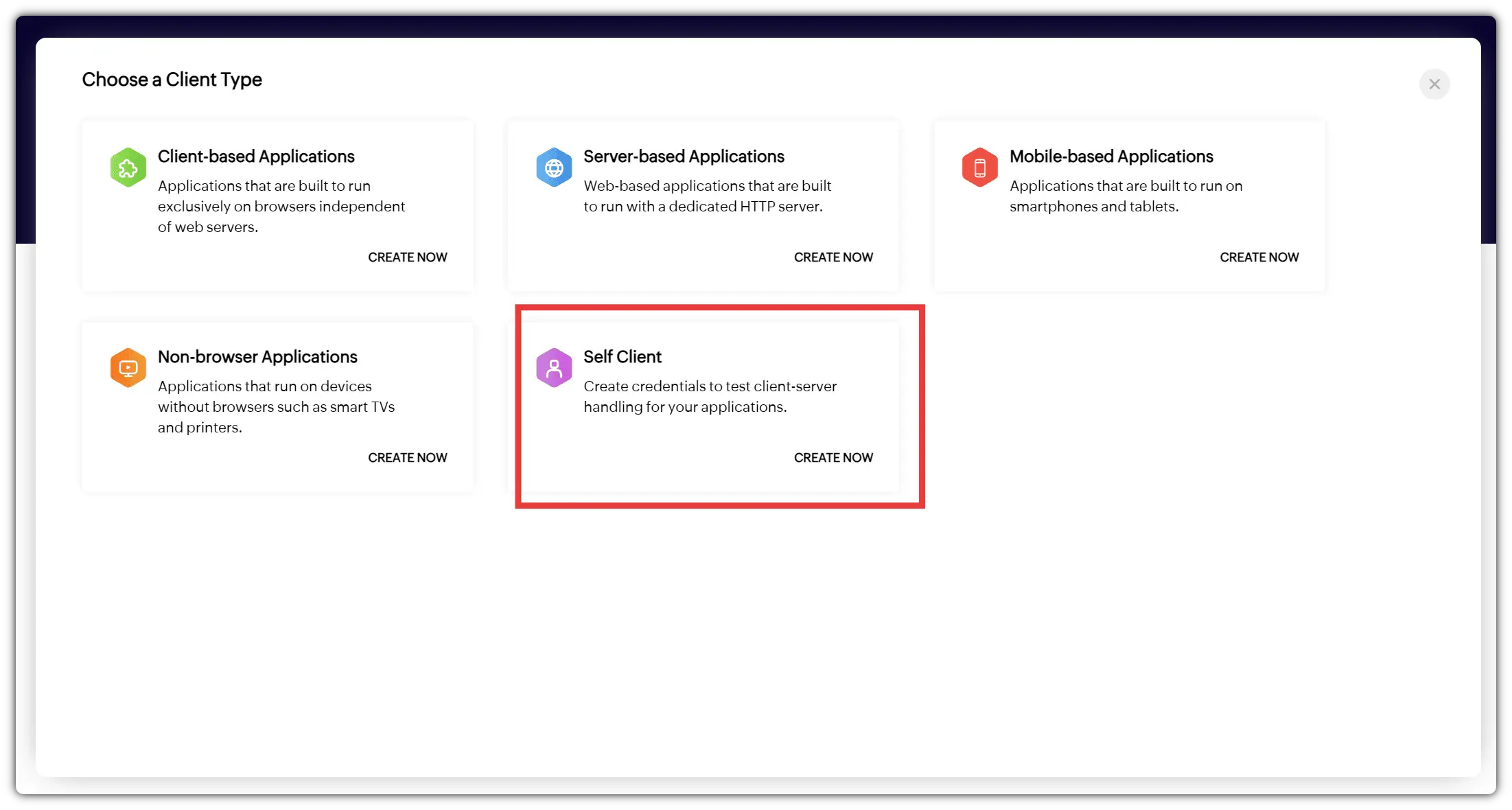
Next, create a new client application by selecting Self-Client and clicking Create Now.
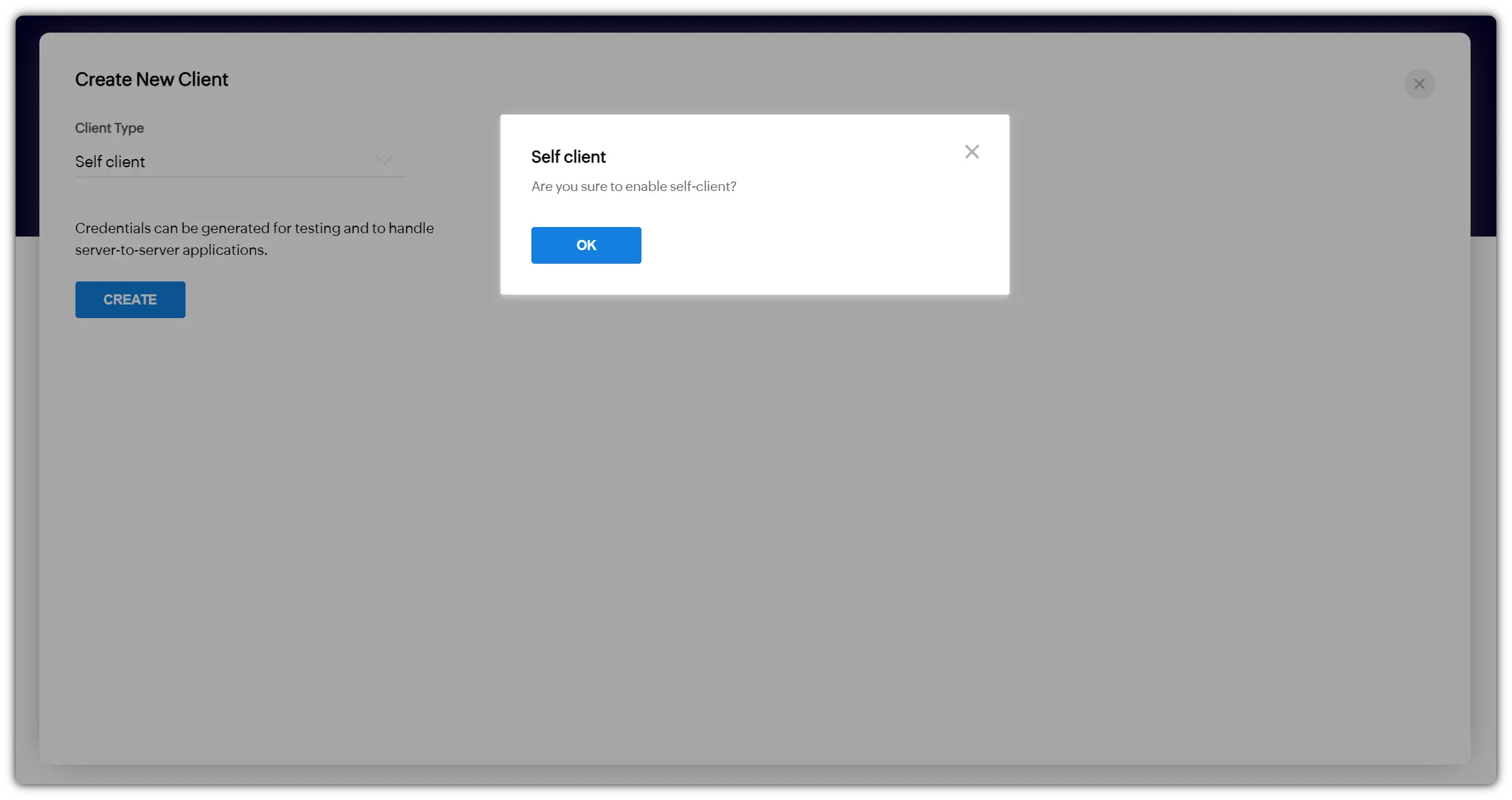
Continue through the permission prompt by clicking OK. Zoho will then generate a Client ID and Client Secret for your application.
Copy both credentials and paste them into the matching fields in the Zoho Projects integration section inside Apploye.
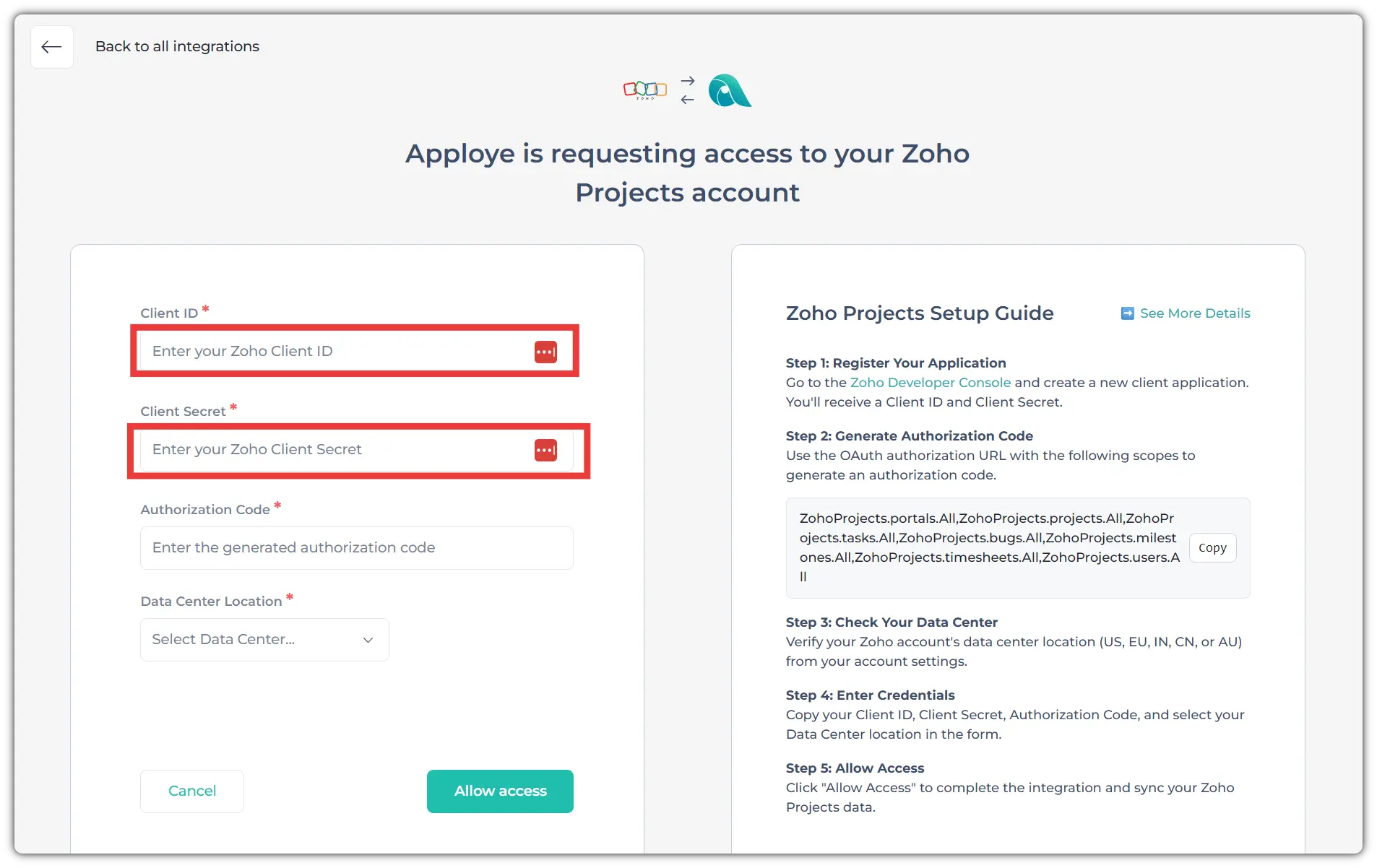
Step 2: Generate the Authorization Code
After adding your Client ID and Client Secret, go back to Zoho and open the Generate Code tab.
Copy the required Zoho Projects scope and paste it into the Scope field:
ZohoProjects.portals.All,ZohoProjects.projects.All,ZohoProjects.tasks.All,ZohoProjects.bugs.All,ZohoProjects.milestones.All,ZohoProjects.timesheets.All,ZohoProjects.users.All
Then, set the code expiry duration and add a description. The description can be any text that helps you identify the authorization request.
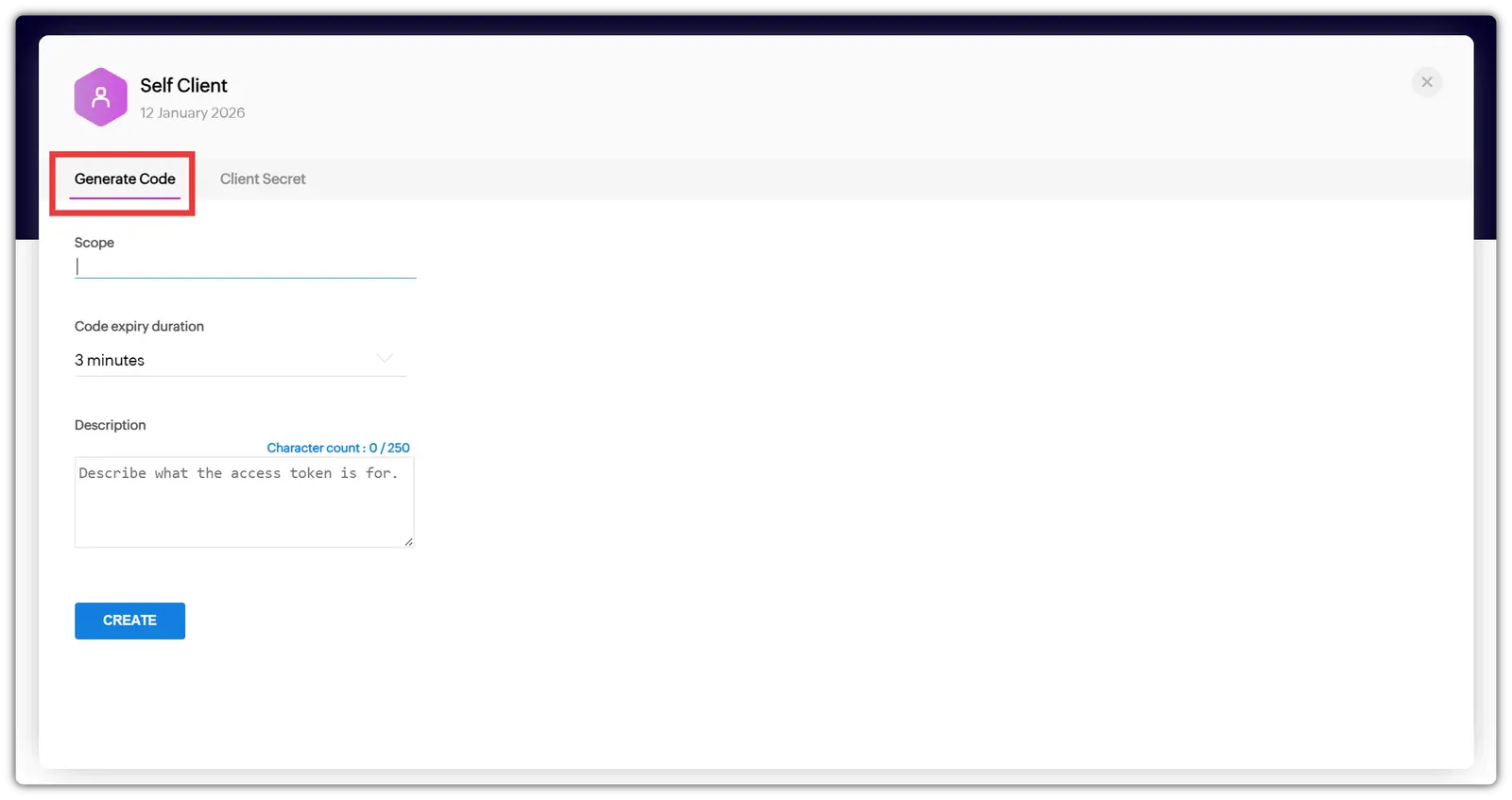
Click Create to generate the authorization code. Once the code is created, copy it and paste it into the Authorization Code field in Apploye.
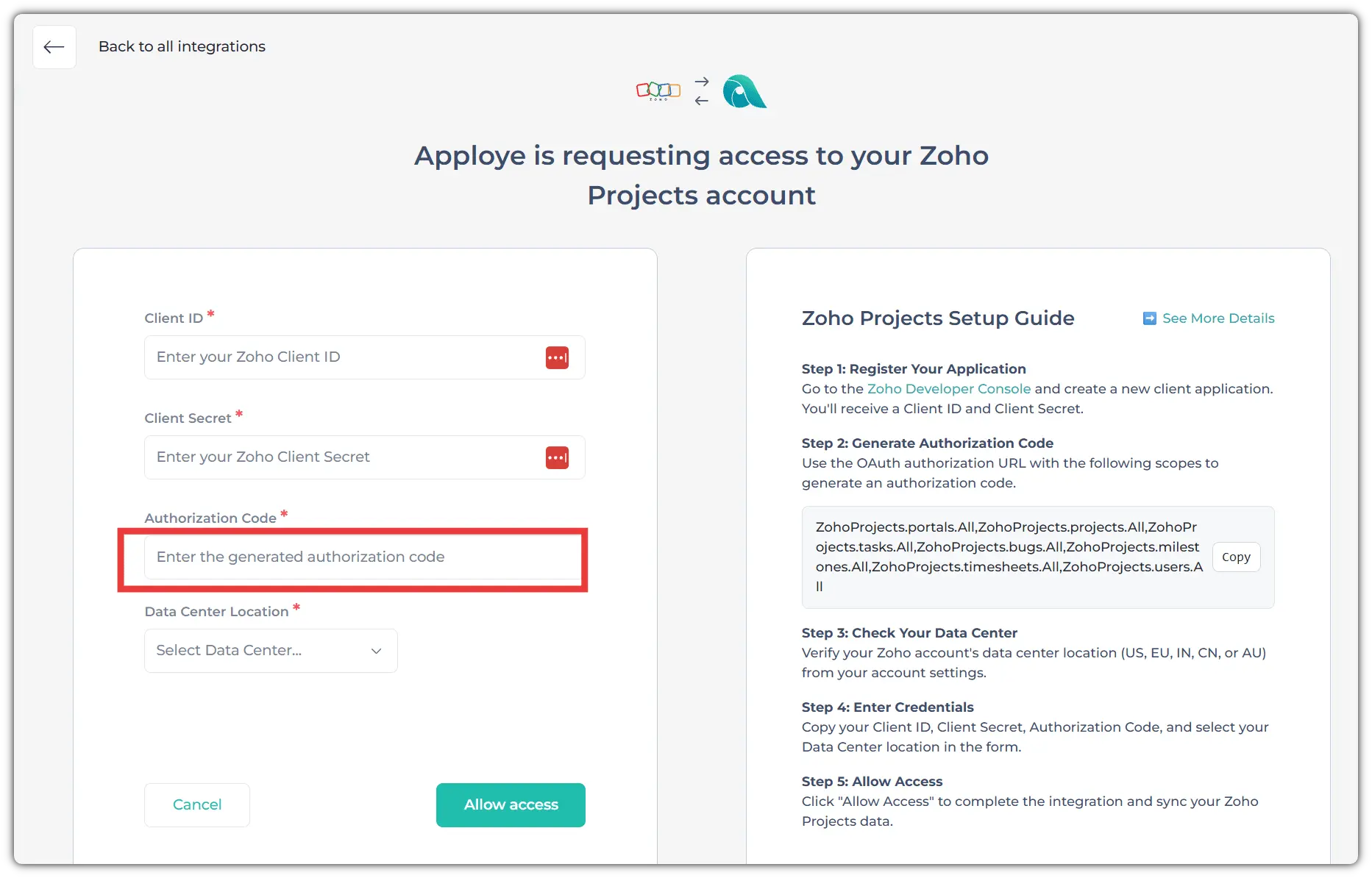
Step 3: Select Your Zoho Data Center
Before allowing access, check your Zoho account’s data center location. Zoho data centers may include the US, EU, IN, CN, or AU.
To find your data center, go to your Zoho account settings at accounts.zoho.com and click your profile icon. Your account details will show the data center connected to your Zoho account.
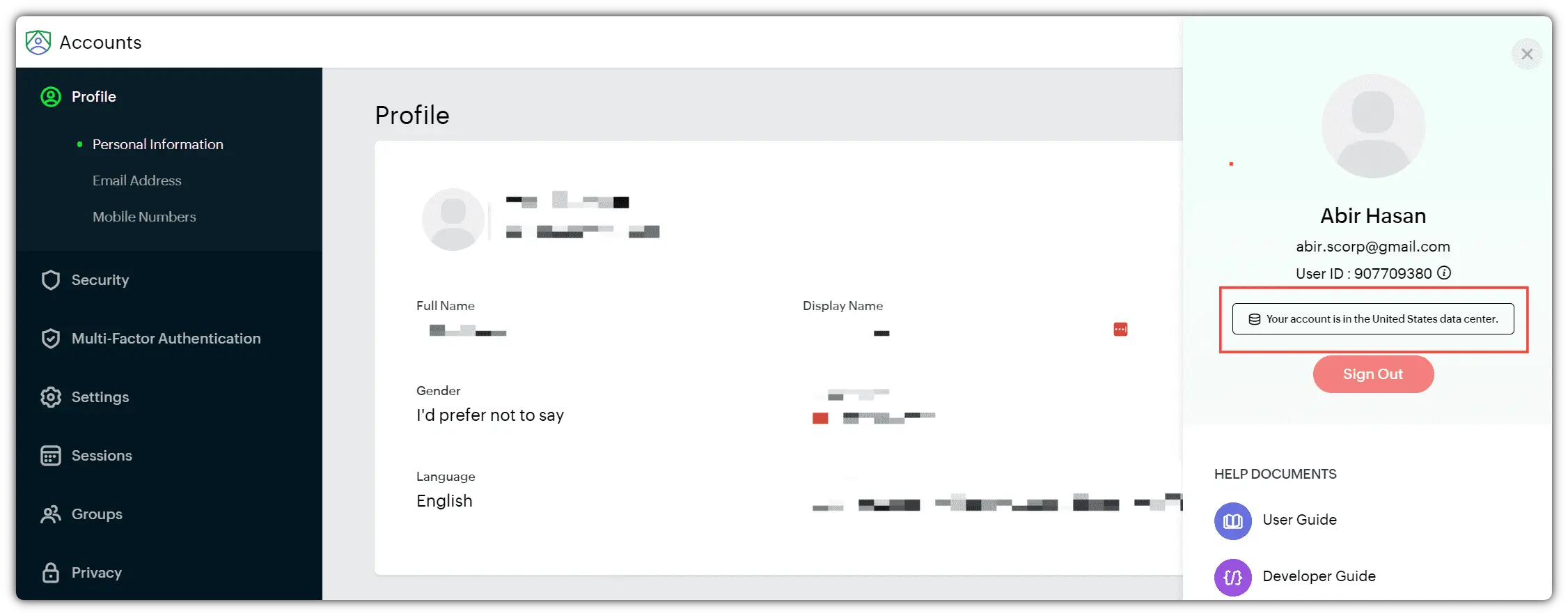
Once you know your data center, select the same data center inside Apploye.
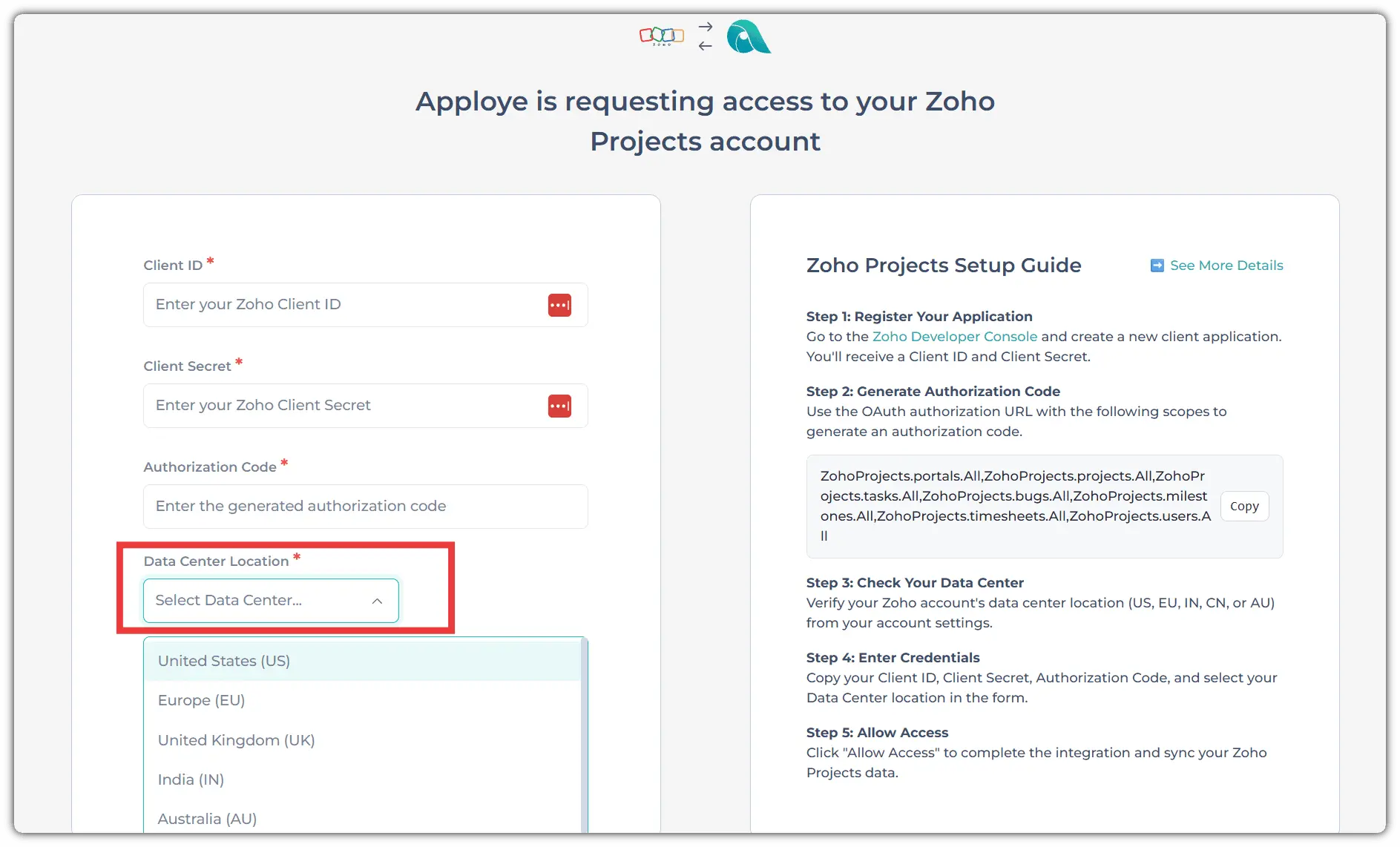
Step 4: Allow Access and Sync Your Projects
After entering the required credentials, authorization code, and data center, click Allow Access in Apploye.
Once access is granted, Apploye will start syncing your Zoho Projects data. Your projects and tasks from Zoho Projects will be available in Apploye, so your team can begin tracking time against the right work items.
The initial synchronization may take around 10–15 minutes, depending on how many projects and tasks you have in Zoho Projects.
Closing CTA Block
Ready to connect Zoho Projects with Apploye?
Set up the integration, sync your projects and tasks, and start tracking time with better visibility across your team.
Why Integrate Zoho Projects with Apploye?
Zoho Projects helps you plan, organize, and manage work. And Apploye helps you track time, monitor employee activity, check productivity, review timesheets, and understand how work hours are being spent. Together, they give project-based teams a clearer way to manage tasks, time, and performance from one connected workflow.
Track Time on Zoho Projects Tasks
With the Zoho Projects and Apploye integration, your team can track time against specific projects and tasks synced from Zoho Projects. Instead of switching between disconnected tools or logging hours manually, employees can record work time in Apploye while staying aligned with the tasks assigned in Zoho Projects.
Best for: project teams, agencies, remote employees, consultants, and businesses that bill clients based on project hours.
Improve Project and Task Visibility
Managers can see how much time is being spent on different projects and tasks. This makes it easier to understand workload, identify time-consuming tasks, and keep projects moving in the right direction.
With better task-level visibility, you can answer questions like:
- Which tasks are taking the most time?
- Are team members spending time on the right projects?
- Are project hours staying within the expected estimate?
- Which projects need more attention or resources?
Monitor Team Productivity
Apploye shows you employee activity, productive time, idle time, app and URL usage, and screenshots, depending on your tracking settings. When connected with Zoho Projects, this productivity data becomes more meaningful because it is tied to real project and task work.
This helps managers support accountability without relying only on manual updates or end-of-day reports.
Simplify Timesheets and Payroll
Accurate time tracking makes timesheets easier to review and approve. Since employees can track time on Zoho Projects tasks through Apploye, managers get cleaner timesheet data for payroll, billing, and internal reporting.
This reduces manual entry, minimizes errors, and helps teams avoid confusion around who worked on what and for how long.
Make Project Reporting Easier
Apploye’s reporting features help you turn tracked time into useful project insights. You can review time reports by employee, project, task, or date range to understand where work hours are going.
For project managers, this makes it easier to measure project progress, review team performance, and share accurate work-hour reports with stakeholders or clients.
Improve Client Billing Accuracy
For agencies, software teams, consultants, and service businesses, accurate time data is essential for billing clients fairly. By tracking time directly against Zoho Projects tasks, Apploye creates more reliable records of billable and non-billable work.
This gives you better support for invoices, client updates, and project cost reviews.
Keep Remote and Hybrid Teams Accountable
Remote and hybrid teams often need more visibility into daily work without adding extra meetings or manual check-ins. The Zoho Projects and Apploye integration helps managers understand what team members are working on, how long tasks take, and how productive work sessions are.
This creates a more transparent workflow for distributed teams.
Closing CTA Block
Get more from Zoho Projects with Apploye time tracking
Connect your projects and tasks, track work hours accurately, and manage productivity with better visibility.
Frequently Asked Questions
Apploye is the best free alternative to Hubstaff. It offers free basic time tracking and reporting, and screenshots all at no cost. TimeCamp and Toggl Track also offer free plans, but with more limited features or user caps. If you need basic tracking without employee monitoring, these are great options to start with.
Apploye is the most cost-effective choice for managing teams. It offers advanced features like screenshots, app/URL tracking, and payroll starting at $4.5/user/month with a free plan for up to 10 users. Clockify and TimeCamp are also affordable options.
The primary difference is Apploye offers more flexibility and control compared to Hubstaff. It lets you customize tracking (like optional screenshots and screen recording), manage payroll, and monitor apps/URLs with less invasiveness. Unlike Hubstaff, which often feels like surveillance, Apploye emphasizes privacy, affordability (free for up to 10 users), and a cleaner, faster interface.
Apploye is a lesser-known yet highly effective time tracking tool that combines powerful features like real-time tracking, activity levels, screenshots, screen recording, payroll, and invoicing. All of these are accessible through an easy-to-use interface.
Apploye, Time Doctor, and Insightful are excellent for remote team monitoring and time tracking. They offer features like activity tracking, productivity insights, screenshots, and customizable privacy controls to balance accountability and trust.
Apploye offers a reliable free plan with time and basic project tracking. And generates timesheets automatically for up to 10 users. Clockify and TimeCamp also include a good free option for timesheets.
Apploye is the best time tracking software in the USA due to its rich feature set that includes advanced time tracking, screenshots, payroll, productivity analytics, and project budgeting. All of these are presented within a clean, intuitive interface. It offers unbeatable value with affordable pricing, deep customization, and strong privacy controls, making it ideal for both small businesses and large remote teams.
TimeCamp is a passive or automatic time tracker because it runs in the background with minimal user input. Captures app/website usage, screenshots, and idle time. A similar feature is coming soon on Apploye.