Clockify vs. Apploye: Which Tool Gives Your Team More?

Clockify helps you track work hours. But what if you also need screenshots, activity reports, payroll, and client billing? In this case, Apploye offers more. It brings these features together in one platform, with paid plans starting just at $4.50.

Why Teams Look Beyond Clockify

Clockify is popular for a reason. It is simple to use, easy to learn, and has a free plan. However, basic time tracking is not enough as your team grows.

Here are three areas where it stands out.

1. See More Than Just Tracked Hours

Clockify does a good job of calculating work hours. However, its employee monitoring features are limited, and screenshots are available on the Pro plan.

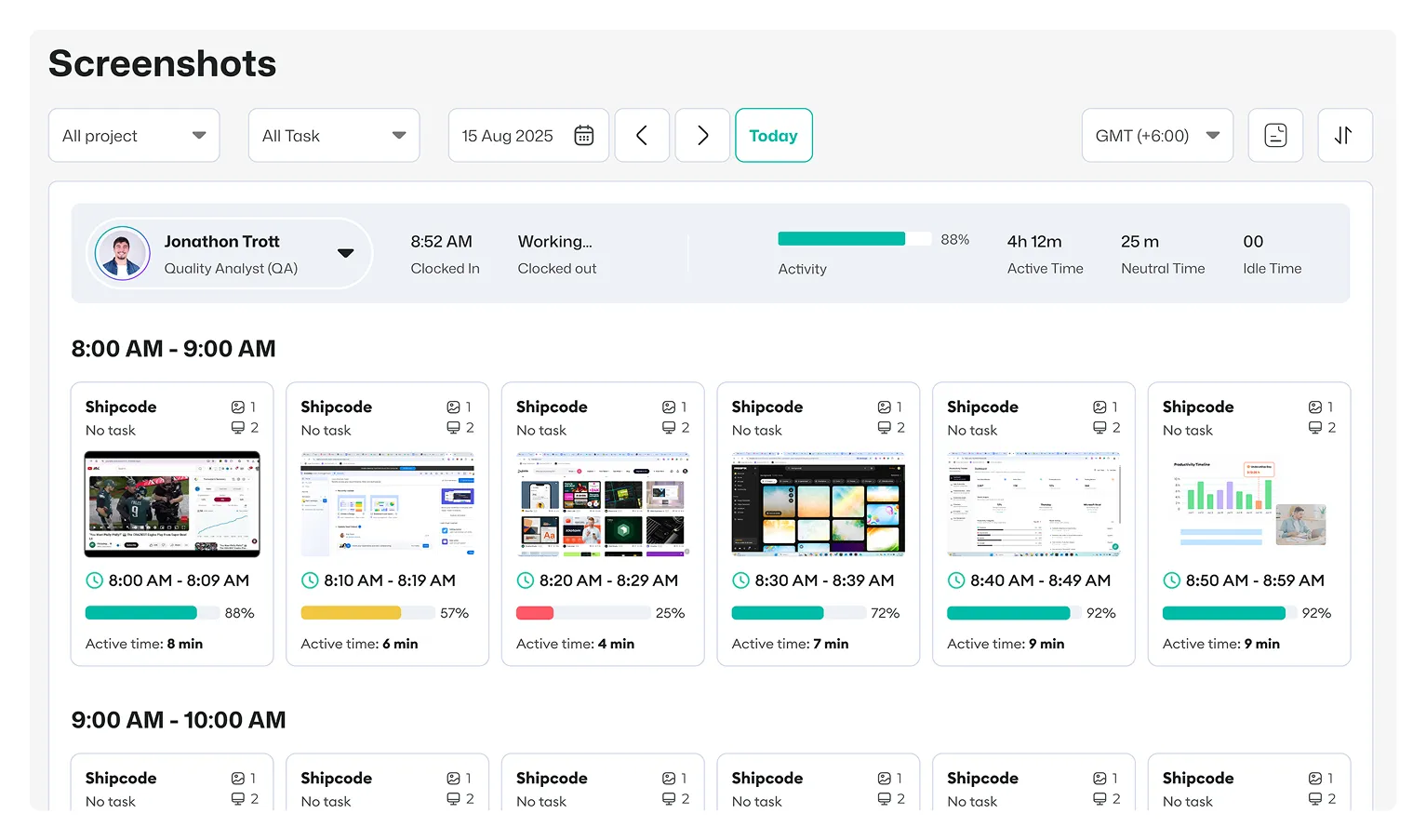
Apploye gives you more ways to review work. Its paid plans include screenshots, activity levels, and app and URL tracking. So, you can understand what happened during tracked hours instead of just seeing time records.

2. Handle Payroll and Client Invoices Together

Clockify supports invoicing from its Standard plan. However, payroll is not listed as a built-in feature. As a result, you may need another tool to process payments for your team.

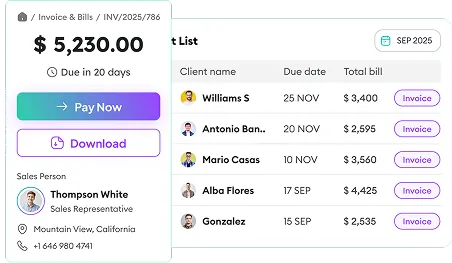
Apploye connects tracked hours with payroll and client invoicing on Elite and higher plans. This means you can use the same time records for team payments and client billing.

3. Get More Features Without Moving to a Higher Plan

Clockify starts at a low price. However, some useful features come with higher plans. Invoicing starts with Standard, while screenshots, GPS, and scheduling are available on Pro at $7.99 per user per month when billed annually.

Apploye Elite costs $4.50 per user per month with annual billing. It includes screenshots, payroll, and invoicing. Plus, its free Starter plan supports up to 10 users, while Clockify's free plan supports up to 5.

Clockify is great when free tracking is enough. Apploye is better when you need proof of work.

Try Apploye for Free
Apploye
Call center screenshot monitoring Work summary Invoice

Clockify vs. Apploye: How Do Their Features Compare?

Features

Apploye logo
Clockify logo

Best for

Included

Remote teams and agencies needing monitoring and billing

Included

Simple, low-cost time tracking

Automatic time tracking

Included

Yes

Included

Yes

Timesheets

Included

Yes

Included

Yes

Screenshots

Included

Yes

Limited

Pro plan only

Activity levels and productivity reports

Included

Yes

Limited

Basic reports

Attendance and leave tracking

Included

Yes (Starting at $0)

Included

Yes (Starting at $5.49)

Project and task tracking

Included

Yes

Included

Yes

Client billing and invoicing

Included

Yes (Starting at $4.50)

Included

Yes (Starting at $5.49)

Free plan

Included

Free for up to 10 users

Included

Free for up to 5 users

Clockify vs. Apploye: A Closer Look at the Features

Employee Monitoring

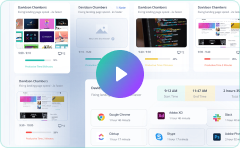
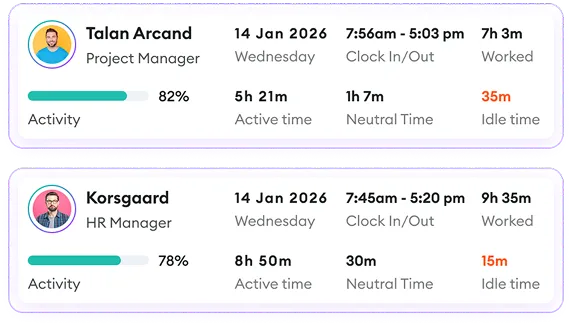
Apploye lets you review screenshots, activity levels, app usage, website visits, and idle time from one dashboard. Paid plans also include a real-time active view, so you can see who's working right now.

Clockify is mainly a time-tracking tool. Its free plan includes idle detection and a team activity view, but it offers fewer ways to review actual work activity. So, if you need more than timesheets, Apploye gives you a broader set of monitoring tools.

Screenshot Tracking

Features

Apploye logo
Clockify logo

Screenshots

Included

Starter (limited), Elite, Power

Limited

Pro and above

Frequency

Included

Up to 18/hour on Elite, up to 60/hour on Power

Limited

Configurable on Pro

Live, on-demand screenshots

Limited

Power

Limited

No

Video screen recording

Limited

Optional add-on

Limited

No

Lowest plan with screenshots (annual)

Included

$4.50/user/month

Included

$7.99/user/month

Apploye gives you a visual record of tracked work at a lower starting price for screenshot monitoring. Clockify, on the other hand, keeps this feature on its Pro plan. Therefore, teams that need screenshots may have to pay more to access it.

Apploye

Clockify charges $7.99/user just to unlock screenshots.

Apploye includes 18 screenshots/hour at $4.50/user — no extra tier needed.

Check the Demo
Apploye screenshots

Productivity Reports

Apploye measures productivity as a percentage and lets you mark apps and websites as productive or unproductive. This helps you understand work patterns, identify distractions, and review activity during tracked hours.

Clockify provides reports on tracked time, projects, and billable hours. These reports are useful for checking budgets and project costs. However, they do not show how someone used their computer during working hours.

Time Tracking

Both tools cover the basics of time tracking. Clockify also deserves credit for its simple and familiar interface.

Apploye keeps time tracking straightforward while connecting timesheets with payroll and client billing. As a result, you can spend less time moving data between different tools.

Projects, Payroll, and Client Billing

Features

Apploye logo
Clockify logo

Projects and tasks

Included

Yes

Included

Yes

Attendance tracking

Included

Yes

Included

Yes (Starting at $5.49)

Client invoicing

Limited

Yes (Elite and above)

Included

Yes (Starting at $5.49)

Scheduling

Included

Yes

Included

Yes (Starting at $7.99)

Apploye connects time tracking and employee monitoring with project and business workflows. This makes it useful for agencies that need to organize work hours, projects, and client billing in one place.

Clockify also offers project tracking, invoicing, and scheduling on its paid plans. However, you may still need separate software for payroll and more detailed employee monitoring.

See the Difference for Yourself

Book a free demo, and our team will show you how we beat Clockify with better features, lower prices, and easier setup.