Cloud Monitoring Explained: Features, Benefits, and Best Practices
Key Takeaways
-

Cloud-based monitoring ensures real-time visibility, performance, and security across all cloud systems.
-
It helps teams detect and fix issues faster and improves user experience.
-
Smart monitoring tools reduce costs and enhance scalability through automation and analytics.
-
Integrating APM, RUM, and unified dashboards delivers complete control over your cloud environment.
Clouds surround us, both in actual reality and virtual reality. Just like real life, we need cloud-based monitoring for our apps, data, and websites.
With the massive tech boom, teams can hardly monitor what’s going on in their cloud environment. Delays, downtime, and security risks slip through the cracks.
That’s exactly when you think of monitoring, especially for your cloud infrastructure.
Let’s explore what cloud monitoring is, how it works, and why it’s essential for modern businesses.
In this article,
- Cloud Monitoring Explained
- How Does Cloud Monitoring Work?
- Features & Benefits of Cloud Monitoring
- Types of Cloud Monitoring
- Best Practices When Using Cloud Monitoring
- Choose the Right Cloud Monitoring Tools & Services
What is Cloud Monitoring?
Cloud monitoring is the process of assessing and managing your cloud-based services. Whether it’s your website or web-based application, everything needs cloud monitoring. This even allows your teams to keep services fast, secure, and available.
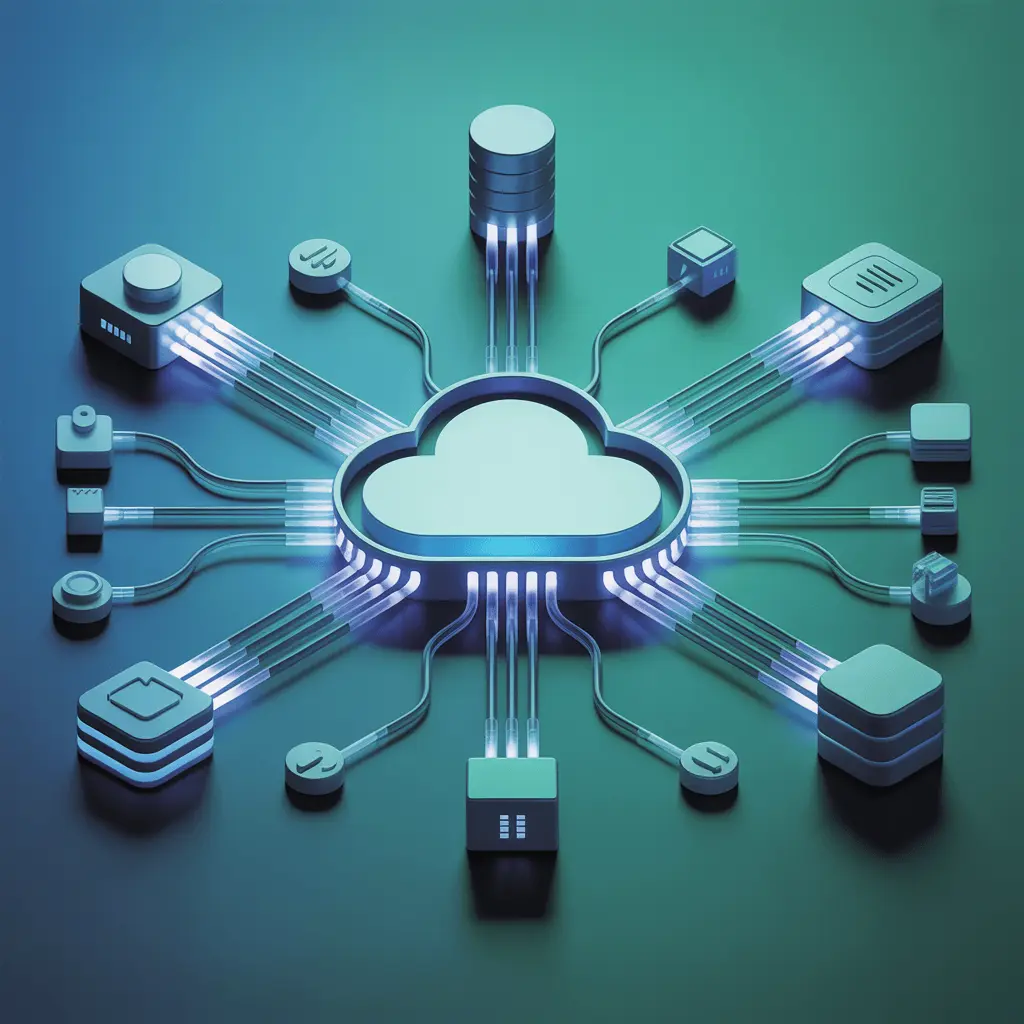
Think of cloud monitoring as a central nervous system for your cloud-based environment. It senses problems, diagnoses them, and helps teams respond (runbooks, automated remediation).
Good cloud monitoring does not just stop at monitoring and alerting. It combines a full set of strategies for control, automation, and upgradation.
So, it should cover everything from networks to databases and storage. All to give the users a better experience.
Unify projects, tasks, and time in one place
How Does Cloud Monitoring Work?
You can think of cloud monitoring as the harmony of many things. From data collection, real-time analysis, to alerts, and visualization. So, the monitoring system first collects the data from cloud infrastructure and applications.
Then, with real-time analysis, it shows you the visualized dashboard for performance. And various other reporting and analytics.
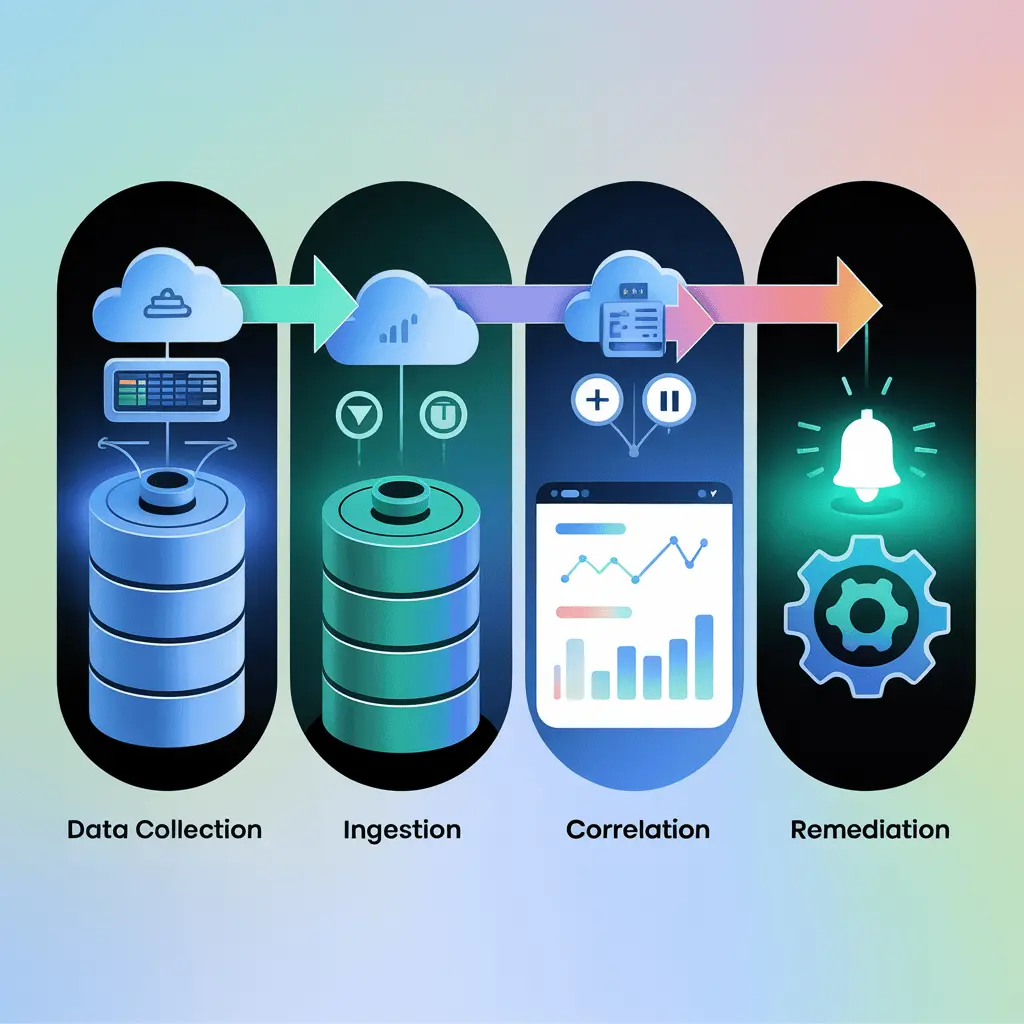
So, if we break it down:
- Data Collection: Agents and provider APIs collect telemetry from cloud resources (virtual machines, containers, databases, load balancers, etc.). Cloud providers usually publish data-collection methods and their collection approaches.
- Ingestion & Storage: First comes the ingestion of the telemetry. Then, time-series stores, log stores, or traces are stored. There, it can be queried and retained per policy.
- Analysis & Correlation: The platform correlates the telemetry to detect anomalies and root causes. Modern tools include behavioral analytics for better anomaly detection & noise reduction.
- Alerting & Remediation: A clear alert system is activated when the threshold limit is crossed or an anomaly is detected. Teams then use dashboards, traces, and runbooks to diagnose and resolve incidents.
This workflow applies to almost every cloud monitoring software. However, several components, such as data sources and cost control, can complicate the process. More on that later.
Common Features and Benefits of Cloud Monitoring
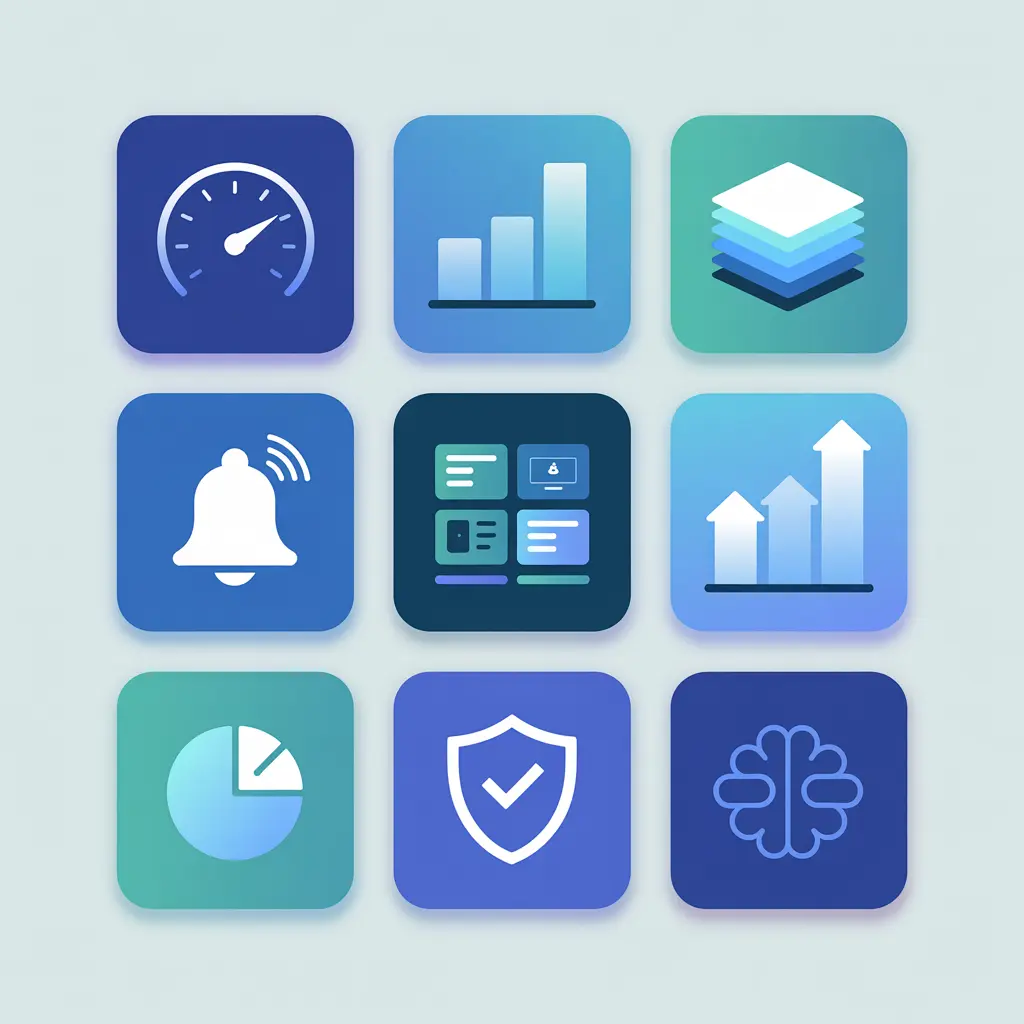
Not limited to, but these are the core features every cloud monitoring system should have:
- Performance Monitoring
- Application Monitoring
- Log Management
- Alerting & Notifications
- Dashboards & Visualization
- Scalability Tracking
- Synthetic Monitoring
- Security & Compliance Monitoring
- Multi-Cloud & Hybrid Visibility
- API & Integration Support
- Cost & Resource Optimization
- AI/ML Insights
What about the benefits of cloud monitoring? Here they are:
- Full System Support: Along with monitoring, cloud systems can protect your overall infrastructure.
- Increased Scalability: Smart cloud monitoring can make your business more scalable and effective.
- Downtime Cost Reduction: Outages and slowdowns are expensive, US$1.9 million expensive. Cloud monitoring helps you reduce that by a huge margin.
- Faster Incident Response: Observable systems reduce MTTD/MTTR. And it improves customer experience and developer productivity.
- Fortified Security & Compliance: Telemetry helps detect suspicious behavior and counters it. All while maintaining critical compliance like HIPAA/GDPR.
- Global Visibility: Take your monitoring possibilities worldwide with a centralized platform.
- Cost Optimization & Capacity Planning: More visibility = less wastage. Track cost per customer, wasteful resource usage, and plan capacity using accurate data.
- Better Product Experience: Monitoring user metrics and synthetic tests makes your product better.
Spot bottlenecks with activity & app insights
Understanding Different Types of Cloud Monitoring
Below is a quick reference table of common monitoring types and typical use cases:
Now, we expand. Let’s see a bit of details about each and why it matters.
Database Monitoring
I think you can probably guess why we’re talking about this at first. Almost all the data you have is stored in a particular database. So, the majority of the problem starts from here. That’s why database monitoring is essential.
It reviews everything, from processes to the consumption of cloud database resources. DB monitoring helps you measure query performance, lock contention, and resource bottlenecks.
Typical KPIs: query latency (p95), cache hit ratio, transactions/second, and connection counts.
Website Monitoring
Does it even need any explanation? Yes, every metric about your website is tracked with website monitoring. However, it mostly focuses on uptime, response times, and user workflows.
It's best to add synthetic monitoring with RUM to get the full overview.
Why is website monitoring needed?
Data reveals that slower pages directly impact conversion rates. And even a few hundred milliseconds can increase conversions. So, you can’t really ignore the impact of website monitoring.
Virtual Network Monitoring
Have you faced network issues at some point? If it took ages to fix the issue, then your virtual network monitoring lacks punch.
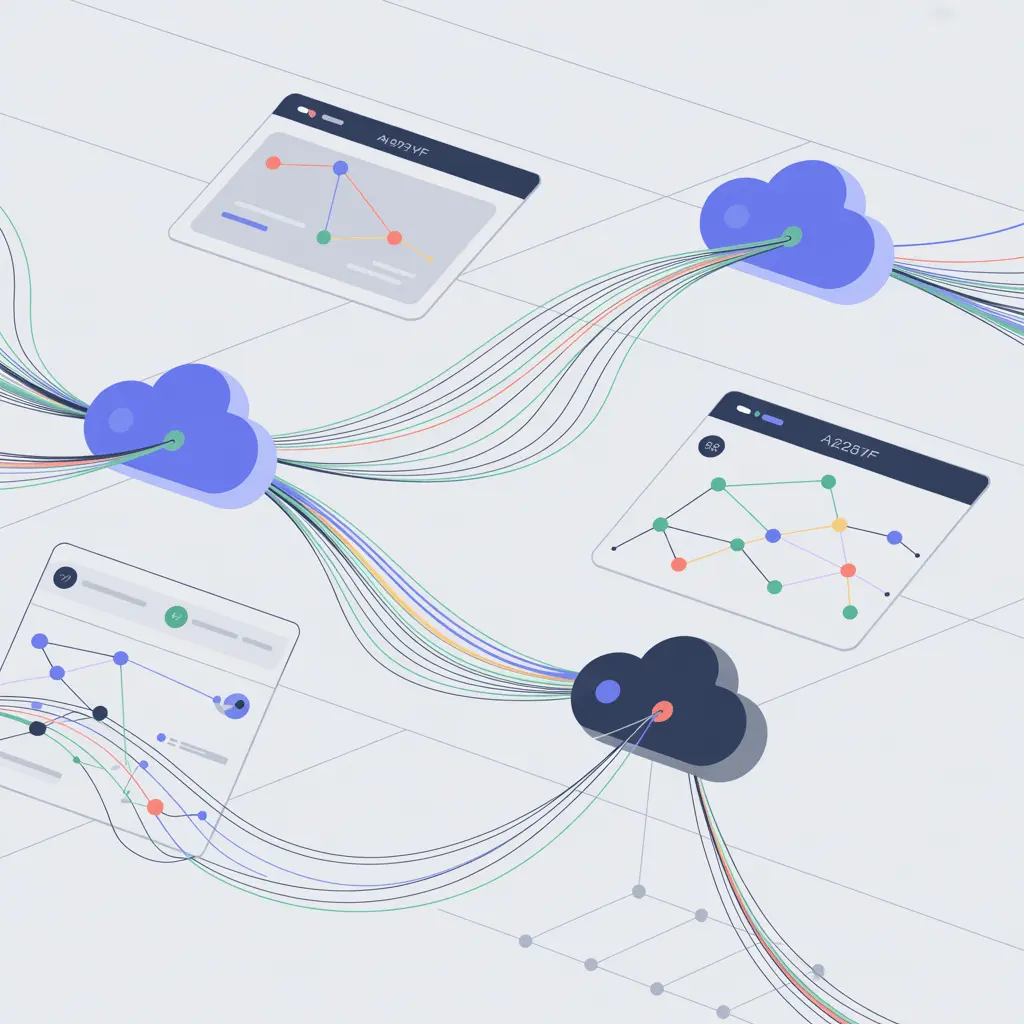
VNM mainly oversees your network’s performance, stability, and security. Latency, packet loss, and misrouted traffic can often look like app problems. However, with VNM, you can identify the root cause and troubleshoot it.
In multicloud environments, network monitoring helps diagnose cross-region connectivity issues fast. So, your complex network stays running without breaking.
Cloud Storage Monitoring
It’s also called cloud server monitoring. Your virtual server is equally important as your DB. This one monitors read/write latencies and error rates. Along with the capacity to avoid throttling or data loss.
Cloud storage issues often surface as slow queries or failed uploads in apps. So, when you monitor and optimize, your apps run smoothly. Monitoring storage usage and setting retention policies also controls costs.
Virtual Machine Monitoring
It’s almost impossible to run VMs in IaaS without virtual machine monitoring.
This monitoring involves CPU usage analysis, memory, disk I/O, and network activity. Then, it identifies performance bottlenecks, downtime, and other problems.
Usually, you will find VM monitoring as software or IaaS.
End-user Experience Monitoring
The purpose of Real User Monitoring is to collect client-side metrics. It can be render times, transaction rates, interactions, and so on.
Again, what’s the point of monitoring all that?
It shows what your end-users are engaging with. When you track conversion, churn, and engagement, you’ll realise what your app lacks. Then, you will be able to offer a better customer experience for your users.
Synthetic Monitoring
It’s basically a simulation to understand user interaction via scripted & automated tests. The purpose is to measure response times and availability from many geographies.
You can think of it as proactive monitoring. Because it runs to identify issues before your users face them. This is a crucial technique for SLAs and baseline performance monitoring.
Unified Monitoring
Unified monitoring brings together all metrics and UX signals in a single dashboard. What’s the benefit of it?
It significantly reduces tool sprawl and speeds up troubleshooting. The system relies on a single monitoring tool to check servers, databases, and apps.
Application Performance Monitoring (APM)
For your cloud software, APM acts like its manager. It helps you to optimize your software applications and manage their performance.
APM first takes the data metrics like response time, throughput, and error rates. Then, it detects the issues for optimization. Lastly, it ensures the actual performance matches the service levels.
That’s why APM data is crucial for defining SLIs and SLOs.
Capture proof of work with smart screenshots
Best Practices When Using Cloud Monitoring
A cloud monitoring system should not be implemented without thought. The goal is to optimize your cloud systems. So, you need to follow certain guidelines or best practices for the best output!
- Align Usage with Business Goal: Set KPIs and productivity metrics to track. Use the SLA objectives to set expectations and custom experience goals.
- Plan for Migration: Decide early. Observe your migration roadmap to detect performance degradations and data accuracy.
- Instrument Everything with Intent: Start with a small set of SLIs. Latency p95, error rate, uptime, and then you can expand.
- Define SLOs & Error Budgets: Use them to focus on actual work and avoid noisy alerts.
- Centralize Telemetry: Keep it all centralized. Provider metrics (AWS CloudWatch, Azure Monitor, GCP) with application logs and traces. All into a single observability layer.
- Balance Retention & Cost: Don’t retain data mindlessly. Long retention raises costs. It’s better to sample traces and tier retention for rarely used logs.
- Use Synthetic + RUM: Synthetic tests for regressions. RUM shows the actual user impact. Best to bind these together for stronger surveillance.
- Automate Incident Response: Link alerts to runbooks and automated remediation. It can be complex for some systems, but do it wherever possible.
- Implement Role-based Access: Essential if you don’t want issues. Define roles and the level of data access in the SOP.
- Ensure Smooth User Experience: That’s the whole point. Track for sustainability and improvements to address user requests.
- Measure Business Impact: Match technical SLIs to business metrics. Revenue, conversion rate, and cost per customer will reveal the net ROI.
- Review Regularly & Optimize: Even when the ROI is great. Reviews always help to improve the system further.
Control remote work with role-based access
Monitoring Public, Private, and Hybrid Clouds
If your private cloud suits your needs, then that’s the best. A private cloud gives you full freedom and visibility. With an accessible stack and systems, private clouds are easy to track.
However, this does not apply to public and hybrid clouds. Those, being on the cloud, require an added layer of security and maintenance. Let’s quickly go through them:
- Public Cloud (AWS, Azure, GCP): Basically, any 3rd party vendor you can think of. They rely on provider APIs (Azure Monitor, Google Cloud Platform) for deep metrics. Monitoring them is extremely difficult due to a lack of visibility and accessibility.
- Hybrid Cloud: A mix of private and public cloud systems. The monitoring is a bit easier as the private cloud part is done on-premises. The same applies as before for the public part.
- Multicloud: A very similar model to hybrid. But it uses multiple public cloud providers. Challenges include complex 3rd party systems, different SLAs, and less customization.
As you can guess, a public/multicloud system is quite hard to maintain. A survey revealed that 84% participants say it’s hard to protect apps with multi-cloud complexity. [Source: Dynatrace]
Yes, public clouds are definitely more affordable. But the funny thing is, many businesses don’t have proper clarity about monitoring costs. According to a Pulse report, 52% of respondents are still trying to get visibility into the monitoring costs. [Source: Logz.io]
So, you should be very careful about choosing your cloud monitoring tools & services!
How to Choose the Right Cloud Monitoring Tools and Services?
The right cloud monitoring tool can straighten your cloud environment for good. However, getting it right is not always easy.
Legacy tools offer too many things, while modern ones can be too simple! The best cloud tools offer a complete overview of your environment effortlessly.
Whenever you’re choosing a cloud monitoring service, keep these in mind:
- Compatibility: Check the compatibility with your existing system and cloud services
- Scalability: Go through the features to ensure it’s scalable and futureproof.
- Automation & Alerts: The tool should offer AI automation & intelligent alerts.
- Customizations: Being able to customize the system later is a deal-maker.
- Dashboard: A simple dashboard to view the full digital environment complexity.
- Data Accessibility: Data portability and easy access should be your priority.
- Reporting & Analytics: Custom reporting dashboard for easy decision-making.
- Brand Value: The vendor’s reputation and support quality should speak for itself.
Once you have understood the assignment, you can fix a tool to use. Here are some of the top cloud monitoring tools you can check out:
- Datadog: A SaaS observability platform built for cloud infrastructure and modern applications. It tracks metrics, logs, and traces with AI-driven alerts across multi-cloud environments.
- Dynatrace: An AI-powered monitoring and automation tool for end-to-end visibility. It automatically discovers dependencies in cloud, container, and serverless systems.
- New Relic: A unified platform that collects metrics, logs, and traces in one place. It supports cloud-native monitoring and integrates smoothly with developer workflows.
- Prometheus: A popular open-source monitoring system focused on metrics collection. It’s perfect for dynamic, containerized, and cloud-native environments.
- Microsoft Azure Monitor: A native Azure tool that captures metrics and diagnostics data. It helps monitor both cloud and on-premises resources from a single dashboard.
Start a free trial to track time effortlessly
Final thoughts
Cloud monitoring is no longer optional. It has become the backbone of resilient cloud-based systems. It’s not just about real-time monitoring or optimization. Cloud monitoring can drive your business outcomes by an astronomical margin!
Start small and instrument with intent.
Frequently Asked Questions
What is a cloud-based monitoring system?
A cloud-based monitoring system tracks the performance, availability, and health of cloud resources. It collects data from servers, apps, and services hosted in the cloud. This helps teams detect issues early and maintain smooth operations.
What is monitoring in cloud computing?
Monitoring in cloud computing means observing and analyzing cloud resources in real time. It ensures that servers, applications, and databases perform as expected. The process helps maintain uptime, performance, and cost efficiency.
What are the three parts of cloud monitoring?
The three main parts are infrastructure monitoring, application monitoring, and network monitoring. Infrastructure tracks compute, storage, and network health. Application and network layers ensure smooth performance and user experience.
Why is cloud monitoring important for businesses?
Cloud monitoring gives visibility into system health and performance. It helps prevent downtime, optimize costs, and improve user experience. Businesses use it to ensure reliability and compliance across hybrid or multi-cloud setups.
What is cloud infrastructure monitoring?
Cloud infrastructure monitoring focuses on tracking servers, virtual machines, containers, and storage. It ensures these core components stay healthy and efficient. Teams use the insights to scale resources and prevent bottlenecks.
What are the various monitoring tools for cloud computing?
Popular cloud monitoring tools include Datadog, Dynatrace, New Relic, Prometheus, and Azure Monitor. Each tool helps track metrics, logs, and system health across multi-cloud environments. Some also include automation and AI-powered alerting.
What are you actually using for cloud security monitoring?
Cloud security monitoring involves tools that detect threats and unauthorized access. Common ones include AWS GuardDuty, Azure Security Center, and Google Cloud Security Command Center. They continuously scan cloud workloads to maintain compliance and protect data.
About Author