How to Audit Your Time Tracking Process: 7 Steps to Clean Data
Key Takeaways
-

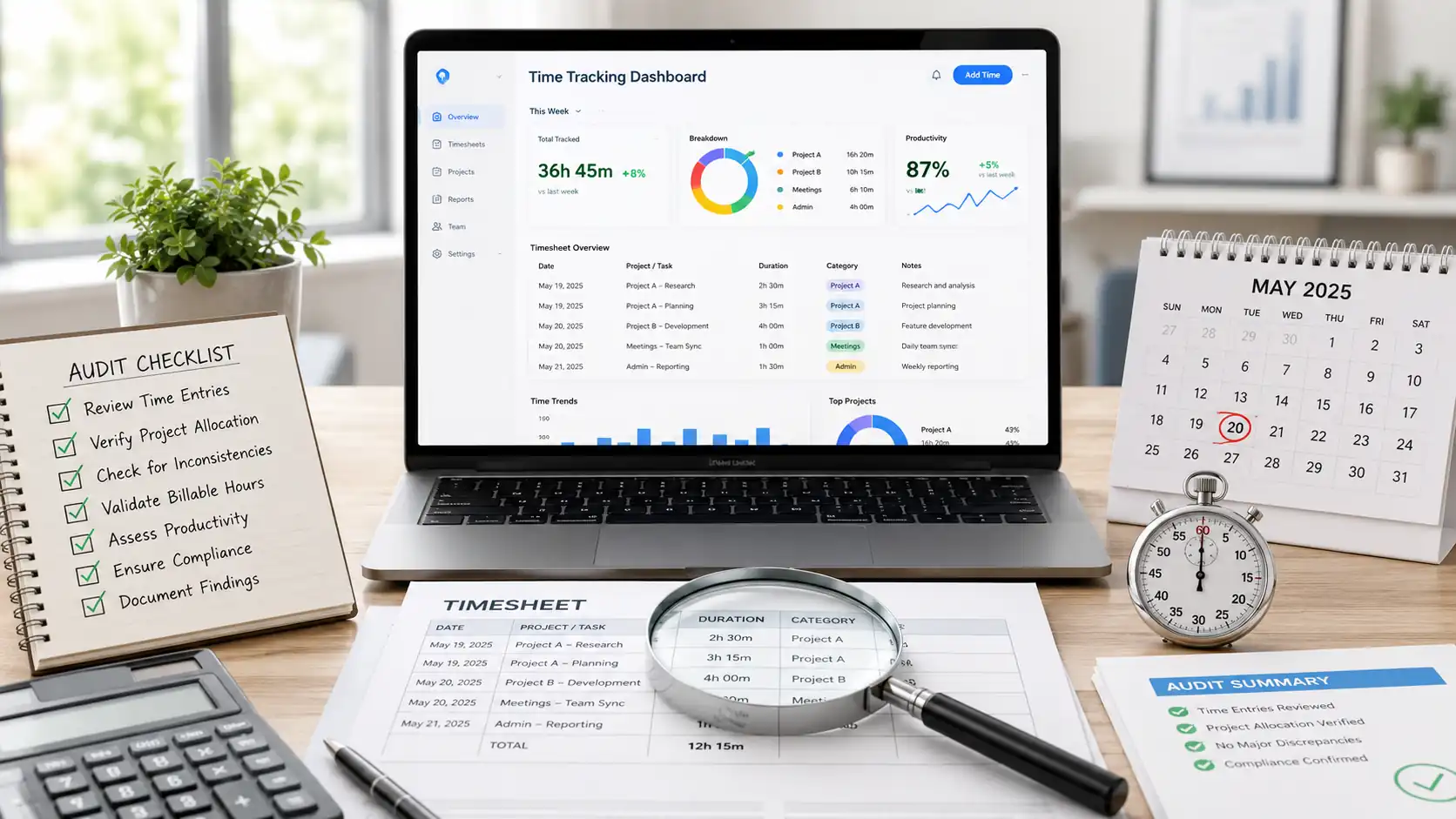
Time tracking audit checks whether your team's logs are accurate enough to trust for payroll, billing, and compliance.
-
Set an audit window, categorize hours, spot gaps, and missing tags. Also, flag rounding patterns, and fix what's causing those errors.
-
Use the right time tracking software to identify missing entries and inflated hours automatically.
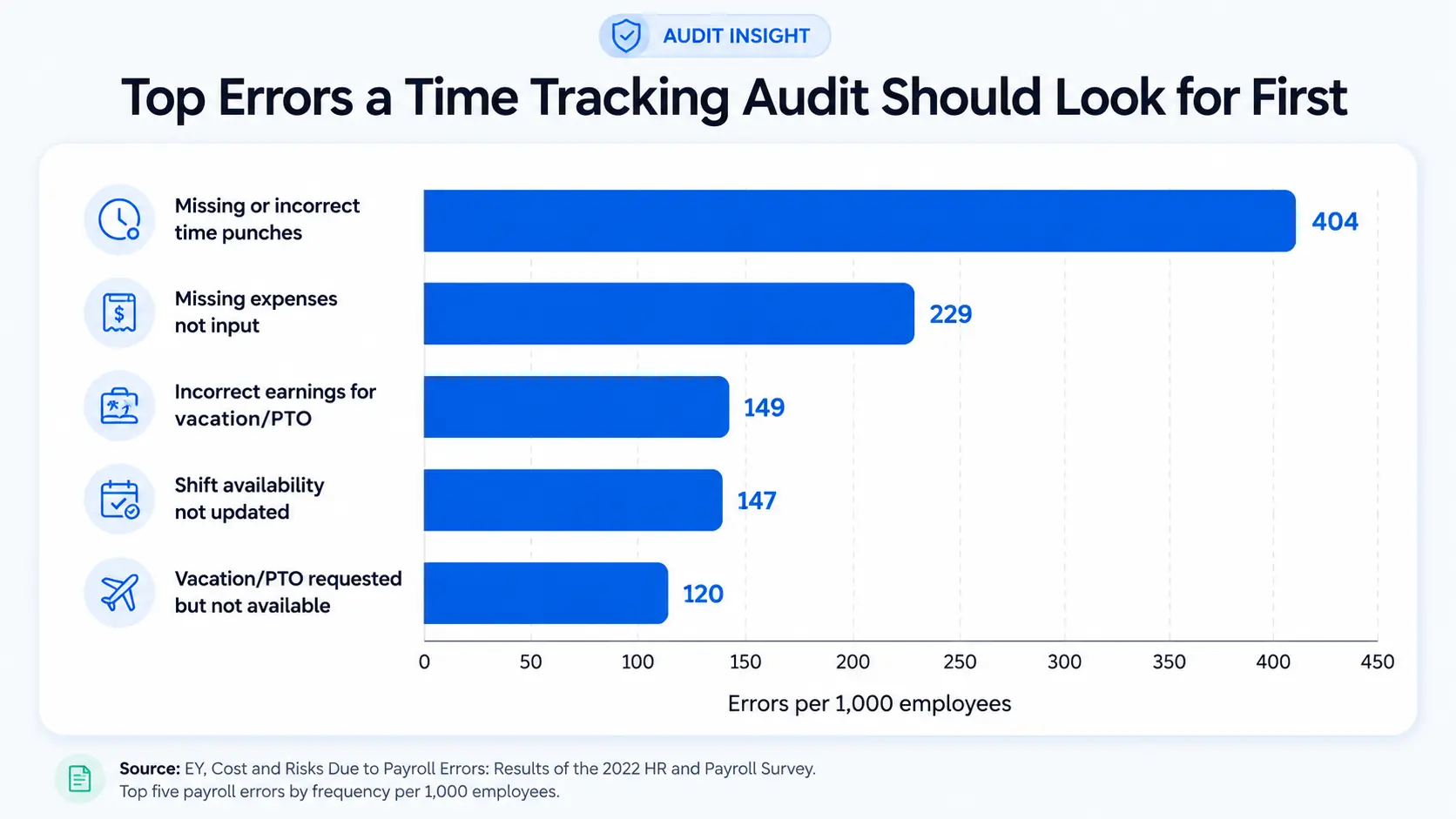
An employee submits a time log showing 40 hours. The project budget shows 60 consumed. Yet nobody on the team can explain the difference.
This mismatch isn’t from dishonesty. It comes from a process that’s never been audited. Rounded numbers, missing tags, and end‑of‑week recall instead of real‑time logging add up fast.
That’s the reason I’ll show you how to audit your time tracking process in 7 steps. It helps you fix these gaps before they affect payroll or client bills.
What Does Time Tracking Auditing Mean?
It confirms that your employee time tracking system captures data you can rely on for payroll, billing, and reporting requirements.
In fact, the Fair Labor Standards Act (FLSA) requires employers to keep accurate records of hours worked. For most companies, labor laws like these make this audit a legal obligation.
How to Audit Your Time Tracking Process in 7 Steps
A repeatable audit needs more than a monthly spot check. The steps below give your process structure and return data. Thus, your team can act on it, whether you run payroll weekly or invoice clients by the hour.
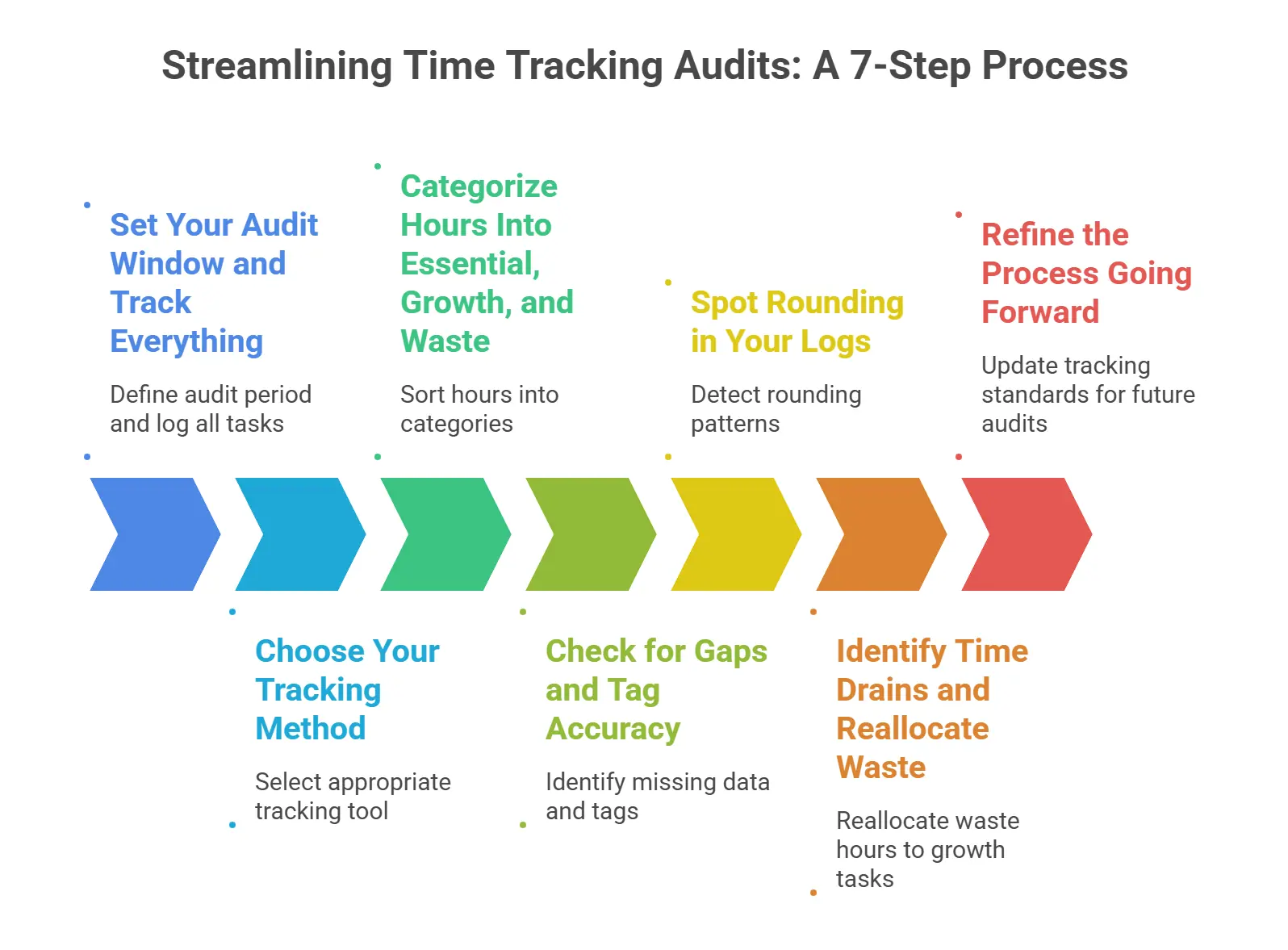
1. Set Your Audit Window and Track Everything
Start with a defined audit window. For most teams, 7 to 14 days gives enough data to spot recurring patterns. Cover both peak productivity hours and lighter periods. This way, your findings don't twist toward one unusual week.
During this window, your team logs every task —
- Meetings
- Admin work
- Project time
- Idle wait time
Whenever your coverage has gaps, you’re already missing data before the audit even begins. So, set the expectation with your team before the window opens, not after.
2. Choose Your Tracking Method
The method your team uses to log time during the audit shapes the data quality you get back. Small teams can run manual logs or spreadsheets for a one-off review. If you're unsure how to structure those sheets, a spreadsheet time tracking template gives you a ready-made format.
But for recurring audits, automated time tracking software is the better pick. It gives you filterable reports, automatic timestamps, and app-level usage data.
That said, follow time tracking best practices from the start to reduce the time you need to correct during each audit cycle.
Yet whichever tool you choose, everyone must log the same way, or your data won't hold up across the team.
3. Categorize Hours Into Essential, Growth, and Waste
Once your team's logs are in, sort every hour into one of three categories —
- Essential: It includes core client work, required meetings, and compliance tasks.
- Growth: Things like training, strategic planning, process improvement, and work that drives future output.
- Waste: Tasks such as duplicate meetings, unnecessary admin, and tasks your team can cut.
See the waste category? It often overlaps with workplace time wasters that quietly inflate team hours without showing up in delivery.
However, this categorization gives you a team-level view of where hours go.
4. Check for Gaps and Tag Accuracy
Pull your team's time reports and look for two issues —
- Blank periods during working hours
- Entries with no project or task tag
5. Spot Rounding in Your Logs
Look for entries that land on exact hours, like 1:00, 2:00, or 3:00. Rounding is a common time tracking challenge that signals real-time logging isn't happening consistently.
Even a few phantom minutes per agent per day adds up across your whole workforce. At scale, these patterns mirror time theft.
6. Identify Time Drains and Reallocate Waste
Now look at which waste items appear most often across your team's logs. Excessive internal meetings, repetitive admin tasks, and unplanned context-switching are the usual culprits.
From there, move those hours. Set a target to reclaim at least half of your team's waste category and redirect it toward growth tasks or client work. Plus, run the reallocation as a team-level decision so managers and leads know where the recovered time is going.
7. Refine the Process Going Forward
One audit gives you a snapshot. Run it regularly, and you build a trend line. So, use what the data showed to update your team's tracking standards before the next cycle.
If manual logging produced gaps, move to automated time tracking. If your team left tags blank, add a required field. Each fix removes one variable from your next audit. Hence, your data gets more reliable the more often you run the process.
How Apploye Helps You Run a Clean Time Tracking Audit
Most audit frameworks show you what went wrong after payroll or invoices go out. Apploye gives you the data layer that keeps your process clean between audits. It comes with —
- Timesheet approval to mark missing entries before your team submits
- Activity reports to review logged hours. You can filter by date, project, or team member
- Idle detection to remove inactive time from your team's logs before it hits totals
- App and URL tracking to confirm logged hours match actual work done
This way, Apploye gives you clean audit data that you can use for payroll, billing, and even performance reviews.
Try Apploye free and run a cleaner time tracking audit
Wrapping Up
You must know how to audit your time tracking process. Otherwise, you’ll just see reports that match reality and can’t do a thing about it. So, if your team rounds entries or leaves tags blank, start with the data integrity steps. Fix those issues before moving to reallocation.
Frequently Asked Questions
What is the difference between a time audit and auditing a time tracking process?
A time audit shows where hours went. In contrast, a time tracking process audit checks whether your team logged those hours correctly. The first is a personal time management technique. Meanwhile, the second is a system reliability check that managers run across a team.
How often should you audit your time tracking process?
Monthly audits work for most teams. High-volume operations or teams billing clients by the hour benefit from a fortnightly review. Run it on a fixed cadence. That way, changing logging habits won’t affect payroll or reporting data.
What causes rounding errors in time tracking logs?
Rounding errors happen when employees estimate hours instead of logging them in real time. When times are rounded to the nearest hour or half-hour, it often means someone is guessing manually. As a result, the totals become inflated.
Can small teams benefit from auditing their time tracking process?
Small teams benefit most from a basic monthly review of timesheet completeness and tag accuracy. With fewer logs to check, the audit takes less time. But still, it finds the gaps and rounding patterns that affect payroll and client invoicing.
How do you fix a time tracking process after an audit?
Start with the most common failure from the audit. If your team left entries untagged, add a required field. Again, if gaps appear frequently, switch to a tracking app with automatic timestamps. Fix one issue per cycle so changes take hold before the next review.
About Author