






Timely Review: A Competitor’s Take on the AI Time Tracker!
Verdict: 7.9/10
However, I don’t like their pricing at all. On top of that, you need to pay extra for their task management feature. And there’s no payroll integrations (3rd party automation is available).
Top Features:
- Automatic time tracking
- Detailed reporting and analytics
- Customised project management tools
- Task management & planning
- Automated invoicing
- Incredible automation tools
- Helpful customer success team




Timely App Pricing [Last Updated: November 2025]
This app, like all other time trackers, comes with tiered plans. To be more specific, 3 transparent pricing plans:
Unlimited
Time tracking(minus planned
time feature)
20 project
management options
Limited team
management features
Only help center
and email support
custom training
All support
No sync integration
(billed annually)
$16 per month
(billed annually)
(billed annually)
There are actually 2 other plans:
- Legacy Plan
- Enterprise Plan
Our Analysis on Timely
Here’s our detailed review of Timely. We tried to focus on the core features, reporting depth, and finally, security/compliance. Hopefully, you’ll get a 360 understanding of the app by the end.
User Interface & Usability (Web, Desktop & Mobile)
Web & Desktop “Memory” App:
I thought the process would be quite easy, and so I thought. Well, it was easy until I wanted to download the Memory app on my Mac. It kept loading and loading without actually downloading the app.
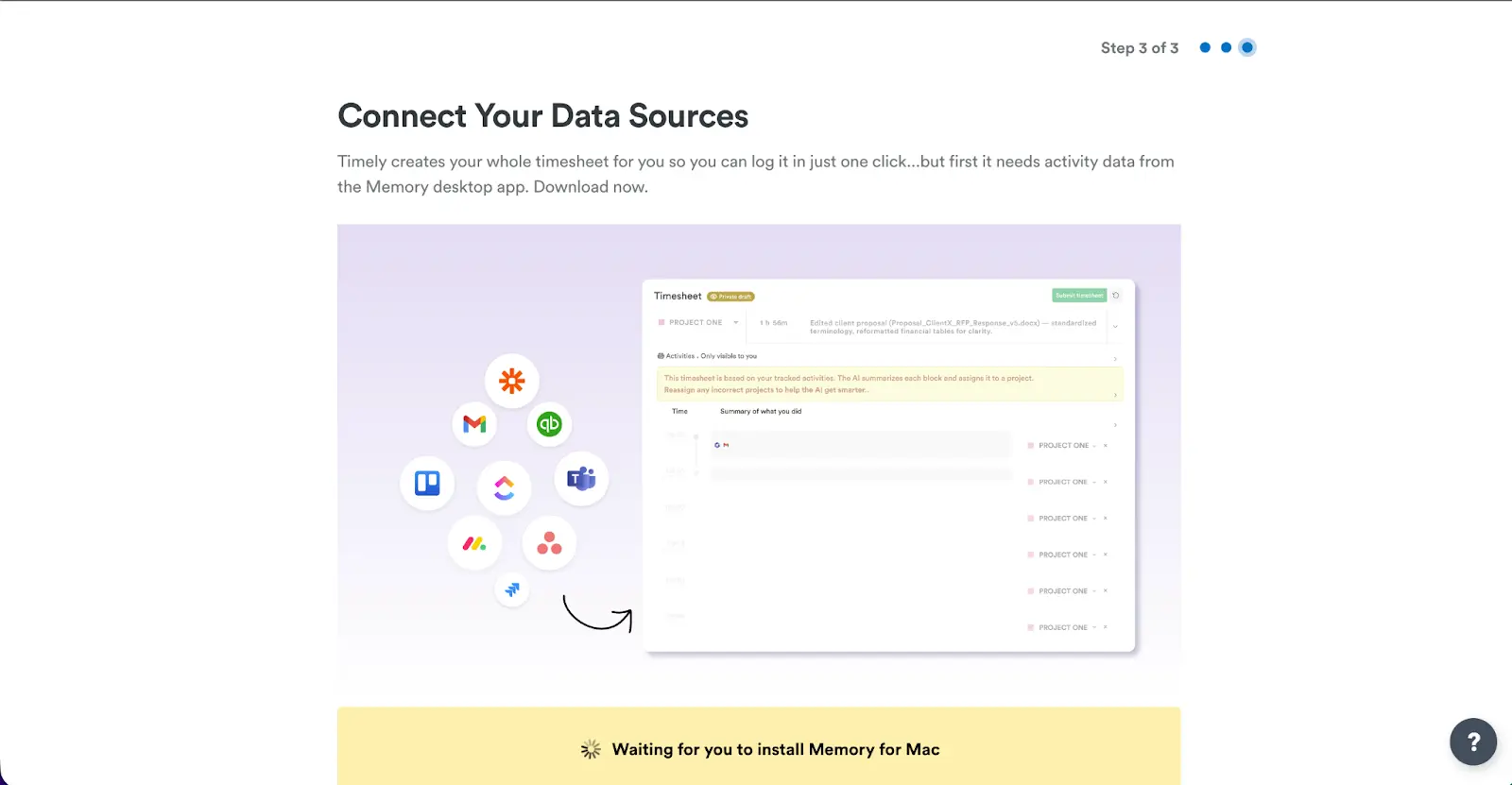
So, I just opened the web app, and then I could finally download the app. A very minor hiccup, but it can be major for some. The Memory app was very easy to install, and it was running in no time. I definitely liked the simplicity of the whole process.
The interface of the web app is quite sleek. It has a simple icon for Tasks, Projects, People, Reports, and Invoices. I don’t think anyone would have a hard time with the interface from the start. The quick help button at the bottom right is quite intuitive as well.
I really liked how quickly it was updating to the Memory software. I could see the minutes count going up frequently. Another great thing about the app is that it has support for 182 currencies now!
However, what I didn’t like was that the Memory app did not have a one-click manual turn-off button. I mean, I don’t need to automatically track everything. So, if I want to close the app, I need to open the app, then turn it off.
Also, you can’t really do anything with the desktop app. I don’t mind that because the web app had everything I needed in a simple UI.
The most shocking thing was their Android app. First of all, I had to search for it several times on the Google Play Store. And when I did not find it by searching, I had to Google it manually (pretty ironic for an automatic time tracker!). Then, to my utter surprise, it showed this:
So, I do not have much to share about the mobile app at this moment. I did find that the app has fewer features than the web app. And it’s quite obvious. However, I found that it does not even support offline tracking. Now, that can be a dealbreaker for many.
Because many businesses have field workers, and they visit the remotest of places. In such situations, they can hardly get GPS locations, let alone mobile data. Thus, making it an unsuitable app for field workers.
Furthermore, the app only activates the location tracking for 10-minute sessions or above. Plus, it does not consider the idle time. So, I don’t actually see any benefit the app can add for field reps.
Here’s a quick view of what the mobile app offers:
Features
Admin Website
Admin Mobile App
Employee Website
Employee Mobile App
Hours dashboard
Memories (View)
Manual time tracker
Task management
Team management
Invoices
Integrations
Projects dashboard
🔴
Reporting
🟢
🟢
Timesheets
🔴
Notifications
GPS Location Capture
Home Screen Widgets
Auto Desktop Activity Capture
Offline Time Tracking
🔴
“The mobile app, while functional, occasionally feels less responsive and lacks some of the reporting depth available on desktop.”
- Damir D., Lead Data Scientist
Apart from the mobile app, my experience with Timely apps was pretty good.
My Rating: 7/10
Time Tracking (Automatic + Manual)
Timely markets itself as an AI-powered time tracking tool. Most of the available time trackers are manual, ours too! So, whether Timely actually offers something different depends on this feature.
Let me brief you on how it works:
- You download and run the Memory app. It captures everything you do, including your location.
- All activity syncs to Timely and appears as a memory - only visible to the user.
- You review the timeline and drag or convert these memories into time entries.
- Timely logs the entries and adds them to your timesheet. No need for your manual inputs.
Now the million-dollar question: Does it actually work?
Surprisingly, yes! It can almost accurately translate your workflow into proper timesheets. That’s why they boast about their AI timesheets or Autosheets so much.
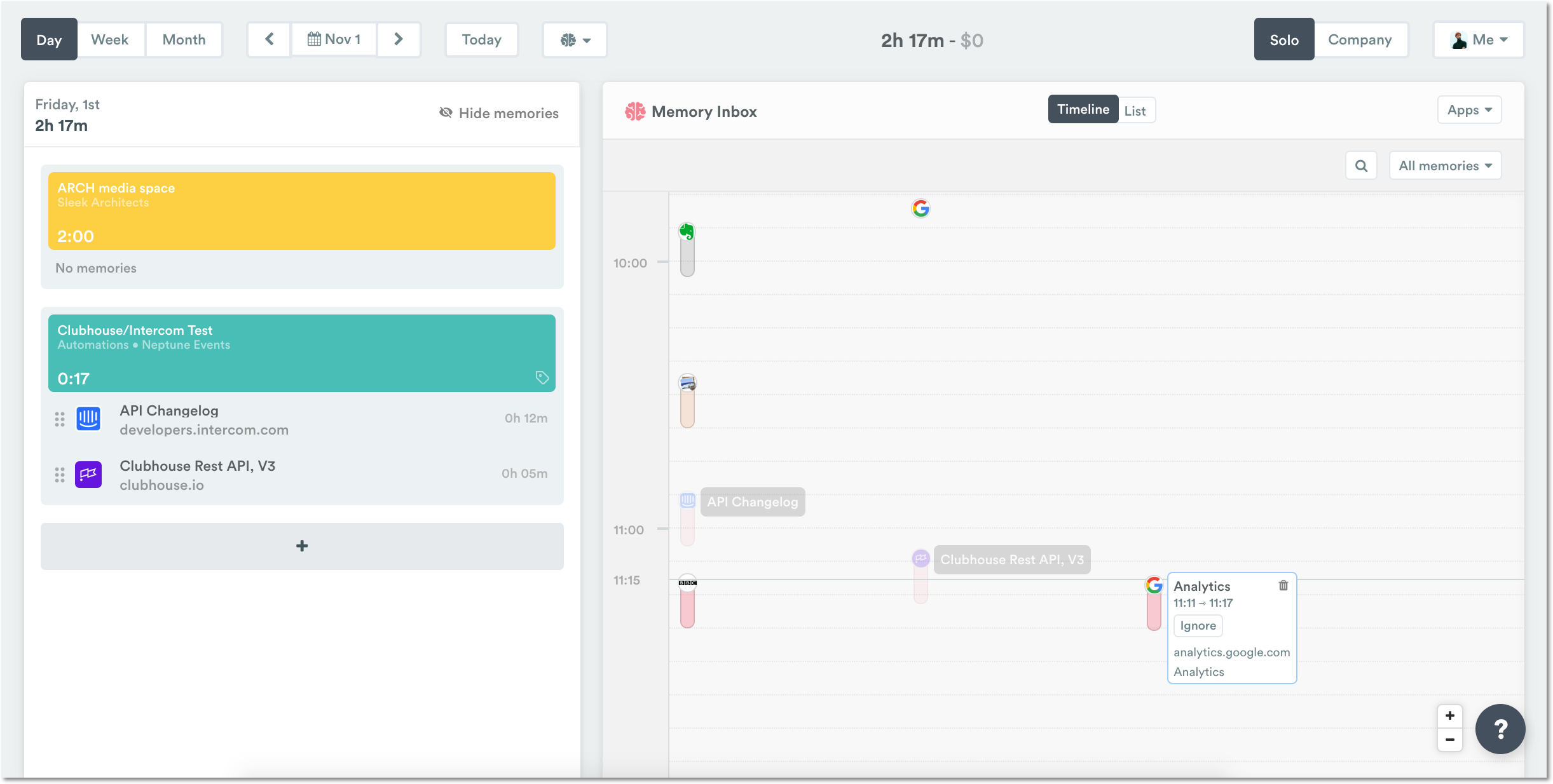
Generally, it takes around 30 seconds or less to generate the memory into a timesheet. At least, that’s how long it took me.
Still, there can be some minor hiccups. For instance, it can overestimate or underestimate sometimes. Additionally, the timesheet can go into the wrong projects. So, a little bit of manual override is necessary.
From a user’s perspective:
“What I like least about Timely is that the manual override is limited, and the AI sometimes misclassifies tasks.”
- Moe H, Administrative assistant
If you’re old-school, then don’t worry. The web app has manual entries. You can add logged/planned time, notes, projects, state, and more. For those who aren’t comfortable with auto-tracking, this feature is great.
However, if you want the stopwatch-like timer, then you have to search for it. It is kept buried under the manual entry option. You will find a Timer button, and from there you can set a countdown timer.
Now, it’s important to understand what’s logged time vs planned time.
Planned Time (shown in striped color) is the time you think you'll need to complete a scheduled task.
Logged Time (shown in solid color) is the actual amount of time you end up spending on the task.
So, that’s how you can differentiate between the two easily from the calendar view.
My Rating: 8.8/10
Automatic Timesheets
Because it’s an AI tracker, the timesheets are all automatic. Well, most of them, as you still have the option for manual entry. But the best part is that you get each day’s timesheets all ready the next morning. And this applies to the whole team.
From the Reports section, I was able to check my whole team’s timesheets. There, I could filter the month, state, project, people, tags, and more. And then, with one click, I could download the Excel file to my desktop.
Other apps don’t offer such customizability, so I was delighted to see this feature. Overall, the timesheets are pretty good.
My Rating: 9/10
Task Planning
I’m that type of person who creates too many tasks at once. For me, Timely’s time management felt so familiar. Maybe that’s me, but I just loved how easily you can create, set hours/days, assign, and track tasks. Once created, it even shows the daily hours for the task with your actual daily capacity.
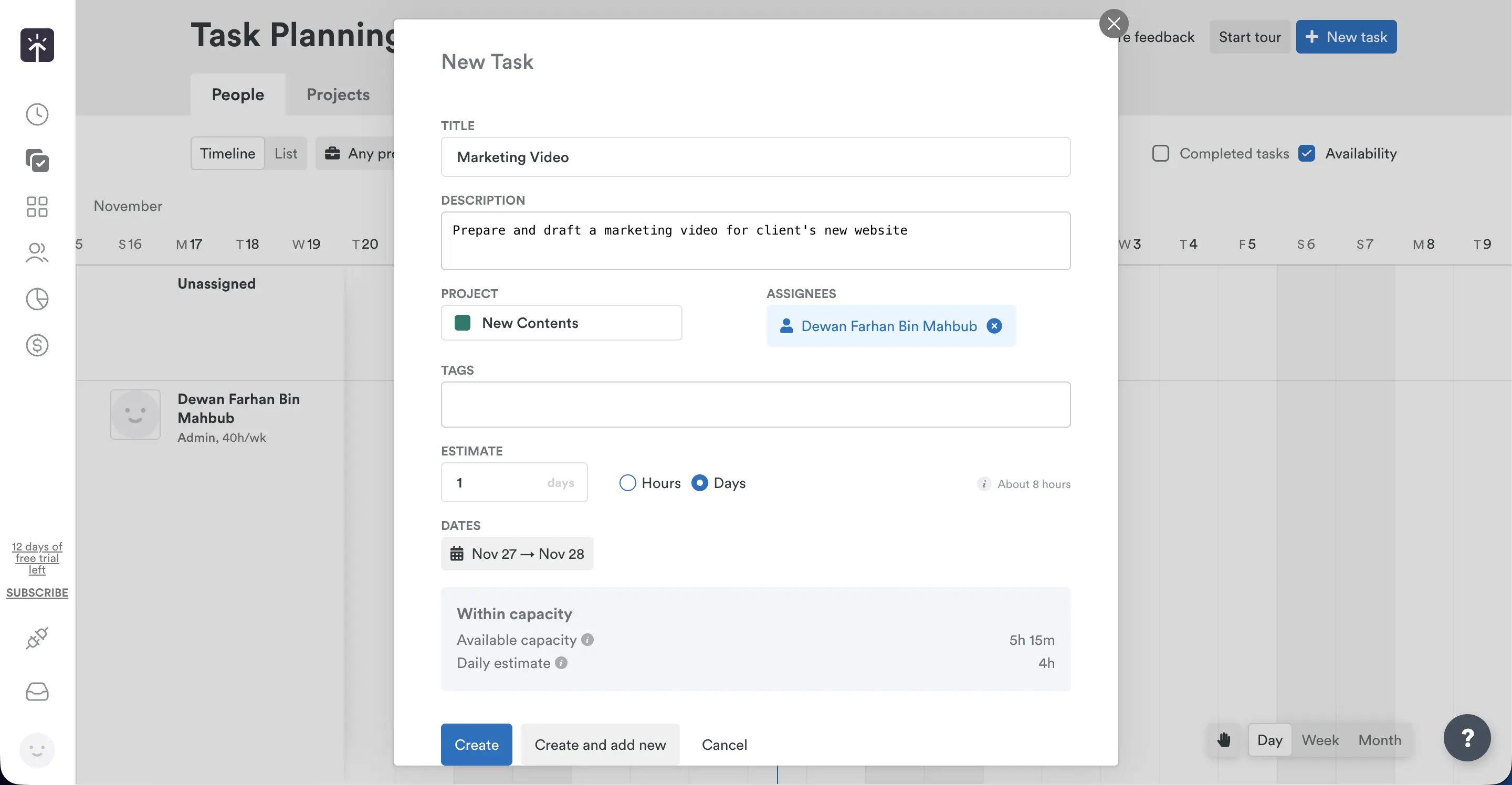
For example, I created a task called “Timely Review”. I want to finish this task within 3 days, but I will do it in 8 hours. So, the task planner will automatically set 2 hours and 40 minutes each day. And continuously track how much I actually worked.
When a task is assigned, employees are notified via email/push notification. Also, they can view the schedule on the mobile or web app. This feature is a smart way to track hours and progress simultaneously.
The only drawback is - it’s not a built-in feature, rather an add-on. And it can cost around $5 per person.
My Rating: 9.2/10
Project Management
When I clicked on the project section, I found the interface quite intuitive. I could see my pinned and recent projects at the top and the latest activities.
I can easily create, set hourly billable rates, teams, budget, tags, and more. I did not have any issues creating and editing projects.
Another great feature is the ability to set time tracking rules. For example, you can set different tags or use existing project tags for each team member. With that, it becomes easier to find specific work in the projects.
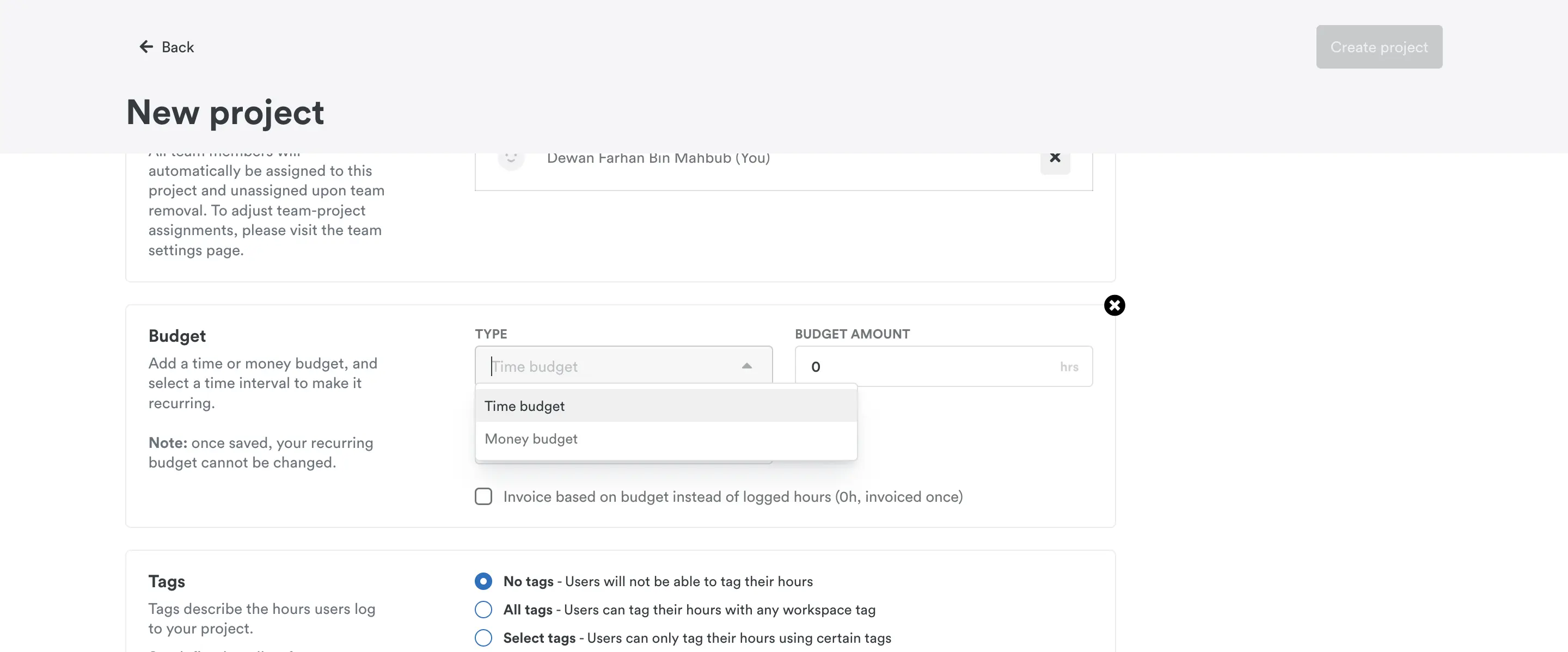
Then, you have the budget option. I found it quite helpful that they have two budgeting options. Time budget and money budget. This is a unique feature that I don’t see very often. You can even set a recurring budget for your projects. For a recurring budget project, the budget will update on the 1st of every month (monthly) or every Monday (weekly).
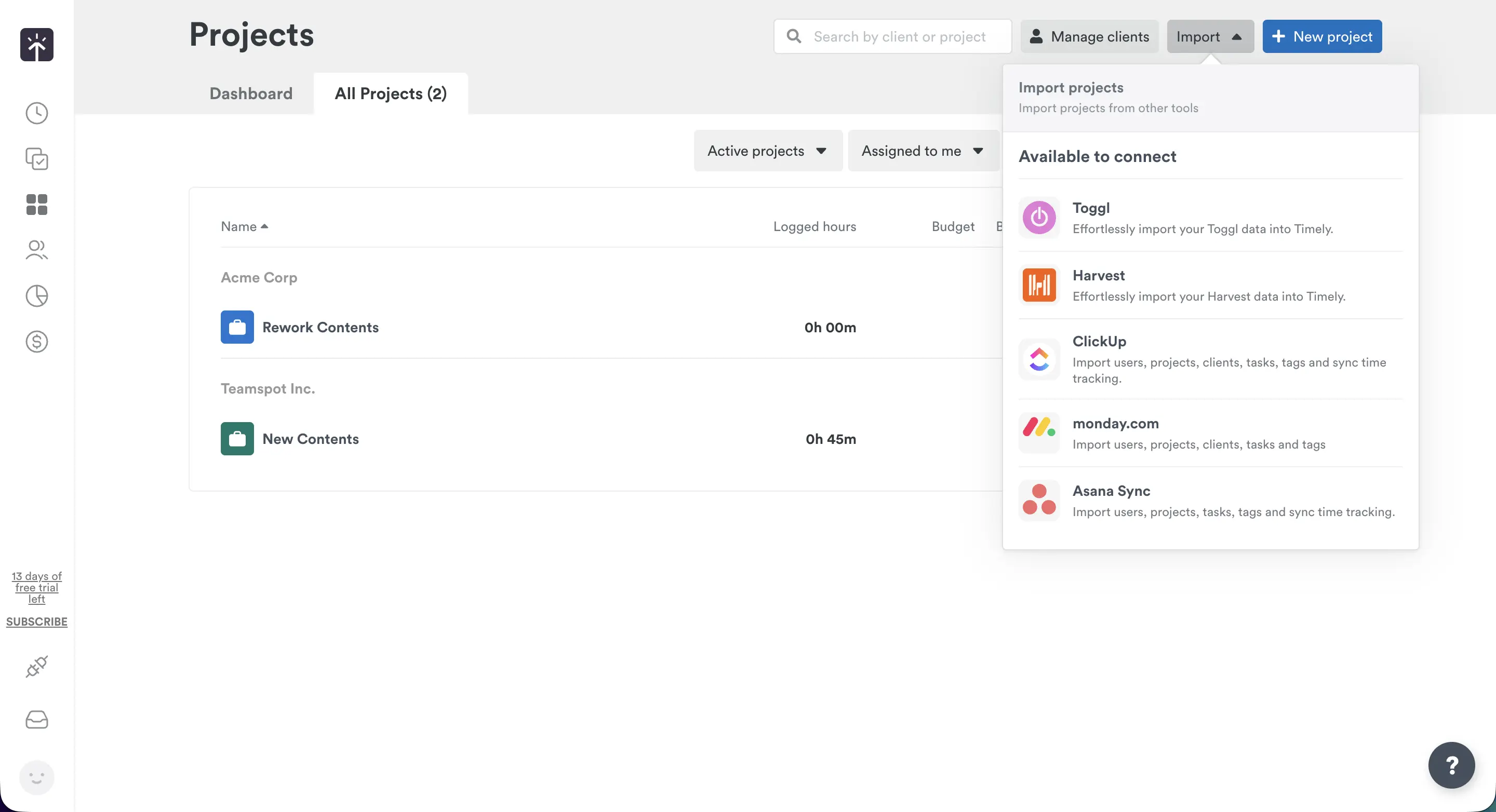
Finally, you can import your projects directly from other apps. Currently, they have 5 integrations - Toggle, Harvest, Clickup, Monday, and Asana. While I would’ve loved to see more, I don’t have any issues with the current state.
My Rating: 9.8/10
People & Team Management
Similar to the Projects dashboard, the People dashboard is quite easy to understand. Adding new users, managing teams, checking activities - all available on one page. The first view is obviously the hours logged per week.
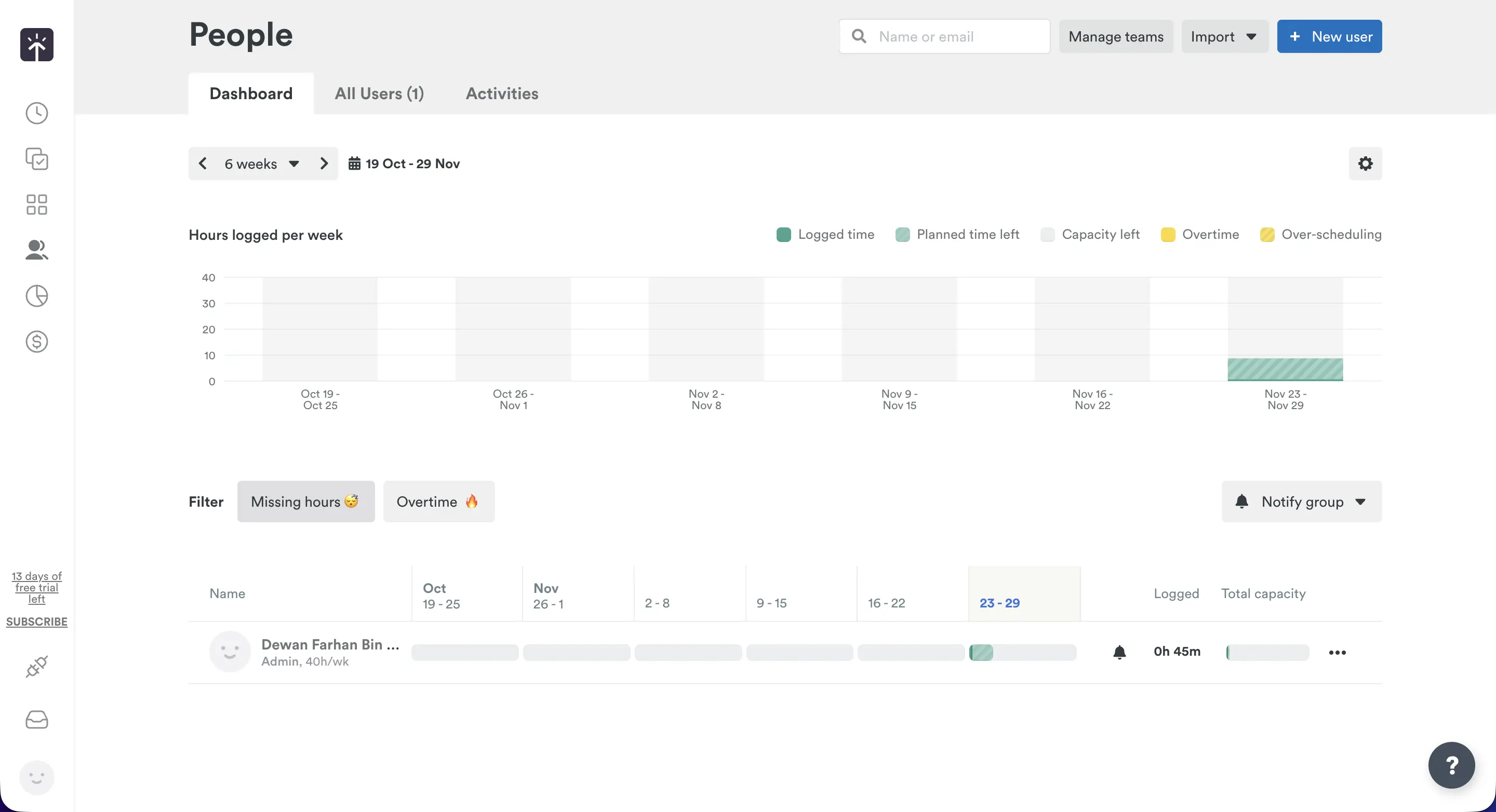
I found it super interesting because it gives a full overview of your week. This can be a game-changer for managers.
Now, for the new user part, it’s very intuitive again. I could easily set access levels, capacity, working days, rates (billable & cost), hourly rate, and teams. As I did not have any team set up, I can do that from the dashboard.
What I don’t like is the limited option for team-specific currency rates. You can set different currency rates for projects, but not for individuals. Also, the lack of a leave/attendance system irks me a little bit.
The last odd thing is the notify group feature about logged hours. While I appreciate it, it feels a bit misplaced here. It would’ve been better to see it in the Hours dashboard.
My Rating: 7.8/10
Invoices & Billing
Let’s come to invoicing now. First of all, I’ll start with the negative. It only has support for QuickBooks and nothing else. Everhour, Hubstaff, and Paymo all have multiple accounting app support.
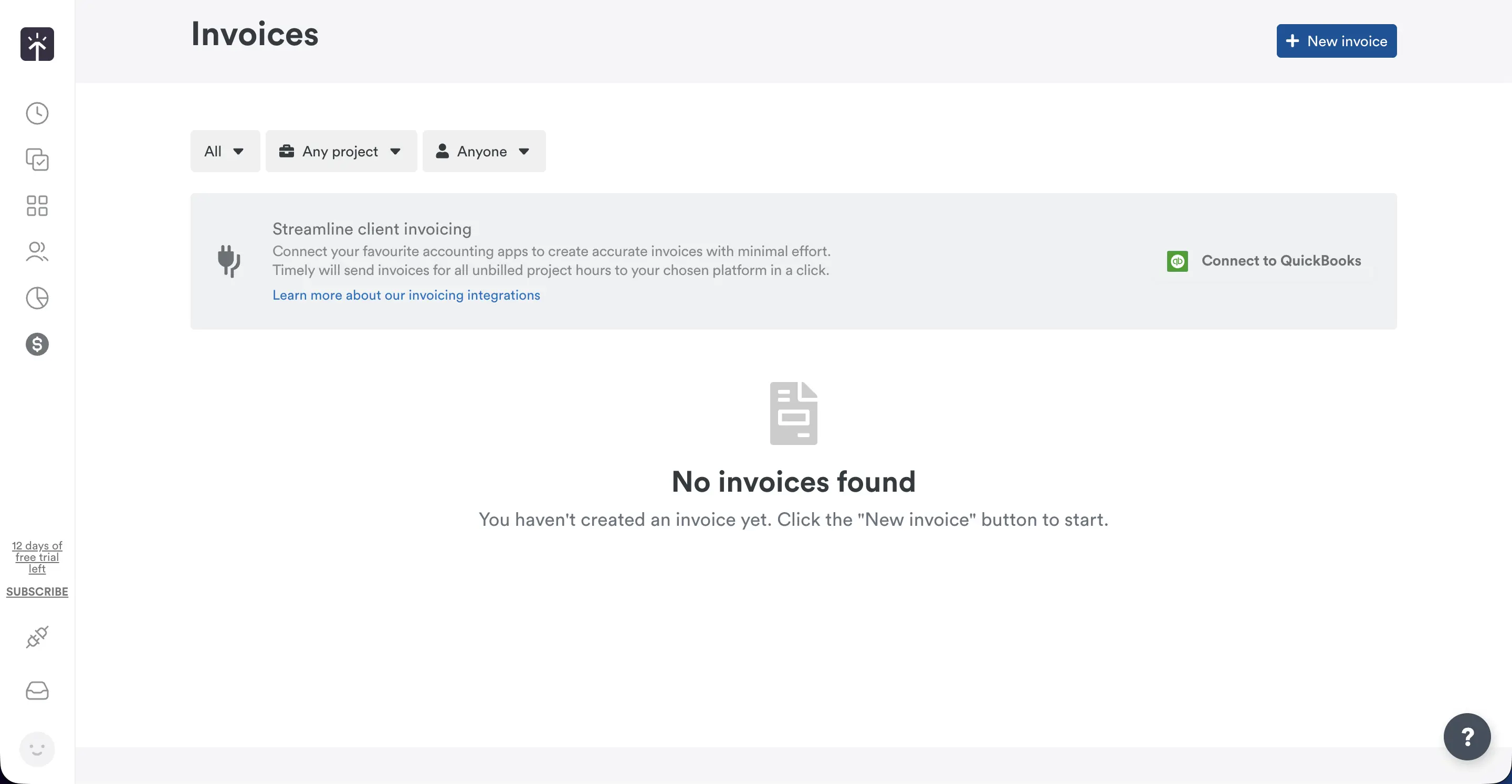
Also, the whole invoicing process felt a bit clunky. It’s not as smooth as the rest of the interface in my experience. It’s easy to create invoices, and that’s about it. But that’s not the final negative thing as well.
You can’t create invoices if the project has multiple currencies. It does not convert to a common currency, so you need to change the rates. And then you will be able to create one. So, I strongly believe the invoicing section needs a lot of improvement.
My Rating: 3/10
Third-party Integrations
The integration pools are rich, at least to some degree. It has a decent collection of time tracking, project management, scheduling, and automation integrations.
What does Timely offer?
- Time tracking Integrations: Google Calendar, Gmail, GitHub, Office 365, Microsoft Teams, and Outlook.
- Project Management Integrations: Trello, Asana, Monday, Clickup.
- Sync Integrations: Toggl, Harvest, Azure AD, QuickBooks.
- Advanced Tools: API, Webhooks.
- Automations: Zapier, Make.
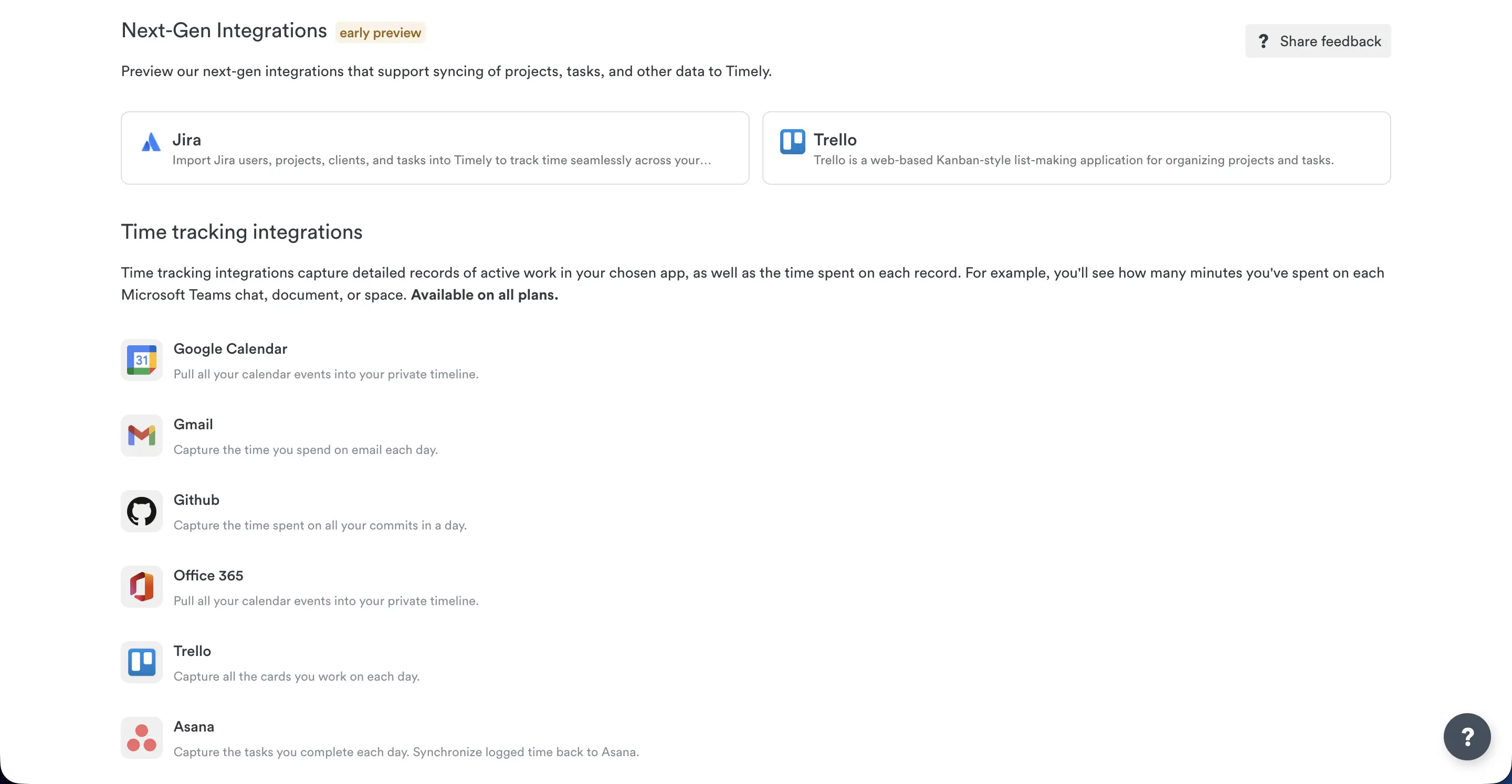
Obviously, these are not all the integrations. However, indeed, they don’t have any payroll support at all. Other than QuickBooks, I meant. It also lacks support for HR services.
While I love the built-in support for automation apps, the learning curve can be steep. But for those who are already vibing with it, the integration is a show-stealer.
My Rating: 7/10
Reporting & Analytics
When I came to the reporting section, I understood one thing. This section had all the brilliance I was searching for. Timely offers almost all types of reports you can ask for.
- Project Reports: Similar to what you can see on the Project tab.
- Task Progress Reports: Plotting each member’s/team’s progress with multiple criteria.
- Full Workspace Report: A detailed overview of all data in a single report. Best for quick summaries and presentations.
- Custom Reports: Whatever I wanted. Hours, planned time, profit, capacity, overtime - everything can be customized. This is the feature I want from every other app!
The visual reports are clear and customizable. I genuinely loved tinkering around with the customizations. And how easily it showed me the live progress and profit of the projects.
Speaking of live progress, all the reports can be created, previewed, and shared. I could also easily edit and generate a shareable link with a few clicks.
The dashboard lets users export the report in Excel, CSV, and PDF formats. Basically, the option offers:
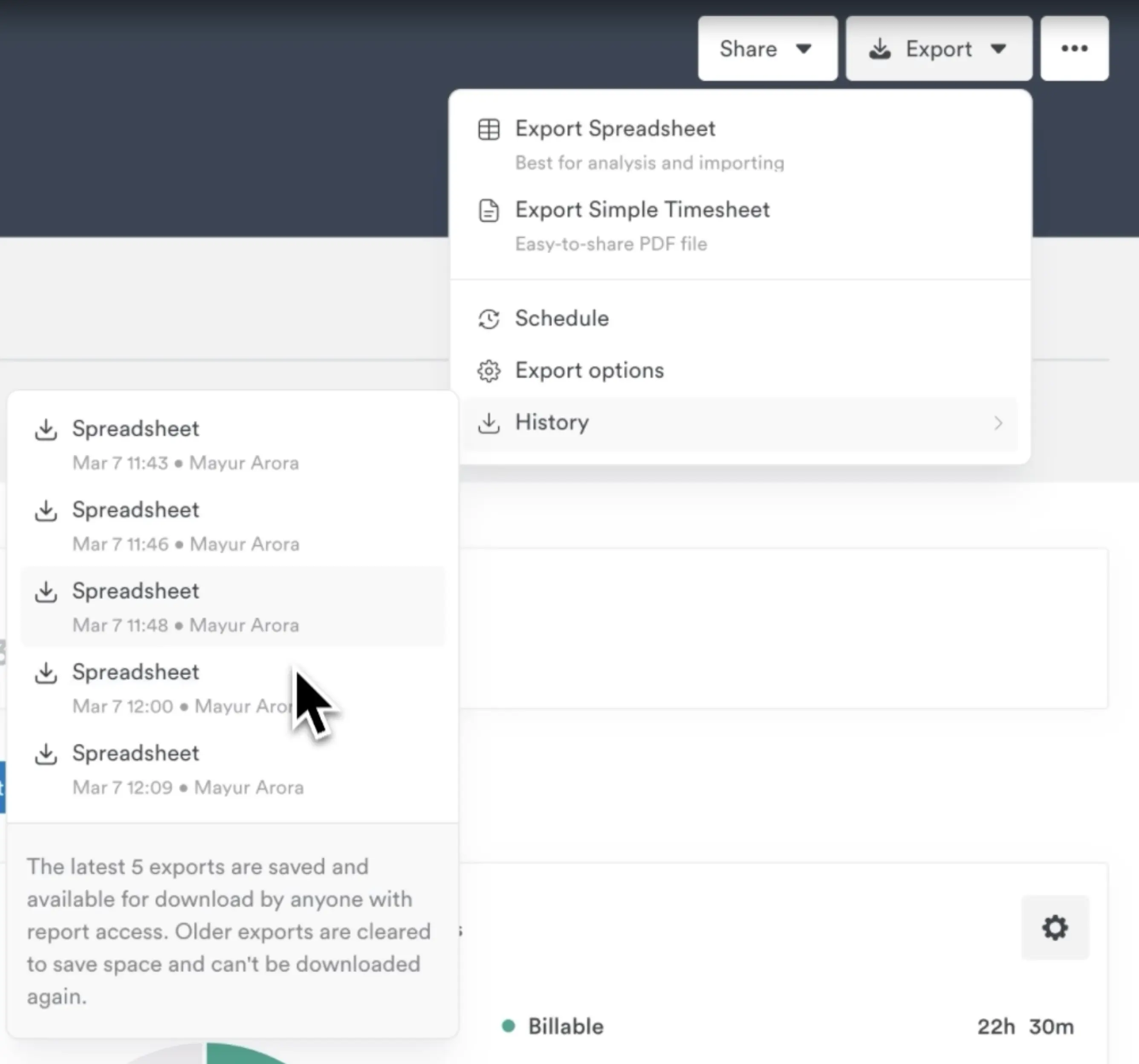
- Exporting as a Spreadsheet (for analysis and importing)
- Exporting as a Timesheet (for easy-to-share purposes)
It even saves the last 5 saved exports for easy grabs.
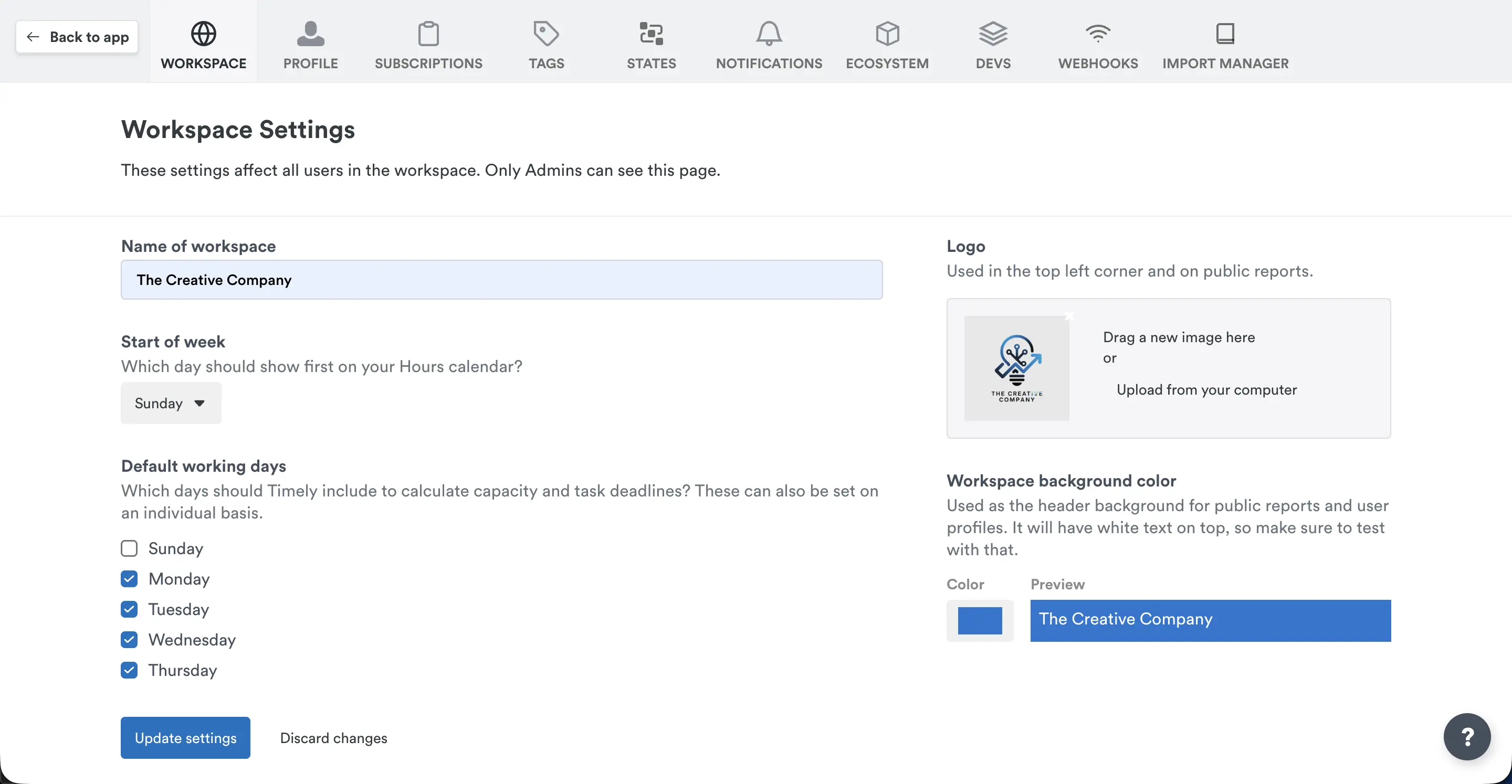
Another interesting part is the customizability. Not only can I edit and create a new template, but I can also add my branding and themes. It’s a really neat feature for client presentations.
However, with Timely, I didn’t need to actually download reports for my clients. Why?
Because with a few clicks, I can publish and share live reports with clients. It’s genuinely a great feature for those who don’t like to download and share.
Here’s what a shared report looks like - Public Report by Timely.
Upon sharing, you’ll see the full update in the Shared reports tab. Due to the easy view, you can always keep tabs on the latest reports.
My Rating: 9.8/10
Employee Privacy & Compliance
Timely, compared to manual trackers, keeps the data under the user’s command. If I am the admin, I can’t browse my employee’s data without their consent.
So, what data does Timely capture?
- Apps and websites you’re actively using
- Contextual file name, window title, or URL name
Note: The Memory app does not track activity in supported browsers' incognito/private mode.
And that’s about it!
Then, you get the full autosheets with timelines and app usage. That data is kept on users’ devices and the dashboard. Users can always edit, delete, or enter data if they want. And they use end-to-end encryption for maximum security.
Data is processed and stored in the EU by our sub-supplier and sub-processor, Amazon Web Services (AWS). AWS services are GDPR & SOC 2 compliant. The transfer of data to them is in strict compliance with EU law. Their servers also fall under ISO 27001. So, they take user privacy policies very seriously.
The minor drawbacks are that they don’t have any mentions of HIPAA or the app’s security protocols. Other than that, I don’t see any reason to criticise their privacy protocols harshly.
My Rating: 8/10
Customer Support
For me, great customer support is everything. Every app, tool, and even business faces issues. It’s in times of crisis that customers actually realise how the other side values them.
The first impression from Timely is great, having a help button at the bottom-right. I could easily chat with the AI Agent for basic queries. For personalized help, human help can take a while. Fortunately, I got the reply within 45 minutes. But that might not be true every time.
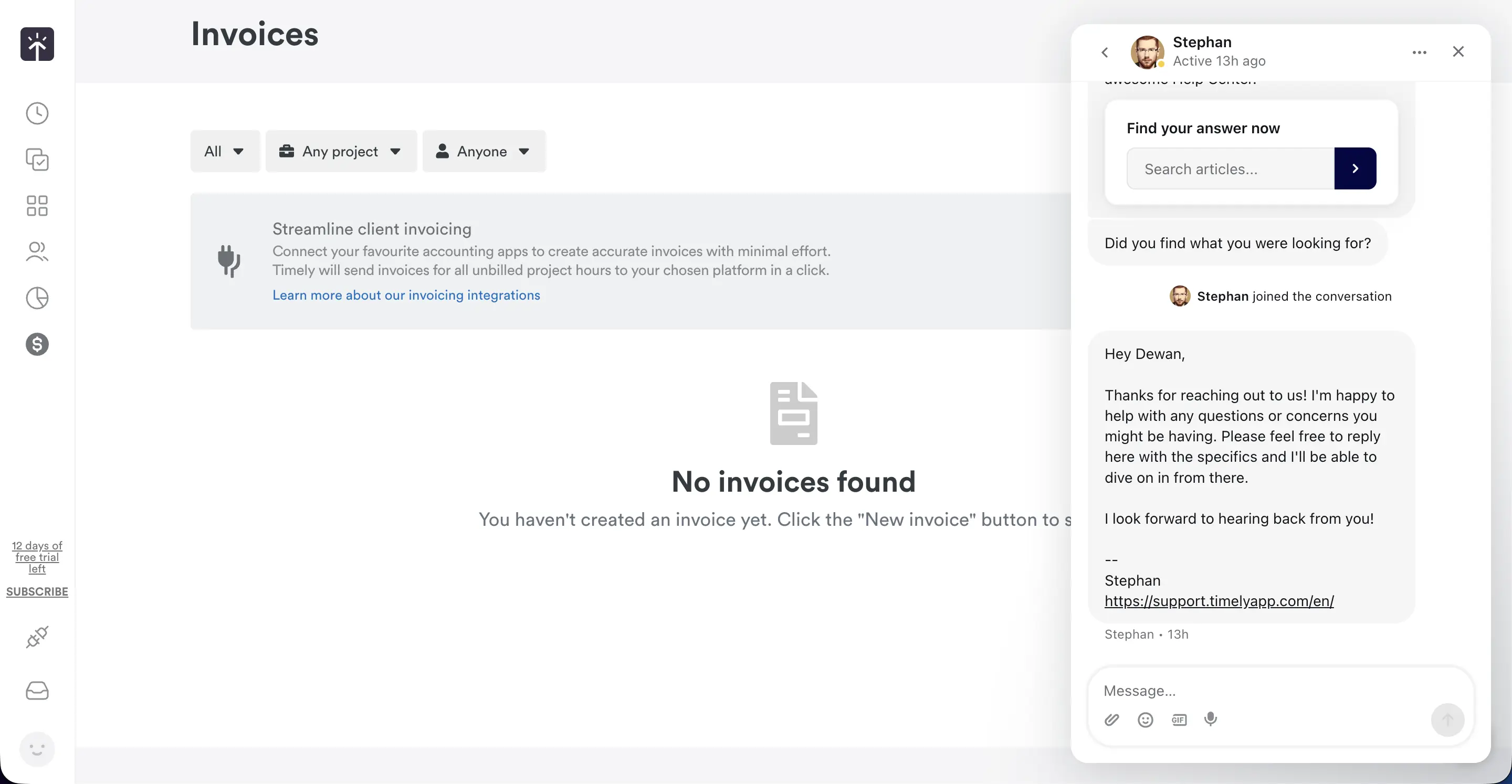
The email support is also there. Generally, they reply within 24 hours. For serious issues, it can be a few hours late.
Lacking a direct cell number or live support takes away some credit. Still, I didn’t find any major issues when I tried to connect with the support team.
One thing that I must appreciate is a dedicated form just for feedback and feature requests. I always love customer-centric initiatives like this! Plus, they keep users updated with the latest improvements and product pipeline. Major reps to the Timely team for that.
My Rating: 8/10
Comparing Timely with Apploye
After testing both tools for a full week, I realised they solve time tracking differently. Timely focuses on AI automation, while Apploye focuses on reliability, mobile strength, and team visibility. Here’s the simplified comparison based on what I actually experienced.
Quick Comparison Table
Tracking
Excellent desktop auto-tracking via Memory, but AI sometimes mislabels tasks.
and accurate
manual tracking.
Mobile
Performance
Screenshots & Monitoring
activity levels,
app/URL logs.
Polished, client-friendly reports powered
by Memory.
Deeper team productivity insights.
Higher cost due to
AI features.
Basically, they have different use cases.
If you want AI-built timesheets and your team works mainly on desktops, Timely is a solid pick. But if you need strong mobile + employee monitoring, offline use, and better team value, Apploye performed better in my testing.
Final Remarks about Timely
Timely is surely a great tool that uses AI for almost everything. And the unique factors that it offers have almost no competition. Automatic tracking, awesome task planning, and great reporting - all combined into one.
However, I can’t look past the hefty price and no HR/payroll integrations. While automation can be a way, it’s not so straightforward.
If companies don’t have any issues with that, Timely is a clear recommendation.
Otherwise, a complete platform like Apploye is better suited for most businesses.
Frequently Asked Questions
Timely is an AI-powered time-tracking tool that automatically records your work activity and helps you log accurate timesheets. It’s designed for teams and individuals who want precise, hands-off time tracking with reporting.
Timely tracks time automatically, and organizes logged hours by project. It also provides insights for budgeting, billing, and productivity. Moreover, it offers reports, cost tracking, and project management features.
No, Timely is not a CRM. It focuses on time tracking, project tracking, and reporting. However, there is another software named TimelyCRM, which is different from the time tracker.
Yes, it’s one of the better AI-based time trackers thanks to its automatic tracking and clean reporting. It's especially strong for professionals who need accuracy without manual timers.
No, Timely does not offer a fully free plan. You can try it with a free trial for 14 days. The trial version has all the premium features. After 14 days, you need to subscribe to use the app.
Yes, Timely integrates with tools like Asana, Trello, Google Calendar, Office 365, and more. It supports automation apps like Make and Zapier for advanced automated workflows.
Timely works on web, desktop apps (Mac, Windows), and mobile apps (iOS, Android). The Memory tracker works on desktop and mobile, depending on the setup.
Yes, Timely uses secure encryption, privacy-first tracking, and GDPR-compliant practices. The data is processed in AWS and is compliant with EU privacy laws.
Timely excels at automatic time tracking, accurate timesheets, and clean reporting dashboards. It reduces manual work and improves billing accuracy for professionals and teams.
Choose Clockify if you want a free or budget-friendly manual tracker. Choose Timely if you want automatic tracking, advanced reporting, and hands-off time logging.