What Is Project Time Management? Components, Strategies & Tools
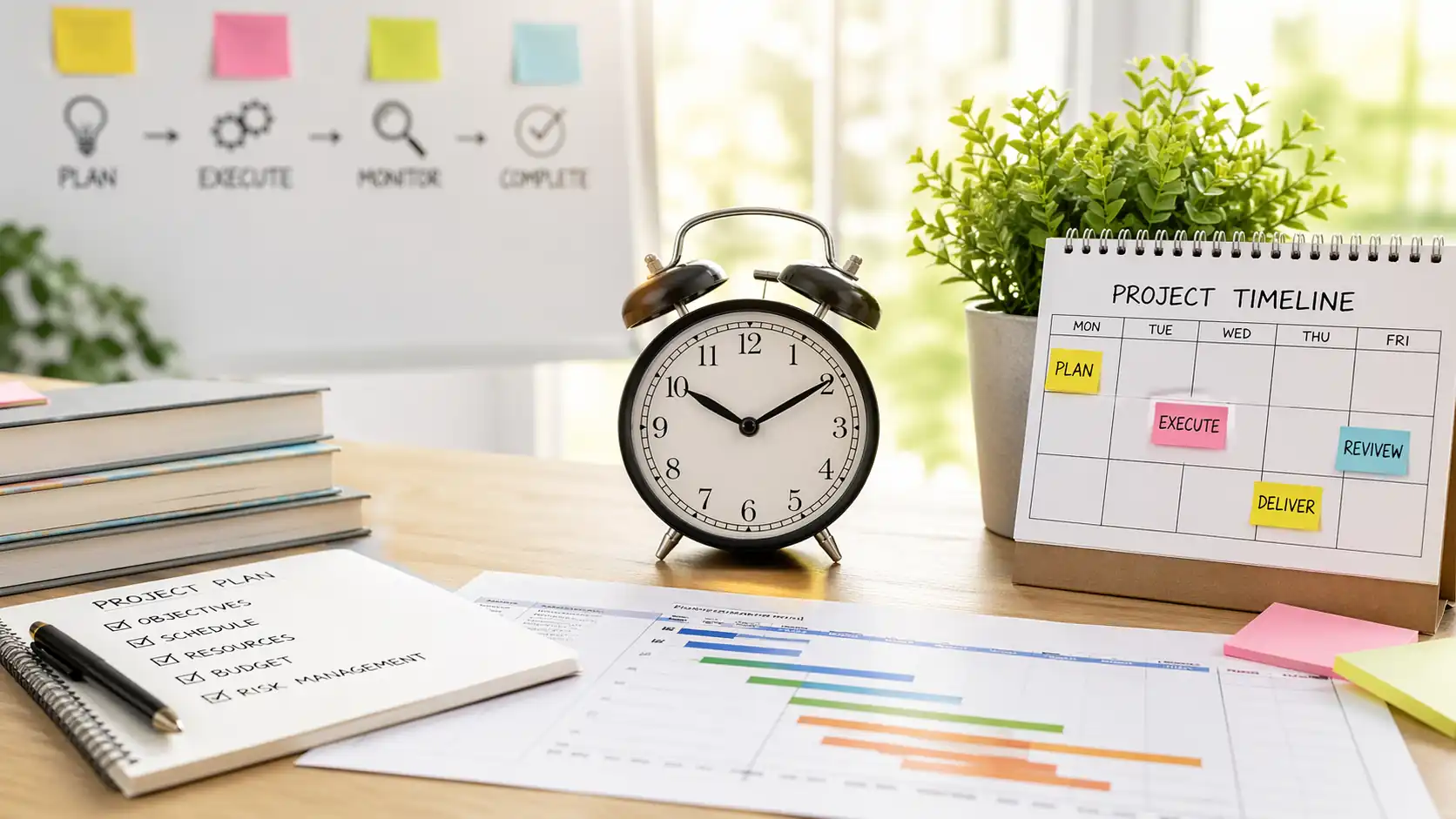
Key Takeaways
-

Project time management is how well you plan, schedule, and control time to meet the project deadline. This process includes everything from defining activities to actively managing the schedule.
-
Poor time management delays projects, drains budgets, burns out teams, and damages client trust faster.
-
A project time tracking app, WBS, RACI matrix, and strategic buffers give your schedule structure, ownership, and room to absorb delays.
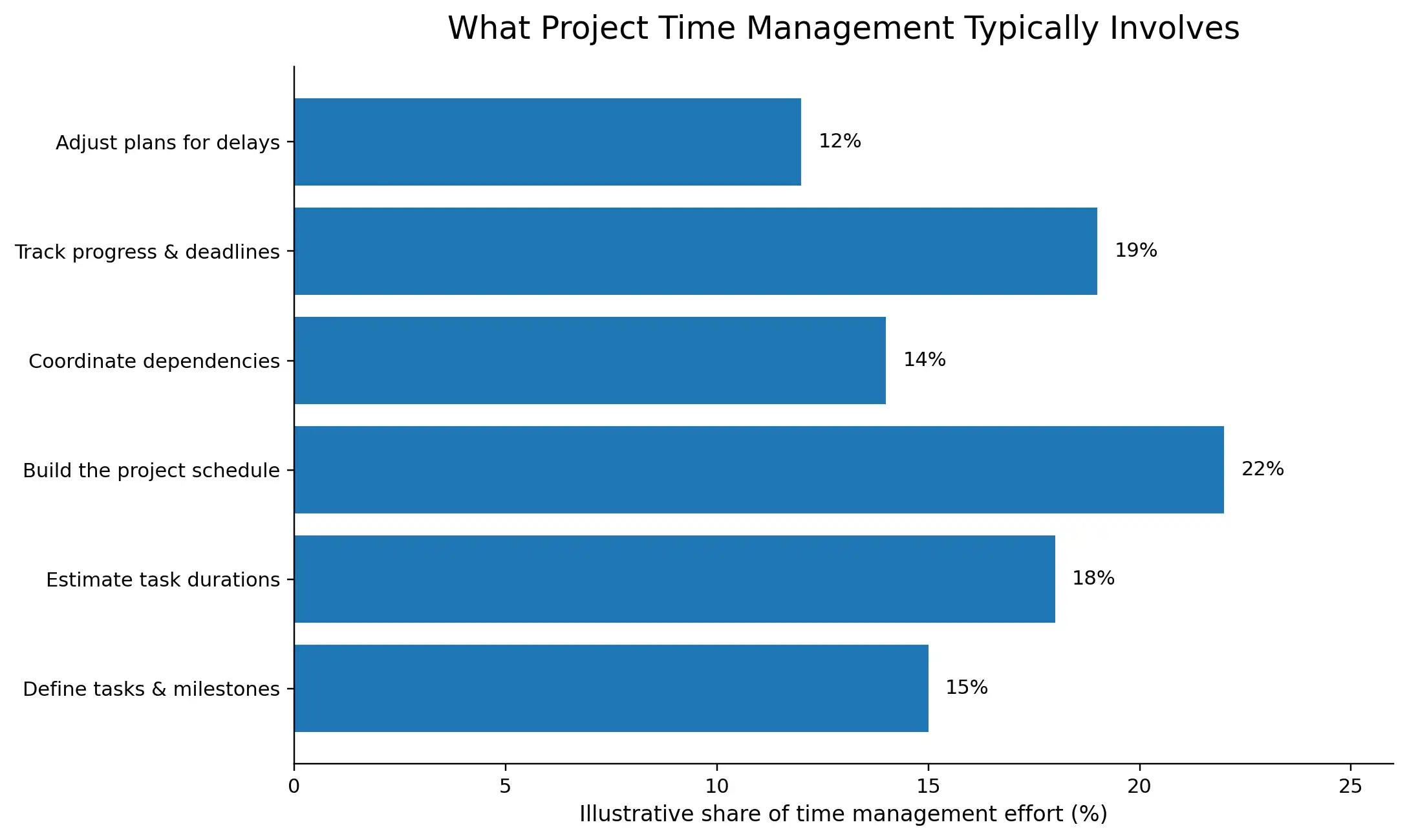
You planned the project schedule carefully and assigned the tasks. But somewhere between kickoff and the deadline, things started slipping.
A task took longer than you expected, and a dependency nobody mapped blocked three others. This happens when you have no system to track time as the work moves.
Well, project time management is that system. So today, I’ll break down what it is, how it works, and what good execution actually looks like.
What is Project Time Management?
Project time management is the process of planning, scheduling, and controlling how you use time across all tasks in a project to meet deadlines.
It covers —
- Task estimation
- Dependency mapping
- Schedule baseline creation
- Timeline monitoring throughout the project lifecycle
When done right, it gives teams a clear view of what needs to happen, in what order, and by when.
What are the Key Components of Project Time Management?
Project time management breaks into seven sequential processes. Let's walk through each one.
1. Plan Schedule Management
This process sets the foundation for everything that follows. Here, you define the rules —
- How the schedule gets built
- Who updates it
- How changes get approved
Unfortunately, I see most project managers treat this step as a formality.
But that is where things go wrong later. Instead, make a solid plan. It locks in your scheduling methodology, tools, and performance measurement rules before the project even starts.
2. Define Activities
Defining activities is where you take your project scope and break it down into specific, actionable work items. You start with the work breakdown structure.
Then break each work package into scheduled activities. Well, I make them small enough to estimate, assign, and track. The goal is to create clarity to give my team a clear target.
3. Sequence Activities
Sequence activities map the logical order in which tasks need to happen. Some tasks cannot start until another finishes. But others can run in parallel.
Right there, if you get this wrong, it creates a ripple effect throughout your entire schedule. In this case, I use the precedence diagramming method.
It shows each activity as a node and connects them with logical relationships:
- Finish-to-start
- Start-to-start
- Finish-to-finish
4. Estimate Resources
Resource estimation decides what your team needs to complete each activity. That includes people, tools, equipment, materials, and any external support.
Yet, many project managers skip this step too quickly. As a result, they end up with a schedule that looks clean on paper but fails during execution.
Thus, you need to match each task to the right resource type and quantity before committing to any dates.
5. Estimate Activity Durations
Duration estimation assigns a time value to each activity based on your available resources. In this case, the most reliable method is three-point estimation.
You consider the best-case, worst-case, and most likely duration for each task. And then calculate a weighted average.
In fact, this activity monitoring insists that you think about uncertainty rather than ignore it. And that’s what separates a realistic schedule from an overconfident one.
6. Develop the Project Schedule
This is where all the previous outputs come together. You take your—
- Activity list
- Sequences
- Resource allocation
- Duration estimates
Then, you run them through a scheduling method to produce a time-phased plan.
The critical path method is the most widely used approach. It identifies the longest sequence of dependent tasks and tells you the minimum time the project can finish.
7. Control the Schedule
You run schedule control from kickoff to final delivery. It includes:
- Monitor progress continuously
- Compare actuals against the baseline
- Act when an inconsistency appears
You might recover a task that’s running two days late. But if five tasks get delayed in the same sprint, it’s a totally different story. That’s when you decide to either compress, reduce scope, or reset stakeholder expectations.
Apploye can make this easier for you. It tracks time at the task and project level in real time. Plus, it also points out when hours exceed the limit, and gives you productivity data to support your decisions. So, you stop relying on status updates and start working from actual numbers.
Start your Apploye free trial today
Importance of Time Management in Project Management
Poor time management doesn’t just slow projects down. It breaks budgets, burns out teams, and puts client relationships at risk.
Helps to Control Cost
I consider time tracking more of a financial control mechanism than just an administrative task. When you track billable hours in real time, it spots overruns early and protects margins before they collapse.
Balances Workload Across Team
Good project and task management gives project managers visibility into who is carrying what. It supports productivity tracking and helps spot bottlenecks before they turn into missed milestones.
Creates Trust in Client and Stakeholder
Project managers who use time logs can share accurate progress updates. And exactly that kind of transparency builds trust. Stakeholders also make better decisions when they see real data.
Ensures Work Quality and Reduces Risk
Good time management builds a buffer into the project schedule. This way, the team gets room to do the work right. It also surfaces risks earlier.
Best Strategies for Effective Project Time Management
Good intentions don’t keep projects on schedule. The right strategies do. Here are the key ones that experienced project managers rely on to stay in control.
Use a Work Breakdown Structure (WBS)
A work breakdown structure splits your project into smaller, manageable pieces.
I always build the WBS before touching the schedule. It gives me a clear picture of every task, who owns it, and how it connects to the larger goal.
Prioritize with the Pareto Principle (80/20 Rule)
The Pareto Principle says 80% of your results come from 20% of your efforts. In project management, a small number of tasks carry most of the delivery weight.
But most teams put attention evenly across everything.
Usually, I map tasks against their impact on the final deliverable first. Then I protect time for the high-value 20%.
Set Realistic Deadlines
When it comes to setting deadlines, I work backward from the final delivery date. I consider the—
- Task dependencies
- Resource availability
- A buffer for unexpected delays
Thus, each milestone gets a deadline that shows real capacity.
Establish Clear Roles and Accountability
I can say from my experience that unclear ownership is one of the fastest ways to lose time on a project.
A RACI matrix fixes this. It defines who is Responsible, Accountable, Consulted, and Informed for every key activity. Though it takes me an hour to build, it saves far more time during execution.
Communicate Regularly and Transparently
Short, structured updates keep everyone on the same page. You don’t need long meetings for this. Even a 15-minute daily standup or a weekly progress summary does the job.
Monitor Progress and Adjust Quickly
Active monitoring lets you compare real progress against your baseline. Then you can just act on what the numbers tell you.
Review cycle matters too. Faster sprints need more frequent checks. Longer phases need milestone-based reviews.
Use Dependency Mapping
Every project has tasks that cannot move until something else finishes. Miss those relationships, and you find out too late. One blocked task quietly stalls three others behind it.
Dependency mapping makes those links visible before work starts. You can see which tasks must go in order and which can run at the same time.
Build Strategic Buffers
It’s smarter to add buffers after risky tasks or at important milestones. However, don’t pad every task. Instead, put the buffer where uncertainty is highest.
Essential Tools and Techniques for Project Time Management
The right tools give you visibility, control, and the ability to act before small delays turn into bigger problems.
- Gantt Charts: Gantt charts show your project timeline as a bar chart. Each bar stands for one task, how long it takes, and when it happens relative to other tasks.
- PERT Charts and Critical Path Method (CPM): PERT charts map out task dependencies. It gives you three time estimates for each task: best case, worst case, and most likely. CPM then finds the longest chain of tasks that controls your finish date.
- Kanban Boards: Kanban boards show work as cards moving across three columns. They’re to do, in progress, and done. They make it easy to see where work is moving and getting stuck.
- Timesheet and Time Tracking Software: Time tracking tools record the actual hours your team spends on each task. They show you where time is going over plan before it becomes a bigger problem.
- Project Dashboards: Project dashboards show schedule progress, resource use, and milestone status in one place. It removes the hassle of collecting updates from different people and tools.
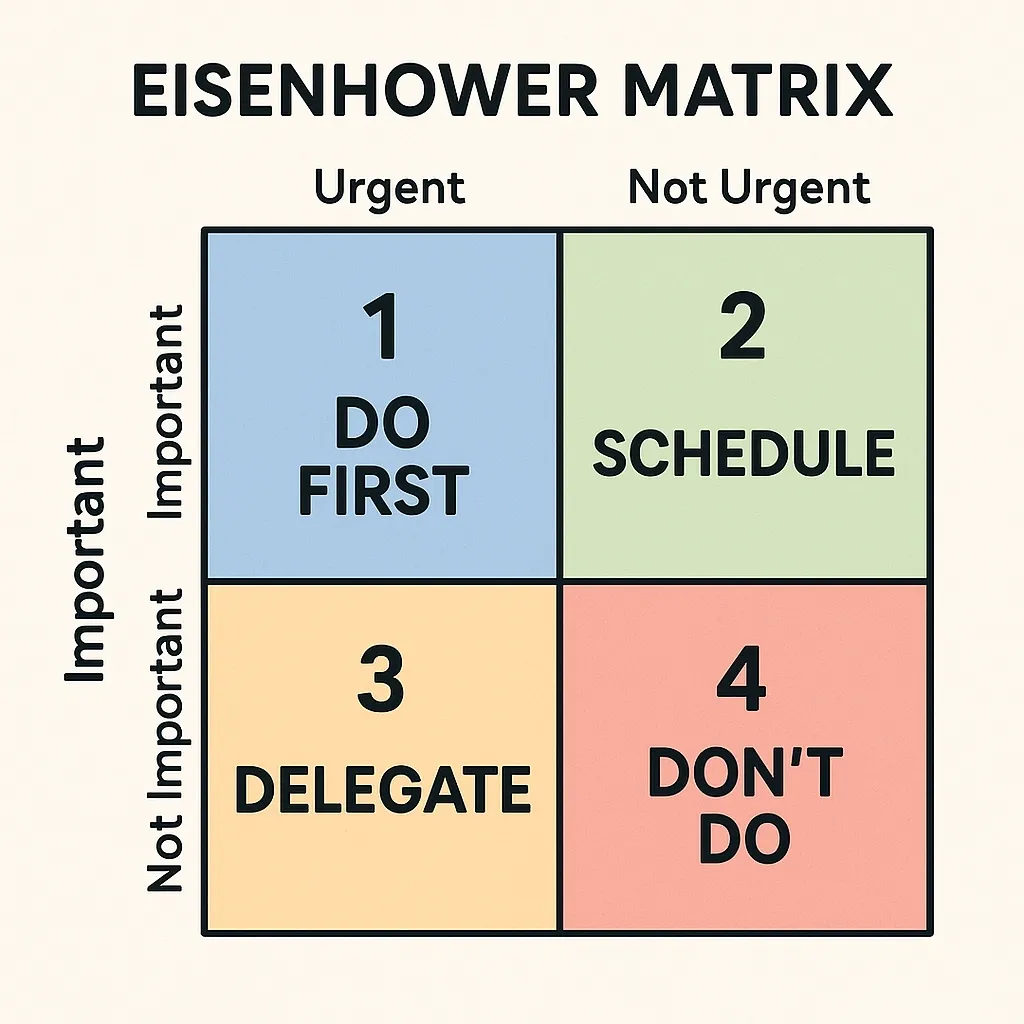
- Eisenhower Matrix: The Eisenhower Matrix puts every task into one of four groups based on how urgent and important it is. This way, it helps project managers focus on work that actually moves the project forward.
- Time Blocking: Time blocking sets specific hours in the day for specific tasks. It stops people from jumping between too many things at once and protects time for focused work.
- The Pomodoro Technique: The Pomodoro tracker splits work into 25-minute focused sessions with short breaks in between. It helps team members stay concentrated on tasks that take a lot of mental effort.
Project Time Management Examples
Time management looks different depending on the industry. But the core problem is always the same — tasks slip when there's no system tracking them. Here's how real teams apply project time management across four different contexts.
Conclusion
Deadlines slip for one missed estimate, one unmapped dependency, one ignored variance at a time. That's what project time management is really about. It's building a system where you spot small problems before they grow.
The teams that get this right track time actively, adjust early, and never let variance sit unaddressed. Apploye makes that easier. It tracks time, flags where hours are going, and gives you the data to act fast.
Frequently Asked Questions
What's the difference between project time management and personal time management?
Project time management coordinates tasks, dependencies, and resources across a team to hit shared deadlines. Personal time management focuses on individual productivity and priorities. One is a team discipline. The other is a personal habit.
How long should project time management planning take?
It depends on project size. Small projects need a few hours. Complex, multi-phase projects may need several days. Planning time should match the cost of getting the schedule wrong. Rushing the plan almost always costs more time during execution.
What's the most common reason projects miss deadlines?
Underestimated task duration is the leading cause. Teams plan for best-case scenarios and ignore dependencies, risk, and resource constraints. The schedule looks achievable on paper, but has no room to absorb even minor delays.
How often should I review and adjust the project schedule?
Review frequency should match your project pace. Fast-moving sprints need weekly reviews. Longer phases need milestone-based check-ins. The key is catching variance early enough to adjust without disrupting the entire delivery timeline.
Should I add buffer time to every task or to the overall project?
Add buffer strategically, not uniformly. Place it after high-risk tasks and at key milestones. Padding every task inflates the schedule and hides where real risk lives. A concentrated buffer at critical points gives you protection without distorting the entire timeline.
About Author