




I Compared 8 Connecteam Alternatives. Here are the Best Options in 2026
Last updated: November 6, 2026
Connecteam combines scheduling, time tracking, communication, and workforce management, but it may not suit every team. I’ve compared the best Connecteam alternatives based on features, pricing, tracking, scheduling, monitoring, and overall value.
Let’s jump in and see which one fits your team best.
The Best Connecteam Alternative Apps
Why Look for a Connecteam Alternative?
Connecteam does a lot. Its Operations Hub includes GPS time clocks, scheduling, forms, and tasks, while separate Communications and HR & Skills hubs add chat, updates, documents, training, time off, onboarding, and other workforce features.
That broad feature set is useful, but it can also make Connecteam more than some teams actually need.
Pricing is another consideration. The Operations Hub currently starts at $29/month for up to 30 users on annual billing, with Advanced at $49/month and Expert at $99/month.
Communications and HR & Skills are priced separately, so businesses using multiple hubs need to consider the combined cost.
Connecteam also offers free options for very small teams. And then there is the question of focus.
Connecteam is Not the Best Fit If You need...
- Screenshots and employee activity monitoring.
- Detailed project and task time tracking.
- Client billing and invoicing.
- Simple employee attendance.
- A free time-tracking solution.
- Stronger productivity reports.
- A restaurant and need restaurant-specific scheduling.
How We Selected These Connecteam Alternatives
Well, I didn't rank these tools simply by counting features.
A workforce management platform can have hundreds of features and still be a poor fit if the core workflow is complicated or expensive. Instead, the comparison focuses on the areas that matter most when replacing Connecteam.
Time Tracking
The basic requirement is accurate work-hour tracking. We looked at timers, timesheets, attendance, manual entries, mobile access, and related time-management features.
Scheduling and Attendance
For shift-based businesses, scheduling and attendance can matter more than project management. We considered shift planning, clock-in options, availability, time-off management, and attendance tools.
Employee Monitoring
Some teams need more than a clock-in and clock-out app. Screenshots, app and URL tracking, activity information, and productivity reports can be important for remote and distributed teams.
Projects, Tasks, and Billing
For agencies and service businesses, calculating work hours isn't enough. They also need to know which project the time belongs to, whether it is billable, and how much that work costs.
Payroll and Integrations
Payroll exports, payroll integrations, billing, and accounting connections can reduce the administrative work that happens after employees finish tracking their hours.
Ease of Use
A powerful system isn't useful if employees struggle to use it. We considered how much complexity each platform adds to the everyday workflow.
Pricing and Overall Value
Finally, we compared what you actually get at the starting price rather than looking only at the headline number.
Connecteam Alternatives at a Glance

Yes
Limited
Yes
Yes

Limited
Yes
$5/user/mo

Hourly teams
Limited
Yes

Limited
Yes
Remote + field teams
Yes
Yes
Yes

Yes
Yes
Yes

Budget time tracking
Limited
Limited
Yes
Top 8 Best Connecteam Alternatives in 2026
1. Apploye - Best Connecteam Alternative for Monitoring, Time Tracking & Billing
If you want Connecteam's time-management capabilities but your biggest priority is employee monitoring, productivity visibility, project tracking, payroll, or client billing, Apploye is one of the strongest alternatives to consider.
Apploye combines time tracking, attendance, screenshots, activity analytics, app and URL tracking, projects, tasks, timesheets, payroll, client management, invoicing, and reporting in one platform.
Its pricing plans are also straightforward. The Starter free employee monitoring plan is for up to 10 users. The Elite plan starts at $4.50 per user/month when billed annually, while Power starts at $8 per user/month annually. Enterprise pricing is custom. Apploye also offers a 10-day free trial without requiring a credit card.
Key Features as a Connecteam Alternative
Employee Time Tracking
Apploye lets teams record working hours and organize tracked time around projects and tasks. Also, you can review timesheets and use the recorded data for reporting, payroll calculations, and billing.
Screenshot Monitoring
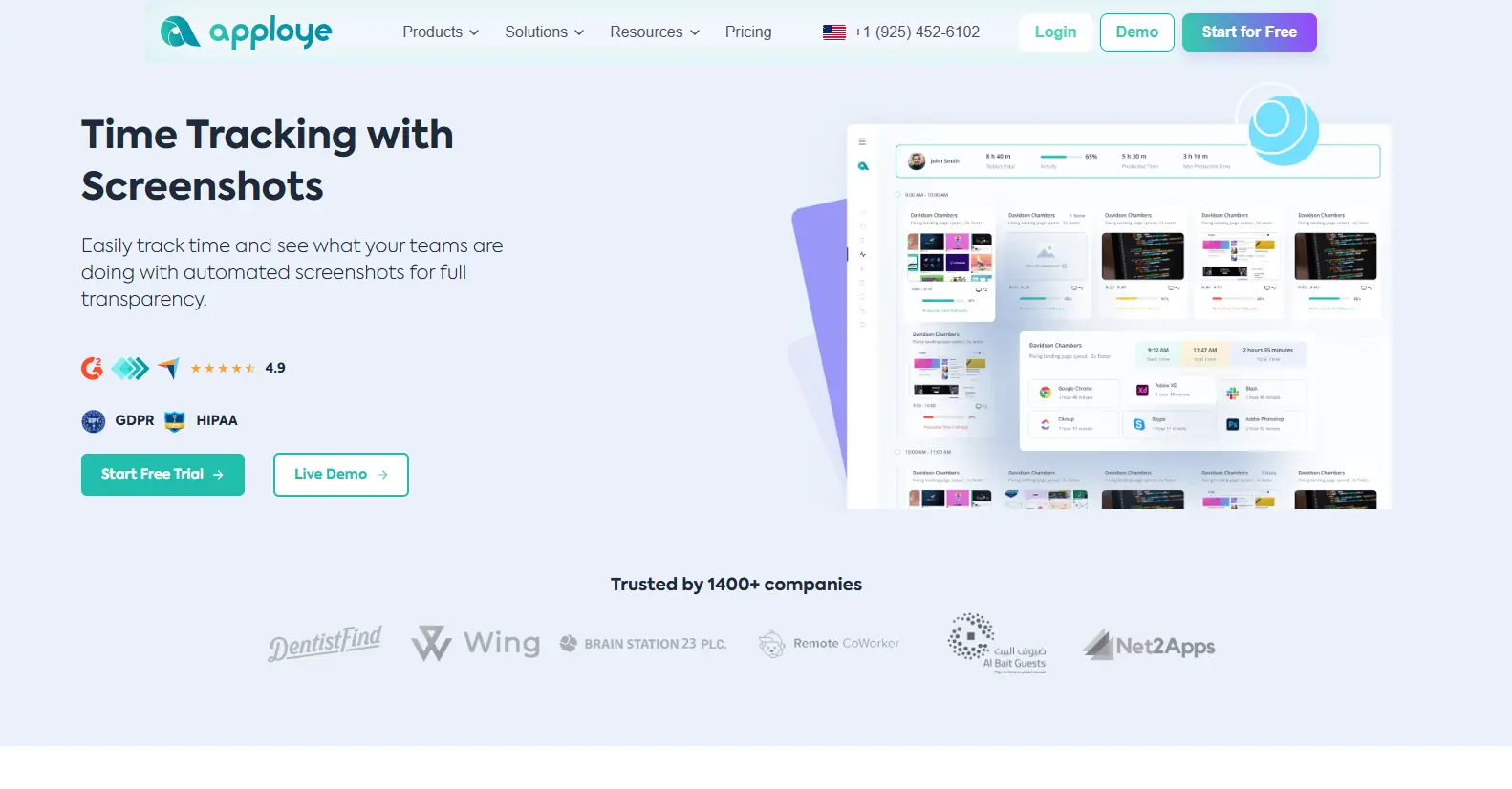
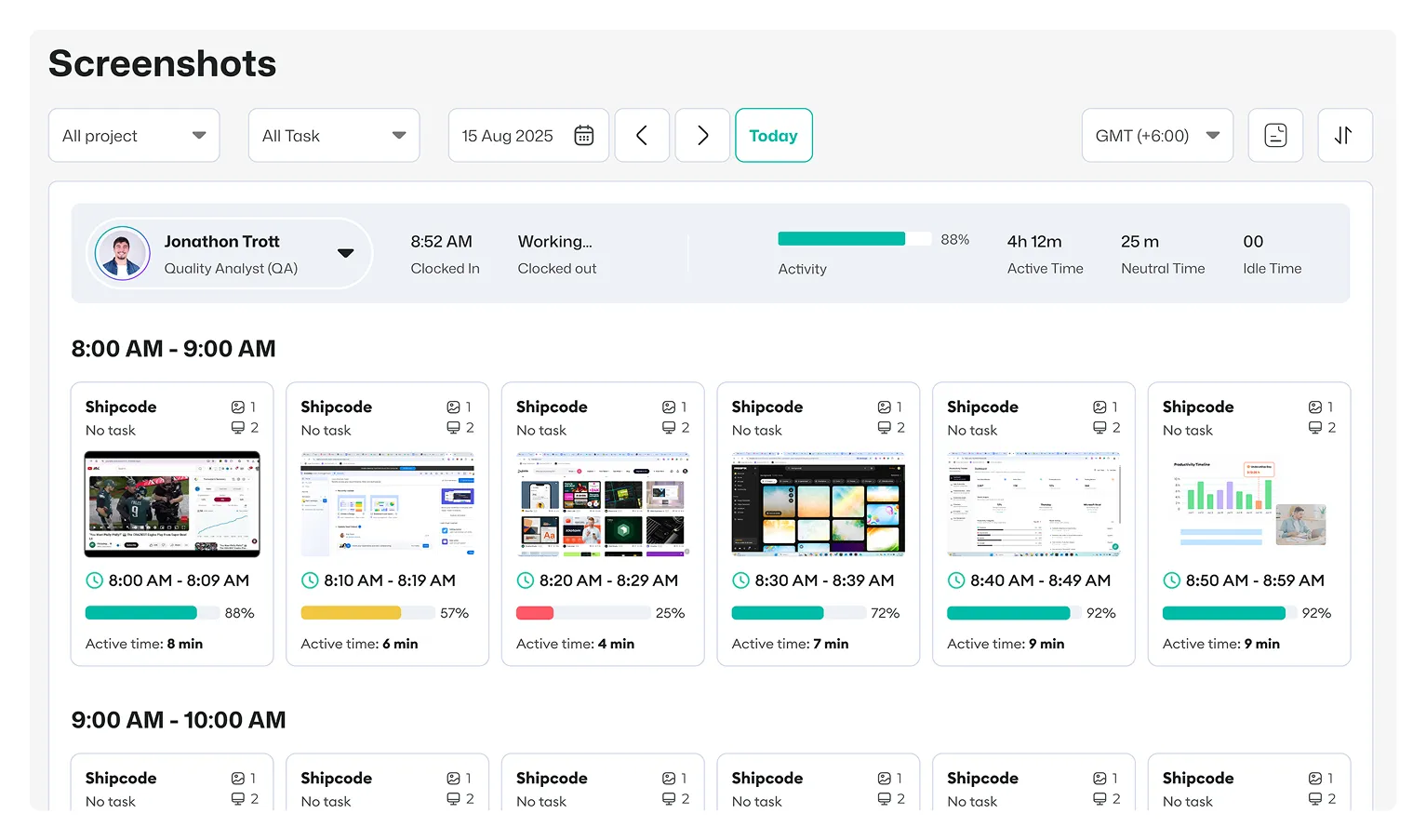
For teams that need proof of work, Apploye provides screenshot monitoring.
The free Starter plan includes one screenshot per hour, while the Elite plan supports up to 18 screenshots per hour and Power supports up to 60 screenshots per hour.
App and URL Tracking
Apploye tracks application and website usage while the timer is running. This gives managers more context than a simple attendance record.
Activity analytics are also based on mouse and keyboard activity rather than recording the actual content of keystrokes. Apploye states that it does not capture passwords, credentials, or typed keystroke content.
Projects and Tasks
You can organize work by project and task, track time against that work, and review project-related reports.
This makes Apploye particularly useful for agencies, BPOs, outsourcing companies, consultants, and other service businesses where hours need to be connected to specific work.
Payroll
Apploye calculates payroll based on tracked hours and employee rates. This reduces the need to manually calculate payable hours from separate spreadsheets.
Client Billing and Invoices
If your team bills clients based on tracked hours, Apploye can connect tracked time with billable work and invoices. That is an important difference for agencies and service businesses that need both workforce tracking and client billing.
Attendance and Leave
Apploye also includes attendance and leave tracking, allowing managers to keep work-hour and attendance information in the same system.
Apploye vs. Connecteam
The two platforms overlap in time tracking and workforce management, but their focus is different.
Connecteam is particularly strong for deskless and frontline operations, with scheduling, GPS-based time clocks, forms, tasks, communication, and HR functionality.
Apploye is a better fit when the priority is time tracking plus productivity monitoring, screenshots, app and URL usage, project tracking, payroll calculations, and client billing.
Also, it does not provide GPS tracking or geofencing for field employees.
Apploye Pros and Cons


My Experience With Apploye
I found Apploye straightforward to set up and easy to use for tracking employee hours. I liked having time tracking, screenshots, activity monitoring, app and URL tracking, projects, and reports in one dashboard.
The connection between tracked time, projects, payroll calculations, and client billing also makes it particularly useful for agencies and service teams.
Who Should Choose Apploye?
Choose Apploye if your team needs more than scheduling and attendance. It is especially suitable for remote teams, agencies, BPOs, outsourcing companies, call centers, consultants, and service businesses that need to connect employee hours, productivity, projects, payroll, and client billing.
2. Jibble - Best Free Connecteam Alternative for Time and Attendance
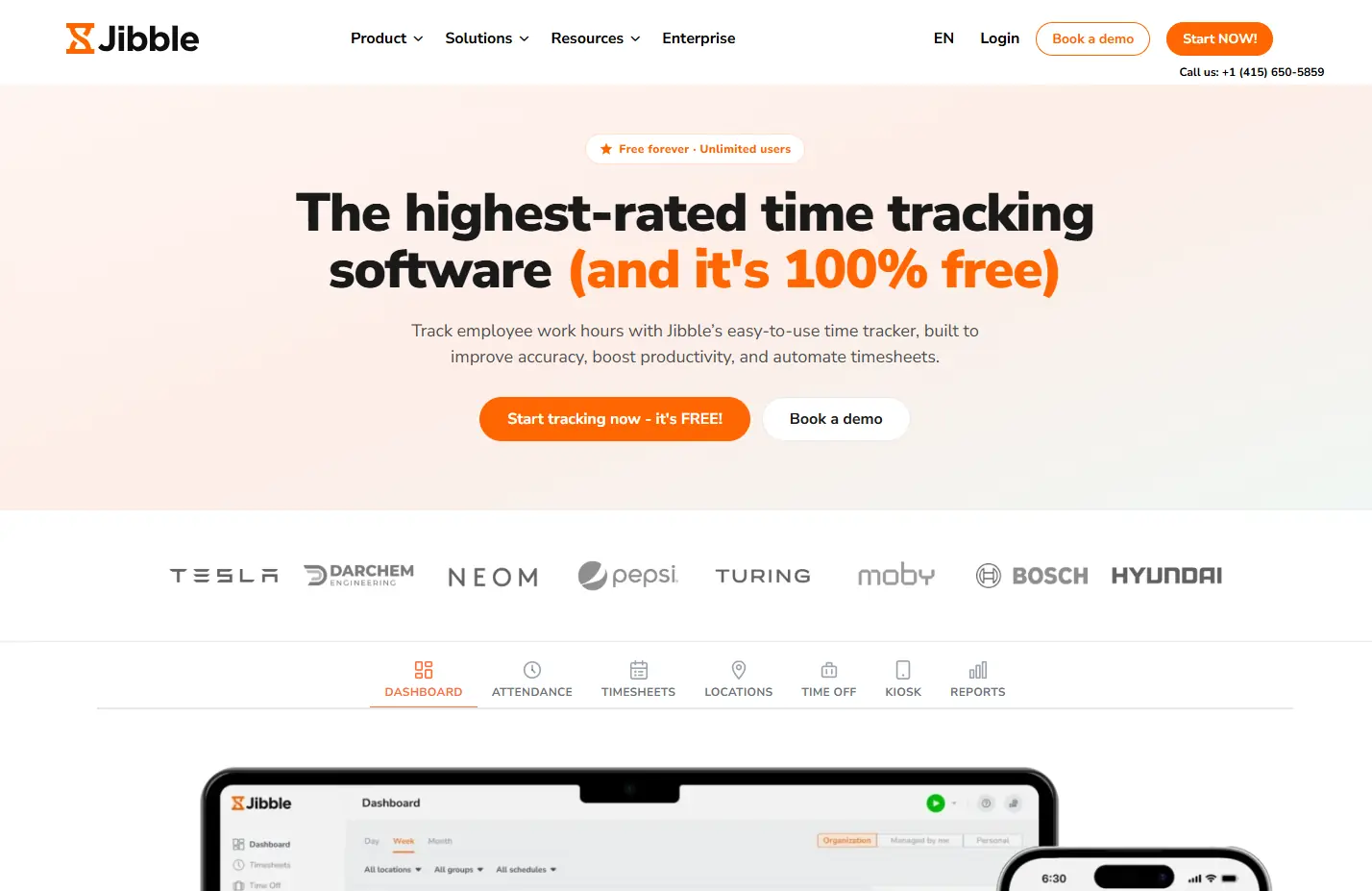
Jibble is a strong choice for businesses that mainly need time and attendance management. It works especially well for teams with employees working from different locations.
Its free plan is one of its biggest advantages, particularly for businesses that want to track many employees without paying per user.
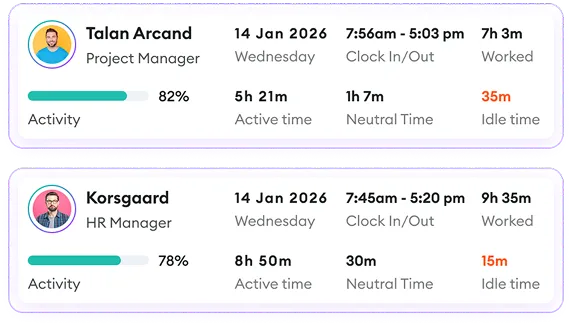
The platform is more focused on attendance and workforce presence than detailed employee productivity monitoring. This makes it a simpler alternative for businesses that do not need advanced project tracking or deep work-activity insights.
Key Features
- Employee time tracking
- Attendance management
- GPS tracking
- Geofencing
- Biometric attendance
- Timesheets
- Time off management
- Kiosk clock-in
- Reports
- Mobile and desktop support
Jibble Pros and Cons
Want Time Tracking Plus Employee Monitoring?
Track time, screenshots, apps and URLs, activity reports, projects, payroll calculations, and invoicing in one system.
Try Apploye Free

Pricing
My Experience With Jibble
I found Jibble particularly easy to understand if the main goal is tracking attendance and working hours. The clock-in process is simple, and the mobile-focused features make it practical for employees working from different locations. GPS, geofencing, biometric verification, timesheets, and attendance reports also give it more depth than a basic time clock.
What I Liked:
I liked the simplicity and the fact that its free plan can cover unlimited users. It makes Jibble a practical option for teams that mainly need attendance and time tracking.
What I Didn't Like:
For me, Jibble feels more focused on attendance than full employee productivity management. If I needed screenshots, detailed productivity monitoring, project billing, and similar features, I would look at Apploye instead.
3. Deputy - Best for Shift Scheduling and Labor Compliance
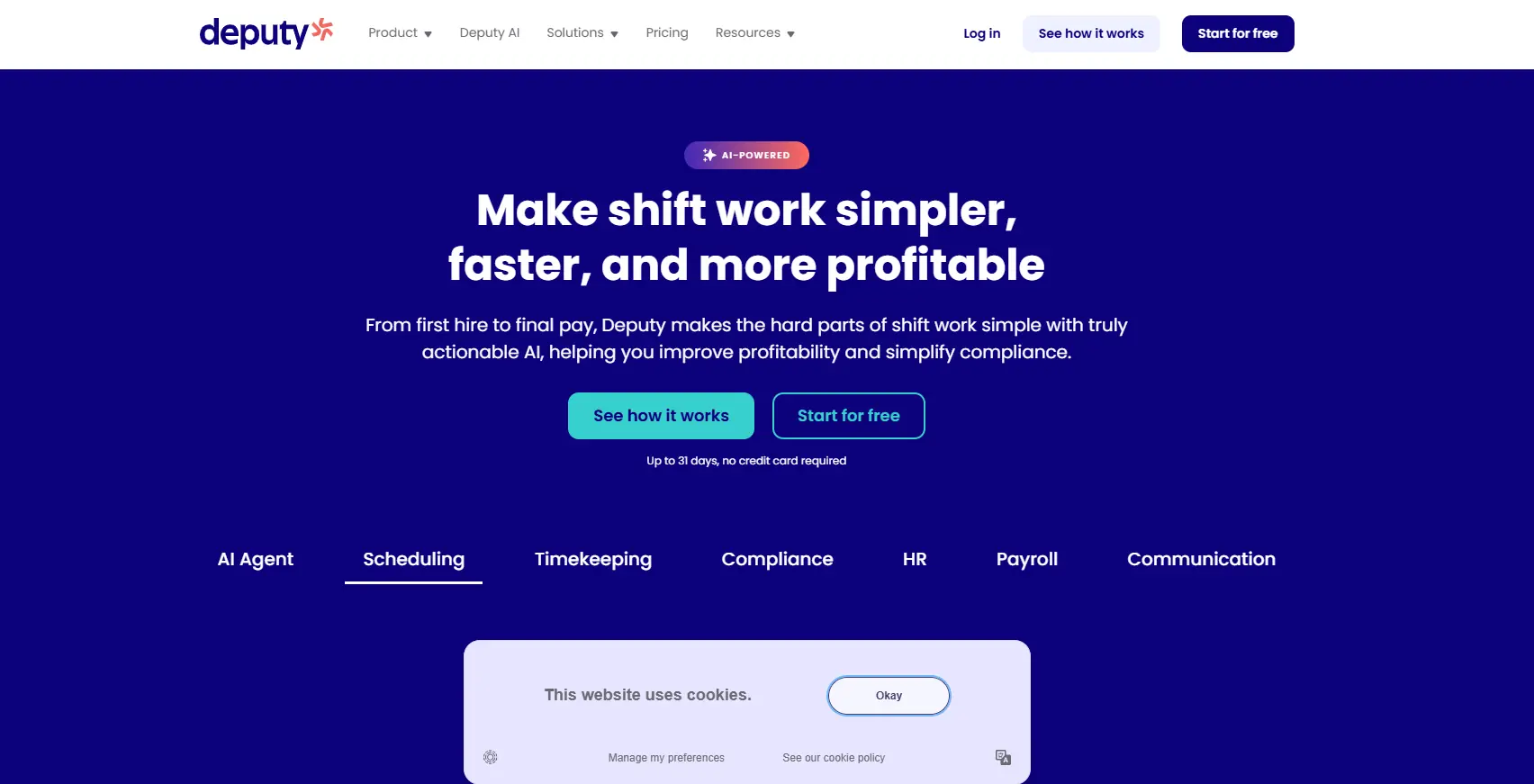
Deputy is a strong alternative for businesses where employee scheduling is the central problem. It is a useful option for restaurants, retail businesses, healthcare teams, and other shift-based organizations.
Instead of focusing mainly on computer activity, Deputy helps managers plan shifts, manage employee availability, and keep staffing levels organized.
Key Features
- Employee scheduling
- Time clocking
- Timesheets
- Shift swaps
- Leave and availability management
- Labor-law compliance
- Auto-scheduling
- Demand forecasting
- Labor optimization
- Payroll and HR integrations
- Reporting
- Messaging
Deputy Pros and Cons
Deputy handles scheduling. Apploye goes further.
Get time tracking, employee monitoring, and project tracking in one place.
Sign Up Now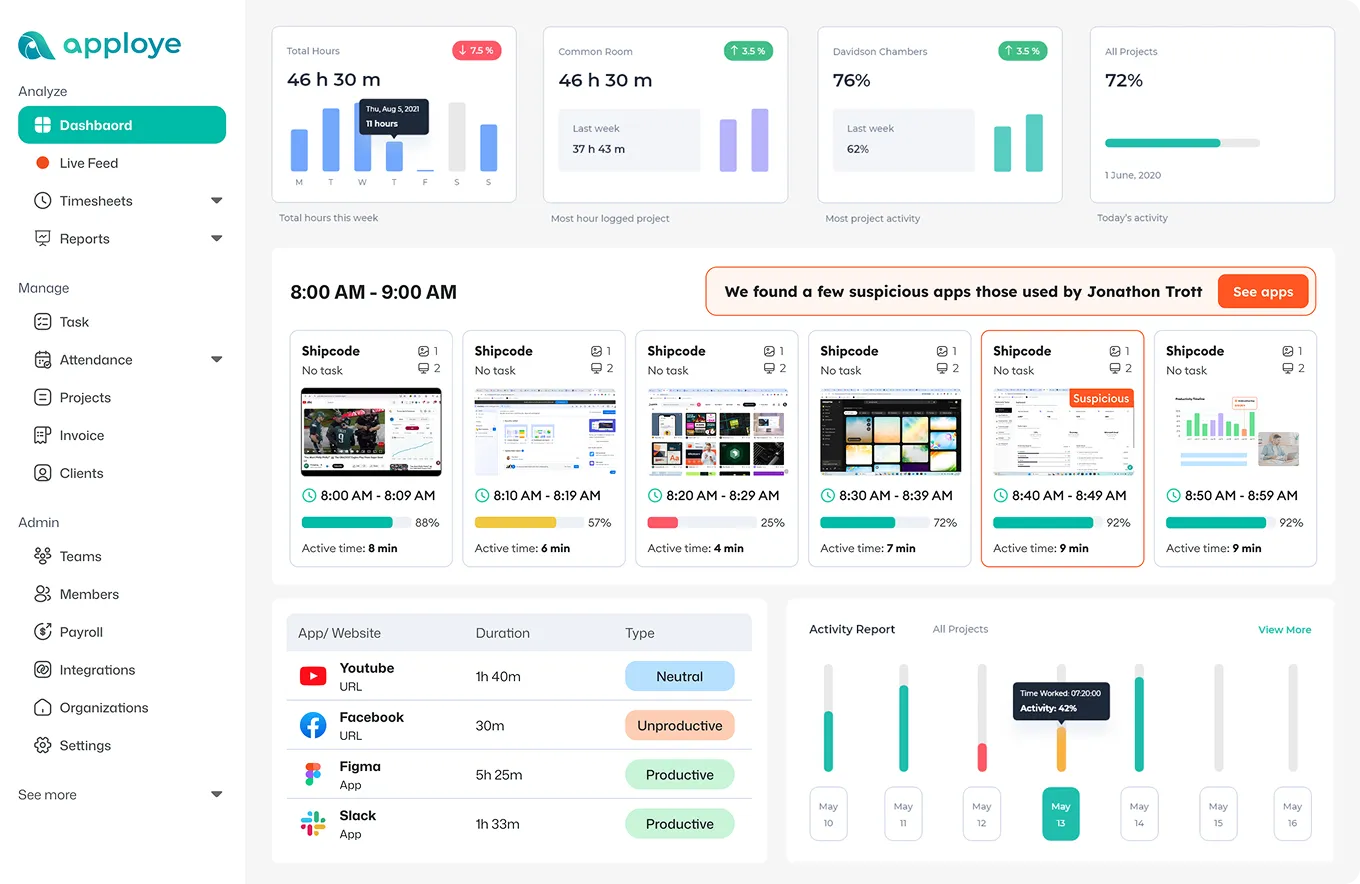
Pricing
Additional Messaging+ and Analytics+ options are available.
My Experience With Deputy
I found Deputy most useful for managing employees who work scheduled shifts. Its scheduling features make it easier to organize availability, shifts, time tracking, leave, and workforce requirements in one place. The platform also goes beyond basic scheduling with features such as demand forecasting, labor optimization, compliance tools, and payroll integrations.
What I Liked:
To be honest, I liked the strong scheduling workflow. It makes sense for restaurants, retail businesses, healthcare teams, and other organizations where employee shifts are the main concern.
What I Didn't Like:
Deputy is less appealing when detailed employee monitoring is the priority. I would choose a tool such as Apploye if I needed screenshots, activity tracking, app and URL monitoring, and project-based time tracking.
4. Homebase - Best for Hourly Teams and Payroll
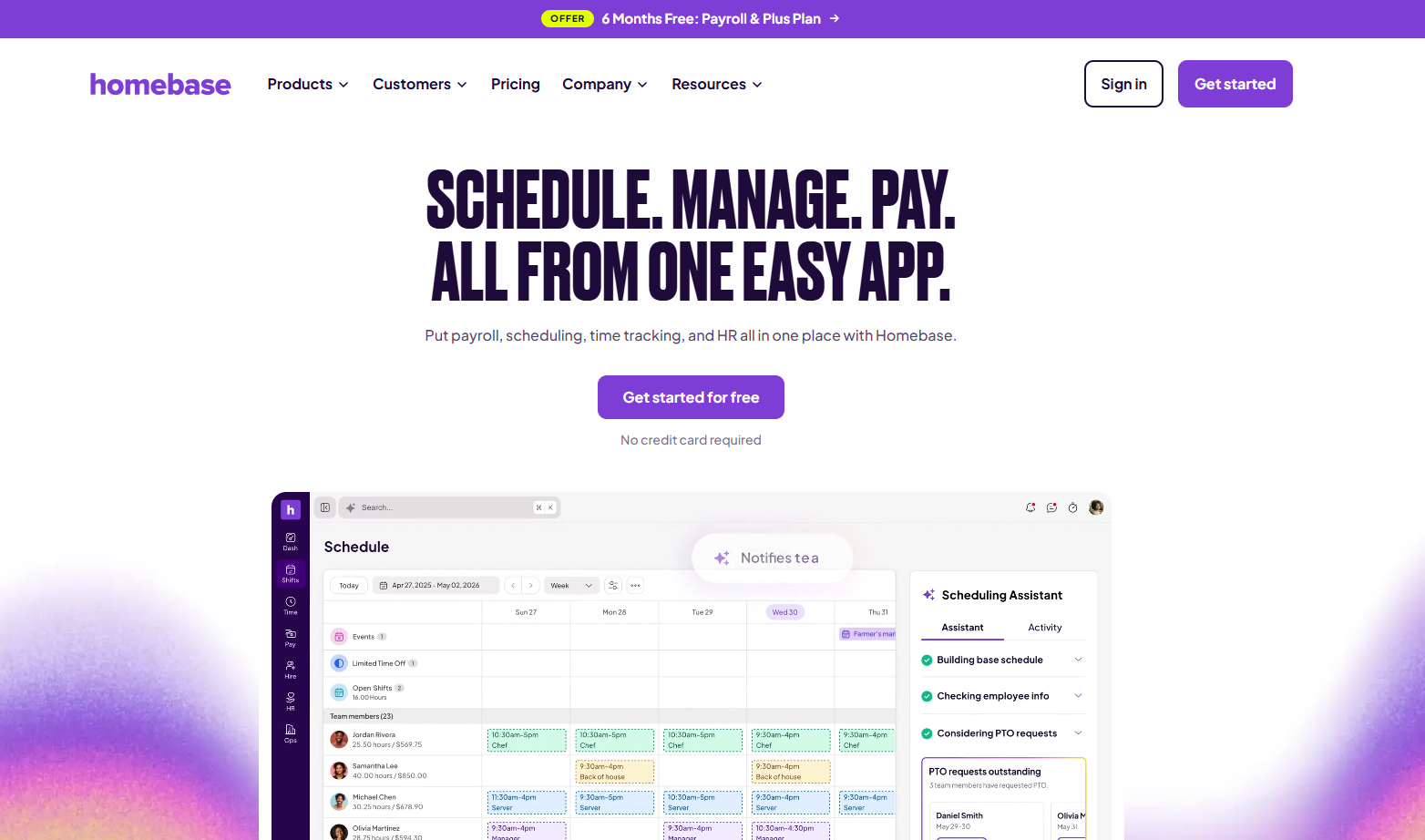
Homebase is built around hourly employees and businesses operating from physical locations. It combines scheduling, time tracking, team communication, time off, payroll options, labor management, and employee-management features.
Its free Basic plan supports one location with up to 10 employees. Paid plans add more advanced scheduling and time-tracking capabilities, while payroll is available as an add-on.
However, it is less suitable for remote agencies or teams that need screenshots, app tracking, productivity monitoring, or detailed project-based billing.
Key Features
- Employee scheduling
- Time tracking
- Team communication
- Time off
- Payroll add-on
- Labor cost management
- Employee onboarding
- HR and compliance
- POS integrations
- Business reports
Homebase Pros and Cons
Pricing
- Basic: Free for one location and up to 10 employees
- Essentials: $30/location/month
- Plus: $70/location/month
- All-in-One: $120/location/month
- Payroll is an additional $49/month base fee plus $6 per employee/month.
Need More Than Shift Scheduling?
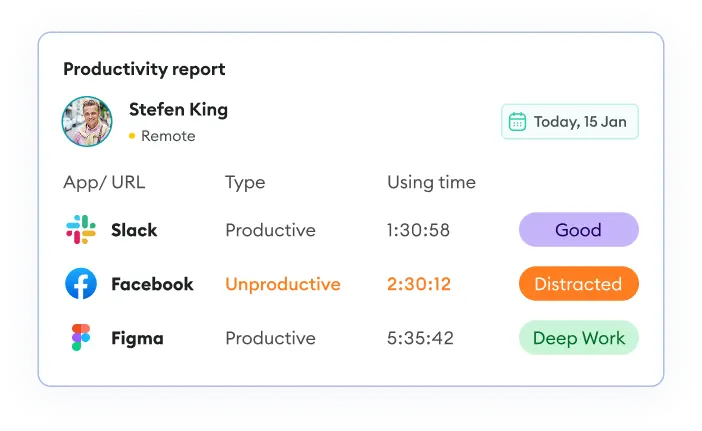
Get screenshots, app and URL tracking, project time tracking, and productivity reports on a single platform.
Sign Up for Free
My Experience With Homebase
I found Homebase a practical option for businesses with hourly employees working at physical locations. Scheduling and time tracking are easy to understand, and having communication, time off, payroll options, and labor-management features in the same platform can simplify everyday workforce administration.
What I Liked:
I liked that smaller businesses can start with a free plan for one location. The scheduling and hourly workforce features also make it a natural fit for restaurants, retail stores, salons, and similar businesses.
What I Didn't Like:
For me, Homebase isn't the right choice for remote employee monitoring. It doesn't offer the same focus on screenshots, app usage, productivity tracking, and project-based monitoring that I would get with Apploye.
5. When I Work - Best for Simple Scheduling

When I Work is a straightforward scheduling platform for businesses that want to organize shifts without dealing with a complicated workforce system.
It is useful for companies that need to create schedules, manage employee availability, and handle shift changes. Its lower starting price can make it attractive to smaller businesses with simple workforce needs. However, it is not built for teams that need detailed employee monitoring or extensive project management.
If scheduling is the main problem a business wants to solve, When I Work can be a practical alternative to Connecteam.
Key Features
- Employee scheduling
- Time tracking
- Attendance
- Auto-scheduling
- Schedule templates
- Multi-location scheduling
- Shift swaps
- Open shifts
- Team messaging
- Payroll and POS integrations
- Forecasting
When I Work Pros and Cons
What happens after scheduling?
Track employee activity, work hours, and project time with Apploye.
Start Free
Pricing
My Experience With When I Work
For me, When I Work is easy to understand when scheduling is the main requirement. Creating shifts, managing availability, handling shift changes, and communicating schedules with employees are all central to the platform. It doesn't try to be everything for everyone, which can actually make it easier for smaller businesses to adopt.
What I Liked:
I liked the simple scheduling experience and the relatively low starting price. It works well when a business mainly needs scheduling, attendance, and team communication.
What I Didn't Like:
It doesn't go far enough for teams that need employee productivity monitoring or project management. I would look elsewhere if I needed screenshots, app and URL tracking, or detailed activity data.
6. Hubstaff - Best for Remote and Field Teams

Hubstaff is a useful option for businesses managing both remote and field-based employees. It gives managers visibility into working time while also supporting teams whose work happens outside a traditional office.
This makes it relevant for agencies, contractors, remote teams, and field-service businesses. Compared with simpler time trackers, Hubstaff covers a wider range of workforce activities.
The platform is therefore a good choice when a business needs both digital work visibility and field-worker tracking. However, its broader feature set can make it more involved to configure and manage.
Key Features
- Automatic time tracking
- Screenshots
- App and URL tracking
- Productivity tracking
- GPS tracking
- Geofencing
- Projects and tasks
- Payroll
- Invoicing
- Workforce reporting
Hubstaff Pros and Cons
Switch to a better Hubstaff alternative that costs 40-52% less
Sign Up Now
My Experience With Hubstaff
After spending time exploring Hubstaff, my overall impression is that it feels like a solid option for teams that want better visibility into their work. The platform feels well-built and gives me a good level of control over how work is managed.
What I Liked:
What stood out to me was how organized the overall experience felt. Once I got familiar with the platform, it was fairly easy to navigate and understand what was happening across the team. I also liked that it feels suitable for different types of teams, rather than being built around just one work style.
What I Didn't Like:
My main concern is that Hubstaff may feel like too much for smaller teams looking for something simple. There is a learning curve when you first start using it, and I would recommend taking some time to explore the platform before deciding if it fits your workflow and budget.
Read more:
7. Time Doctor - Best for Detailed Productivity Monitoring

Time Doctor is aimed at teams that want detailed information about employee work patterns. It is especially relevant for remote businesses where managers cannot directly observe how employees spend their working hours.
The platform goes beyond basic time tracking by providing information that can help managers understand productivity and work behavior.
It also supports project work, attendance, schedules, and employee administration. This makes it a stronger choice when productivity visibility matters more than frontline scheduling.
Businesses that mainly need shift management may find another platform more appropriate. But for remote teams that want deeper insight into working habits, Time Doctor is worth considering.
Key Features
- Automatic time tracking
- Screenshots
- Projects and tasks
- Web and app usage
- Productivity ratings
- Attendance
- Break tracking
- Leave tracking
- Payroll
- Schedules
- Reporting
Time Doctor Pros and Cons
Pricing
Time Doctor's Basic plan currently starts at $6.67/user/month when billed annually or $8 month-to-month. Standard is $11.67/user/month annually or $14 month-to-month.
Add activity insights to payroll at just $4.50
Keep costs low by bundling app, URL, and activity monitoring into one simple, affordable tracking tool.
Sign Up Now
My Experience With Time DoctorYou might be interested:
I found Time Doctor useful when I wanted a clearer picture of how remote employees were spending their working hours. It gave me enough visibility to understand whether tracked time actually matched the work being done, instead of relying only on timesheets.
But if employees prefer a less intrusive approach, I would consider a lighter monitoring tool instead.
What I Liked:
I liked the depth of its productivity-monitoring features and reporting. It gives me plenty of information for understanding how remote employees spend their working time.
What I Didn't Like:
For me, the amount of monitoring can feel excessive for teams that prefer a less intrusive approach.
8. Clockify - Best Budget Time Tracking Alternative

Clockify is a good option for businesses that mainly want to understand how employees or contractors spend their working hours. It is especially useful for freelancers, agencies, consultants, and small teams.
Instead of trying to cover every area of workforce management, Clockify keeps its main focus on time, projects, reports, and billable work. This makes it a practical choice for businesses that do not need a large workforce-management platform.
Its free plan also gives smaller teams a way to start tracking work without a high upfront cost. However, businesses looking for detailed employee monitoring or frontline workforce tools may need something more specialized.
Key Features
- Time tracker
- Timesheets
- Automatic tracking
- Calendar
- Projects
- Reports
- Kiosk
- Time off
- Attendance
- Overtime
- Invoicing
- QuickBooks integration
Clockify Pros and Cons
Clockify charges $7.99/user just to unlock screenshots.
Apploye includes 18 screenshots/hour at $4.50/user — no extra tier needed.
Check the Demo
My Experience with Clockify
I found Clockify easy to settle into because the overall experience felt simple and familiar. I could start tracking work without spending much time figuring out how the platform worked. What I liked most was having a clear view of where my time was going, especially when comparing work across different projects or checking billable hours.
What I Liked:
I liked the affordable entry point and the availability of a free plan. The interface is also relatively easy to understand, making it suitable for freelancers, agencies, consultants, and small teams.
What I Didn't Like:
For me, Clockify lacks some of the deeper employee-monitoring capabilities available in Apploye. If screenshots, activity tracking, and app or URL monitoring are important, I would choose a more monitoring-focused platform.
Continue reading:
So, which Connecteam alternative should you go with?
Connecteam is a solid workforce management platform, but it may not be the right fit for everyone. You might only need simple time tracking, want better employee monitoring, need stronger project management, or just be looking for something more affordable.
That’s why it’s worth checking the features, pricing, and limitations of each option before making your decision. Take a look at the best employee time tracking software and see which one fits the way your team actually works.
And if you want a tool that brings time tracking, employee monitoring, projects, reporting, payroll, and invoicing together, Apploye is worth checking out as a Connecteam alternative.
Frequently Asked Questions
Well, it depends on your team's needs. Apploye is a good option for employee monitoring and time tracking, while Jibble focuses on attendance.
Yes. Apploye has a free plan for up to 10 users, while 7shifts offers a free plan for eligible restaurant teams. Jibble also offers free time and attendance tracking for unlimited users.
Apploye offers a free plan for up to 10 users, with paid plans starting at $4.50/user/month when billed annually. Connecteam's Operations Hub starts at $29/month for up to 30 users on annual billing. Compare the features included in each plan before choosing.
Apploye, Hubstaff, and Time Doctor are worth considering for remote teams. They offer features such as time tracking, productivity monitoring, screenshots, and activity tracking.
Yes. Connecteam offers free options for small teams, while its paid Operations Hub plans start at $29/month for up to 30 users when billed annually.