







Your team has potential,
we help you maximize it, Efficiently.
Manage teams, projects, and clients without any stress. You're just one click away.
Key Features


Use Cases


Explore
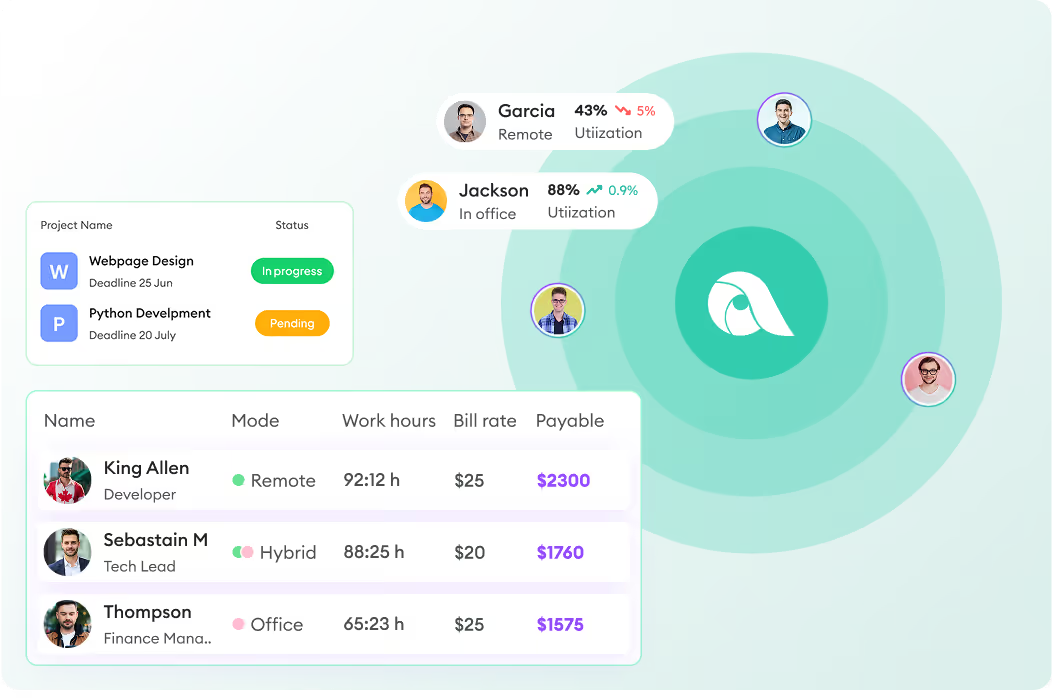
Monitor how your remote and hybrid teams spend their time, compare their productivity, and benchmark performance. Automate payroll, manage projects, track performance - all from one platform.

GDPR Compliant

HIPAA Compliant



GDPR Compliant
HIPAA Compliant
1,400+ Companies 10,000+ Users 70+ Countries













Track remote employee clock-in, how long they work, which apps and websites they use, how active they are, and what was happening during the tracked time through screenshots and screen recordings.
Start tacking now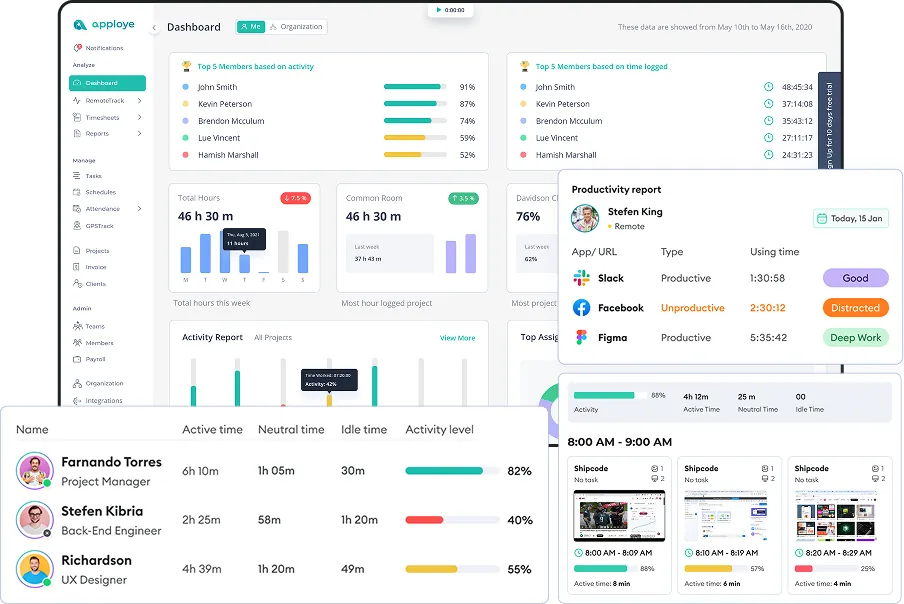
Use productivity tracking, workforce analytics, active vs. idle insights, and detailed reports to spot trends, reduce distractions, and make better decisions about performance and workload.
Explore your analytics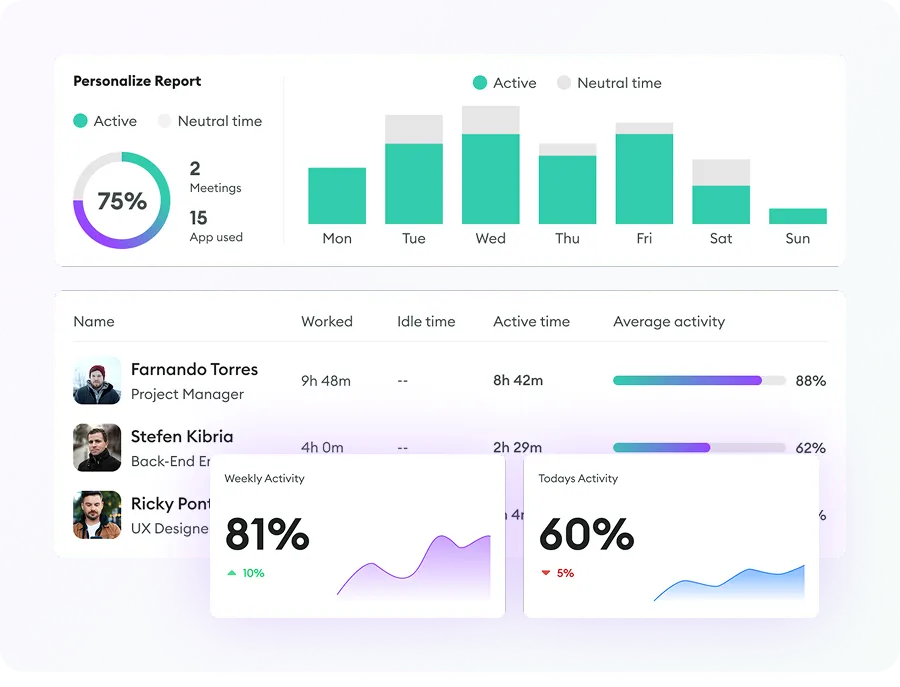
Review daily, weekly, monthly, or custom timesheets, check clock-in/out and attendance, manage leave, and calculate payroll from actual work done.
Automate payroll today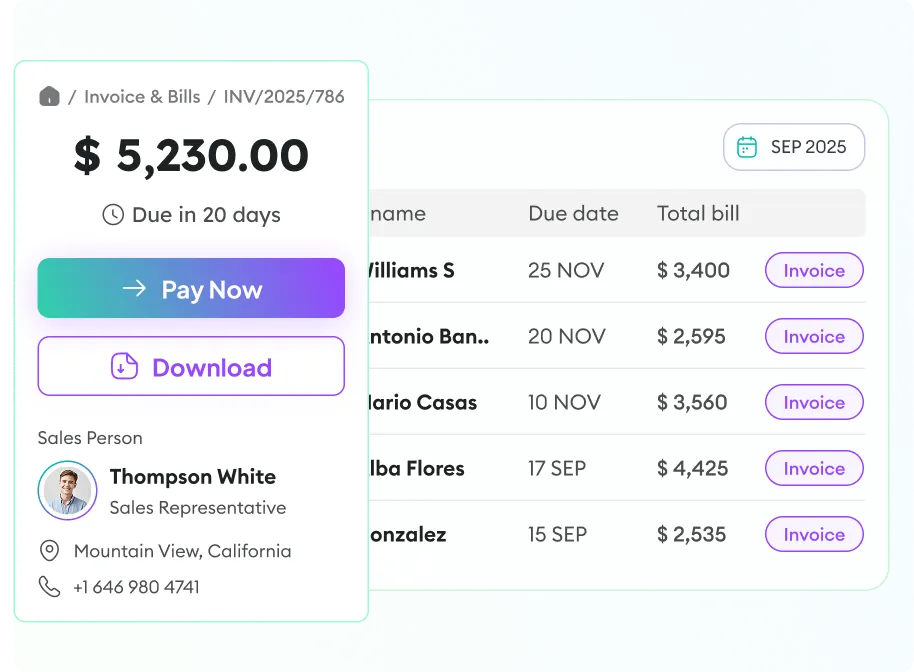
Track time by project and task, view budgets and spent hours, manage billing, and invoice clients - all from a single tool.
Track project profitability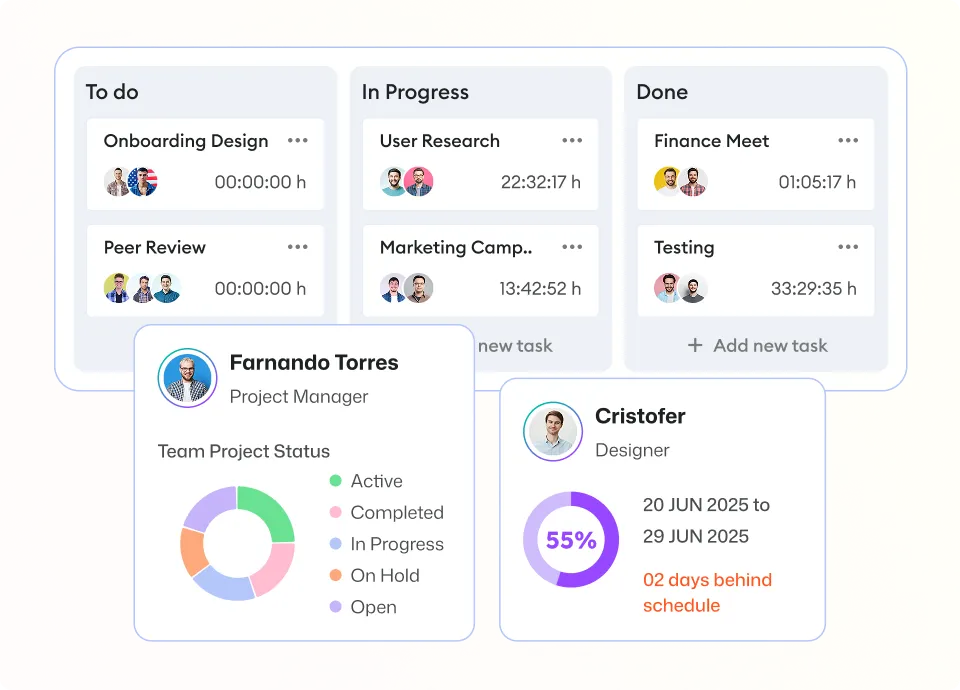
Apploye supports remote, in-office, and hybrid work styles, and its full employee monitoring suite helps observe your remote teams both transparently and in stealth mode.
Build team trust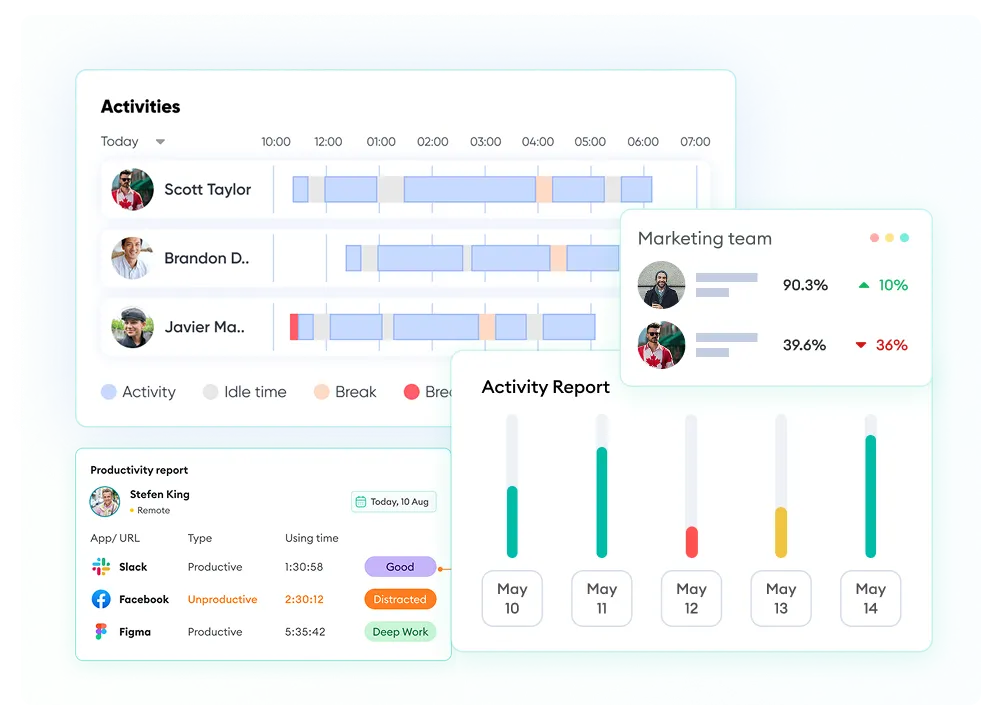
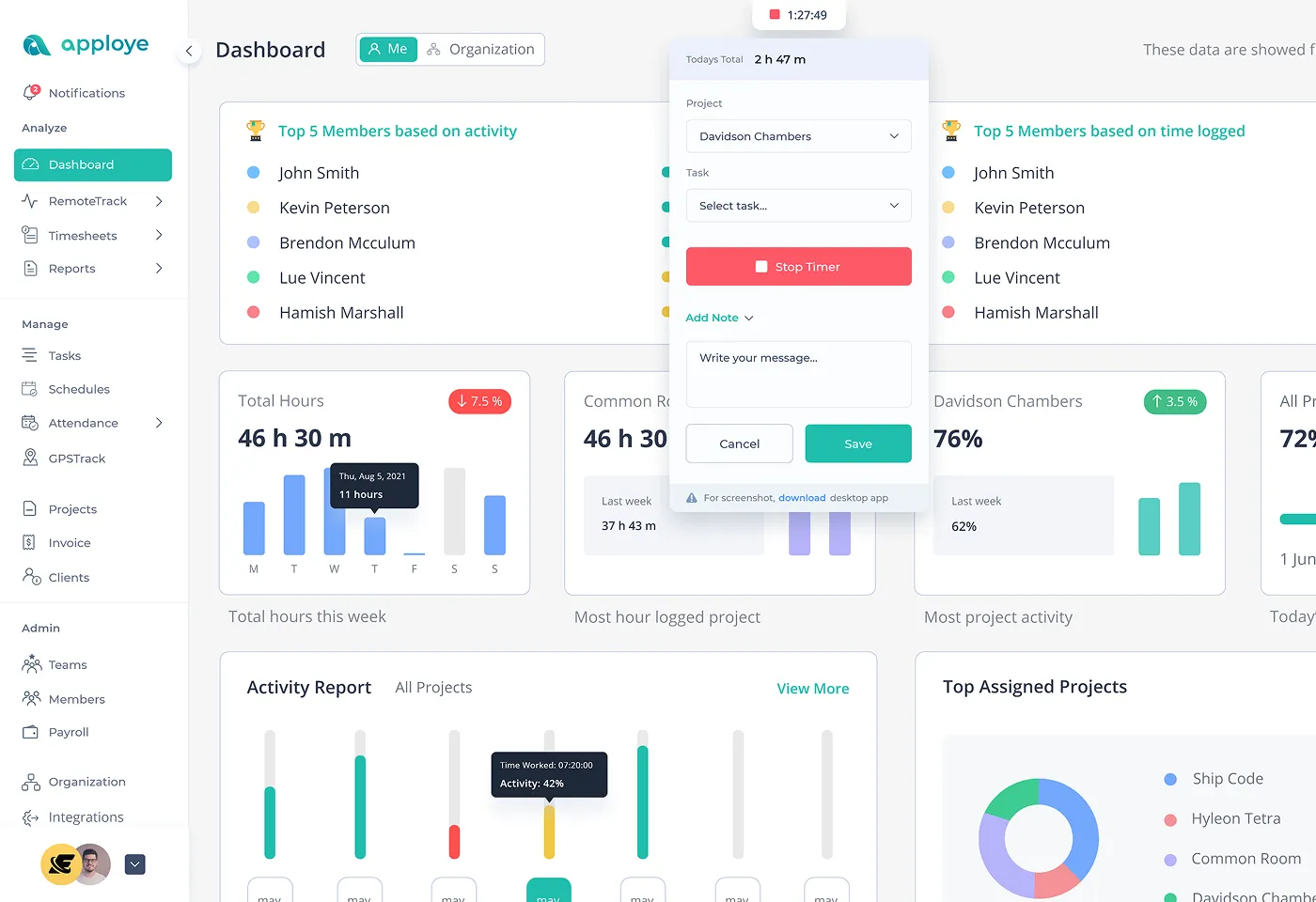
Improve team productivity with time tracking software for remote workers. Plus, you can see how projects are going with live updates on hours worked, pay, and more—all from your dashboard that you can change to fit your needs.
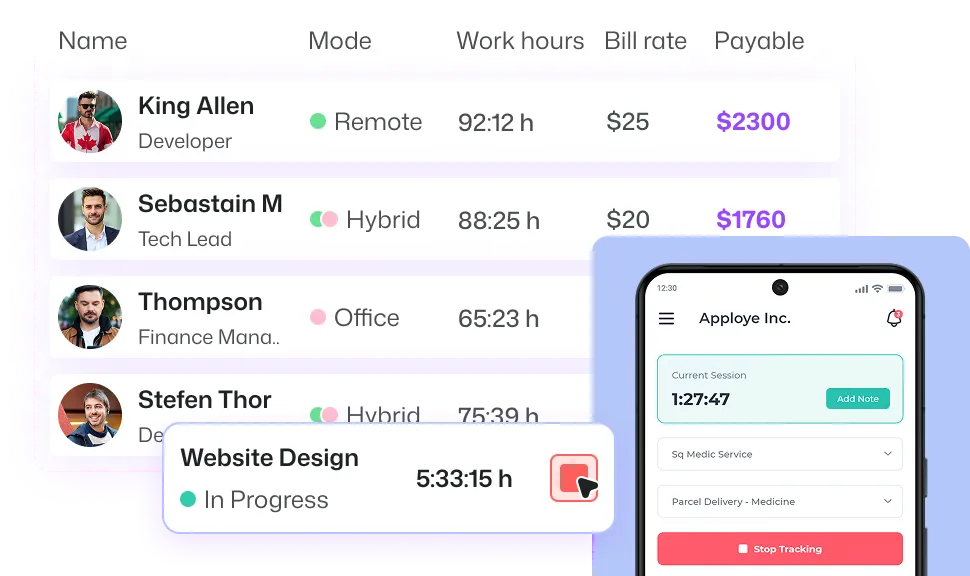
Review screenshots, screen recordings, app usage, website usage, keyboard & mouse activity levels, and active/idle time to understand how work gets done.
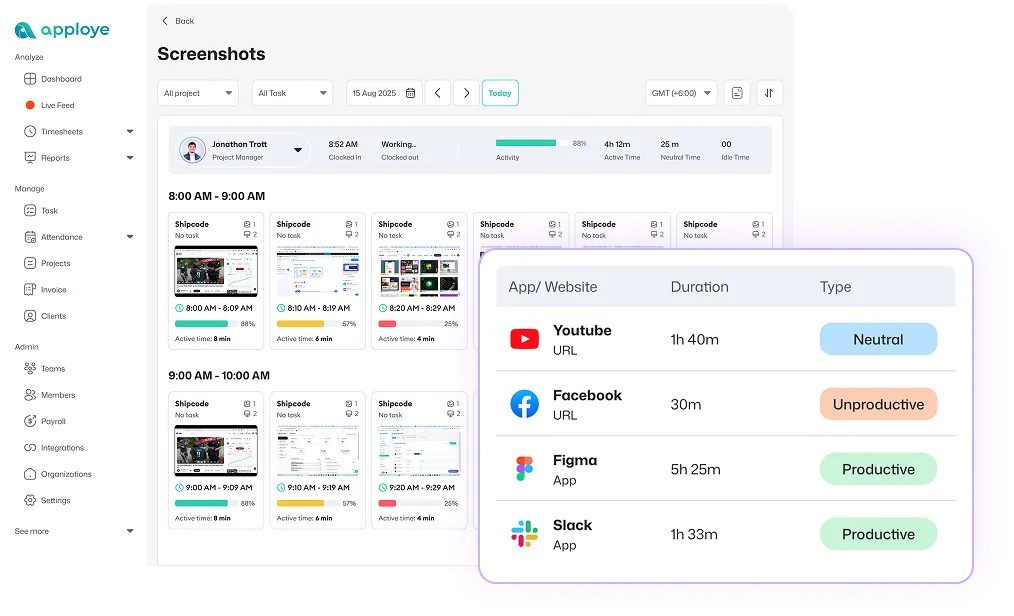
Use clock-in/clock-out, daily to monthly timesheets, attendance logs, and leave tracking to keep records clean and approvals faster.
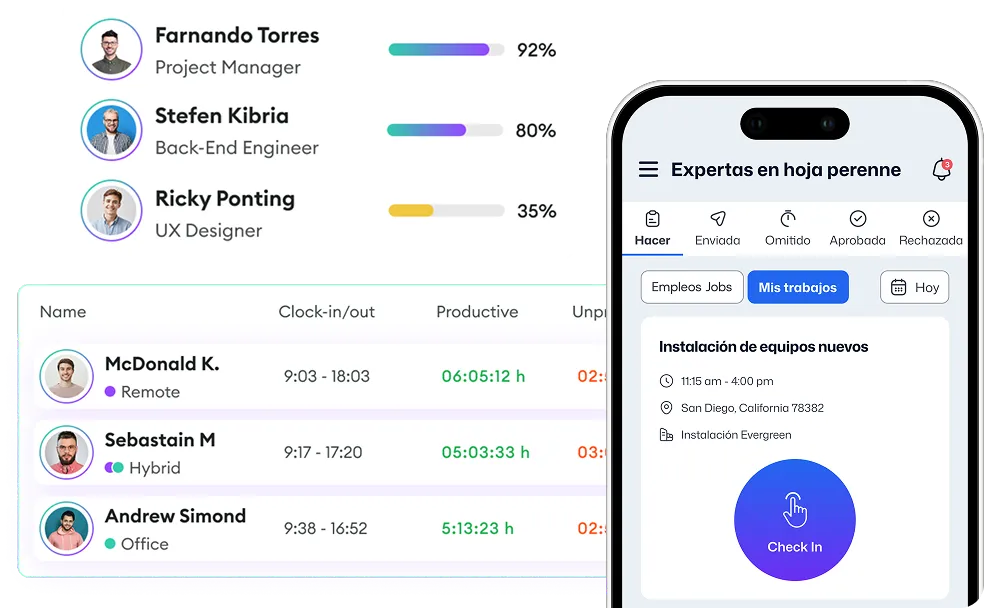
Make capacity planning easier so you can change budgets, stop bottlenecks, and quickly understand how distributed teams work. Keep clients updated with detailed reports. These reports help you predict what your team can do, spread out work across different time zones, and make better schedules.
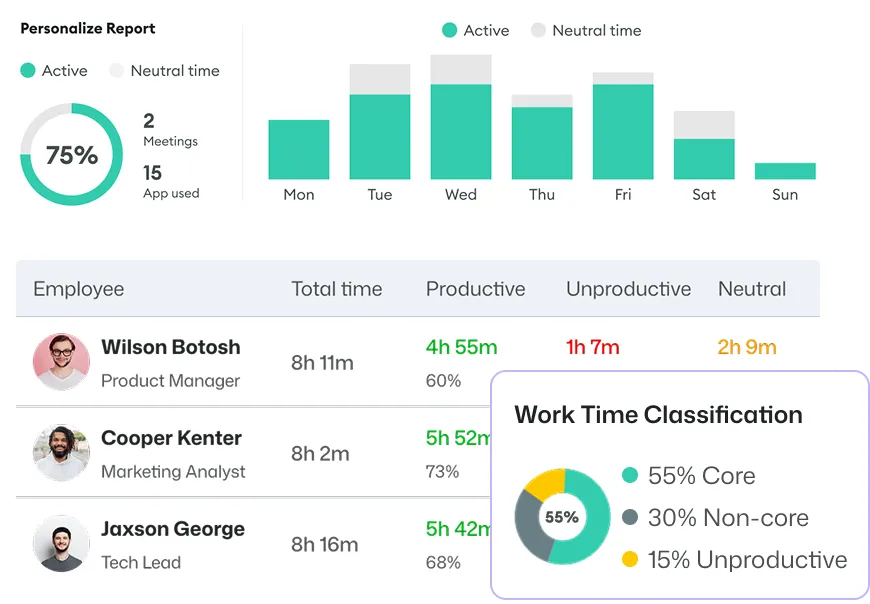
Calculate payroll from tracked time, track billable hours, set project billing, and create invoices automatically; no manual work needed.
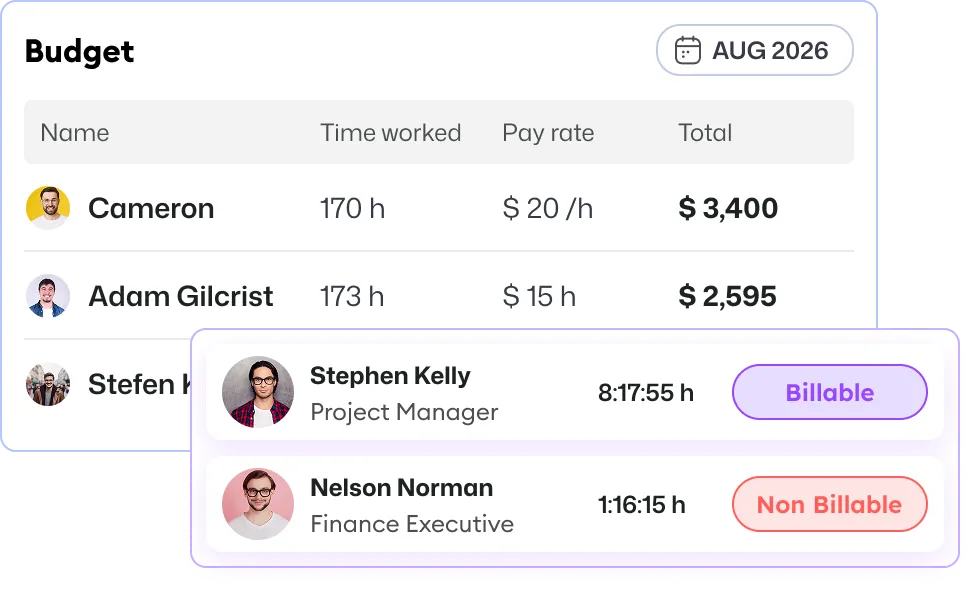
Keep track of your project costs and work hours with Apploye's built-in tracking features. Create and send invoices, budget reports, and more to stay organized and on budget.


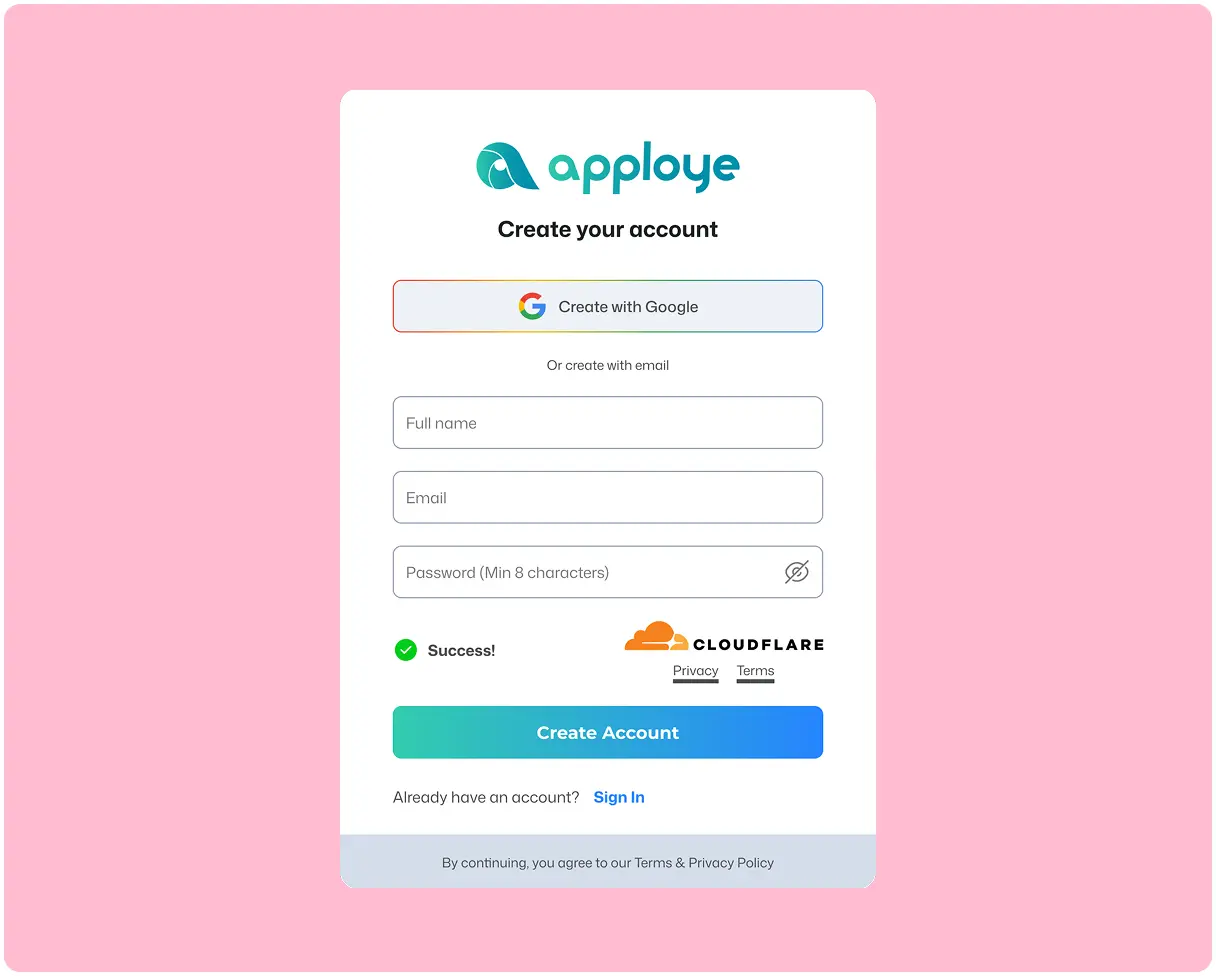
Just enter your email and a new password to sign up, then enter your organization name, and download the app. That's all. No credit card required, no lengthy forms.

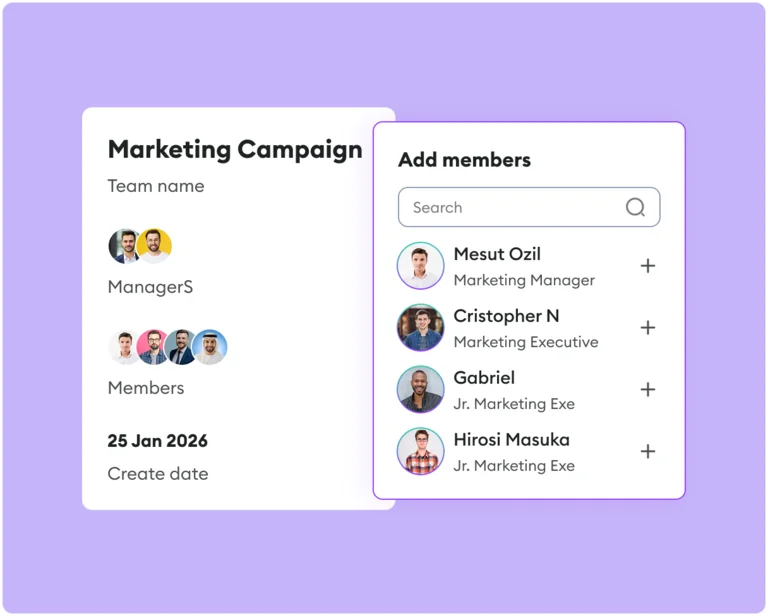
Bring your employees, freelancers, or contractors into Apploye and have them install the app on desktop or mobile, or track via Chrome.

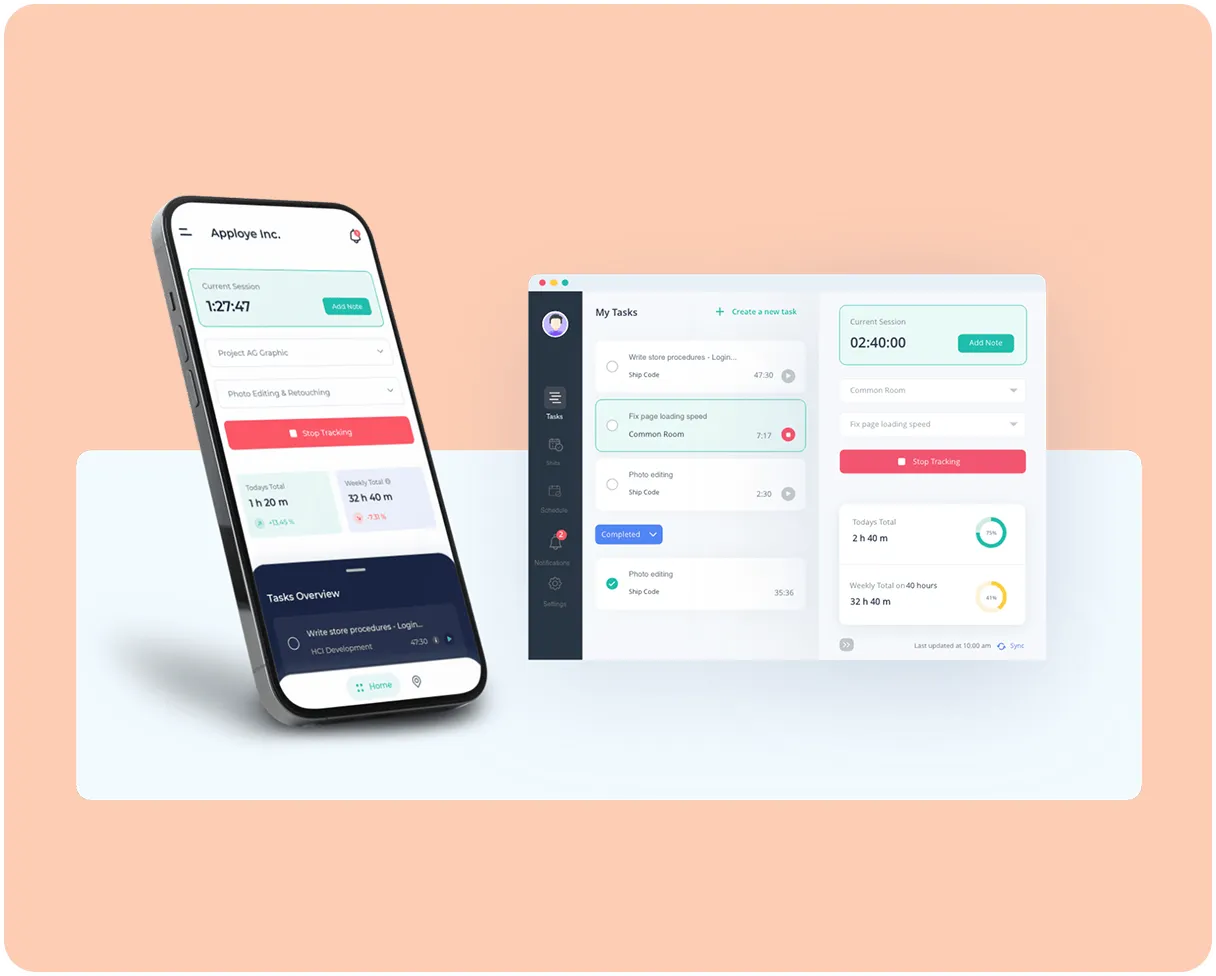
Track time, review productivity and activity, approve timesheets, export reports, and run payroll or billing from one dashboard.
Create Your Workspace
Just enter your email and a new password to sign up, then enter your organization name. That's all. No credit card required, no lengthy forms.
Invite Your Team
Bring your employees, freelancers, or contractors into Apploye and have them install the app on desktop or mobile, or track via Chrome.
Start Tracking & Managing
Track time, review productivity and activity, approve timesheets, export reports, and run payroll or billing from one dashboard.
What's stopping you if you can start for FREE?
1,400+ Remote and Hybrid Companies are using Apploye
"Awesome for Remote Working"
Great for planning and tracking the productive time spent by the development & sales team on different projects and activities. Perfect for understanding what the real cost of implementing a project inside the team. The UI is friendly, you quickly understand how to use the product, and perks like offline sync make it seamless to use.

"Great for Managing Remote Teams"
Apploye made handling remote teams easy. I can track my team's work without being in the room. Plus, my team members know their efforts are not going unnoticed. It improved my remote team's productivity.
"Managing Remote Team Made Much Easier"
Before using Apploye, managing my remote team felt like guessing. I didn’t really know who was working on what or how things were going. Now, I can see how my team is working, which helps me plan better, set fair deadlines, and make sure no one is getting overwhelmed. It’s made us more productive and completely solved our problem with tracking remote work.
"Effortless Remote Monitoring with Sleek Simplicity"
I like that Apploye is simple with screen captures, making it easy to monitor remote developers. There isn't too much complexity in how to review, which I find helpful. I also appreciate the sleek web format of Apploye, and it was easy to migrate from Hubstaff.
"Empowers Remote Teams with Efficient Time Management"
I like using Apploye for time management and screenshot reports. It's been a good experience and gives me good results. Managing a remote worker and tracking time was easy, which helped increase productivity a lot. It's very easy to set up, too.
"Useful Tool for Remote and Onsite Teams"
I had a great experience using the platform, it's easy to use and able to manage the time in and time out of all our employees. It's very affordable and easy to use time tracking platform. Great in managing the teams attendance and screenshots.
"A Simple Yet Powerful Time Tracking Tool for Remote Teams"
Apploye has a clean, user-friendly interface with accurate time tracking, real-time activity monitoring, and helpful screenshots. It’s great for managing remote teams and offers strong features at an affordable price.
"Useful Tool for Remote Teams!"
We used it to track the daily timesheet of our team and see how much time each task takes us to complete, so we could improve our planning activities later. If you manage remote teams or working in one, Apploye is really the thing to go for.
"Best Remote Employee Tracking App"
Due to current market dynamics, we had to transition from onsite work to remote work. Most of our employees are working from home now Apploye came in very handy to track the work of our remote employees. Employee scheduling and monitoring features inbuilt within the app have increased our team productivity.





Manage teams, projects, and clients without any stress. You're just one click away.

Apploye combines time tracking, activity monitoring, screenshots, workforce analytics, timesheets, attendance, reporting, payroll/invoicing, and project controls in one platform. All these features make it a strong fit for managing distributed teams.
Yes. Apploye explicitly supports remote, in-office, and hybrid work styles and offers desktop, mobile, web, and Chrome-based tracking.
Yes. The platform ties tracked time to timesheets, payroll calculation, project billing, and invoicing, which helps reduce manual admin and improve accuracy.
With Apploye, employees need to manually start the app to begin tracking. This makes the process fully transparent rather than spying.
Yes. Apploye supports detailed reporting and exports, including PDF, CSV, and Excel.
Yes. Apploye advertises a free 10-day trial with no credit card required.
A remote and hybrid workforce management system means managing employees who work outside a main office, such as remote teams, hybrid teams, field staff, or a distributed workforce. It is the process of making sure people know what work they need to do, when they need to do it, and how to stay connected with their manager and team.
In simple terms, remote and hybrid workforce management helps a business organize work, track time, manage schedules, measure performance, support communication, and keep operations running smoothly when employees are working from different locations. It often includes time tracking, attendance management, employee scheduling, task management, payroll support, workforce planning, productivity monitoring, collaboration tools, and compliance management.
A good remote workforce management system gives companies better visibility, accountability, and coordination, while also giving employees clarity, flexibility, and support. The goal is to help remote employees work efficiently and help managers keep the workforce productive, organized, and aligned.
Remote workforce management software is a tool or platform that helps a company manage employees who work remotely, across locations, or in hybrid setups.
It usually helps with things like:
In simple terms, it gives managers visibility and control over a distributed team without requiring everyone to be in one office.
Remote workforce management is important because when people work from different places, work can easily become disorganized. Teams need a clear way to communicate, track work, manage schedules, protect company data, and make sure everyone stays aligned.
Here’s why remote workforce management matters:
When employees work from home or from different locations, managers need a simple way to know who is working, what they are doing, and whether deadlines are being met. Without that, tasks slip, communication breaks down, and teams lose focus.
Remote teams do not have the advantage of walking over to someone’s desk. Good remote workforce management helps teams stay connected through clear schedules, updates, handoffs, and expectations. Gallup’s current coverage stresses that hybrid success depends heavily on coordination and trust.
Workforce management software is commonly used to handle employee time, attendance, leave, scheduling, and overtime. That makes it easier to see who is available, who is overloaded, and where support is needed.
Research from Stanford found that hybrid work had no negative effect on productivity in the studied setting and improved retention. That means remote work can succeed, but it needs the right systems and management practices behind it.
Remote work increases the number of devices, networks, and locations used to access company systems. NIST recommends clear remote-access rules, approved device use, and security policies for telework and BYOD environments.
Remote and hybrid flexibility still matter to workers, and Stanford’s study found that hybrid work dramatically improved retention. Managing remote teams well helps companies keep people engaged instead of frustrated or disconnected.
Remote workforce management software helps companies manage remote teams more easily. It brings together time tracking, attendance, scheduling, leave requests, reporting, and payroll data in one place, making day-to-day team management much simpler.
Here are the main remote workforce management benefits:
When employees work from different places, it is harder to know who is working, who is available, and whether shifts or tasks are covered. Remote workforce management software gives managers a clearer view of work hours, attendance, schedules, and team coverage.
Instead of using spreadsheets, messages, and separate tools, businesses can automate common tasks like scheduling, tracking hours, managing time off, and preparing payroll data. That means less admin work for managers and HR teams.
Manual time tracking often leads to mistakes, such as missed clock-ins, wrong hours, or payroll errors. These systems help record work time more accurately, which supports better attendance records and cleaner payroll processing.
For remote, hybrid, shift, or cross-time-zone teams, scheduling can get messy fast. Workforce scheduling tools help assign shifts, manage availability, and keep the right number of people working at the right time.
Better tracking of hours, overtime, attendance, and staffing levels helps companies avoid overpaying, overstaffing, or making poor scheduling decisions. That can reduce wasted labor costs.
Many tools support labor tracking, time records, absence management, and payroll-related compliance needs. This is especially useful when a company is growing or managing employees across different locations.
Many platforms include mobile access, self-service features, schedule updates, and time-off requests, which makes work easier for employees as well as managers.
Here are the biggest challenges of remote workforce management:
When people are not in the same place, managers cannot rely on casual check-ins or visual cues. That makes it harder to track performance fairly and spot problems early.
Remote teams often use chat, email, calls, video meetings, and shared documents simultaneously. Without clear rules, this creates confusion, slow replies, too many meetings, and missed information.
Work can slow down when people are spread across locations or time zones. Research has found that remote work can make collaboration more isolated, with fewer connections across teams and less smooth information sharing.
Remote workers may feel less connected to coworkers and the company. That can hurt morale, trust, engagement, and teamwork.
When home and work happen in the same place, employees may work longer hours, struggle to switch off, or feel pressure to always be available.
New employees do not get the same natural learning they would in an office. Managers have to be more deliberate about training, support, introductions, and expectations.
Some companies become too loose and lose visibility. Others over-monitor employees and damage trust. Good remote management needs clear goals without making people feel watched all the time.
Remote work means more home networks, more devices, and more remote access to company systems. That raises the chance of weak passwords, unsafe devices, or phishing problems if security is not managed well.
Remote employees can miss out on information, support, development, or visibility if managers are not intentional. Everyone needs equal access to communication, training, and opportunities.so you can bill correctly.
Here are the top strategies of remote workforce management:
Everyone should know the working hours, response times, meeting rules, and which tools to use for chat, video calls, task updates, and file sharing. Clear rules reduce confusion.
Managers should look at whether work is getting done on time and at the right quality. The goal is to measure outcomes, not just whether someone looks busy online.
Remote teams need steady communication. Weekly check-ins, one-on-one meetings, team updates, and clear written instructions help everyone stay aligned.
Good remote workforce management software helps with time tracking, task management, employee scheduling, attendance tracking, reporting, and team collaboration. The right platform makes remote work easier to manage.
Remote employees work better when they are trusted, but expectations still need to be clear. Give people ownership of their work and make responsibilities easy to understand.
Remote workers can feel isolated. Encourage collaboration, recognition, and team interaction so employees stay engaged and connected.
Remote work can blur the line between work and personal life. Encourage breaks, reasonable work hours, and healthy boundaries to prevent burnout.
Managing remote employees is different from managing office teams. Managers need to learn how to communicate clearly, track progress fairly, and support employees from a distance.
Remote teams often work from different devices and locations. Businesses should use secure systems, strong passwords, access controls, and safe communication tools.
Remote workforce management is not a one-time setup. Teams should regularly review what is working, what is not, and where processes or tools need improvement.
Yes, buy remote workforce management software when running your remote or hybrid team feels messy day to day.
These tools are mainly built to help with time tracking, attendance, scheduling, leave, payroll prep, reporting, and compliance. Current category pages also highlight features like mobile access, calendar management, employee self-service, and analytics.
Buy it if you have problems like:
That matches how workforce management and attendance software are described today: they help businesses track hours, manage attendance and leave, improve payroll accuracy, support compliance, and give managers better visibility.
Do not buy it just because your team is remote.
If your team is small, mostly salaried, and your real problem is communication, task tracking, or project coordination, then you may need project management or remote employee monitoring software, not full workforce management software.
Pick the software that solves your biggest daily problem first. For most businesses, that means one or more of these: tracking work hours, managing schedules, handling time off, keeping payroll accurate, staying compliant, and getting a clear view of what the team is doing.
Ask: What is hurting us most right now?
Maybe it is:
Choose software that fixes that first. Do not start with “best brand.” Start with “best fit for our problem.”
For most businesses, the must-haves are:
These are the features that show up again and again in current workforce management and scheduling guides.
A good system should connect with the tools you already use, such as payroll, HR, communication, and project tools. If it does not integrate well, your team may end up doing the same work twice. Current guides explicitly tell buyers to check integrations early.
If the software is confusing, your team will avoid it. Look for something employees can use easily for clock-ins, leave requests, schedules, and updates, especially on mobile. Buyer guides also stress ease of use and self-service because adoption matters as much as features.
If you manage hours, overtime, leave, or payroll, the system should help you stay accurate and reduce risk. Good workforce software should help with labor tracking, approvals, records, and compliance support.
Do not look only at the monthly price. Also, think about setup, training, support, and how much time the tool will save. The cheapest option is not always the best option if it creates more admin work. Capterra’s current buyer content also frames pricing as one part of a bigger purchase decision.
Try a demo or trial with real managers and employees. Use real situations: tracking hours, approving leave, building schedules, and checking reports. The best software is the one your team can actually use without friction.
Apploye’s approach to remote workforce management is to combine visibility, productivity analysis, and operational workflows in one system. It is not just a time tracker: Apploye positions itself as a platform to manage workforce productivity, performance, and activity, while also handling timesheets, reporting, payroll, invoicing, and task/project management.
Apploye’s model is that employees, contractors, or freelancers manually clock in to start work. Once they do, the platform can track time, capture random screenshots, and optionally record work sessions. Apploye explicitly says this is a fully transparent process and frames it as monitoring without covert spying.
Its approach is to look at several layers of work data together: tracked time, screen monitoring with screenshots & screen recordings, computer monitoring with app & website usage tracking, and activity levels such as active, neutral, and idle time. That gives managers a fuller picture of how work is being done rather than relying only on clocked hours.
Apploye emphasizes dashboards and reports as the “command center” for remote teams. Managers can view time and activity by member or project, compare performance, review productive vs. non-productive time, see rankings, receive weekly summaries, and export reports. The point is to support data-driven decisions about productivity, workload balance, and team performance.
Apploye’s approach is also operational, not only observational. It includes timesheet approval, weekly hour limits, attendance tracking, project and task management, payroll calculation, client invoicing, and integrations with tools like ClickUp, Trello, Jira, and Asana. So the tracking data is meant to feed directly into team management and business workflows.
Apploye is non-intrusive and legal. It highlights GDPR and HIPAA compliance, says data is encrypted, and states that it does not record keystrokes or sensitive information like passwords. So its stated approach is: monitor enough to improve visibility and accountability, but avoid the most invasive forms of surveillance.
Apploye helps businesses manage remote teams securely by giving them a clear view of work without making things overly complicated.
It tracks work hours, activity levels, apps, websites, and screenshots, so managers can see how time is being spent and whether work is getting done. This reduces guesswork and helps teams stay accountable.
It also keeps remote work more secure by creating a record of work activity. Managers can review tracked hours, screenshots, and usage data to spot unusual behavior, reduce misuse, and make sure work is happening as expected.
At the same time, Apploye includes privacy-focused controls. It does not record passwords or log keystrokes, and it says employee tracking is done with user awareness. Features like blurred screenshots and controlled screenshot deletion help balance monitoring with privacy.
Apploye also improves security in daily operations by linking tracked work with attendance, timesheets, payroll, and invoicing. That means businesses can rely on verified work data instead of manual guesses when managing pay and records.
Workforce management software helps a business run people-related work better.
It is used to manage employee schedules, time tracking, attendance, time-off, payroll inputs, compliance, and workforce reporting in one place.
Here’s how it improves business performance:
The software helps businesses put the right number of people on the job at the right time. That cuts overstaffing, understaffing, and unnecessary overtime, which protects profit. NiCE specifically frames workforce planning around avoiding too many staff wasting budget or too few harming service.
Instead of using spreadsheets or manual follow-up for schedules, attendance, and hours worked, managers can automate much of that work. Gartner and Infor both emphasize reduced admin work and better visibility into workforce data.
When schedules, attendance, and time data are easier to manage, teams spend less time fixing mistakes and more time doing real work. Infor highlights productivity and payroll accuracy as direct benefits.
When staffing is more accurate, customers are less likely to face delays, long wait times, or poor support. Better scheduling helps keep the business properly covered during busy and quiet periods.
Accurate time and attendance records help businesses pay employees correctly and follow labor rules more consistently. That means fewer payroll errors and less compliance risk.
Because labor data is tracked in one system, managers can see labor spend, overtime, attendance, and productivity trends faster. Gartner points to reporting and analytics for labor costs and workforce productivity, and software listings also emphasize real-time alerts and visibility into overtime and attendance.
Workforce management software helps a business manage employees’ work hours and staffing. It is mainly about time tracking, attendance, scheduling, leave, labor costs, compliance, and workforce reporting.
A company uses workforce management software to:
On the other hand, remote work software helps people work together from different locations. It is mainly about communication, collaboration, project management, file sharing, and keeping remote teams aligned.
A company uses remote work software to:
Key features to look for in remote workforce management software
The software should make it easy to log work hours, breaks, overtime, and time off. This helps companies avoid payroll mistakes and keep accurate attendance records.
It should let managers create work schedules, handle availability, manage leave, and share updates quickly. Good scheduling tools also help prevent coverage gaps and last-minute confusion.
Managers should be able to quickly see who is working, who is absent, and where there may be staffing problems. A clear dashboard saves time and reduces speculation.
The software should show useful reports on hours worked, attendance, labor costs, and team trends. This helps businesses make better staffing and budgeting decisions.
A strong tool should connect with payroll so work-hour data flows in automatically. This reduces manual entry and lowers the chance of errors.
Employees should be able to clock in, check schedules, request leave, and get updates from their phones. This is especially important for remote, hybrid, and deskless teams.
The software should help track overtime, leave rules, and attendance policies, with records that are easy to review later. This is useful for staying organized and reducing compliance risk.
Good software lets employees handle simple tasks on their own, like viewing schedules, submitting time off, or checking hours worked. This reduces back-and-forth with managers and HR.
For remote office teams, it can help if the tool also shows task progress, workload, or productivity trends. The best tools give helpful insight, not just basic monitoring.
Newer workforce tools increasingly use AI for demand forecasting, schedule optimization, and reducing admin work. This can help teams plan faster and use staff more efficiently.
Remote workforce management software helps teams work better by making daily work easier to organize and track.
First, it saves time on admin work. Instead of using spreadsheets, messages, and manual follow-ups, the software can handle time tracking, attendance, shift scheduling, leave requests, and payroll-related records in one place. That means managers spend less time fixing errors and more time helping the team do real work.
Second, it gives better visibility. When a team works remotely, it is harder to know who is working, who is available, who is overloaded, and where delays are happening. This software gives managers a clearer view of work hours, schedules, attendance, workload, and team activity, so problems can be spotted early.
Third, it improves coordination. Remote teams often lose time because of unclear schedules, missed updates, and slow approvals. With a shared system, everyone can check schedules, request time off, swap shifts, log hours, and see changes in real time. This reduces confusion and keeps work moving.
Fourth, it improves planning. Managers can use the data to make better decisions about staffing, deadlines, overtime, and team capacity. That helps avoid both overwork and underuse of staff.
Remote workforce management software keeps data safe by controlling who can enter, what they can see, and how the data is protected while it is being used, sent, or stored. Good systems do this with identity checks, limited access, encryption, device checks, activity tracking, and secure sessions.
The software should use single sign-on (SSO) and multi-factor authentication (MFA), so a password alone is not enough to get in. This is important for remote teams because passwords can be stolen.
A manager may need schedules, HR may need employee records, and finance may need payroll data. Secure software uses role-based access control (RBAC) so people do not see data that is not relevant to their job. That lowers the risk of leaks and misuse.
This means data is encrypted in transit and at rest. So whether employee data is being sent over the internet or saved in the system, it is much harder for outsiders to read it.
Secure remote access should look at the device too, such as whether it is managed, updated, and safe to use. NIST’s zero-trust guidance for hybrid work is built around the idea of giving access from anywhere, but only after verifying the user, device, and context.
Good software creates logs that show who signed in, what they accessed, when they accessed it, and what they changed. Monitoring those logs helps spot unusual behavior early, such as suspicious logins or unauthorized data access.
After login, the system should use secure session controls like automatic timeout, secure session handling, and asking the user to confirm identity again for sensitive actions. This helps stop someone from abusing an unattended or hijacked session.
Encrypted backups and recovery measures help protect workforce data from loss, ransomware, or accidental damage. Security is not just about blocking attacks; it is also about keeping data available and recoverable.
Remote workforce management software helps companies schedule people in different time zones without confusion.
When a manager creates a shift, the software saves it with a specific time zone. Then it automatically shows that shift in each employee’s local time. So if a manager schedules someone for 9:00 AM in New York, a worker in HongKong will see the correct equivalent time on their own schedule.
It also checks who is available at that time before assigning shifts. That means the software can avoid booking someone when it is too late, too early, or outside their normal working hours.
Many tools also help with:
So in simple terms, the software acts like a smart translator for work schedules. Managers can plan shifts once, and the system converts the timing correctly for everyone.
Remote Workforce Technology helps businesses run smoothly when employees work from different places. This includes people working from home, in different offices, on the road, or across different time zones. In simple terms, it gives companies the tools they need to manage work, communication, security, and performance without everyone being in one office.
Tools for video meetings, team chat, file sharing, and project management make it easier for remote teams and hybrid teams to communicate, share updates, and work together. Without this technology, remote work can quickly become confusing and disorganized.
Remote workforce management software gives managers visibility into schedules, tasks, attendance, time tracking, and team progress. This is important for distributed teams because managers cannot rely on physical presence to know what is happening. Instead, they use digital tools to keep work organized and on track.
Businesses use remote employee management software, workforce analytics, employee scheduling software, and time and attendance software to make sure work is being completed efficiently. These tools help teams stay focused, reduce missed deadlines, and improve workflow management without constant manual follow-up.
Modern businesses can hire skilled people from different cities or even different countries when they have the right remote work technology in place. This gives companies access to a larger talent pool and makes it easier to build remote teams, hybrid teams, and global teams.
Remote access tools, cloud collaboration software, cybersecurity systems, and digital workforce management platforms help protect company data while allowing employees to work from anywhere. This is especially important for businesses that want secure remote work, smooth operations, and less dependence on a single office location.
Good remote workforce technology makes work easier for employees by giving them clear schedules, better communication, self-service tools, and easier access to files, tasks, and team support. This can improve employee engagement, reduce frustration, and help businesses retain talent.
Measuring performance in remote work means checking whether people are getting the right work done well and on time. It should focus more on results than on whether someone looks busy online.
People need to know:
If expectations are unclear, performance cannot be measured fairly.
Do not judge remote workers only by:
Instead, look at:
A person can appear active all day and still produce little value. Another person may be quieter but deliver excellent work.
How much useful work was completed?
Examples:
Was the work done properly?
Examples:
Was the work completed on time?
Examples:
Did the person help work move smoothly?
Examples:
Different jobs need different measures.
Examples:
Use a shared tool or tracker so everyone can see:
When work is visible, performance is easier to measure.
Do not wait too long.
A simple approach:
This helps managers support people early instead of reacting too late.
Metrics are helpful, but numbers do not show the full picture.
Talk regularly about:
This makes performance measurement fairer and more useful.
Do not judge someone based on one bad day or one strong week.
Look for trends like:
Performance should be measured over time, not by one moment.
Too much monitoring can damage trust.
Avoid relying too much on:
These often measure activity, not true productivity.
A good remote performance system answers these questions:
That is the simplest way to measure productivity in a remote setup.
The future of remote workforce management is becoming more AI-powered, hybrid-friendly, skills-focused, privacy-aware, and results-driven. The best remote workforce management software will help companies manage people better without making work feel controlling or chaotic.
Below, I’ve provided some future trends in remote workforce management:
Most companies are not moving to fully remote or fully office-based work. The bigger trend is hybrid work, where teams split time between home and office, and managers focus more on coordinating team schedules well.
Remote workforce management software will do more than track hours. It will increasingly help with scheduling, reporting, planning, workflow automation, and team coordination, making managers less dependent on manual work.
The future is moving away from “Is this employee online right now?” and toward “Is the work getting done well?” That means more focus on performance, output, goals, and accountability instead of just screen time.
Some companies will still track productivity, but there will be more pressure to respect employee privacy, trust, and transparency. The trend is toward balanced monitoring, not excessive surveillance.
Companies will increasingly manage remote workers based on skills, training, and role fit, not just where they live. Upskilling and reskilling will become more important as jobs and tools keep changing.
When employees work remotely across different cities, states, or countries, businesses have to handle more tax, payroll, labor law, telecommuting, and data privacy issues. This makes compliance a major future trend in remote workforce management.
Companies are learning that remote work is not only about productivity. It is also about engagement, well-being, flexibility, communication, and retention. Teams that feel supported usually perform better over time.