Employee Productivity Report: A Secret To Your Business Success

Are you a small business owner or a growing team that wants to improve employee performance?
Then it’s time you introduce your business system with employee productivity reports. For managing individuals' performance to mapping your business goals, measuring employee productivity are the fundamentals of how your business works.
And to ensure your business success, why should you create one?
Well, in this blog, we are going to talk about what an employee productivity report is and why your business needs one. So, let’s get started.
What is an Employee Productivity Report?
An employee productivity report is a document that includes detailed data on how an employee has worked for a certain period of time. It may include infographics, visuals, and texts in order to provide a detailed view of the employee’s performance.
An employee productivity report works as a mirror to the managing authorities to help them understand an employee’s overall productivity.
5 Employee Productivity Reports Template
Employee productivity report templates help employer to understand their work progress with proper visual representations. The better the report template you use, the more efficient it becomes for you to track employee efficiency.
Here are a few employee productivity reports you can access by signing in to the Apploye employee monitoring software:
1. Check-in / Out report
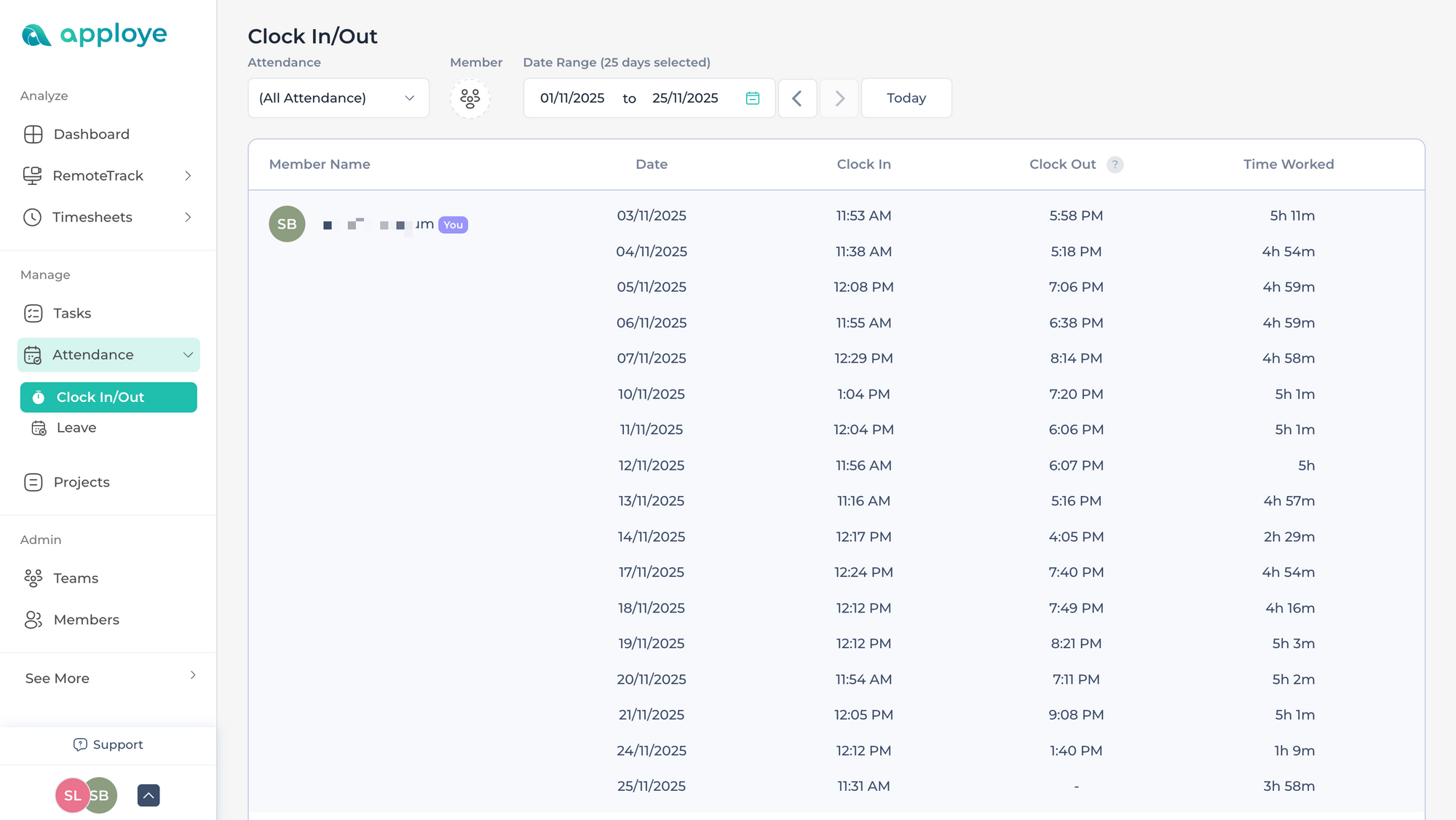
Employee Check-in / Check-out helps companies obtain a comprehensive dataset of employee work hours. It captures the exact time employees begin and end their workday. As a result, it reduces manual tracking and builds accountability among the employees.
So, it becomes easier for HR teams to prevent attendance disputes, prepare error-free payrolls, and get visibility into employee availability. You can understand who is constantly following their work schedule and who’s missing out.
Automate attendance & payroll easily today
2. Screen Record Report
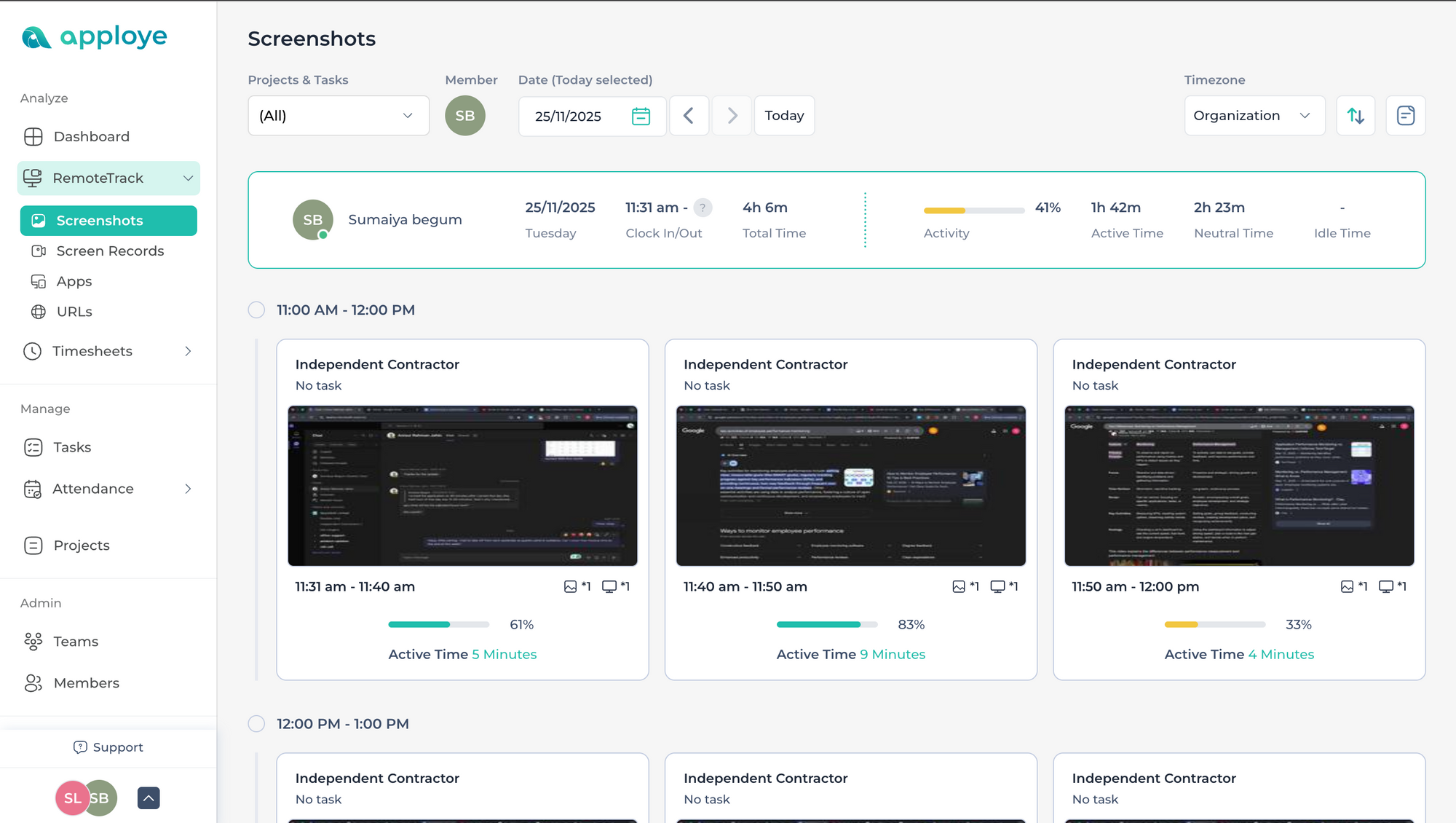
The Screen Record Report provides periodic screenshots and activity recordings during active working hours. It shows you exactly what employees are doing, which apps they use, and how their screen activity aligns with assigned tasks.
These types of report templates are extremely useful in remote environments as they create transparency without requiring managers to constantly request updates or conduct check-ins.
You can identify your employee's work distractions, verify progress, and provide targeted support when someone is stuck. Instead of micromanagement, the screen record acts as an unbiased visual record that keeps the entire workflow honest and aligned.
Monitor remote work with screenshots fast
3. Task Time Reporting Template
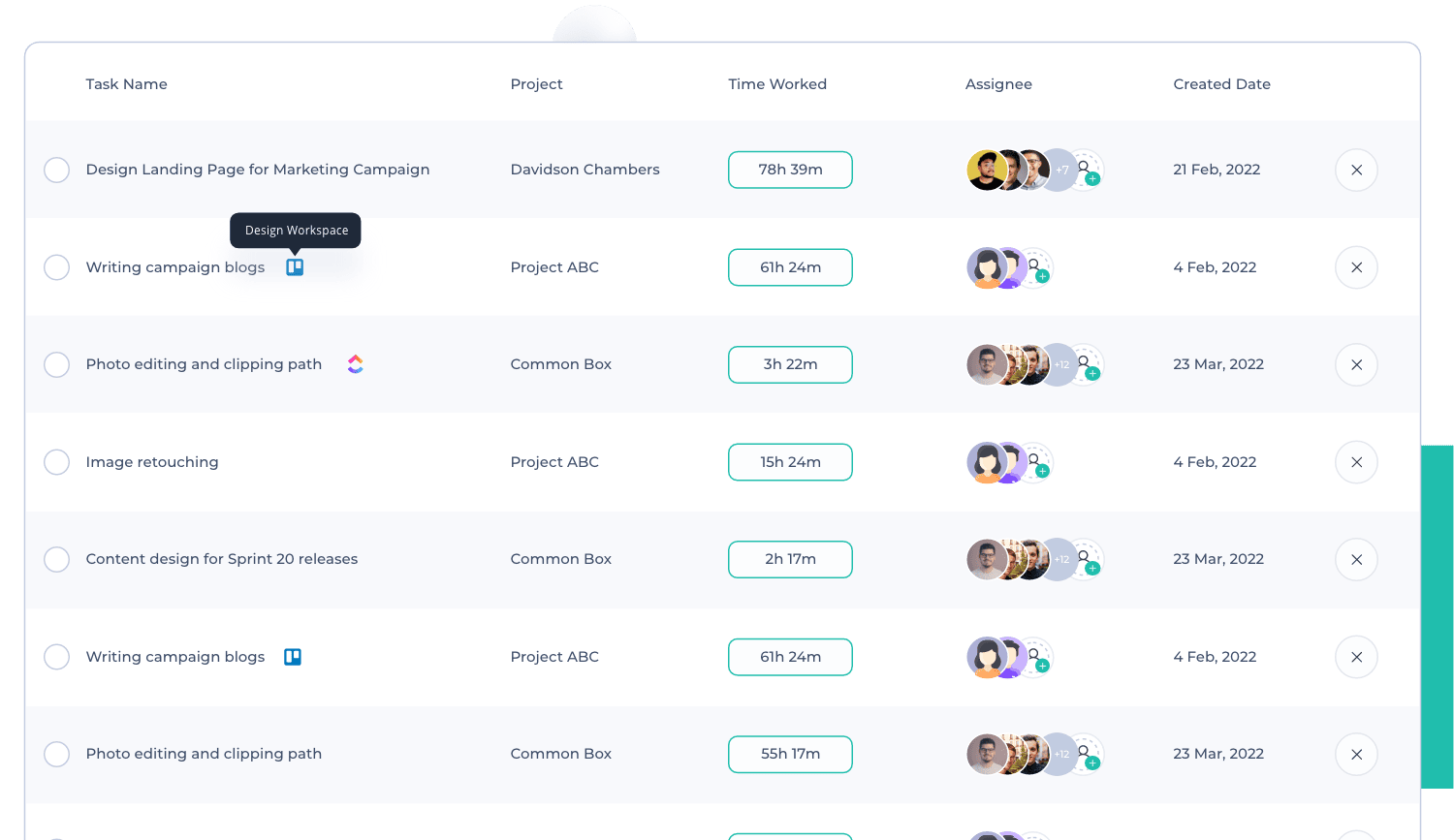
The Task Time Report breaks down how much time each employee spends on specific tasks and projects. It helps you see which assignments require more effort, which employees are overloaded, and which tasks are creating delays.
As a result, you can create more accurate plans, delegate tasks, and even improve your project budgeting using these detailed reports. Moreover, the task time report is also a useful feature template for preparing client bills based on hours, as it simplifies the invoicing.
4. Idle Time Report
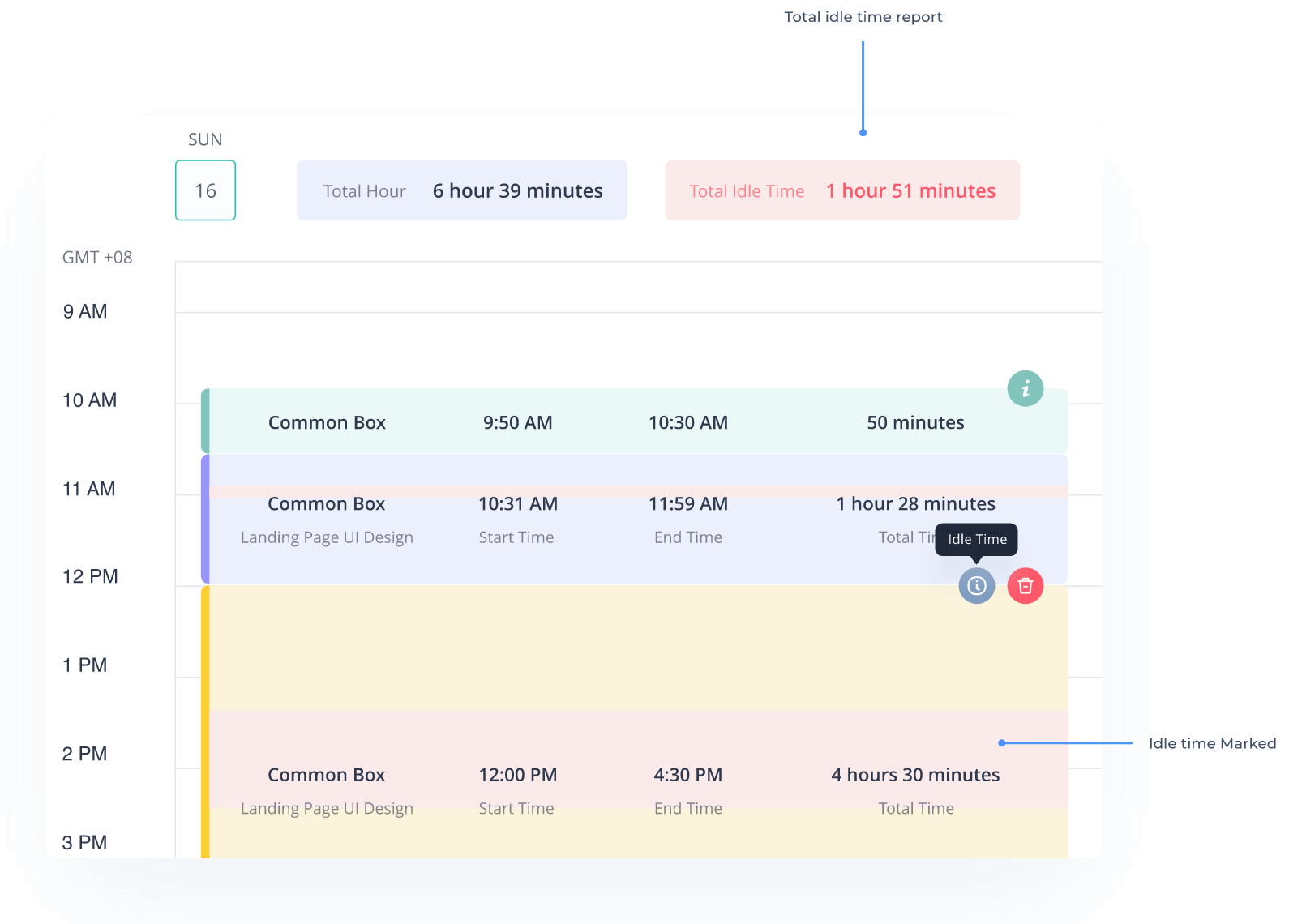
When there's no activity on the keyboard or mouse, the system tracks that period as an idle time. Idle time report helps employers find gaps between the unproductive times, breaks, waiting time, and delays in task submissions. It is also an effective way to understand whether the idle time is for a healthy break, a sign of burnout, or just a sign of poor time management structure.
5. Detailed Time Sheet Report
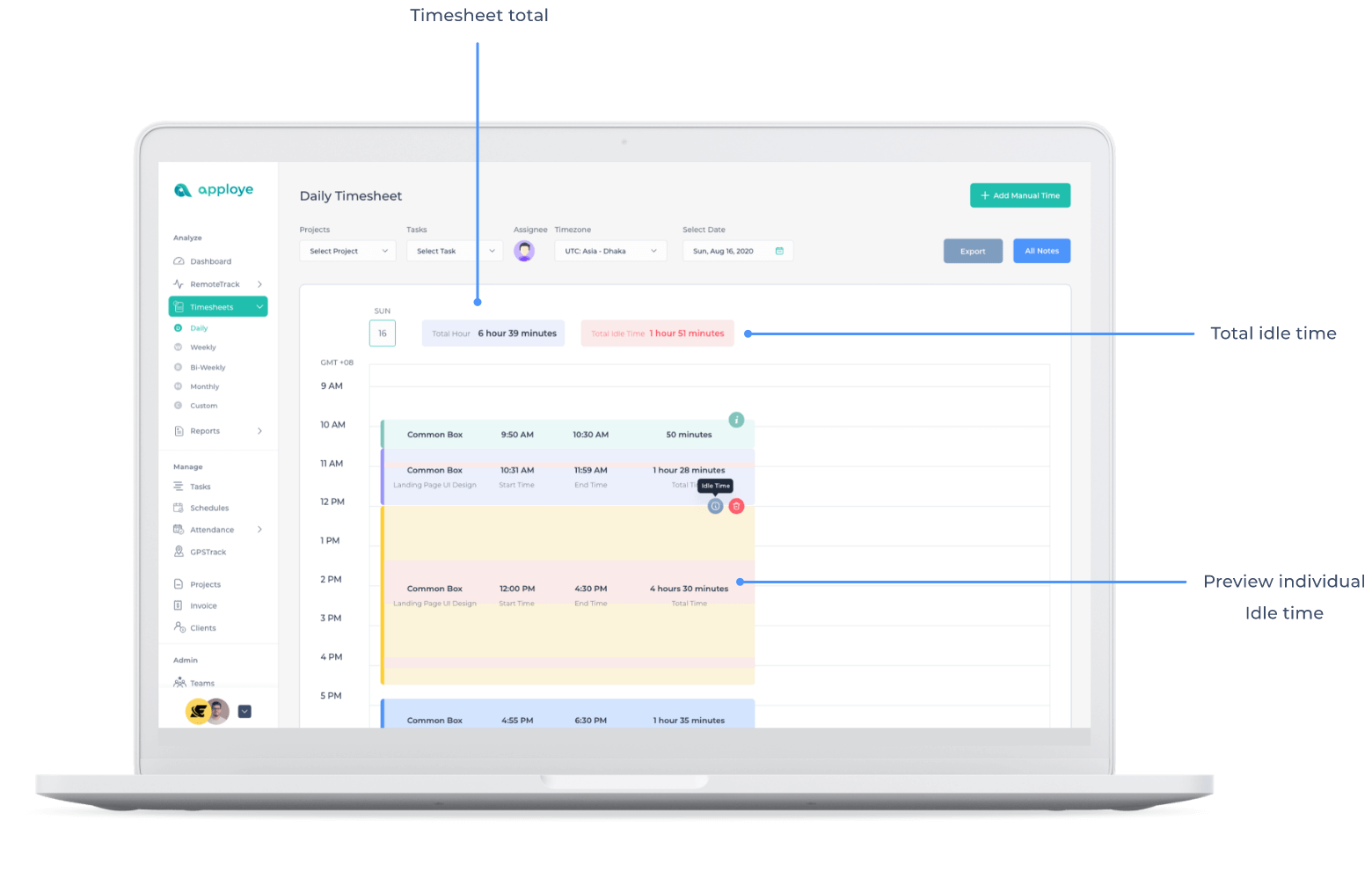
Apploye’s detailed timesheet report contains a comprehensive overview of an employee’s entire workday. It shows exactly when someone logged in, how long they continued working without taking a break, and which projects were on their list during the day.
It is an effective way to monitor progress and compare the work from one day to another.
Get detailed work insights instantly here
Why Should Businesses Build Employee Productivity Reports Regularly?
Imagine being able to see, visualize, and understand how your strategies are performing and how your troops are responding to them.
Yes, this is how regular creation of employee productivity reports helps you run your business efficiently. You can see better, understand the process, and take informed decisions without making only guesswork.
Here’s why you should create a regular employee productivity report, for instance, weekly, monthly, or at least quarterly:
- Get performance insights: These reports give you detailed insights into your employees’ performance. So, when you prepare and analyze them regularly, it would help you in other areas of finding improvements or issues before they become a major issue.
- Maintain transparency: it removes any confusion or chances of favoritism when you can see everyone’s clear data. Even employees will understand how their work is getting judged, and managers can measure it efficiently.
- Improve strategies: The Productivity report gives you information about how the current strategy is performing for your team. So when you evaluate your strategies regularly, you become more efficient in finding errors and bringing forth the necessary changes.
- Boosts Employee Productivity: Helps employees understand, analyze, and improve their workflow. The clear reports give them ideas about their responsibilities, achievements, and compare achievements.
- Informed Goal Setting: Productivity reports allow you to understand the capabilities of your team members. You can track and prepare better reachable goals that encourage people to achieve without making them burn out.
Gain data-driven business insights daily
Features of an Ideal Employee Productivity Reports
So, how should you prepare the performance report of employees that is not just a stack of information? An insightful report that will really serve its purpose and let you see through the monitor of your teams?
Let’s discuss some of the must-have features of an ideal employee productivity report template
1. Clear Time Tracking Data: Your report should contain data on how your employees are spending their work hours. In order to get an in-depth of their workflows, your report should show their total working hours, active time, and idle time. So, you can get a realistic view of how employees spend their day, where it needs improvement, and how time could be spent more wisely.
2. Progress of Tasks and Projects: Prepare a report that includes details about their projects. For instance, it may contain updates on completed tasks, how many deadlines were met, and the number of pending tasks. It gives you a quick snapshot of overall progress. It can also help you identify bottlenecks earlier, before it gets too late.
3. Comparative Data: Create reports that compare data with the past and recent information. So, you will be better able to spot the areas of improvement. For instance, you will know who deserves a promotion or what type of training they require.
4. Visual Summaries: Customize your employee productivity report template with visuals like charts and graphs. This will make your performance report of employees easier to scroll through and understand.
5. Use of Automated Tools: Use tools that help you save your report data securely. So, whenever you need to evaluate the reports, you can get them online, without any need to worry.
Apploye: Get an Employee Productivity Report with a Click
There are many ways you can create your employees’ productivity reports. For instance, you can create it on your own using a spreadsheet or use digital tools for automated processes.
Though you can save money by doing it all on your own, it comes with a lot of loose ends. Manual report making may take hours to create one. And it’s easy to miss any small details.
But if you use an automated tool, errors will be reduced significantly. These modern tools come with a lot of functionalities that help businesses grow their employee productivity for real.
Here’s what the Apploye employee productivity monitoring tool helps you create a productivity report:
- It automatically tracks working hours, task progress, and employee activity. Then, turn that data into ready-to-use productivity reports.
- Allows managers to get a real-time view of project progress.
- Offer visual reports like graphs and store the data securely for later use.
For small and growing businesses, Apploye offers a smart way to maintain transparency, motivate teams, and improve overall productivity without spending extra time on reporting. All your reports are just a click away.
Generate error-free reports automatically
Automate Employee Productivity Reporting with Apploye Like a Pro
Imagine you are running your business with only guesswork. You judge employees by how busy they seem, or assign them tasks you feel are right for them.
But this is not how employees work. To make the most out of your team, you should get real data that allows you to see beyond imagination.
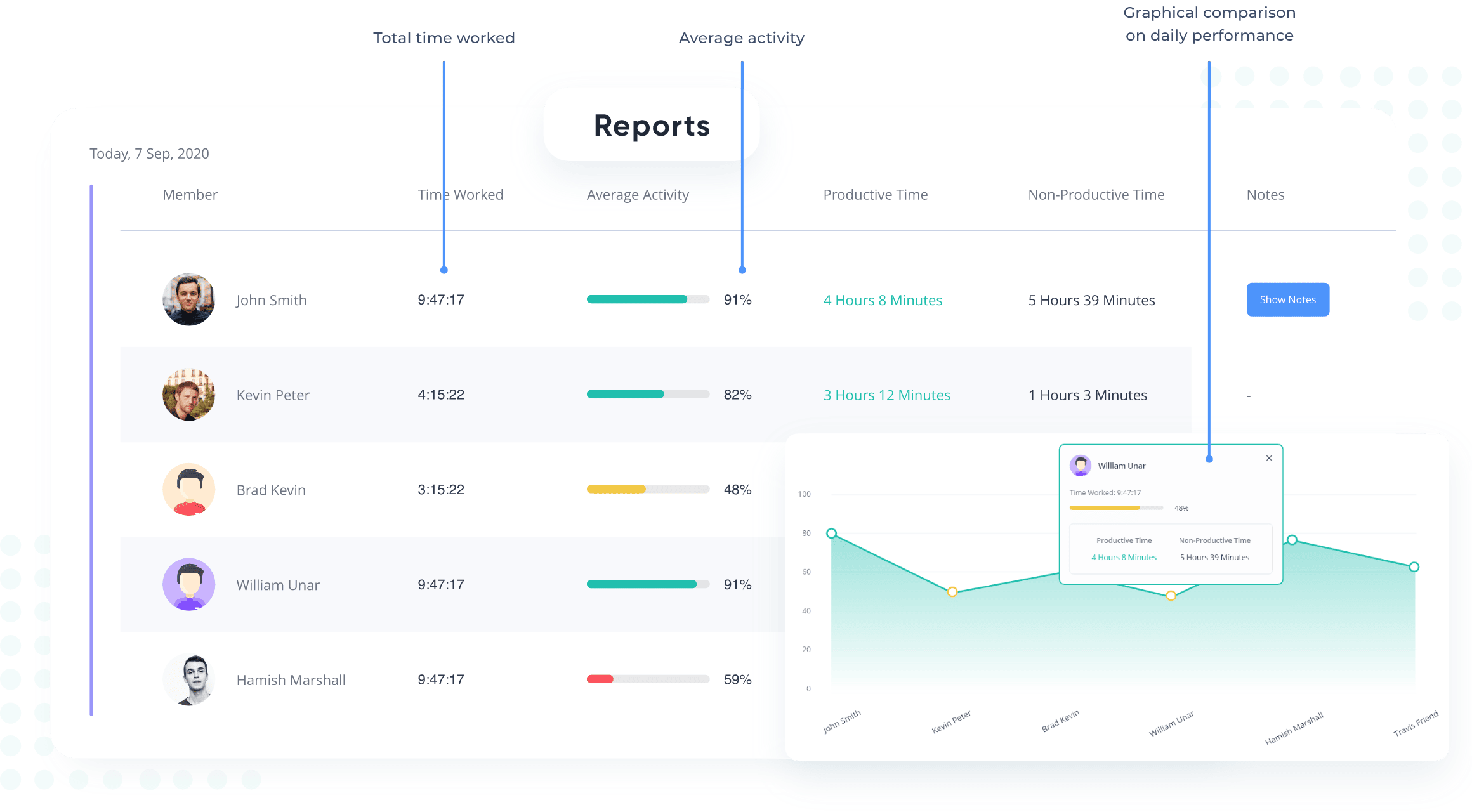
With Apploye employee monitoring software, you can go beyond basic productivity tracking. For instance, you can use Apploye’s Advanced reporting feature to compare the work and active hours of remote, in-house, and even hybrid team members.
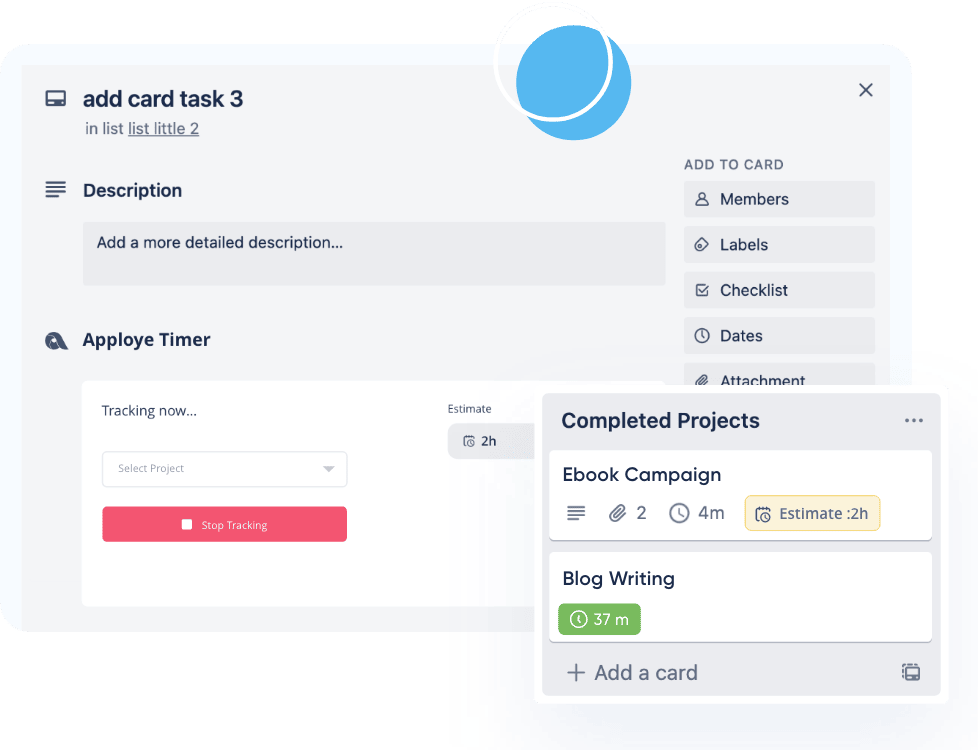
You can even integrate your most used platforms with Apploye for better task management and faster workflows. Its employee productivity report aligned with the tool will let you see which tasks required what amount of time in the same dashboard. So, you can save more time and manage your app-to-app interactions better.
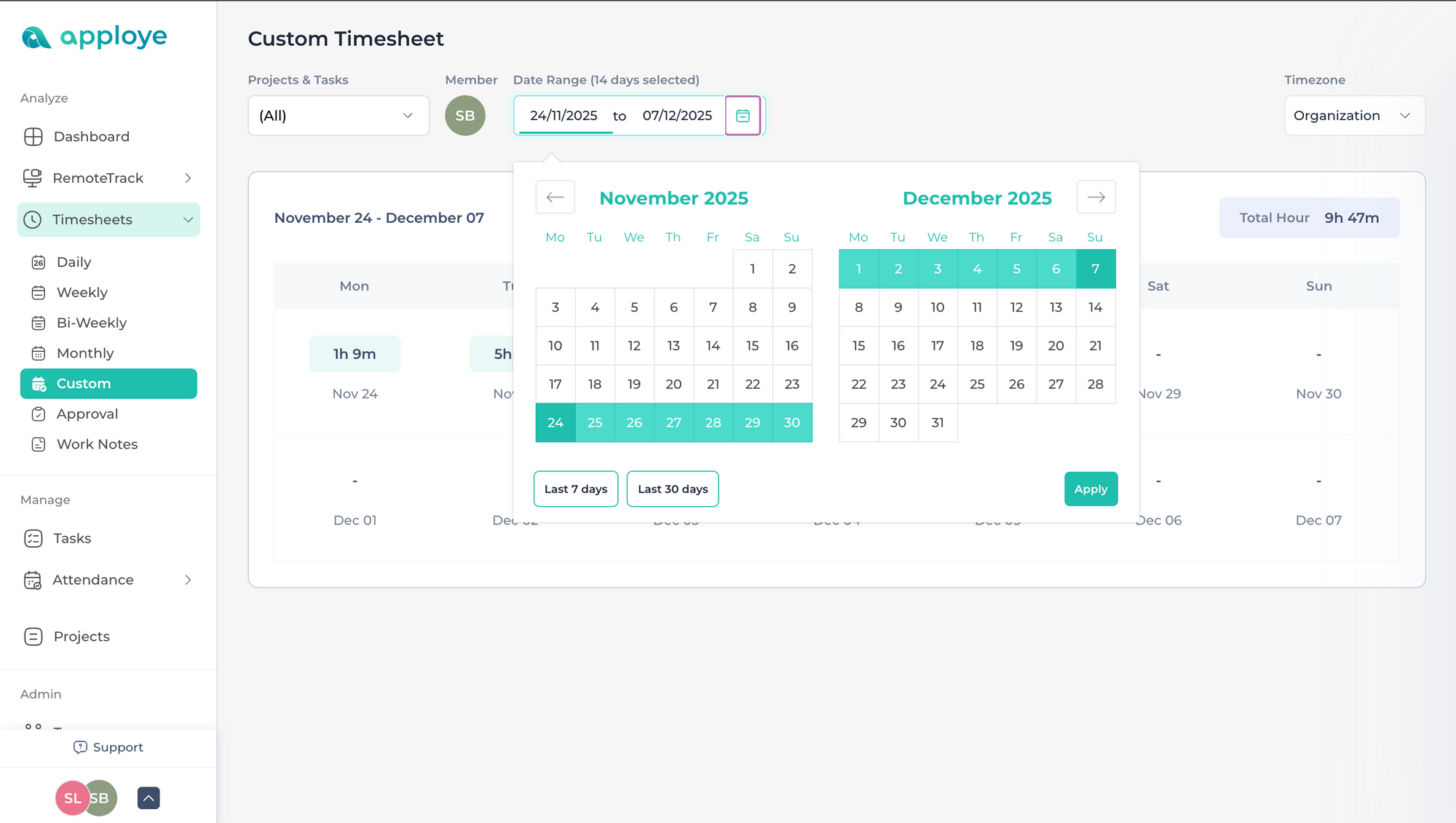
It also offers timesheets in different templates. You can get the daily, weekly, and bi-weekly reports of a group of members.
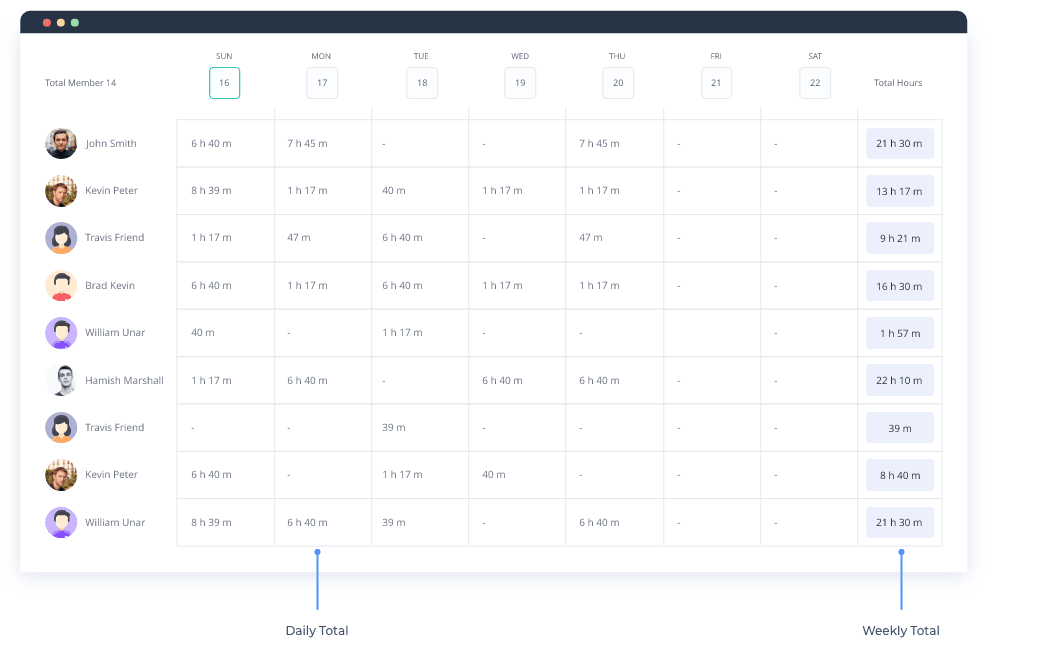
You can even use the custom timesheets template using the Apploye team monitoring platform. So, I can compare how one’s performance changes during a certain period of work period in remote or office work.
Apart from these, the Apploye employee monitoring software allows you to create standard team productivity reports in various ways. Whether you are managing a remote or hybrid team, the tool helps organizations automate their work so they can make informed decisions with the data without juggling.
So, what are you waiting for?
Utilize the magic of the modern Apploye automatic productivity reporting tool to automate your workflows, judge data, and analyze it. Let your business thrive with improvement, not just submitting work.
Remote Worker Time Tracking
Remote Team Management Software
Best Practices for Managing Remote Teams
Remote Work Tools
Experience automated productivity reports
About Author